Shopify Product Certifications: Trust Signals at Import

On this page
A skincare merchant imports 200 products from a certified organic supplier. The supplier's product data file has every field a retailer needs: name, SKU, price, ingredients list, description. The certifications, COSMOS Organic, cruelty-free approval, dermatologist-tested verification, are in a separate PDF that the supplier calls the "compliance pack." The merchant imports the products, the pages go live, and the certifications are nowhere on the product pages.
Shopify product certifications import trust signals fall through the gap between what suppliers provide and what standard import workflows capture. The certifications exist. The evidence is real. But without a deliberate import step to map them, that evidence never reaches the shopper making the purchase decision.
Why Certification Data Is a Conversion Driver
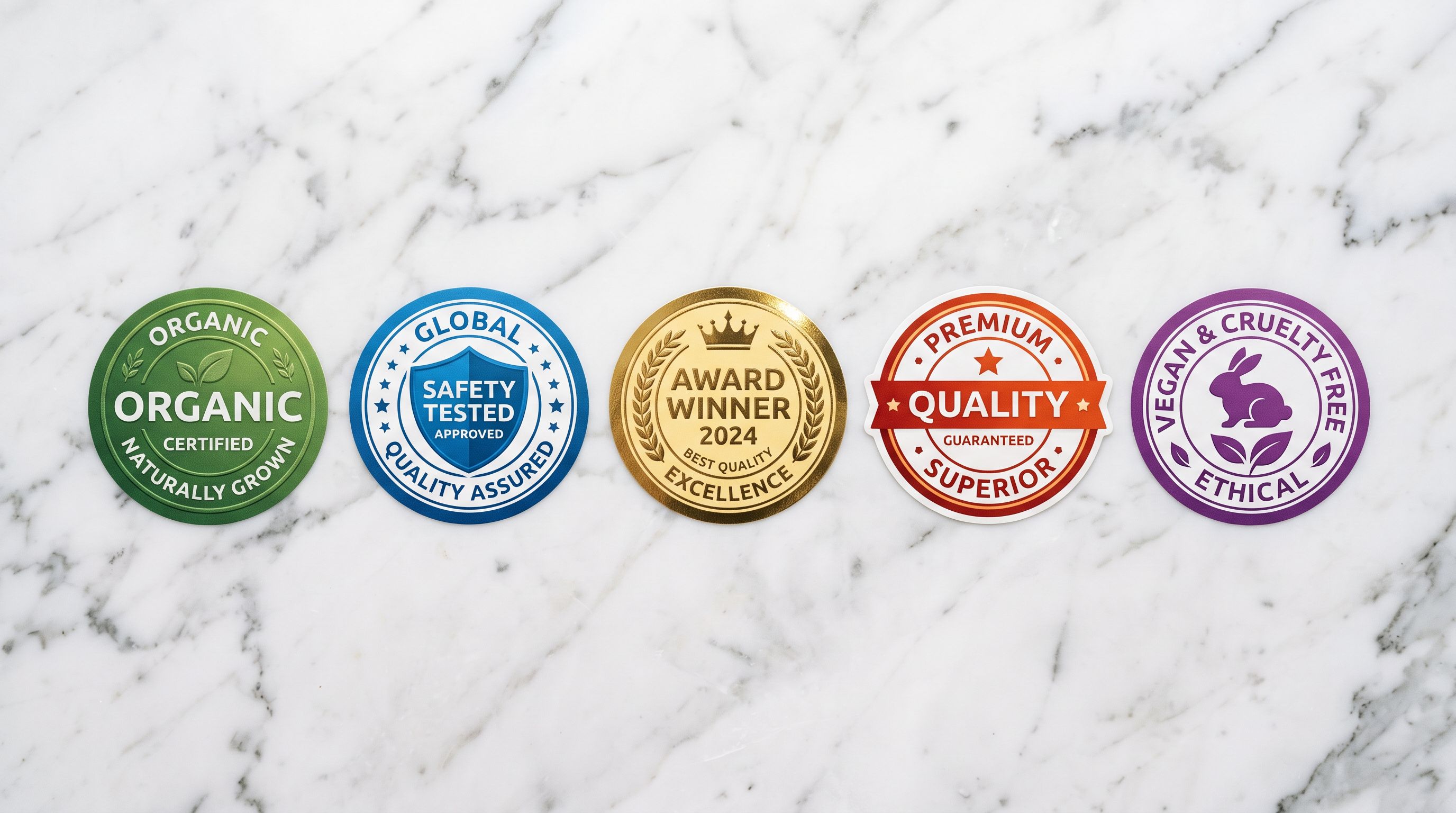
Certification badges are not decoration. They are decision shortcuts for shoppers who cannot physically inspect a product before buying. A shopper browsing a protein supplement cannot smell the ingredient quality or verify the manufacturing standard. A buyer looking at a baby monitor cannot test its electromagnetic compliance. A customer considering a natural skincare serum cannot read the lab report.
Certification badges resolve that uncertainty at a glance. The organic certification, the CE mark, the dermatologist-tested approval, each one transfers a verification decision that the shopper cannot make themselves to an authority they already trust. That transfer is the conversion mechanism.
The categories where this mechanism is strongest:
Food supplements and protein products: buyers actively filter by certification (organic, non-GMO, NSF Certified, Informed Sport) because the alternative is accepting unknown manufacturing standards. Products without visible certifications lose to certified competitors even at lower prices.
Baby and child products: CPSC compliance (US), CE marking (EU/UK), and ASTM F963 toy safety certification are purchase prerequisites in this category. A baby monitor, car seat, or toy without visible safety certification creates doubt that most parents resolve by clicking away.
Skincare and personal care: dermatologist-tested, hypoallergenic approval, cruelty-free certification (Leaping Bunny, PETA), and COSMOS or NATRUE organic standards are filtering criteria for ingredient-literate buyers. These buyers read labels. They scan for badges before reading the description.
Electronics and appliances: FCC certification (US), CE marking (EU), and RoHS compliance (restricted hazardous substances) are trust markers for electronics buyers. Missing certification information creates an opening for competitors who display it prominently.
Organic and sustainable products: B Corp certification, fair trade approval (Fairtrade International, Fair Trade Certified), and Rainforest Alliance status are differentiators in categories where multiple suppliers offer similar products at similar prices.
Where Certification Data Lives in Supplier Files
The challenge with certification data is that it rarely arrives in the same place as the product pricing data. Supplier data typically comes in two separate formats.
The product data file (CSV, Excel, or the merchant's catalogue) contains fields the supplier's ERP system tracks: SKU, name, variant, price, weight, dimensions, barcode. This is what most import workflows map. Certifications are not in this file unless the supplier has specifically included them.
The compliance documentation (PDF spec sheets, compliance packs, product datasheets) contains the certification evidence: the certifying body name, the certificate number, the expiry date, the scope of certification. This is where CE declarations, organic certificates, safety test reports, and award records live.
A third location is the supplier product catalogue PDF, the document a buyer would use in a showroom. This often has certification logos on individual product pages. The information is there, but not in machine-readable form.
For a merchant setting up an import workflow, the practical approach is:
-
Ask the supplier for a supplementary data file that includes certification fields alongside SKU numbers. Most suppliers can generate this if asked, their compliance database has the data, but the export is not part of the standard order pack.
-
For suppliers who only provide PDFs, extract the certification data manually into a supplementary column in the product data file before import. One column per certification type:
organic_certified,ce_mark,cruelty_free,dermatologist_tested. Use TRUE/FALSE or the certification body name as the value. -
For large catalogues where manual extraction is not practical, Importier's URL import feature can extract product data from supplier product pages that display certification badges, pulling the visible information into structured fields.

Mapping Certification Data to Shopify at Import
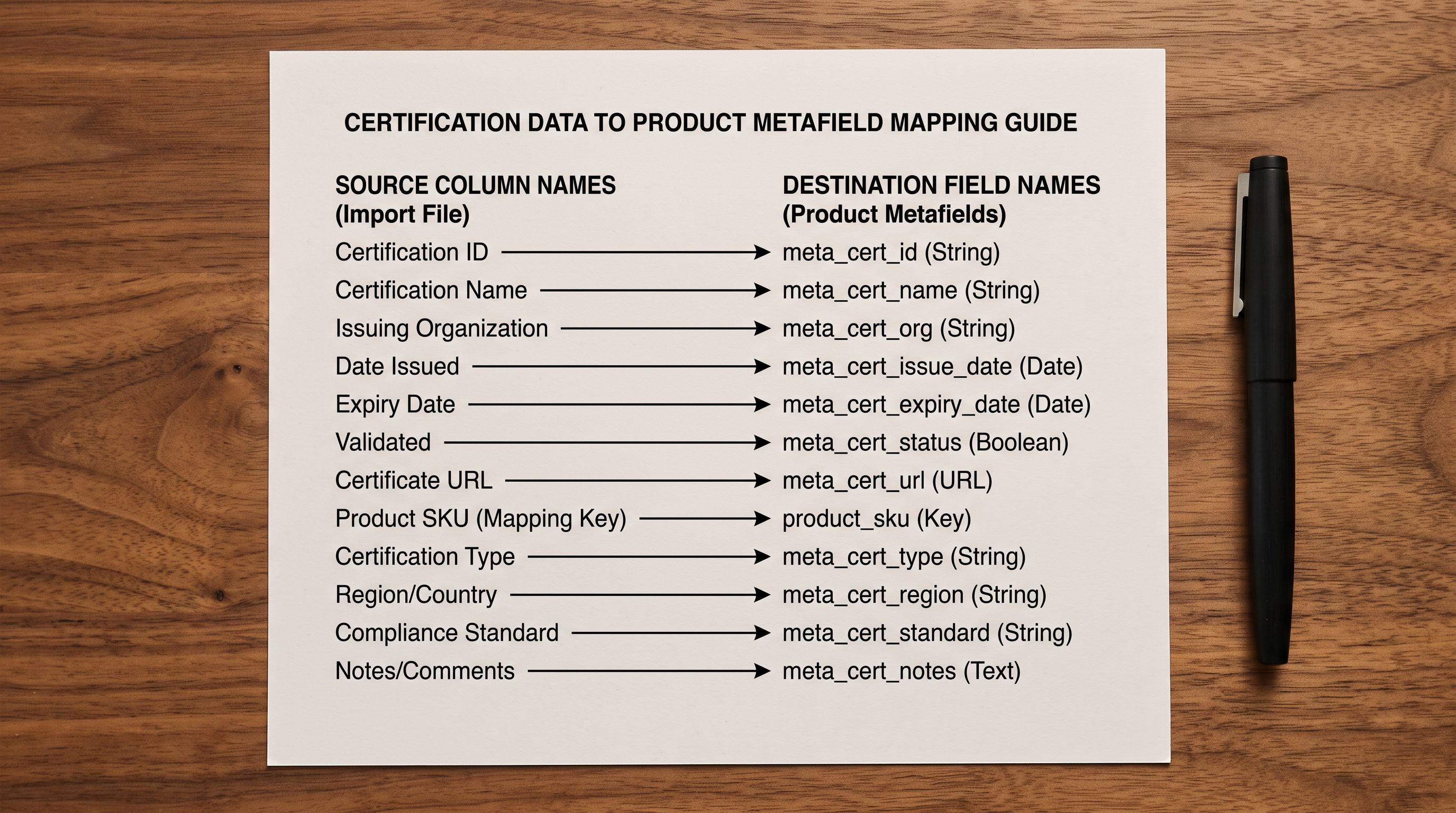
Shopify does not have a built-in product certifications field. The correct destination for certification data is product metafields, using a structured custom namespace.
A practical metafield structure for certification data:
certifications.organic, text field, value: the certifying body (e.g., "COSMOS Organic", "USDA Organic", "ACO Certified Organic")certifications.safety, text field, value: the applicable standard (e.g., "CE Marking", "CPSC 16 CFR", "ASTM F963")certifications.cruelty_free, single_line_text, value: the certifying programme (e.g., "Leaping Bunny", "PETA Beauty Without Bunnies")certifications.trade, text field, value: the fair trade programme (e.g., "Fairtrade International", "Fair Trade Certified")certifications.awards, text field, value: award name and year (e.g., "2025 Best Baby Monitor, Which? Magazine")
In Importier's import wizard, the column mapping step lets the merchant map a supplier file column to any Shopify metafield by specifying the namespace and key. A supplier column named "Organic Certification Body" maps directly to certifications.organic. A column named "CE Declared" (TRUE/FALSE) maps to a boolean metafield under certifications.safety_mark.
The import also handles cases where the certification column contains mixed data. If a supplier uses a single "Certifications" column with comma-separated values ("CE, RoHS, FCC"), Importier's field parser can split the comma-separated list into individual metafield values during import, rather than landing everything in one unstructured text block.
Importier's guide to Shopify product metafields and attribute import covers the full metafield mapping workflow and how to verify metafield data in the Shopify admin after import.
- 01Step 1Request a supplementary certification data file from your supplier before import. Ask for a spreadsheet with SKU numbers alongside each certification type as a separate column. Even a simple TRUE/FALSE column for each certification type is sufficient to map structured data at import time.
- 02Step 2In the Importier import wizard's column mapping step, create a custom metafield definition for each certification type. Use a consistent namespace (certifications) and a short key for each type (organic, safety, cruelty_free, awards). Map the corresponding supplier column to each metafield.
- 03Step 3After import, open a sample of 5-10 products in the Shopify admin and verify the metafields appear correctly. The metafield panel shows each custom field and its value. Fix any mapping errors before they propagate to the full catalogue.
- 04Step 4Implement the display layer in your Shopify theme. Each certification badge needs a conditional Liquid snippet that checks whether the relevant metafield has a value and, if it does, renders the badge image or text. This is a one-time theme task.
- 05Step 5For structured data coverage, add the hasCertification property to your product JSON-LD. The property takes the certification name as its value. A theme snippet reads the certification metafields and outputs them as schema.org markup, making certifications machine-readable for Google and other search systems.
Schema.org hasCertification and Structured Data
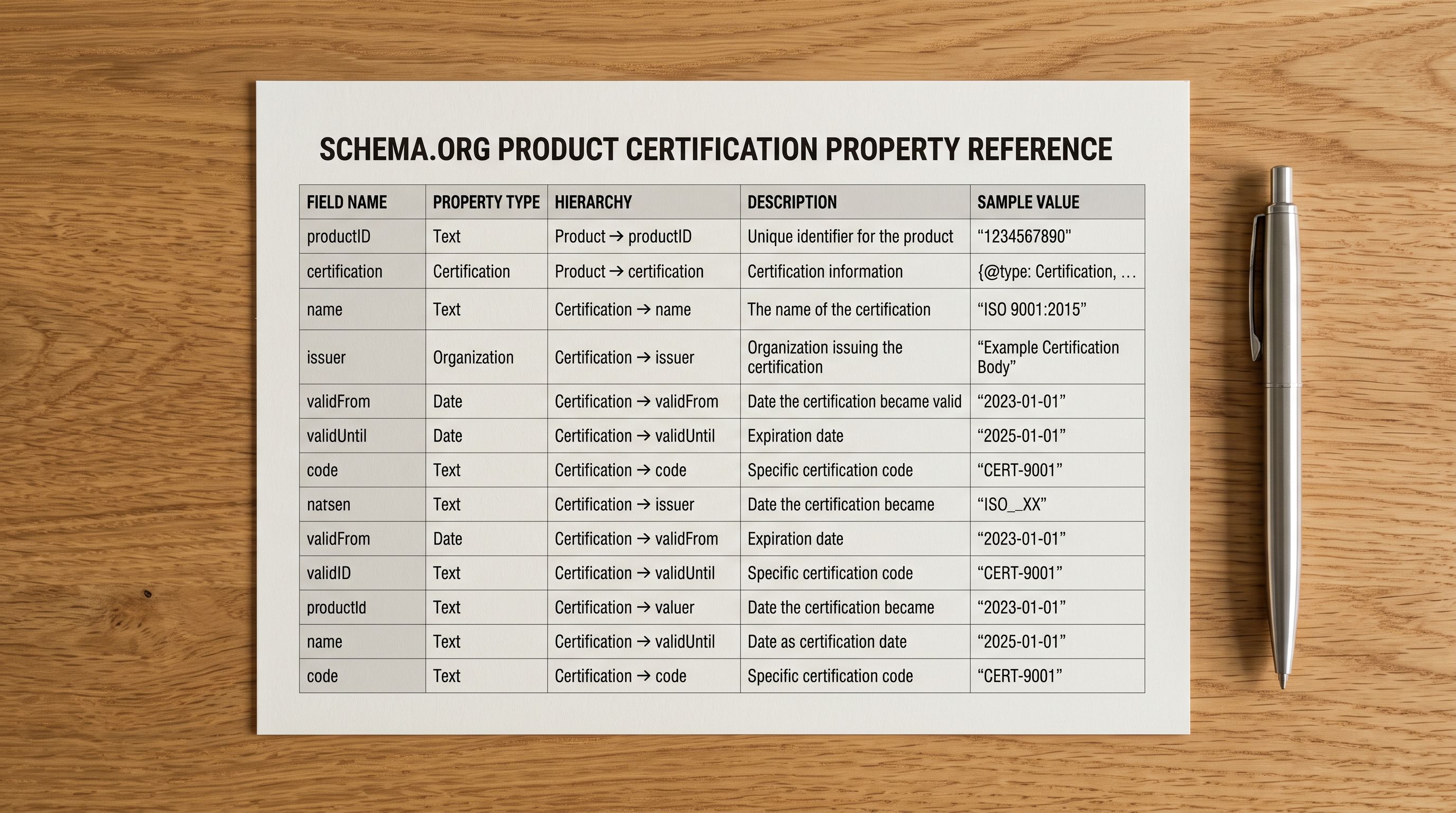
Schema.org's hasCertification property lets merchants include formal certification information in the Product structured data that search engines read. This is separate from the badge display on the product page, it makes certification data machine-readable, so search systems can interpret it without relying on the page's visual design.
The property accepts a Certification object with fields including:
name, the certification name (e.g., "CE Marking")issuedBy, the certifying organisationvalidFromandvalidUntil, the certification period
For Shopify merchants, the implementation is a theme snippet that reads certification metafields and outputs them as JSON-LD alongside the Product schema that Shopify generates automatically. When the metafield value is populated, the snippet adds the hasCertification block. When it is empty, the block is omitted.
Google's Merchant Centre product data specification documents the certification attribute for Google Shopping feeds, which maps to the same underlying data. Products with certification data in their feed become eligible for certification-related filtering in Google Shopping, a shopper who filters for "organic certified" products will only see products where the certification attribute is populated.
This is the double benefit of mapping certification data at import: visible trust signals on the product page and structured machine-readable data for search systems. Both outcomes come from the same import step.
A certification badge on a product page reassures the shopper. The same certification in the product's structured data makes the page eligible for certification-specific search filters. Both require the same source data. The difference is where it is mapped at import time.
Which Categories Have Mandatory Requirements
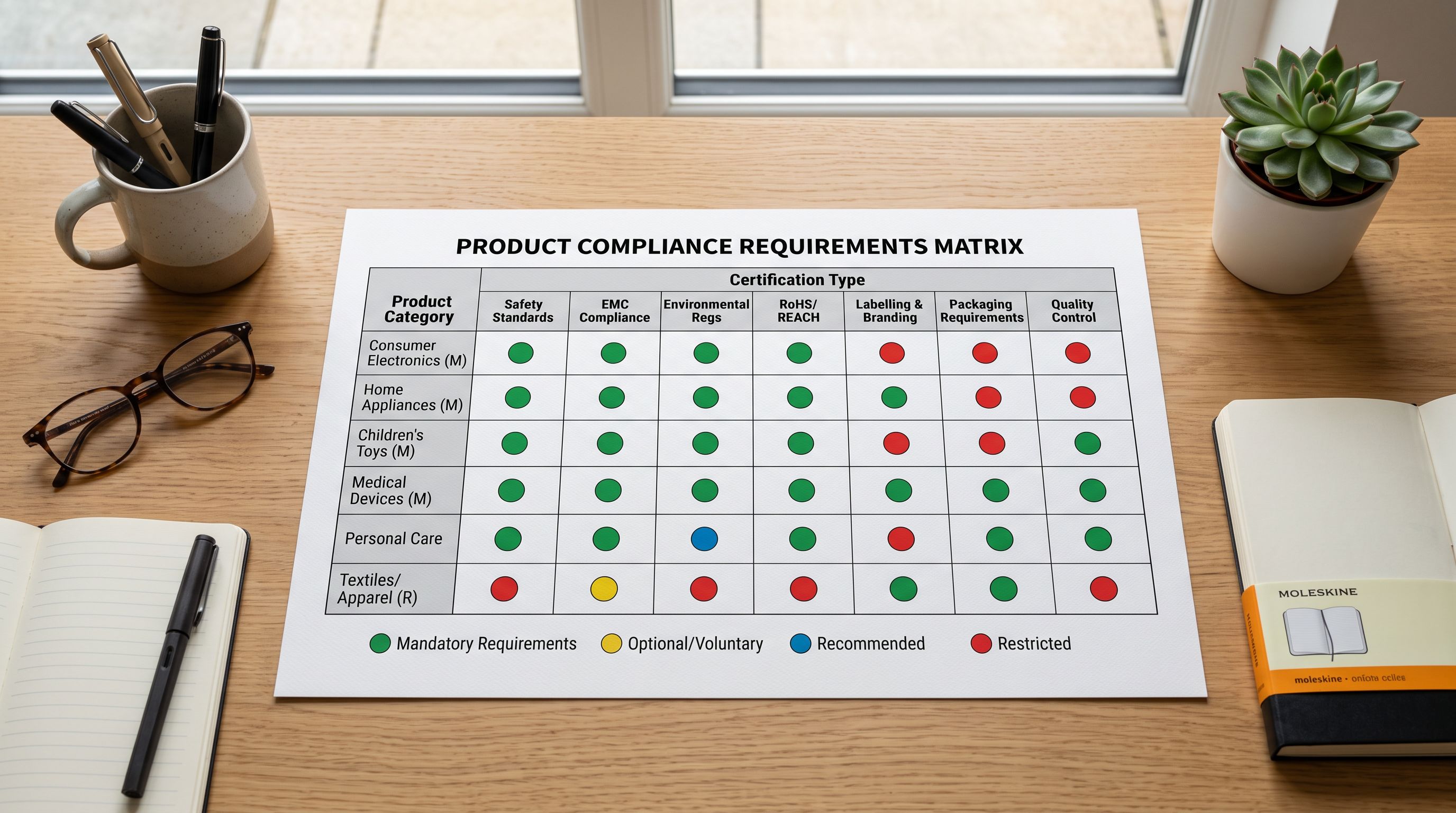
In some categories, certifications are not just conversion drivers, they are legal prerequisites for selling. Understanding the mandatory versus voluntary distinction shapes which certifications to prioritise at import time.
Mandatory certifications (missing = cannot legally sell in the market):
Electronics (EU/UK): CE marking is a legal requirement for electronic devices sold in the EU and UK. A product without CE marking documentation cannot be placed on the market. RoHS compliance (restriction of hazardous substances in electronic equipment) is also mandatory. These certifications belong in product listings as a compliance requirement, not just a conversion aid.
Baby and children's products (US): CPSC (Consumer Product Safety Commission) conformity testing is required for children's products under 12. Products must have a General Conformity Certificate (GCC) or Children's Product Certificate (CPC). Without this documentation, the product is not legally sellable. The certification data belongs in the product record as evidence of compliance.
Food supplements (US): FDA facility registration and Current Good Manufacturing Practice (CGMP) compliance are legal requirements. Supplement products sold in the US must meet DSHEA (Dietary Supplement Health and Education Act) requirements. These are not displayed as badges, they are regulatory records that a merchant needs in their product documentation.
High-converting voluntary certifications:
Organic food and skincare: USDA Organic, COSMOS Organic, ACO Certified Organic, or NATRUE certified organic. In categories where the "organic" claim drives purchasing decisions, the certifying body matters, a USDA Organic seal carries different weight than an uncertified "natural" claim.
Fair trade: Fairtrade International and Fair Trade Certified (US) are purchase triggers for buyers who prioritise ethical sourcing. These buyers are actively looking for the badge and filtering out products without it.
Cruelty-free: Leaping Bunny and PETA's Beauty Without Bunnies are well-recognised programmes that drive conversion in skincare, cosmetics, and personal care. These programmes have searchable product registries, buyers verify claims independently.
Awards: Product awards from well-recognised bodies (Which? magazine, Good Housekeeping Institute, Mumsnet Rated, MIPRO) function as third-party validation that buyers recognise without knowing the full evaluation methodology. "Tested and Recommended" from a trusted publication transfers credibility at a glance.
Displaying Certification Badges on Product Pages
Once certification data is in the Shopify metafields, the display layer is a theme configuration task. The core pattern is a conditional Liquid block that checks for each certification metafield and renders a badge image or a text label when the value is present.
Two practical display approaches:
Badge images: Store certification logo files (CE mark, organic seal, cruelty-free bunny) in the Shopify Files section. The Liquid snippet checks the metafield and, if populated, outputs an <img> tag pointing to the relevant logo file. This produces the visual badge display that shoppers recognise.
Text labels: A simpler approach uses the metafield value directly as text in a styled block, a small pill or tag element styled in the theme. This works for certifications where the text label carries meaning without the graphic (e.g., "Dermatologist Tested", "FCC Certified", "CPSC Compliant").
The key implementation detail: certification badges should appear in the product page hierarchy where the shopper looks for trust signals. For most themes this is below the product title and above or alongside the Add to Cart button. Badges buried in a tab or below the description fold are less effective because many shoppers commit to a purchase decision (or decide to leave) before reaching that content.
Importier's guide to managing product trust data in Shopify covers the display configuration for compliance data, including the theme snippet structure for conditional badge rendering.

- Certifications in supplier PDF only, never visible on product page
- No structured data for certification-aware search filters
- Shopper must trust brand claim alone
- No differentiation in search results from uncertified competitors
- Missing data in mandatory categories creates compliance risk
- Trust signal gap closed manually, product by product
- Certification metafields populated at import, visible on product page from day one
- hasCertification schema.org property feeds structured data
- Shopper sees third-party verified evidence before purchasing
- Certification-specific Google Shopping filters include the product
- Mandatory compliance documentation in product record as evidence
- Trust signals cover the full catalogue in a single import run
Shopify Product Certifications Import Trust Signals: Key Takeaways
Getting shopify product certifications import trust signals right means treating certification data as structured product data, not supplementary marketing material.
- Certification badges are decision shortcuts for shoppers who cannot verify product quality themselves. In food supplements, baby products, skincare, and electronics, visible certifications are often the difference between a purchase and a bounce. They resolve uncertainty at the point where the shopper is deciding whether to add to cart.
- Certification data lives in supplier compliance packs and spec sheets, not in the standard product CSV. The import workflow needs a supplementary step: request a certification data file with SKU-level rows, then map each certification type to a Shopify metafield.
- Use a structured metafield namespace (certifications) with typed keys (organic, safety, cruelty_free, awards). Map supplier columns to these metafields in Importier's column mapping step. This makes certification data queryable and usable for theme-level display and structured data.
- Schema.org's hasCertification property makes certification data machine-readable for search systems. A theme snippet that outputs metafield data as JSON-LD gives products structured certification data alongside the Product schema Shopify generates automatically. This enables certification-specific search filters in Google Shopping.
- In electronics (CE, RoHS), baby products (CPSC, CPC), and food supplements (FDA, CGMP), certifications are legal requirements, not optional trust signals. In organic food, fair trade, cruelty-free, and award-recognised products, they are purchase triggers for buyers who filter by certification before engaging with the description.
- Display certification badges above the Add to Cart button, not below the fold. Shoppers who use certifications as purchase criteria typically scan for badges before reading the full description. Position matters as much as presence.
Import your product catalogue with certification data mapped from day one at importier.app. Importier's column mapping step handles custom metafields, and the import preview shows exactly which certification fields will land in Shopify before any product goes live.
Set up your first import in under five minutes.
Importier brings products into Shopify with AI descriptions, category metafields, and data enrichment on every run.