Shopify Product Handle Strategy: Set SEO URLs at Import
On this page
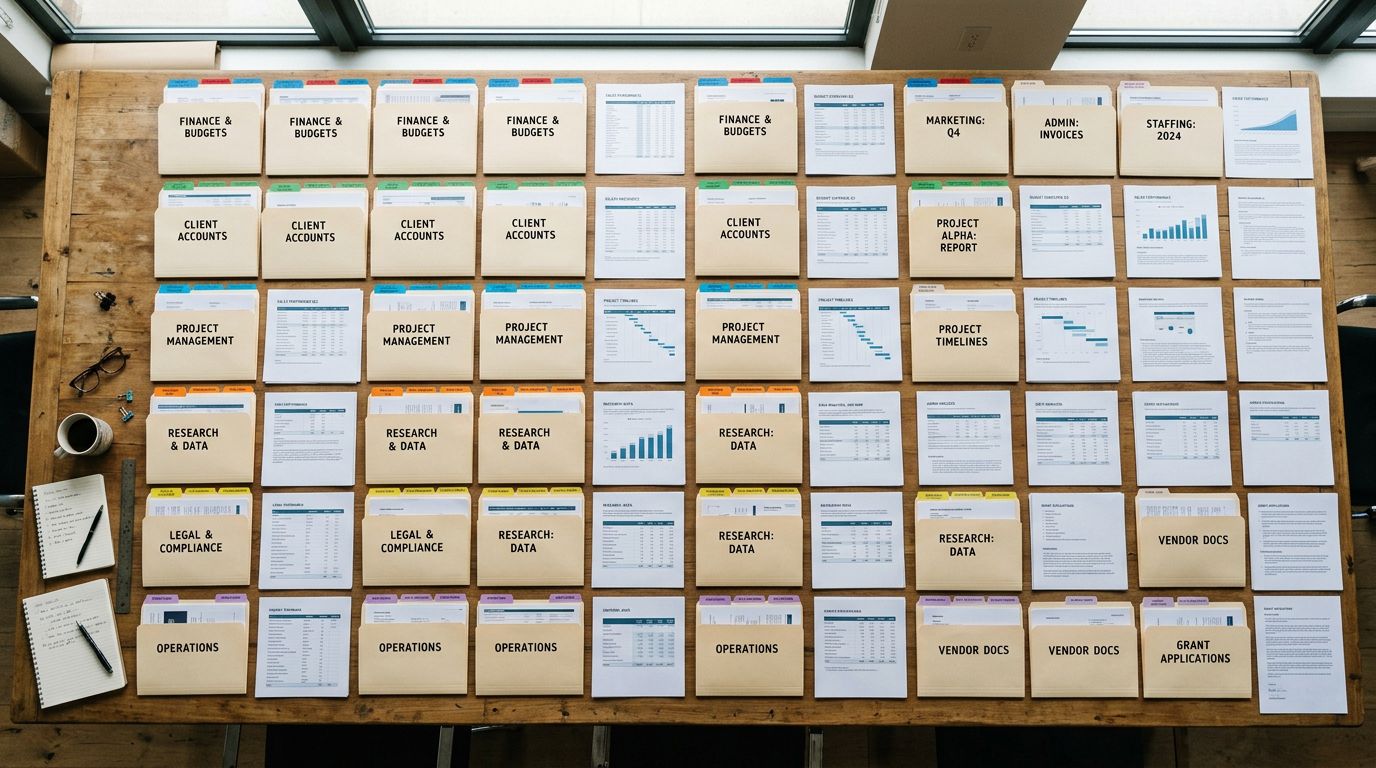
A Melbourne outdoor furniture retailer imported 600 products from three suppliers. Each supplier had their own naming format. Supplier A used brand names first: "Artiss Outdoor Dining Chair Acacia Wood 4-Seat." Supplier B used dimensions first: "120x80 Acacia Hardwood Outdoor Dining Table." Supplier C used model codes first: "FRN-OUT-CHR-22-BRN Outdoor Bistro Chair."
After import, Shopify auto-generated handles from those titles. Six hundred products split across three URL patterns:
artiss-outdoor-dining-chair-acacia-wood-4-seat120x80-acacia-hardwood-outdoor-dining-tablefrn-out-chr-22-brn-outdoor-bistro-chair
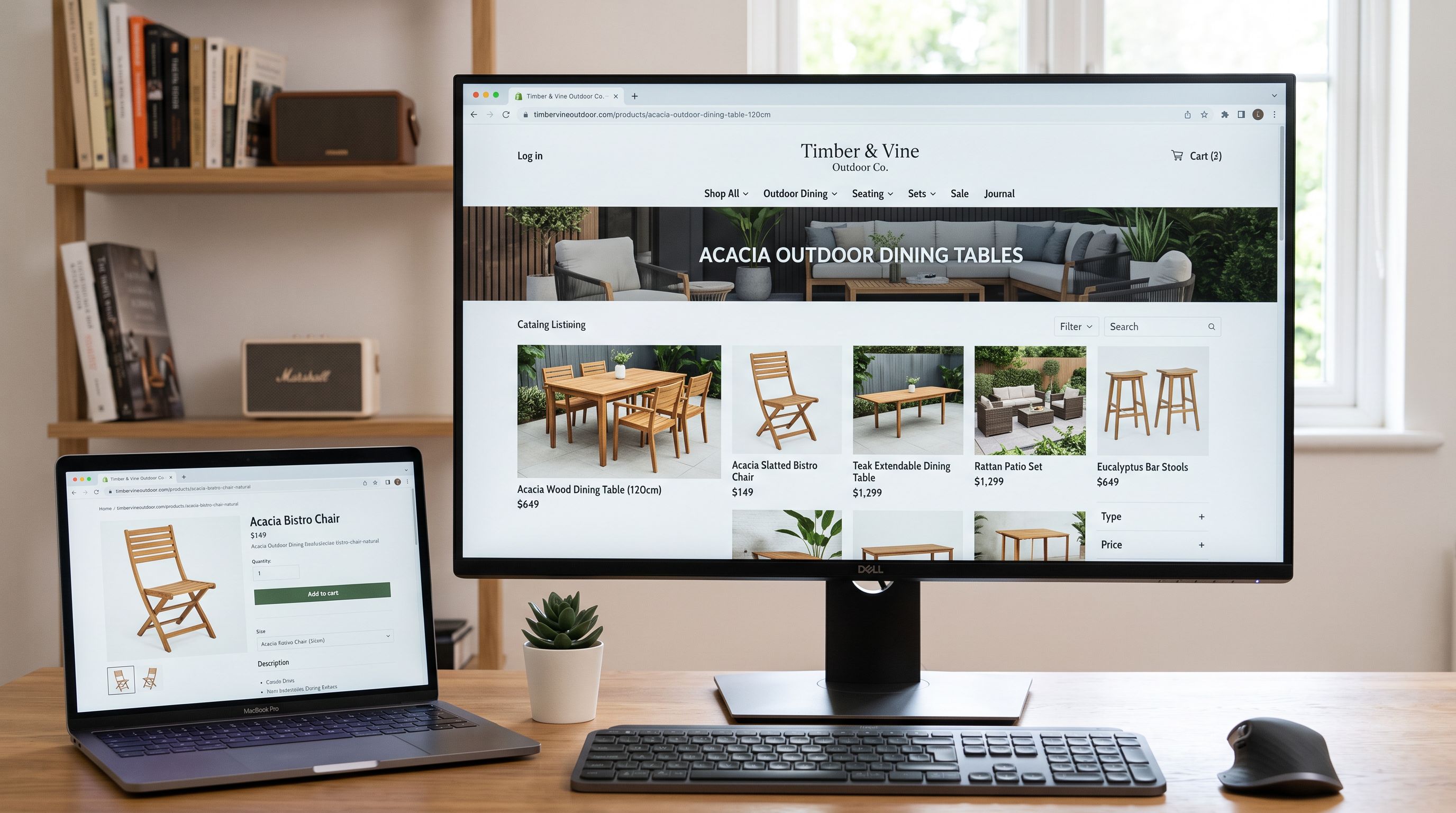
Two years later, their top competitor (stocking similar products) ranked for every major category query: "acacia outdoor dining table", "outdoor dining chair 4-seat", "timber outdoor bistro set." The retailer's products scattered across all three handle formats never built consistent URL authority for any category keyword. The competitor's handles followed a single pattern from day one: acacia-outdoor-dining-table-120cm, outdoor-dining-chair-4-seat-timber, outdoor-bistro-chair-cafe-style.
Same product category. Same content quality. Different URL architecture.
Why Product Handles Are Permanent SEO Decisions
According to Shopify's product details documentation, a product handle is generated from the product title when the product is created. After creation, Shopify does not regenerate it automatically. The handle persists in every URL, every sitemap entry, every backlink, and every internal link on the site.
Changing a handle after import requires a redirect. Without a redirect, the old URL returns a 404. With a redirect, the old URL passes PageRank to the new one, but with loss. Google's URL structure guidance confirms that every redirect hop in a chain costs some link equity. A product that has received backlinks over 18 months does not transfer that equity cleanly when its handle changes.
The invisible cost is harder to see than the 404. A product that has been crawled 400 times at /frn-out-chr-22-brn-outdoor-bistro-chair has that URL in Google's index, in Shopping feeds, in any spreadsheet a blogger used to link to it, and in any customer bookmark. A new URL at /outdoor-bistro-chair-timber starts fresh. The redirect connects them, but the connection is imperfect and time-delayed.
The only handle decision with zero cost is the one made before the product is first indexed.
The Three URL Architecture Strategies
Before any import, you need to choose one URL architecture strategy and apply it to every product across every supplier file. Mixing strategies is what creates the fragmentation the outdoor furniture retailer experienced.
Strategy 1: Keyword-Led
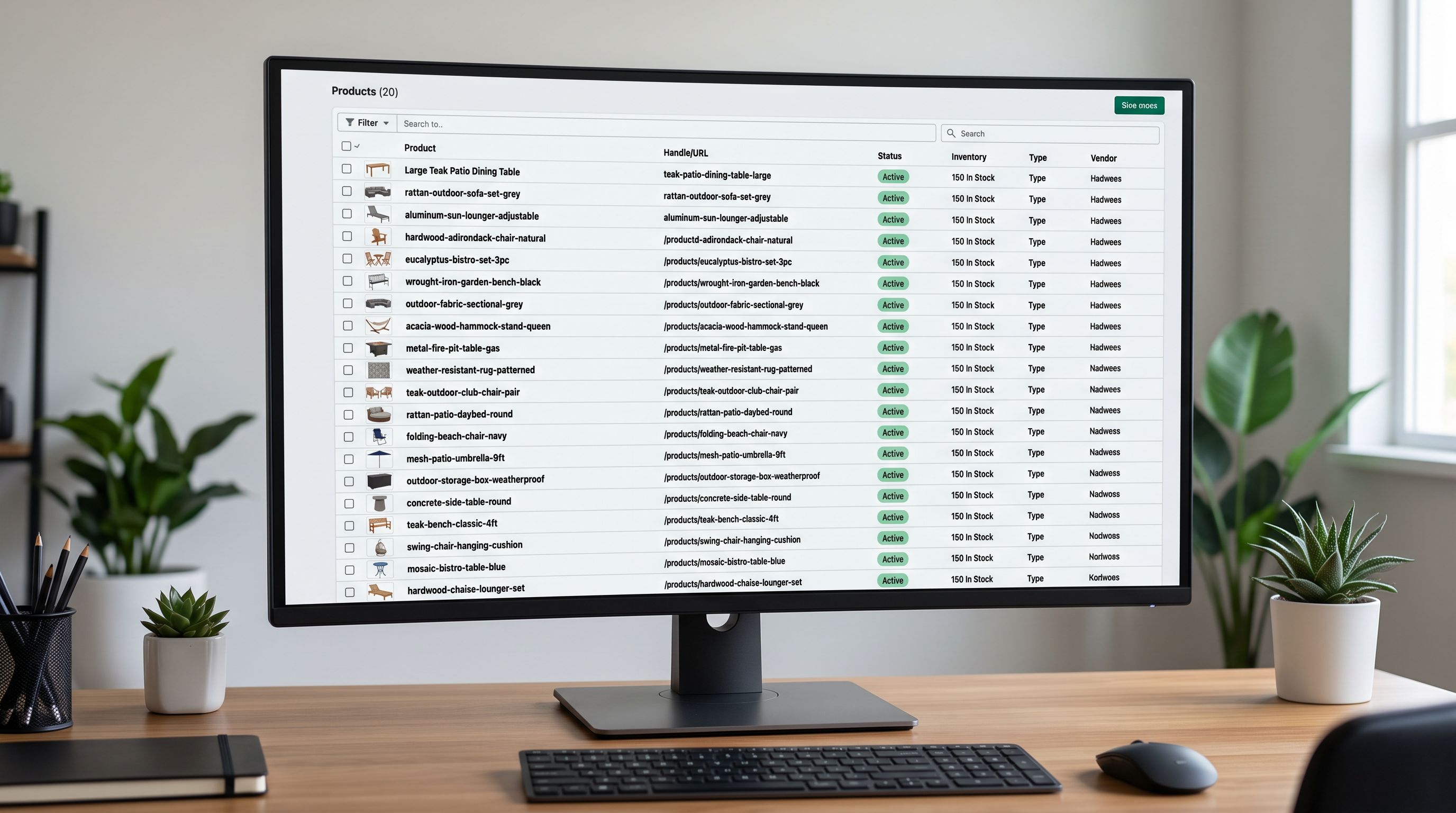
Keyword-led handles put the primary product keyword first, followed by a specific differentiator.
Format: primary-keyword-differentiator
Examples:
acacia-outdoor-dining-table-120cmoutdoor-dining-chair-4-seat-timberwaterproof-hiking-jacket-women-xl
When to use: category commerce stores where customers search for product types first (not brand names). Works well for mixed-brand catalogues, dropshipping stores, and any store where Google category rankings are the primary acquisition channel. Every product URL reinforces the site's topical authority for the category keyword.
The outdoor furniture retailer should have used keyword-led handles. Their customers search "outdoor dining table" and "outdoor bistro chair": not brand names, not model codes.
Strategy 2: Brand-Led
Brand-led handles put the brand name first.
Format: brand-name-product-differentiator
Examples:
kathmandu-fleece-jacket-women-blueweber-charcoal-bbq-57cm-blackfiskars-garden-pruner-280mm
When to use: owned-brand stores where the brand name is itself a search term. Stores with a high proportion of branded searches. Retailers who are the exclusive authorised reseller for specific brands.
Limitation for distributed products: placing a manufacturer's brand name in your handle creates URL competition with the manufacturer's own site and other authorised retailers. If 30 stockists each have URLs starting with artiss-outdoor-dining-chair, every store's URL competes for the same branded query. Keyword-led handles differentiate your URL from the manufacturer's canonical page.
Strategy 3: Category-Led
Category-led handles embed the product's place in the catalogue hierarchy.
Format: category-subcategory-product-descriptor
Examples:
outdoor-furniture-dining-chairs-acacia-4-seatgarden-tools-pruners-bypass-280mmworkwear-jackets-waterproof-hi-vis-class-2
When to use: large catalogues (500+ products) with well-defined collection hierarchies. Useful when collection pages (/collections/outdoor-furniture-dining-chairs) have strong internal links that the handle reinforces. Supports breadcrumb navigation where the URL mirrors the collection structure.
Limitation: handles become stale when categories are reorganised. "outdoor-furniture" might shift to "patio-furniture" as category naming evolves. Category-led handles then require either handle changes (with redirect cost) or a divergence between URL structure and collection structure.
Brand-led handles build brand search equity. Keyword-led handles build category search equity. The strategy you choose should match where your customers start their search.
Setting Handles in Import Files Before Shopify Auto-Generates Them
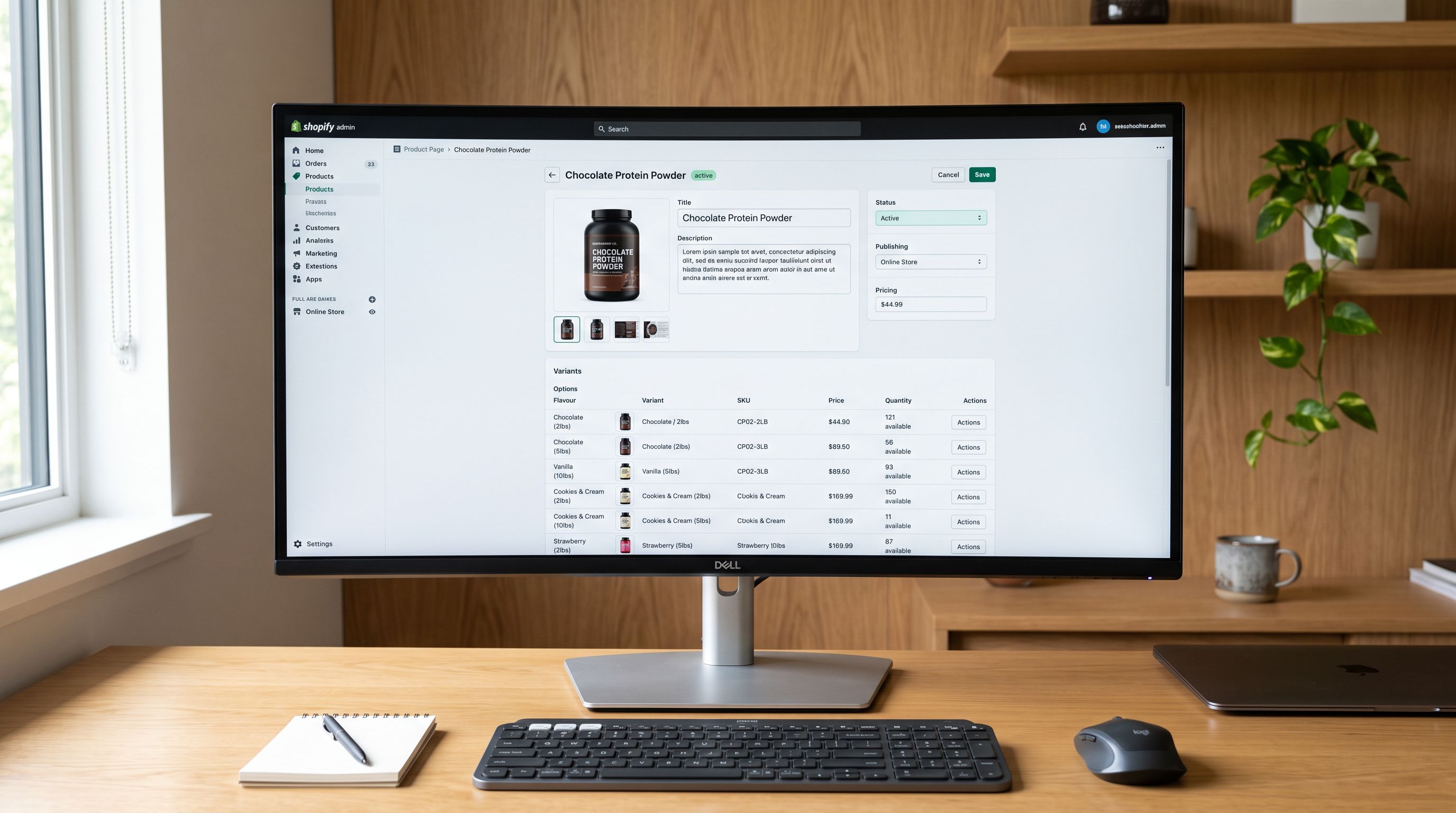
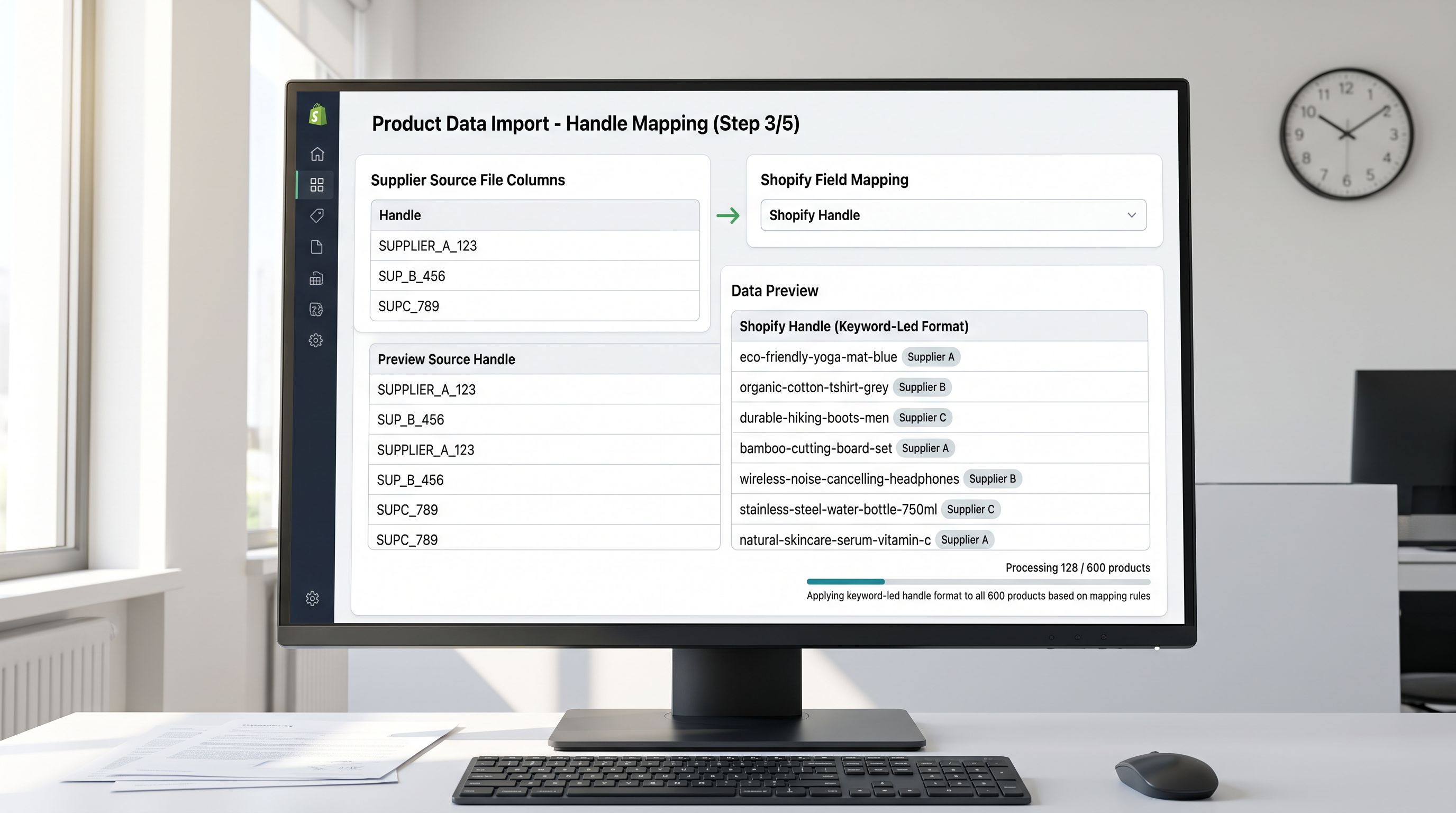
Shopify's CSV import format accepts a Handle column. Importier's column mapping step passes this column through to Shopify. A handle value in that column overrides Shopify's auto-generation completely.
The process for 600 products across three supplier files:
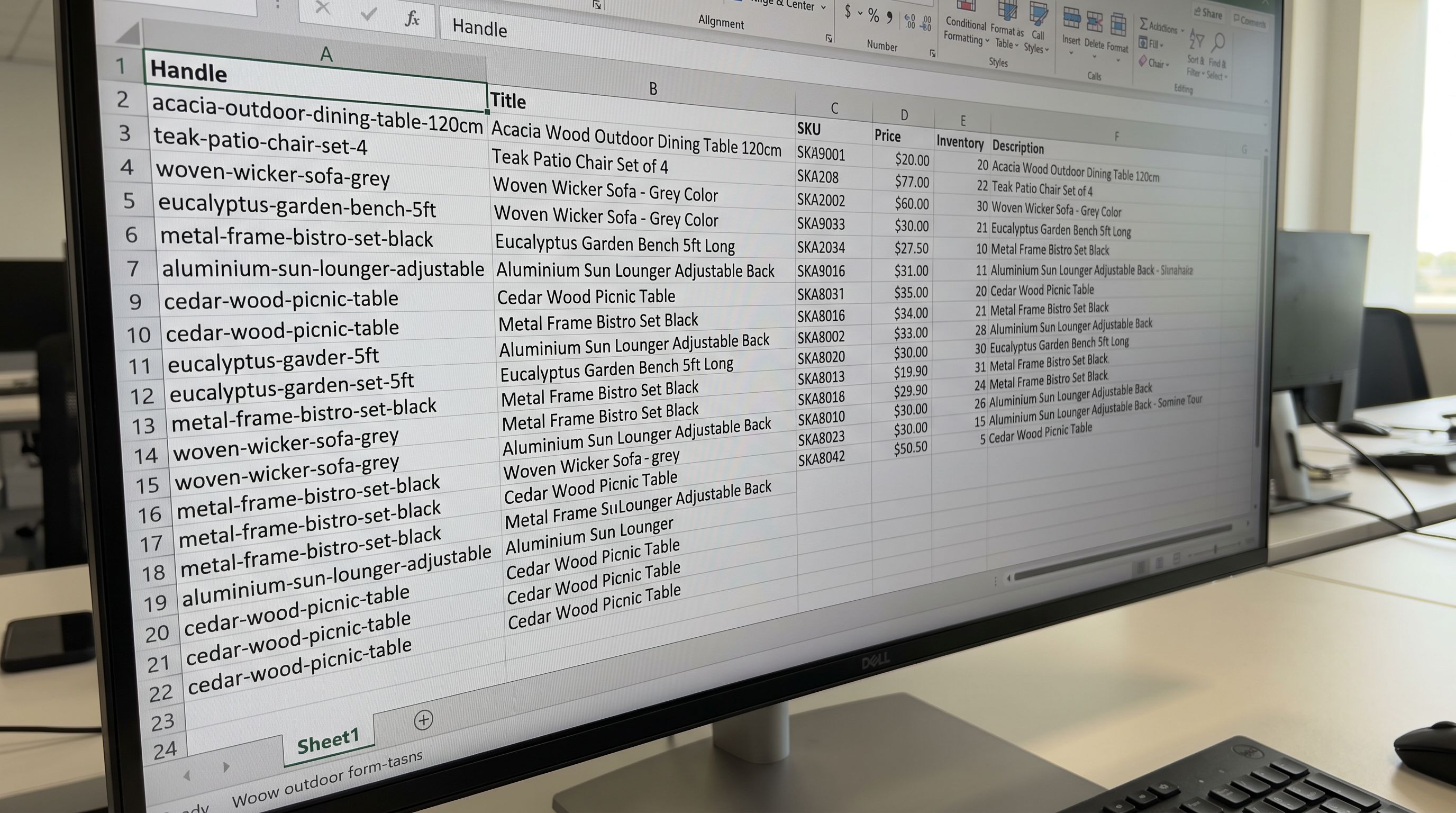
- Open each supplier file in a spreadsheet
- Add a
Handlecolumn alongside the Title column - Write a formula that produces keyword-led handles from the title
- Check for duplicate handles using a
COUNTIFacross the Handle column - Import with the Handle column mapped in Importier's column mapping step
A basic keyword-led formula from a product title:
=LOWER(REGEXREPLACE(SUBSTITUTE(TRIM(B2)," ","-"),"[^a-z0-9-]",""))
This transforms "120x80 Acacia Hardwood Outdoor Dining Table" into 120x80-acacia-hardwood-outdoor-dining-table.
For a keyword-led strategy, you want the category keyword first. That requires a more deliberate approach: a lookup table that maps product categories to keyword prefixes, combined with a title normalisation formula. For 600 products, this takes 30-45 minutes in a spreadsheet. It cannot be undone after import without redirects.
Cross-Supplier Consistency
The outdoor furniture retailer's handle fragmentation came from importing each supplier's file without a handle transformation layer. The fix was not complex: one formula applied to all three supplier files produced consistent keyword-led handles regardless of each supplier's naming format.
Artiss "brand-first" title: "Artiss Outdoor Dining Chair Acacia 4-Seat" → formula strips brand prefix, builds outdoor-dining-chair-acacia-4-seat
Supplier B "dimension-first" title: "120x80 Acacia Outdoor Dining Table" → formula moves category keyword to front, builds acacia-outdoor-dining-table-120cm
Supplier C "model-code-first" title: "FRN-OUT-CHR-22-BRN Bistro Chair Timber" → formula strips model code, builds bistro-chair-timber-outdoor
Each supplier's products now slot into the same URL pattern. When Google crawls the site, it sees a consistent category keyword architecture rather than three competing naming conventions. Topical authority for "outdoor dining" and "bistro chair" accumulates across all products, not across three unrelated URL patterns.
The same principle applies to any multi-supplier import. The merchant's handle strategy defines the URL pattern. The supplier's naming format is irrelevant once a formula transforms it.
For setting handles at first import for a new store, the process is identical. The difference is that a new store has no legacy handle equity to protect. Every product starts at zero, which makes the pre-import formula work more forgiving (no redirect cost for any decision made before the first indexed crawl).
- 01Choose your URL architecture strategy before the first importkeyword-led if your customers search by category (most retailers); brand-led if your brand name is a search term; category-led if your catalogue is large with defined collection hierarchies
- 02Open each supplier import file and add a Handle column; write a formula that transforms the supplier product title into your chosen architecture pattern; the formula should produce 3-5 word handles with the primary keyword first (no brand names, no model codes)
- 03Run a duplicate check on the Handle column using COUNTIF; any handle appearing more than once needs manual disambiguation before import (Shopify appends a numeric suffix on collision)
- 04Map the Handle column in Importier's column mapping step; confirm the import preview shows the correct handles before committing
- 05After import, verify 5-10 products in Shopify admin to confirm handles set as expected; use Import History to confirm the created vs updated count matches your expectations
- 06Apply the same formula to every future supplier import from that category; consistency across all imports compounds over time as every new product reinforces the same URL architecture
When Changing Existing Handles Is Worth It
For stores with existing products on poor handle patterns, the redirect cost is real but not prohibitive. The calculation depends on the product's link equity and traffic.
Three scenarios where retroactive handle changes pay back:
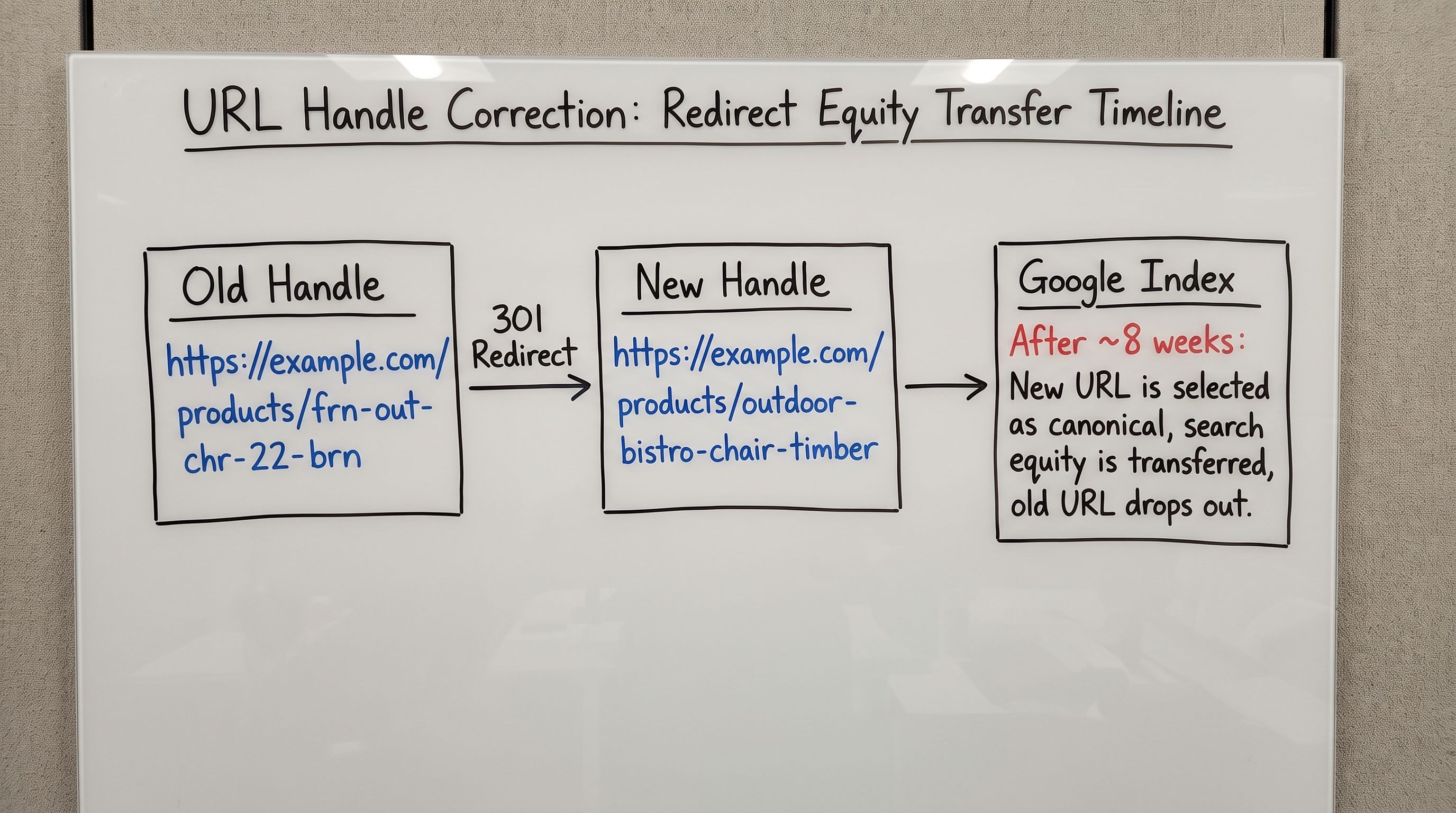
High-traffic products on model-code handles. If your top 20 products by organic traffic have handles like frn-out-chr-22-brn-outdoor-bistro-chair, changing them to keyword-led handles with 301 redirects will recover PageRank over time. The link equity does not disappear; it transfers with a delay. Within 4-8 weeks of the redirect going live, rankings for the new URL typically match or exceed the old one.
Post-migration legacy handles. If your store migrated from WooCommerce or Magento and preserved the original platform's URL format (which often includes category paths, date slugs, or ID numbers), correcting all handles to a clean Shopify-native format at once is more cost-effective than maintaining redirect chains indefinitely. The redirect debt from changed handles on re-import accumulates when re-imports change handles inadvertently. Proactively correcting legacy handles removes the maintenance burden permanently.
Category keyword evolution. Search volume for a category term shifts over time. If "outdoor furniture" shifts to "patio furniture" in your category's search landscape, updating your top-50-traffic handles with redirects is worth the one-time cost. Do not update the full catalogue. The long-tail handles on low-traffic products do not have enough link equity to make the redirect investment worthwhile.
- Three suppliers, three naming formats, three URL patterns: brand-first, dimension-first, model-code-first
- Google crawls 600 products across three unrelated URL architectures; no single category keyword pattern accumulates URL authority
- Product handles are supplier-specific; 'artiss-outdoor-dining-chair' competes against the Artiss brand site and 30 other stockists for the same branded query
- Re-importing supplier updates changes handles when titles change; 404s and redirect debt accumulate over time with no native Shopify detection tool
- Category-level rankings go to the competitor with consistent keyword-led handles; the fragmented site never dominates any single category query
- One keyword-led formula transforms all three supplier naming formats into a consistent handle pattern before import
- 600 products contribute to the same category keyword URL architecture; topical authority compounds across the full catalogue over time
- Handles built on category keywords differentiate the merchant's URLs from the manufacturer's canonical pages and other stockists
- Handle column in the import file is set once per supplier file update; handles stay stable regardless of supplier title changes on re-import
- Category-level query rankings build as every new import reinforces the same URL pattern; authority accumulates rather than fragments
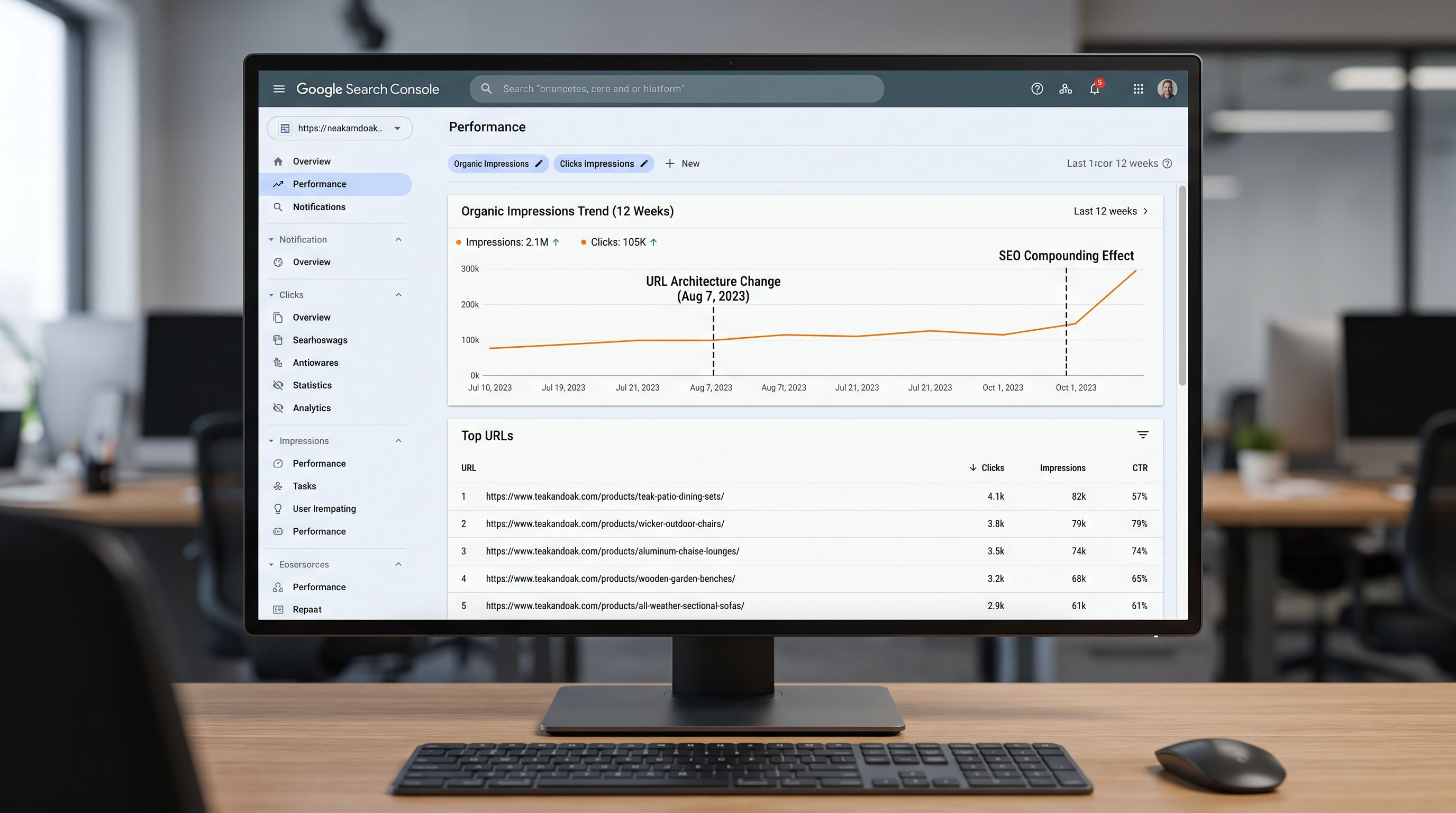
The outdoor furniture retailer spent one day rebuilding their import files with a keyword-led handle formula. All 600 products re-imported with clean handles and 301 redirects from the old URLs. Within 8 weeks, organic impressions for "outdoor dining table" and "acacia outdoor dining chair" had climbed above the fragmented baseline.
The work that one day recovered was two years of compounding authority that had been building in three directions at once rather than one.
Handle decisions made at import time cost nothing to get right. Handle decisions reversed after the fact cost redirects, crawl delays, and link equity transfer lag. The spreadsheet formula takes 45 minutes. The alternative takes months.
Try Importier free at importier.app.
Set up your first import in under five minutes.
Importier brings products into Shopify with AI descriptions, category metafields, and data enrichment on every run.
Free for your first 10 products. No credit card needed.