Shopify Variants vs Separate Products: How to Import Each
On this page
A sporting goods merchant is importing 800 products from a supplier. The running shoe range comes in 6 sizes, 4 colour options, and 3 width fittings. That is 72 combinations per shoe model. The hiking boot range comes in 3 sizes and 2 colours, plus a waterproof and a non-waterproof version. That is 12 combinations for a boot, but the two versions have different materials, different warranty terms, different product descriptions, and different Google Shopping listings. The shopify variants vs separate products import question is not answered the same way for the shoe and the boot.
Getting this structure wrong at import time is expensive to fix. Products structured as variants cannot be split into separate products without losing their order history, review associations, and URL history. Products structured as separate listings cannot be merged into variants without rebuilding the product from scratch. The structural decision made at import is largely permanent.
How Shopify Products and Variants Work
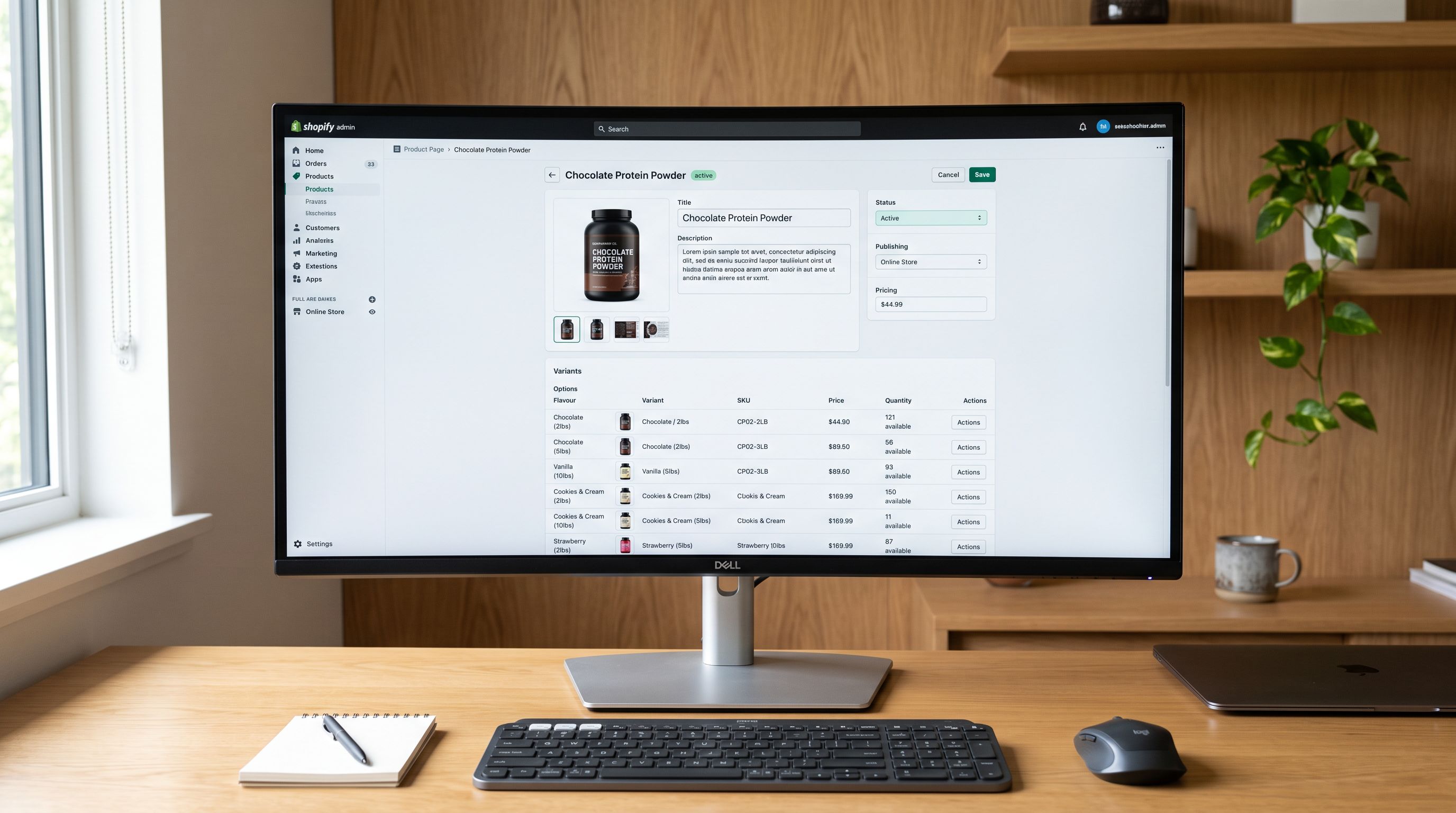
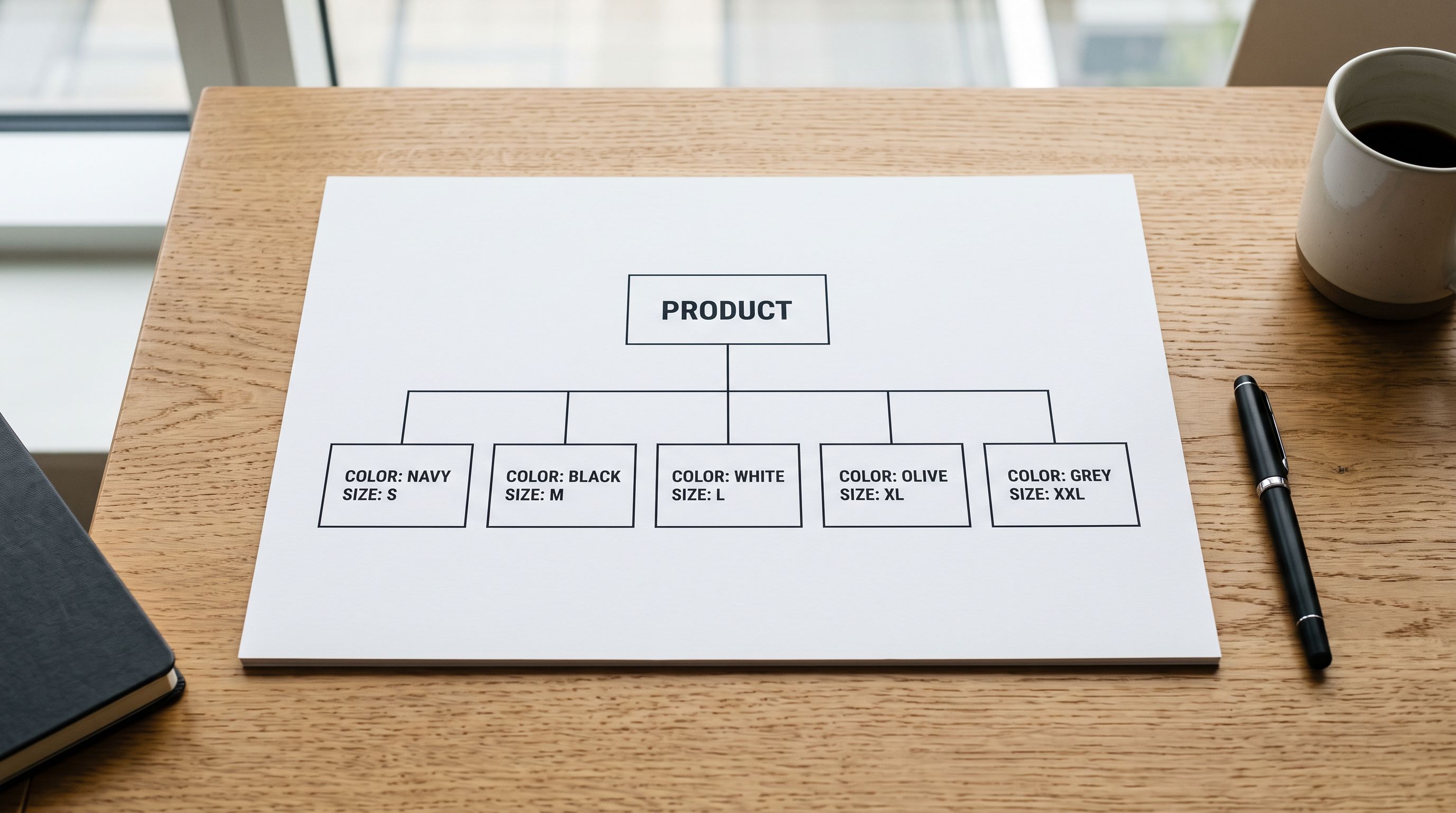
Shopify's product model has a one-to-many structure. One product has one URL, one product page, one set of images (by default), and up to 100 variants. Each variant is a distinct combination of the product's options.
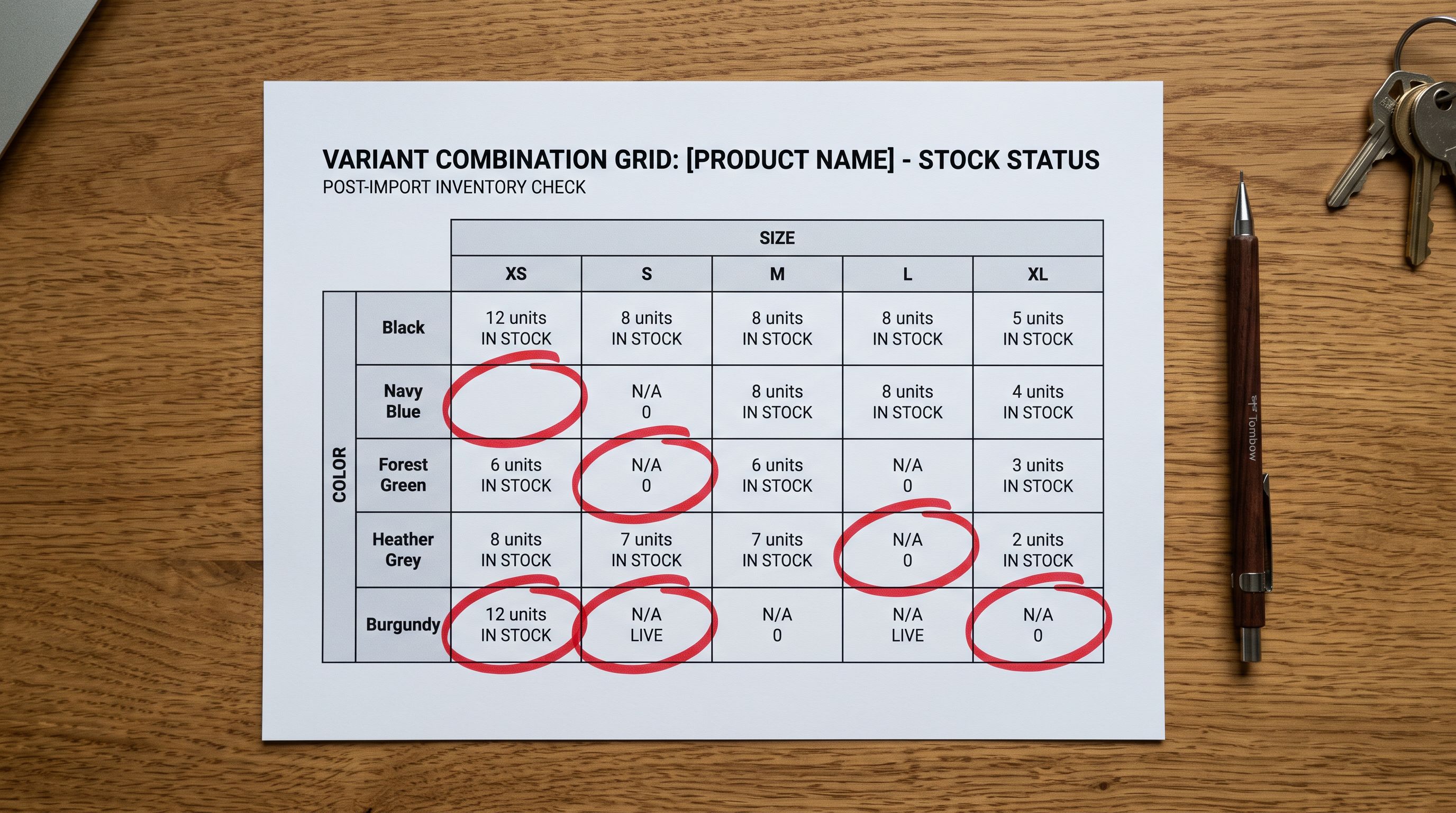
Options are the dimensions that define the variants: colour, size, material, style. A product can have up to 3 option types, and each type can have multiple values. A product with Color (4 values), Size (6 values), and Width (3 values) has 4 × 6 × 3 = 72 possible combinations. Each unique combination is a variant with its own SKU, price, and inventory.
Variants share the product page. A customer selecting options on the product page is navigating between variants of the same product. The URL stays the same; only a query parameter or page state changes to reflect the selected combination.
Separate products have separate URLs, separate product pages, and completely independent inventory. There is no Shopify-native mechanism to link two separate products as "versions of the same thing." They exist independently in the catalogue, in search results, and in the Google Shopping feed.
Shopify's 100-Variant Limit and What it Means for Import
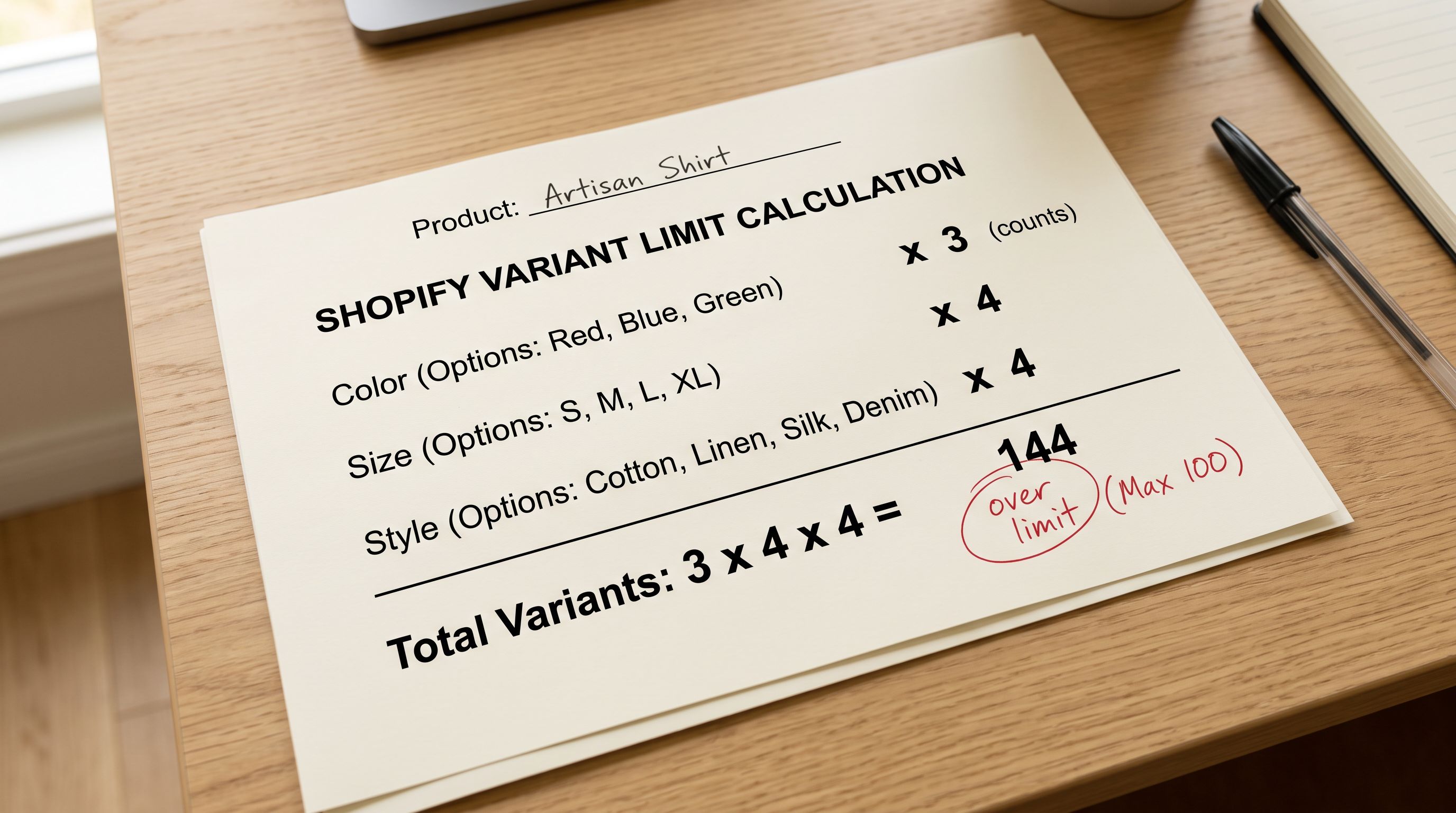
Shopify enforces a hard limit of 100 variants per product. This limit applies to the total number of variant combinations, not the number of option values. A product with 3 option types at 5 values each has 5 × 5 × 5 = 125 variants and cannot be created in Shopify as a single product.
Per Shopify's Product Variant API documentation, variants are the leaf-level entities that hold SKU, price, inventory, and option values. The 100-variant limit is enforced at the product level, which means any combination matrix that exceeds 100 must be split into multiple separate products before import.
The practical import problem: supplier data rarely comes pre-split at this boundary. A supplier's spreadsheet might have one product handle for a shoe model with all 72 size-colour-width rows listed under it. That is under 100 and imports as a single product. But a different supplier file might have a jacket with 6 sizes, 8 colours, and 3 materials: 144 combinations, listed under one handle. That import attempt fails with a Shopify API error when it tries to create the 101st variant.
Importier's variant detection engine calculates the combination matrix for each product handle during the import preview step, before the import runs. When a product's option combination would exceed 100 variants, Importier flags it in the preview and offers two resolution paths: split by one option type into separate products (for example, split by material into three separate jacket products), or exclude specific option combinations that the merchant does not actually stock.
This is the key operational difference from a standard CSV import: the merchant knows about the 100-variant limit before the import fails, not after. A failed import mid-run can leave partial data in the store that requires manual cleanup.
Shopify Variants vs Separate Products Import: SEO Implications
The structural choice has direct SEO consequences that compound over time as product pages accumulate review links, inbound links, and search impression history.
Variants share one URL. A product page for "Merino Running Shirt" at yourstore.com/products/merino-running-shirt shows all colour and size options on one page. Google indexes this single URL. All inbound links to any colour or size go to the same page. The page accumulates authority as one entity.
This is beneficial when the variants are genuinely the same product from a search intent perspective. A searcher looking for "men's merino running shirt blue" and a searcher looking for "men's merino running shirt black" are looking for the same product page. One URL satisfies both searches.
Separate products have separate URLs. yourstore.com/products/merino-running-shirt-blue and yourstore.com/products/merino-running-shirt-black are distinct pages that Google indexes and ranks independently. Each page competes separately in search results and accumulates authority independently.
This is beneficial when the "versions" have genuinely different search intent. A waterproof hiking boot and a non-waterproof hiking boot attract different search queries, have different features to communicate, and justify separate product pages. Per Google's guidance on consolidating duplicate URLs, pages with minimal content differences relative to each other dilute the site's authority rather than multiplying it. Two near-identical product pages do not perform as well as one strong product page.
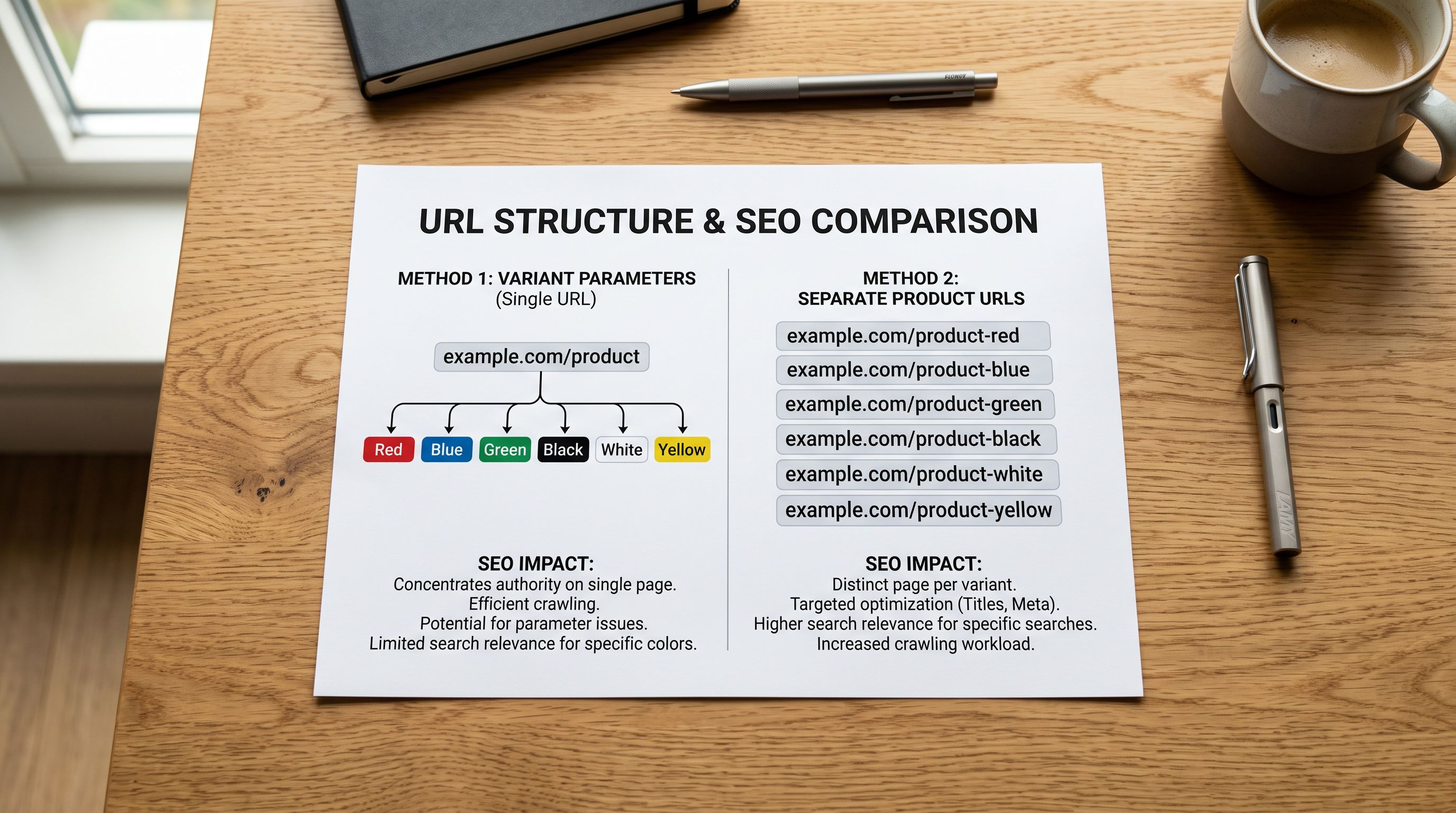
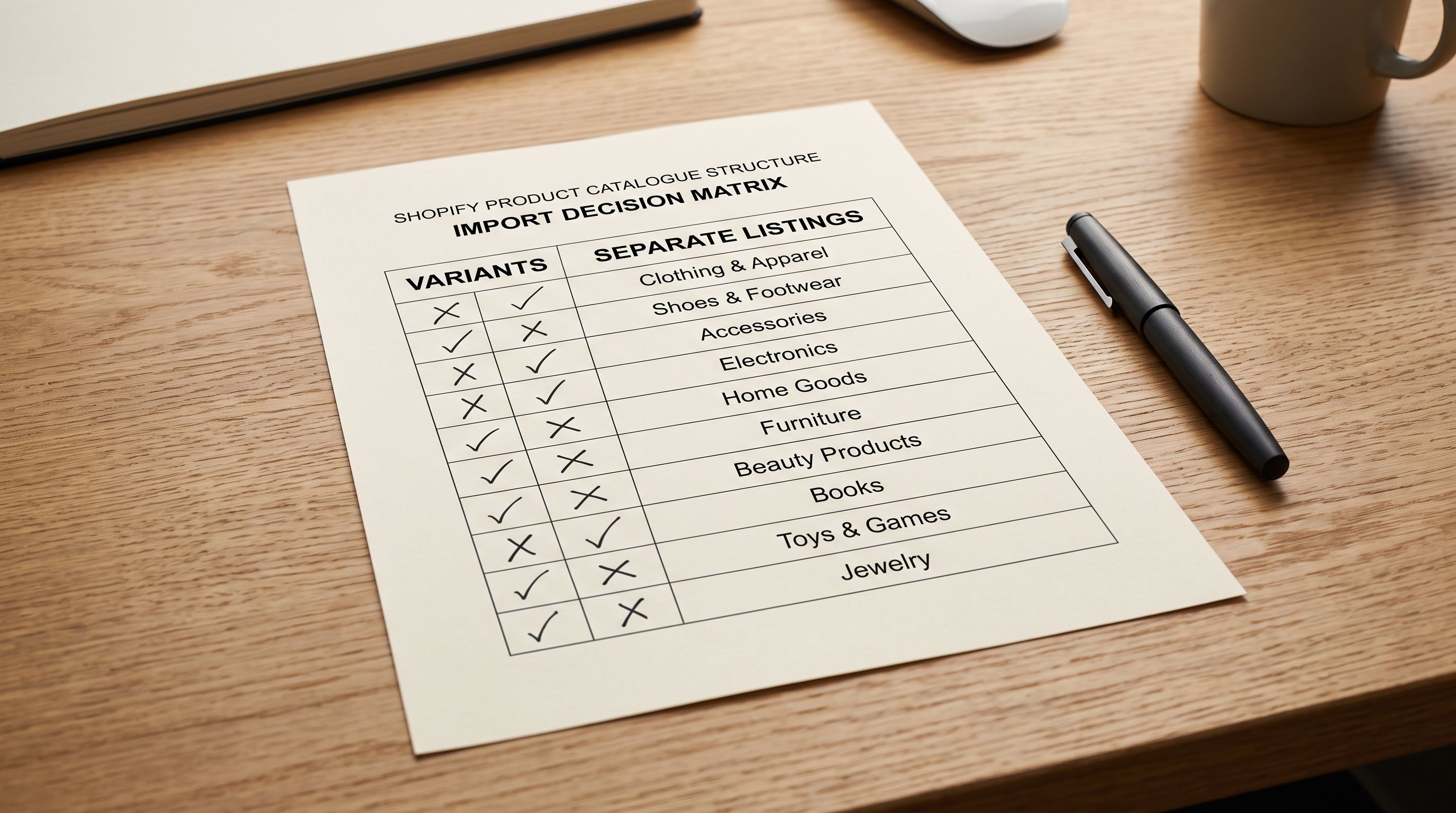
The SEO rule of thumb for the import decision: if the variants would each have meaningfully different descriptions, titles, and keyword targets, model them as separate products. If they share substantially the same description with only option-level differences (colour, size, material), model them as variants.
The variant decision affects SEO permanently. Variants share authority on one URL. Separate products build authority independently. Neither is universally better: the right choice depends on whether the search intent is shared or distinct for each version.
Making the decision at import time
Shopify Variants vs Separate Products Import: How to Structure Import Files
The import file format differs depending on which structure the merchant chooses.
Formatting variants in an import file
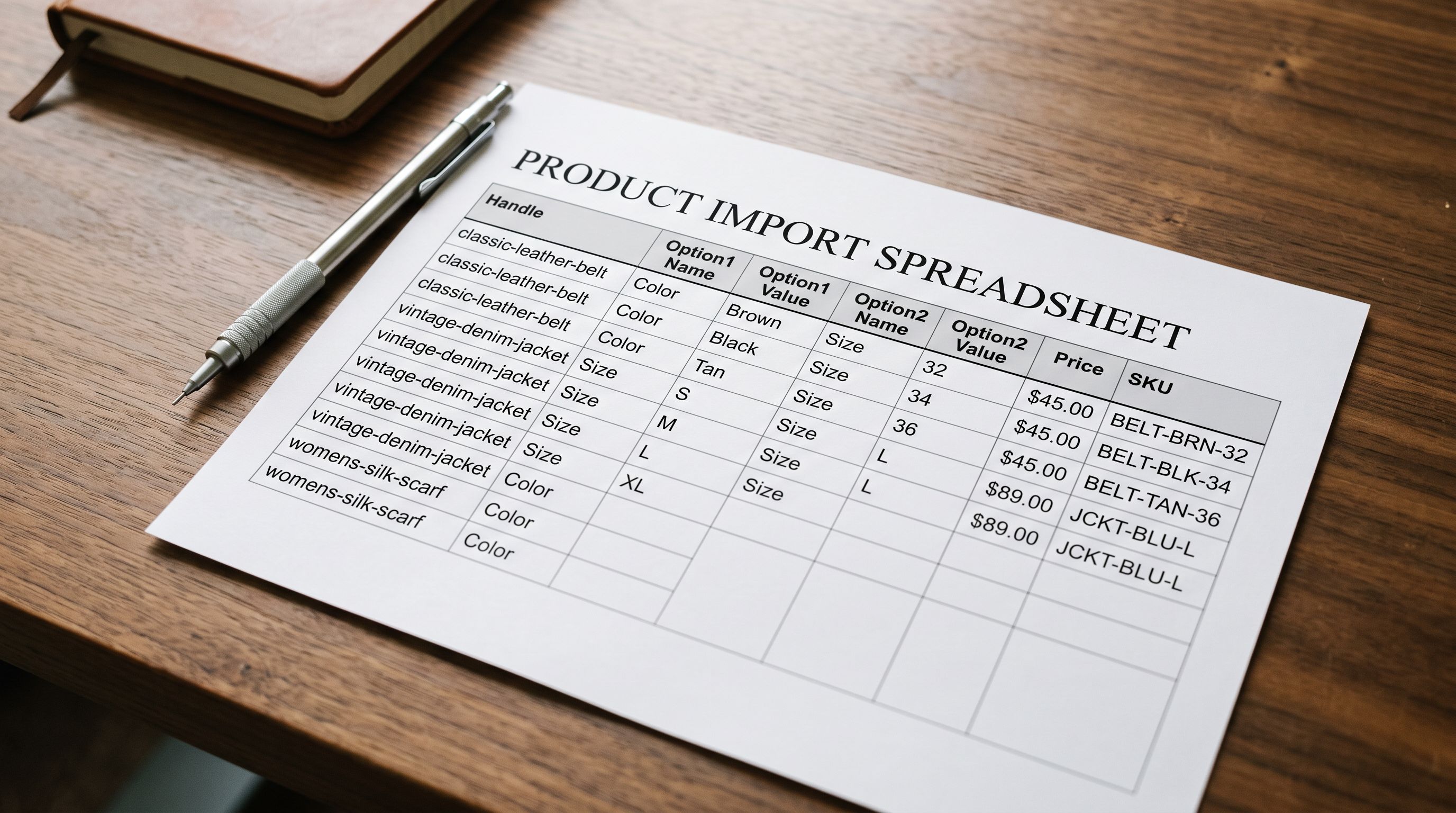
For products modelled as variants, all variant rows share the same product handle in the import file. Each row represents one variant combination. The option columns (Option1 Name, Option1 Value, Option2 Name, Option2 Value) repeat across rows for the same handle, with different option values per row.
A running shoe with 3 sizes and 2 colours produces 6 rows in the import file, all with the same handle (running-shoe-model-x), with Option1 Name = "Size" and Option2 Name = "Colour" varying across rows. The title, description, and images are set on the first row and left blank or repeated on subsequent rows (Shopify reads the first row's product-level data and the remaining rows' variant-level data).
Importier's guide to importing product variants into Shopify covers the row formatting rules in detail, including how to handle variant-specific images and prices.
Formatting separate products in an import file
For products modelled as separate listings, each product gets its own handle, its own title, its own description, and its own set of image rows. A waterproof boot and a non-waterproof boot each have independent rows with independent handles (hiking-boot-waterproof and hiking-boot-standard).
The overhead is proportional to how different the products actually are. If the two boots share 90% of their description content, maintaining two separate product rows means maintaining two near-identical descriptions. If the boots have substantially different content, separate product rows are the correct structure.
Handling mixed catalogues
Most supplier files contain a mix: some product groups belong as variants, others as separate products. The import must handle both structures in a single run.
Importier's column mapping step supports mixed-structure imports. Products where all option combinations fall within the 100-variant limit can be grouped by handle and imported as variants. Products where the combination matrix exceeds 100, or where the merchant explicitly chooses separate product modelling, import as independent rows. Both structures coexist in the same import run.
For merchants dealing with complex multi-option catalogues where supplier data does not cleanly map to Shopify's option structure, Importier's guide to importing complex variants from supplier data covers attribute normalisation and option consolidation.
Shopify Variants vs Separate Products Import: When to Choose Which
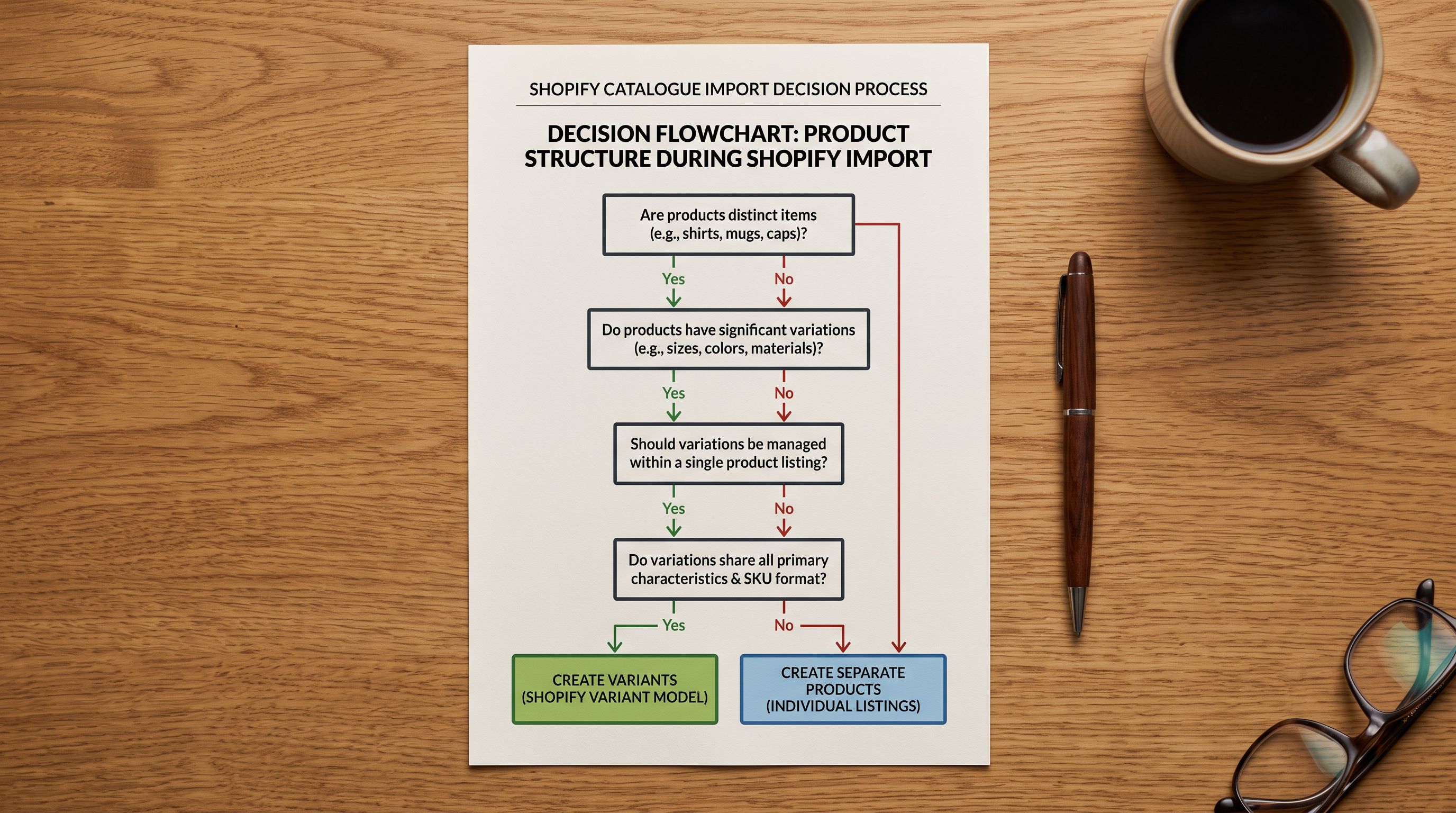
The decision comes down to four questions about the products being imported.
- 01Question 1Does the combination matrix exceed 100? Calculate option values multiplied together. If the result exceeds 100, separate products are required regardless of any other consideration. Split by the option type that produces the most natural separate product (usually the dimension with the most distinct identity, such as material or style rather than size or colour).
- 02Question 2Do the versions target meaningfully different search queries? If a searcher for version A would be satisfied by the product page for version B, they are the same product; use variants. If each version has its own primary search query (waterproof hiking boot vs non-waterproof hiking boot), separate products capture that search intent more cleanly.
- 03Question 3Do the versions have substantially different descriptions, specifications, and marketing copy? If yes, separate products allow each version to have its own optimised content. If the descriptions are 90% identical with only option-level differences, variants share a single well-written page more effectively.
- 04Question 4Will the versions need separate Google Shopping feed entries? Google Shopping matches products to search queries at the listing level. Products with distinct features, materials, or use cases benefit from separate Shopping listings. Products that differ only by colour or size are usually better served by one listing that Google matches to all relevant queries.
- 05Decision summaryvariants when (combination count under 100, shared search intent, shared description, same Shopping listing). Separate products when (combination count over 100, distinct search queries, distinct descriptions, distinct Shopping entries, or the merchant has operational reasons to track them independently). When in doubt at import time, separate products is the safer default, because separate products can be related via collections and tags, while merging variants post-launch requires rebuilding products.
- 100-variant limit discovered when the import fails mid-run
- Partial import data left in store requiring manual cleanup
- Products later found to need different structures require rebuilding from scratch
- SEO authority split incorrectly across near-duplicate pages
- Google Shopping feed quality reduced by incorrect product grouping
- No audit trail of which products are variants vs separate
- Combination matrix checked before import runs via variant detection engine
- Merchants see limit warnings in import preview with split options
- Structure set correctly from day one, no post-launch rebuilding
- SEO authority consolidated on shared URLs or distributed to separate pages correctly
- Google Shopping entries reflect the correct product grouping from first feed submission
- Import log shows variant structure decision per product group
Key Takeaways
The shopify variants vs separate products import decision is structural, permanent, and affects SEO, inventory, and Google Shopping simultaneously. Making it correctly at import time takes minutes; correcting it post-launch takes days.
- Shopify enforces a hard 100-variant limit per product. A combination matrix of Color × Size × Style that exceeds 100 combinations requires separate products regardless of how naturally the versions belong together. Importier's variant detection engine flags this in the import preview before the import attempt fails.
- Variants share one URL and one product page. All inbound links, review associations, and Google authority accumulate on that single URL. This is beneficial when variants represent genuinely the same product from a searcher's perspective.
- Separate products have distinct URLs and build authority independently. This benefits versions with distinct search intent, distinct descriptions, and distinct Shopping feed entries. Per Google's guidance, near-identical pages dilute site authority rather than multiplying it.
- The import file format differs substantially: variants share a product handle across multiple rows, while separate products each have their own handle. Mixing both structures in one import is supported by Importier's column mapping step.
- The four questions that determine the right structure: does the combination count exceed 100? Do the versions target different search queries? Do they need different descriptions? Will they appear as separate Google Shopping listings?
- Separate products is the safer default when uncertain. Two separate products related by collection and tags can be cross-linked and marketed together. Variants cannot be un-merged without rebuilding the products from scratch.
Plan your product structure before you import at importier.app. Use the variant detection engine in the import preview to confirm your combination counts and split any products that would exceed Shopify's 100-variant limit before the import runs.
Set up your first import in under five minutes.
Importier brings products into Shopify with AI descriptions, category metafields, and data enrichment on every run.