Shopify Product Variants and Inventory: Import Strategy
On this page
A Sydney health supplement retailer imported 80 product lines from three suppliers. Each supplier delivered a flat CSV where every flavour-weight combination was a separate row. The import created 480 Shopify products.
What it should have created was 80 products with up to 6 weight variants each. "Vanilla Protein Powder 500g" and "Vanilla Protein Powder 1kg" were two separate products in Shopify, not two variants of one product.
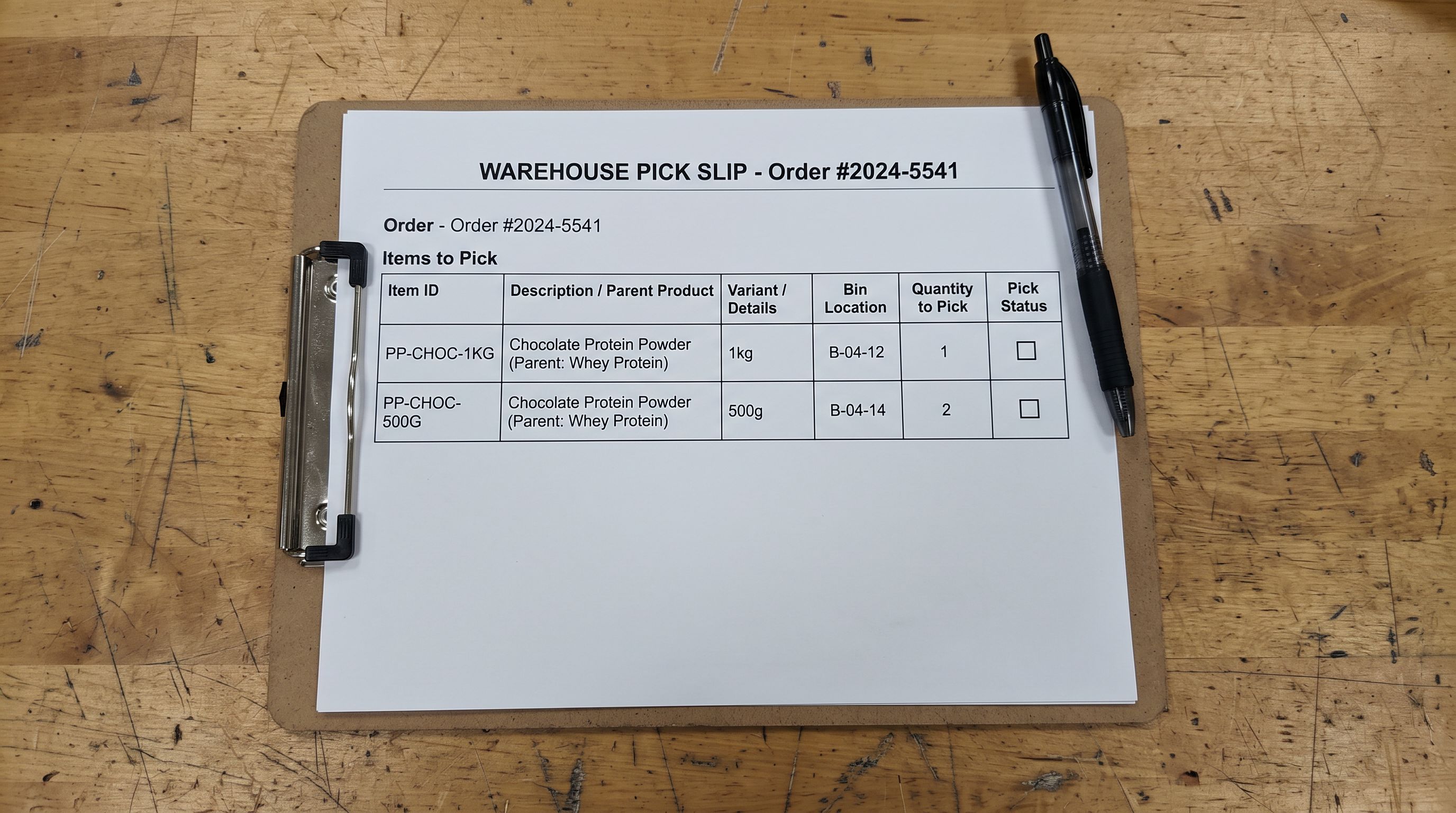
The inventory consequence took three weeks to surface. Their fulfilment integration tracked orders by Shopify Variant ID. With 480 separate products, the WMS had no concept of "Vanilla Protein Powder" as a single item. It knew 480 distinct products with individual stock counts. Reorder triggers fired per product, not per product line. A customer ordering Chocolate 1kg and Chocolate 500g together got a pick slip with two unrelated items rather than two variants of the same line.
Correcting 480 products to 80 with variants took four days. The variant structure decision happened at import. The correction cost happened in the warehouse.
Why Inventory Accuracy Starts With Variant Structure
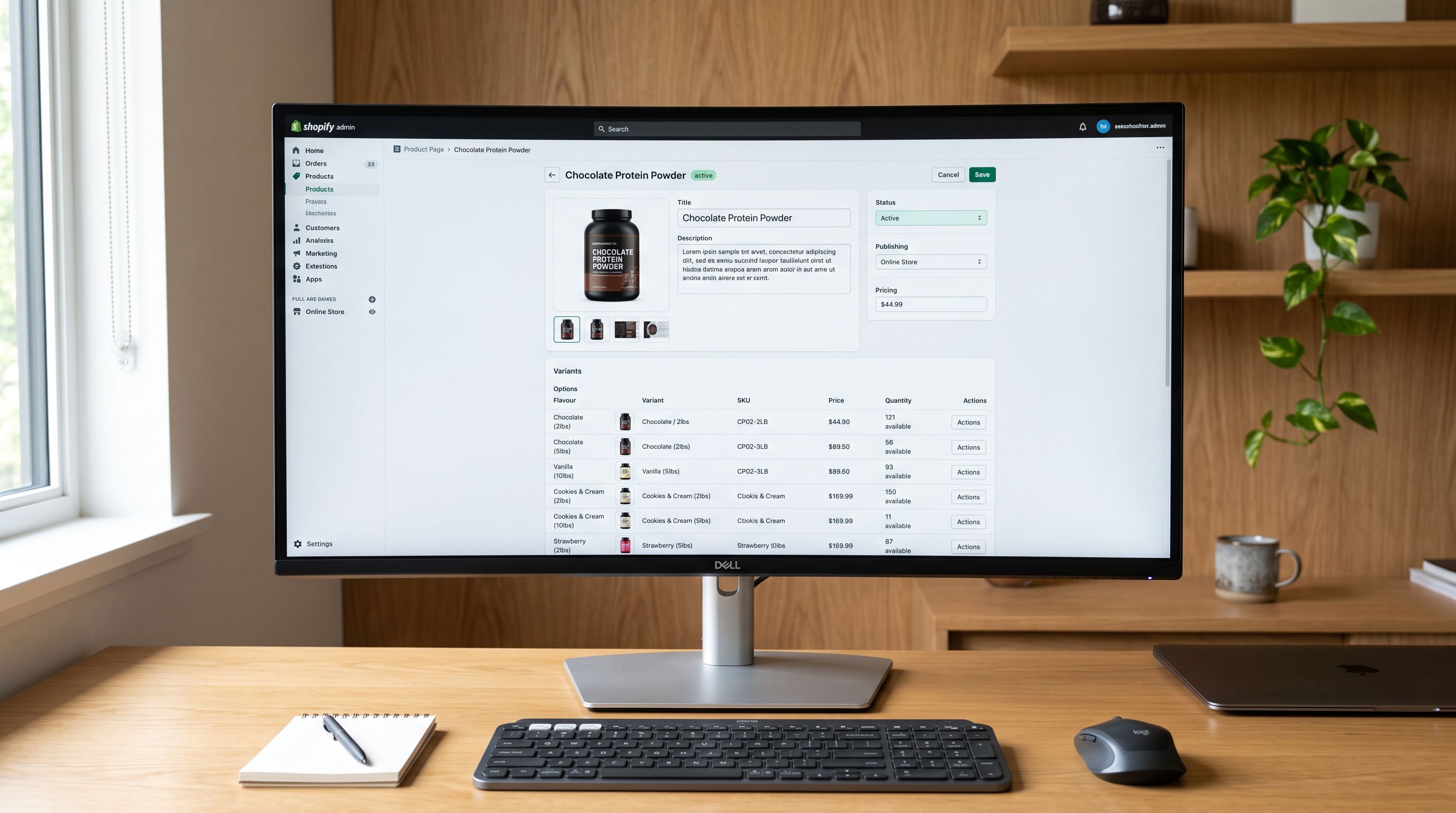
According to Shopify's product variants documentation, Shopify's inventory system tracks quantities at the variant level. Every Shopify order line item references a specific Variant ID. Fulfilment apps, 3PL integrations, and warehouse management systems use Variant ID as the key that connects an order to a physical SKU in the warehouse.
When a product that should be a variant is imported as a separate product, it gets its own Variant ID with no relationship to the parent product line. From Shopify's perspective, "Chocolate Protein Powder 1kg" and "Vanilla Protein Powder 1kg" are as unrelated as "protein powder" and "hair conditioner." There is no Shopify mechanism that groups them as variants unless they were created as variants from the start.
This matters for inventory in three specific ways:
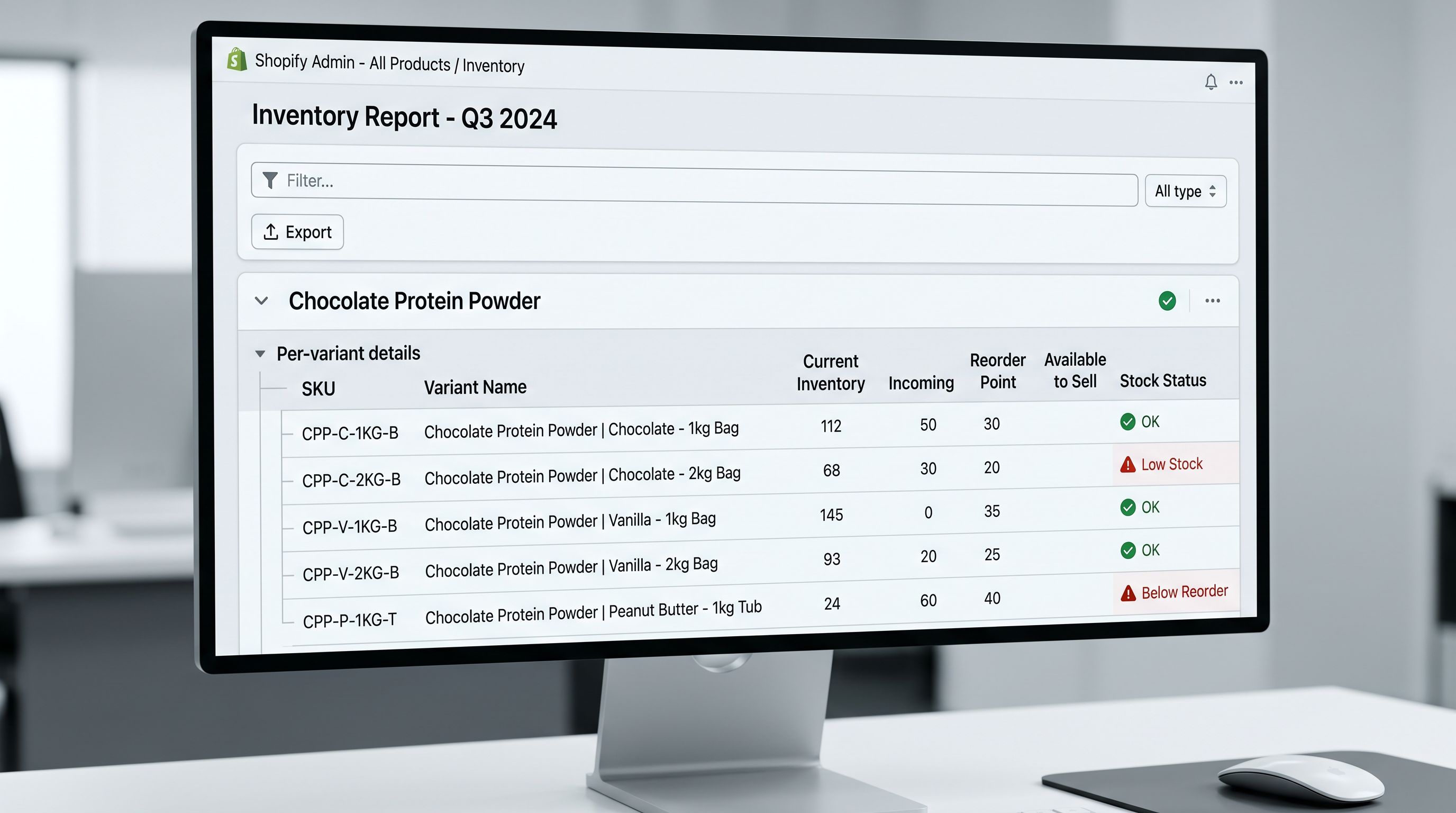
Per-line reorder logic. A merchant who sells protein powder by product line needs to know total sales velocity across all flavours and weights to set reorder points. With 480 separate products, that analysis requires a manual aggregation. With 80 products and variants, Shopify's built-in inventory reports show it directly.
Fulfilment app matching. Pick-and-pack workflows that route by product category (all supplements picked from aisle 3, all skincare from aisle 7) depend on parent product categorisation. Variants of the same product are grouped. Separate products are not.
Stock transfer and multi-location routing. Multi-location inventory routing in Shopify evaluates available quantity by Variant ID. A flat import creates 480 independent stock levels rather than 80 product-level stock pools with variant breakdown.
The Three Variant Structure Patterns
Supplier CSV files produce one of three variant structures when imported, depending on how the file is prepared and how the import tool handles grouping.
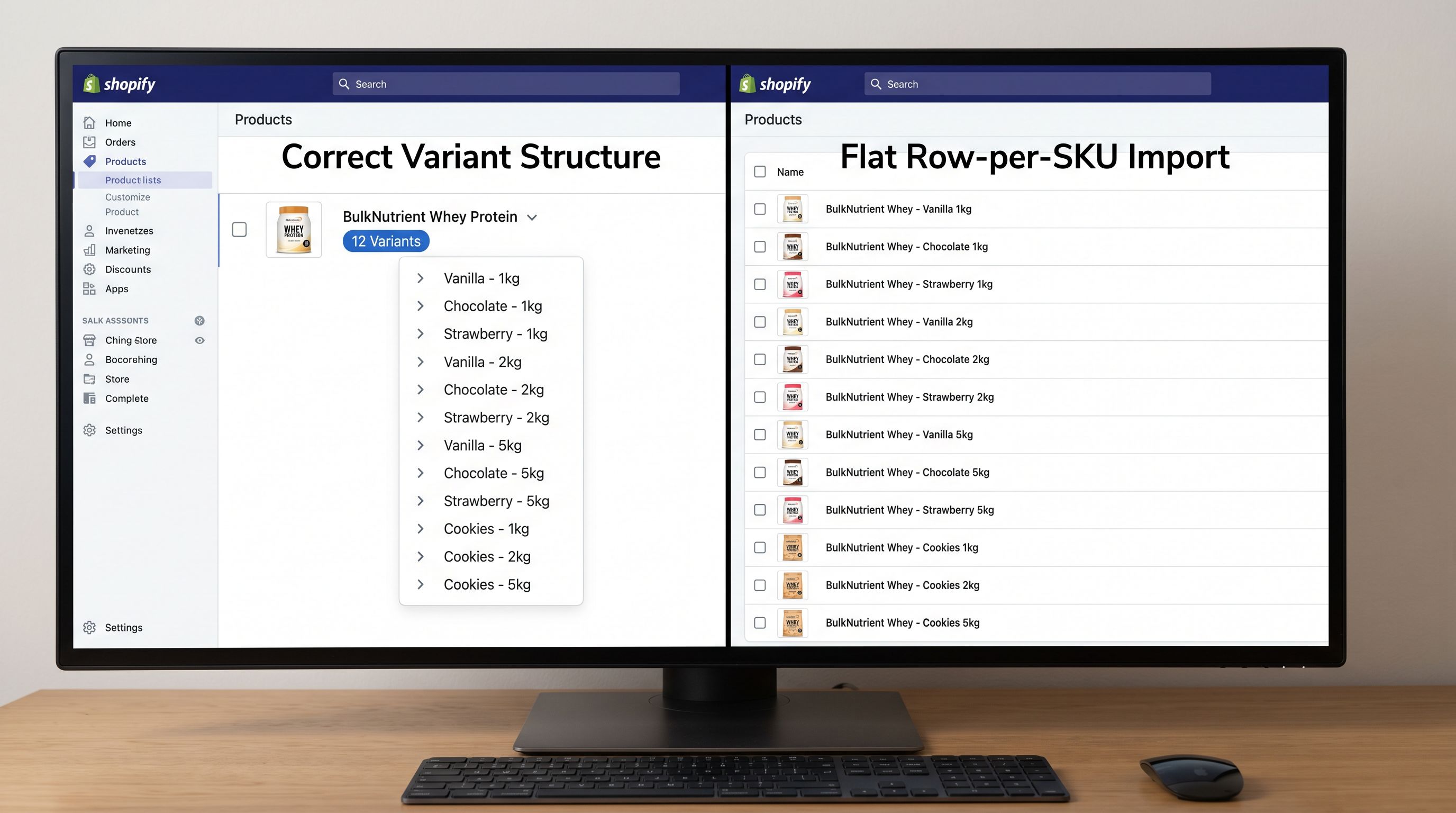
Pattern 1: Correct grouping. One product record with variant rows. The supplement catalogue's "Chocolate Protein Powder" becomes one Shopify product with an Option 1 column (Flavour: Chocolate, Vanilla, Strawberry) and an Option 2 column (Weight: 500g, 1kg, 2kg). Shopify creates one product with up to 18 variant combinations. Inventory is tracked at the variant level but reportable at the product level. Fulfilment apps see one product with variant-level routing.
Pattern 2: Flat row-per-SKU import. Each CSV row becomes a separate Shopify product. This happens when the Handle column is not set or when the import tool doesn't attempt variant detection. For a 480-row supplement catalogue, this produces 480 products. From an inventory perspective, this is not recoverable without a full re-import or manual restructuring.
Pattern 3: Partial grouping. Some variants grouped correctly, others not. This happens when variant detection catches standard naming ("500g", "1kg") but misses non-standard naming from one supplier ("Half Kilo", "Full Size"). The result is a mixed catalogue where some product lines have correct variant structure and others do not. Inventory reporting is inconsistent: some lines show variant-level data, others show flat product data.
Pattern 3 is the most difficult to diagnose because it looks correct at a glance. Products with detected variants look right. Products that escaped detection blend into the catalogue as single-variant products.
Importing Inventory Quantities
Importing Inventory Quantities With Correct Variant Structure
When variants are correctly grouped at import, inventory quantities map to specific variant records rather than to product records. This is what enables accurate per-variant stock levels from day one.
Inventory quantities per variant and location at import require the supplier file to include a quantity column that maps to the correct variant after grouping. For a supplement catalogue, this means:
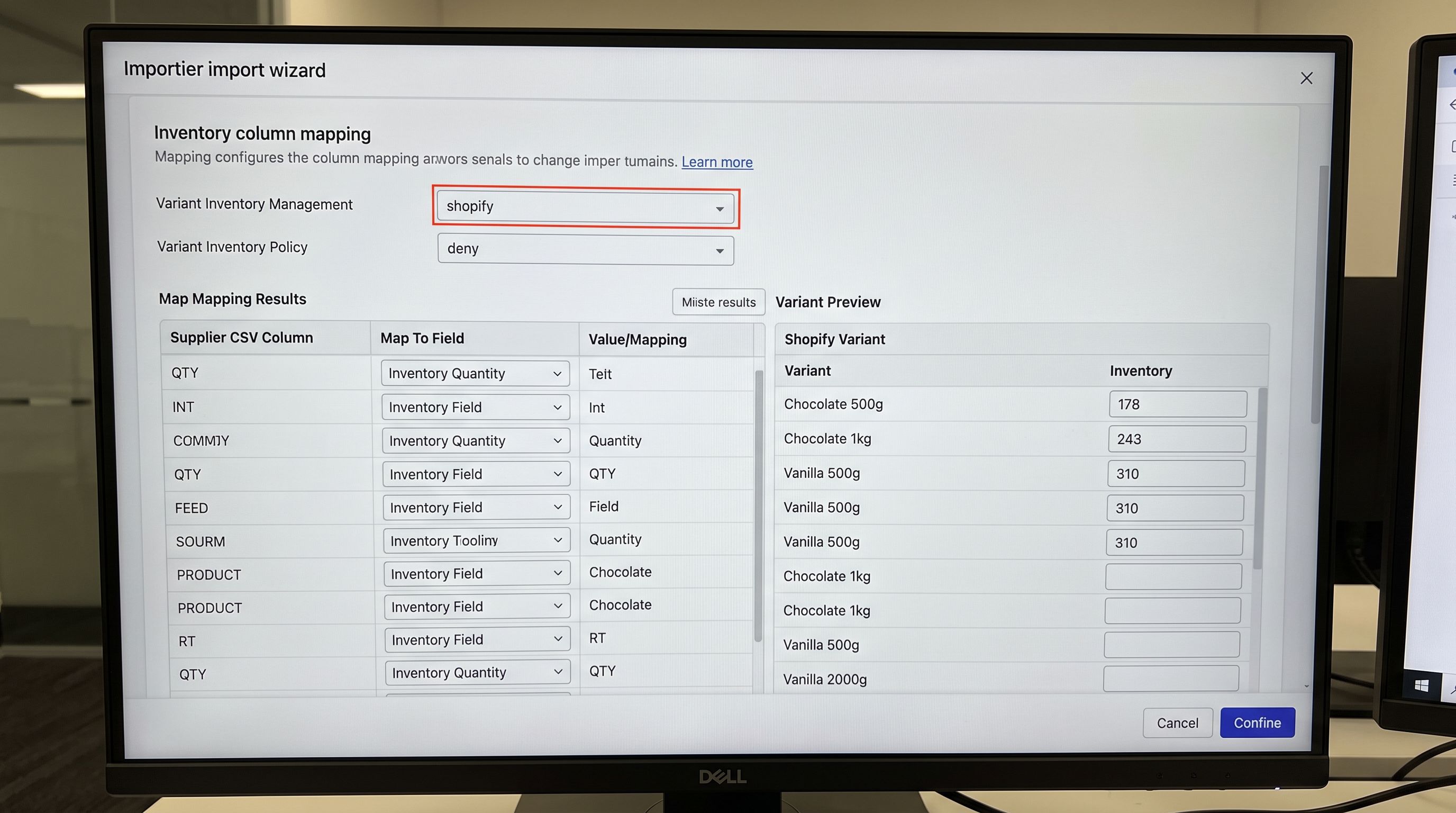
- The source file has one row per SKU (Chocolate 1kg: 243 units; Chocolate 500g: 178 units)
- Importier groups the rows into variants during the import step
- The quantity column maps to
Variant Inventory Qtyfor the relevant variant - After import, the Chocolate Protein Powder product shows 243 units for the 1kg variant and 178 units for the 500g variant
The failure mode is a single quantity column that represents the total across all variants. If the supplier provides "Chocolate Protein Powder: 800 units" (no per-SKU breakdown), the import cannot distribute that quantity to individual variants accurately. The correct response is to return to the supplier for a per-SKU quantity file rather than to guess at the distribution.
Inventory tracking settings at import. According to Shopify's inventory tracking documentation, two fields in Importier's import wizard affect how Shopify tracks inventory after import:
Variant Inventory Management: set to "shopify" to enable Shopify's inventory tracking for the variant; blank means Shopify does not track inventory for the productVariant Inventory Policy: "deny" prevents overselling by blocking purchase when stock reaches zero; "continue" allows purchase regardless of stock level
Both settings must be configured explicitly at import. They cannot be inferred from the supplier file. A catalogue that does not set Variant Inventory Management will have inventory tracking disabled for every product, regardless of the quantities imported.
Importier's 150+ Variant Detection Patterns
Smart Variant Detection uses 150+ patterns across 15+ industries to identify which rows in a supplier CSV belong together as variants of the same product.
For the supplement catalogue, the detection engine identifies:
- Weight variants: "500g", "1kg", "2kg", "1 Kilogram", "500 Gram", "500 grams" as the same option type
- Flavour variants: "Chocolate", "Vanilla", "Strawberry", "Choc", "Choc Fudge" as the same option type
- Combined variants: a title like "Chocolate Protein Powder 1kg" parsed to extract both option values
Industries where variant patterns matter most for inventory accuracy:
- Supplements and food: weight and flavour create multi-dimensional variant grids; a product with 6 flavours and 4 weights has 24 variants to track
- Apparel: size and colour; missed detection creates separate products per size-colour combination, breaking size-run inventory reporting
- Electronics: storage capacity and colour; a 128GB and 256GB model of the same device are variants, not separate products, for inventory reorder purposes
- Beauty: shade and formula type (matte/gloss/satin); separate products for each shade means no product-level bestseller tracking
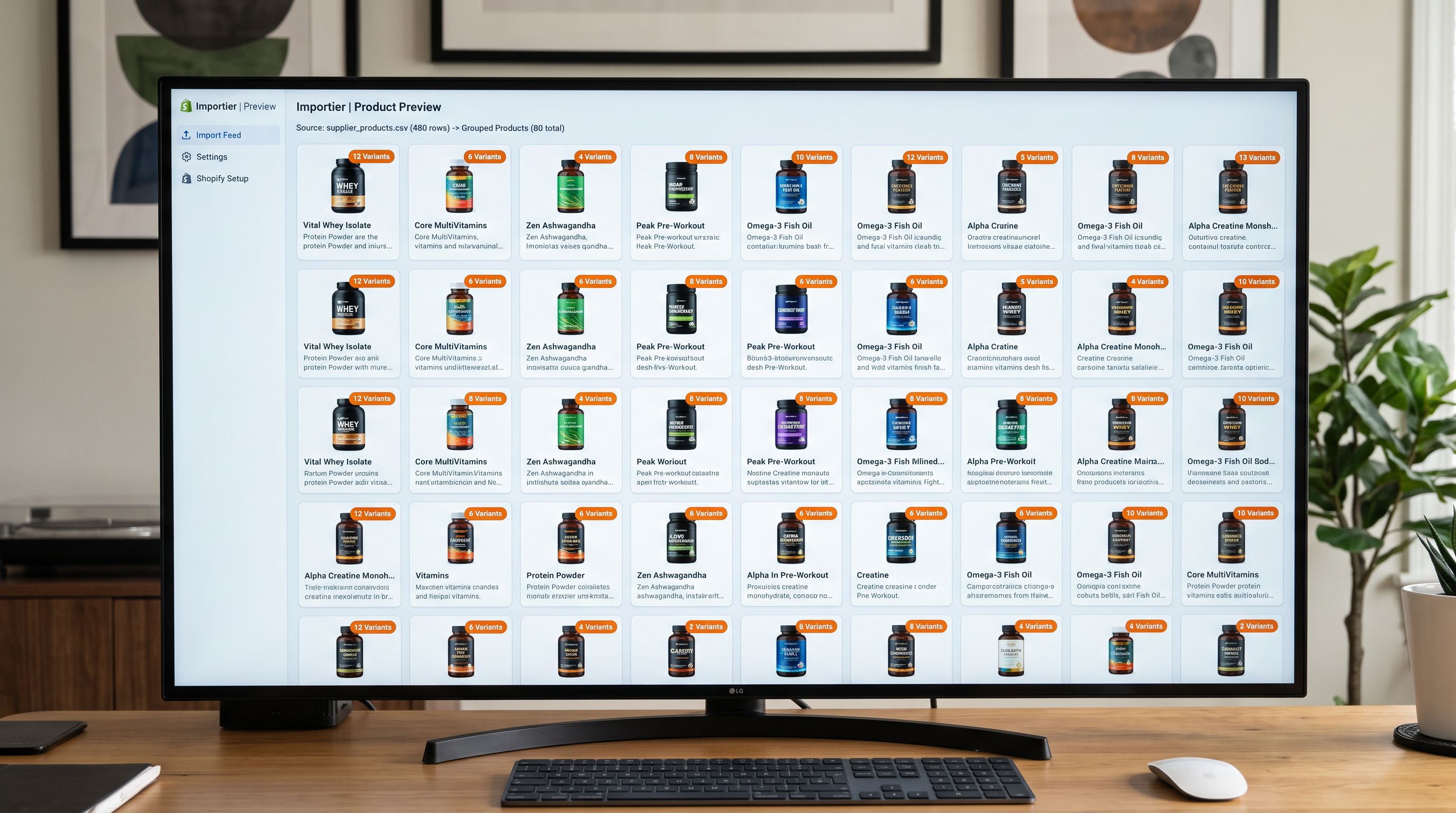
The import preview step in Importier shows the detected groupings before any product reaches Shopify. For a 480-row supplier file, the preview displays 80 grouped products with variant counts. Reviewing this before confirming is the quality gate for variant structure: it costs 10 minutes and prevents the four-day correction the supplement retailer required.
The import preview step shows you what variant structure you are about to create. Reviewing it costs 10 minutes. Correcting a flat import of 480 products retroactively costs days.
- 01Before importing, identify the variant dimensions in your supplier filewhich columns or title components represent options (size, colour, flavour, weight, storage) and confirm that per-SKU inventory quantities are present in the file
- 02Configure Importier's variant detection settings for your product category; review the industry-specific patterns for supplements, apparel, electronics, or your relevant category
- 03In the import preview step, verify the detected variant groups before confirmingconfirm that grouped products show the correct number of variants and that no products that should be grouped appear as separate items
- 04Map the inventory quantity column to the correct Shopify Variant Inventory Qty field; map Variant Inventory Management to 'shopify' and Variant Inventory Policy to your oversell preference (deny or continue)
- 05After import, verify 5-10 products in Shopify admineach grouped product should show the correct variant count with per-variant stock levels; check the inventory report for one product line to confirm variant-level quantities are correct
- 06For any products where detection missed groupings (Pattern 3 partial grouping), use Importier's re-import with corrected Handle column values to force the correct grouping before those products are live in the storefront
The Correction Cost for Wrong Variant Structures
For the supplement retailer, correcting 480 flat-imported products to 80 grouped products required:
- Identifying the 400 products to delete (all the duplicate flat imports)
- Creating 80 new products with correct variant structure using a re-import
- Transferring inventory quantities from old flat products to the correct variant records in the new products
- Updating any live orders that referenced the old product Variant IDs (existing orders remained linked to old records; cancelling those records mid-order would have broken fulfilment)
Step 4 is the most operationally complex. Active orders cannot be re-pointed to new Variant IDs without manual intervention in each order. The four-day correction included two days of customer service effort to handle orders placed during the correction window.
This correction cost is entirely avoidable. The Importier import preview displays the variant groupings before committing. For a 480-row supplier file, a 10-minute review of the preview confirms whether 80 grouped products are detected before the import runs.
- 480 separate Shopify products instead of 80 with variants; each flavour-weight combination is an independent product with its own product ID and Variant ID
- Inventory tracked at 480 independent product records; no product-line view; reorder logic fires per product rather than per line
- Fulfilment app sees 480 unrelated products; no grouping by product family; pick-and-pack routing cannot use product-level categorisation
- Partial order for Chocolate 1kg and Chocolate 500g appears as two unrelated items on the pick slip, not two variants of the same line
- Correction requires: delete 400 products, re-import 80 with correct structure, transfer inventory quantities, manage active orders mid-correction (four days of work in total)
- 80 Shopify products with correct variant structure; each product has up to 18 variant combinations correctly grouped from the 480-row supplier file
- Inventory tracked at variant level within 80 products; product-line reporting works natively; reorder logic operates on the product with variant breakdown visible
- Fulfilment integration routes by product line with per-variant quantities; pick-and-pack categorisation uses parent product grouping correctly
- Order for Chocolate 1kg and Chocolate 500g shows as two variants of Chocolate Protein Powder on the pick slip, correct routing under one product family
- Import preview reviewed in 10 minutes before confirming; variant structure validated before any product reaches Shopify or any inventory is committed
The supplement retailer's import file had all the information needed for correct grouping. Every row had a product name, a flavour, a weight, and a quantity. The information was there. The import process did not use it to group variants.
Importier's Smart Variant Detection reads those same columns (product name, option values, quantities) and produces 80 grouped products from the same 480-row file. The import preview confirms the grouping before anything reaches Shopify.
Variant structure is set once at import time and drives inventory accuracy for the life of the product in Shopify. The 10-minute review in the preview step is the cheapest inventory audit a merchant will ever run.
Try Importier free at importier.app.
Set up your first import in under five minutes.
Importier brings products into Shopify with AI descriptions, category metafields, and data enrichment on every run.