Shopify TikTok Shop Product Import: Data Requirements Guide
On this page
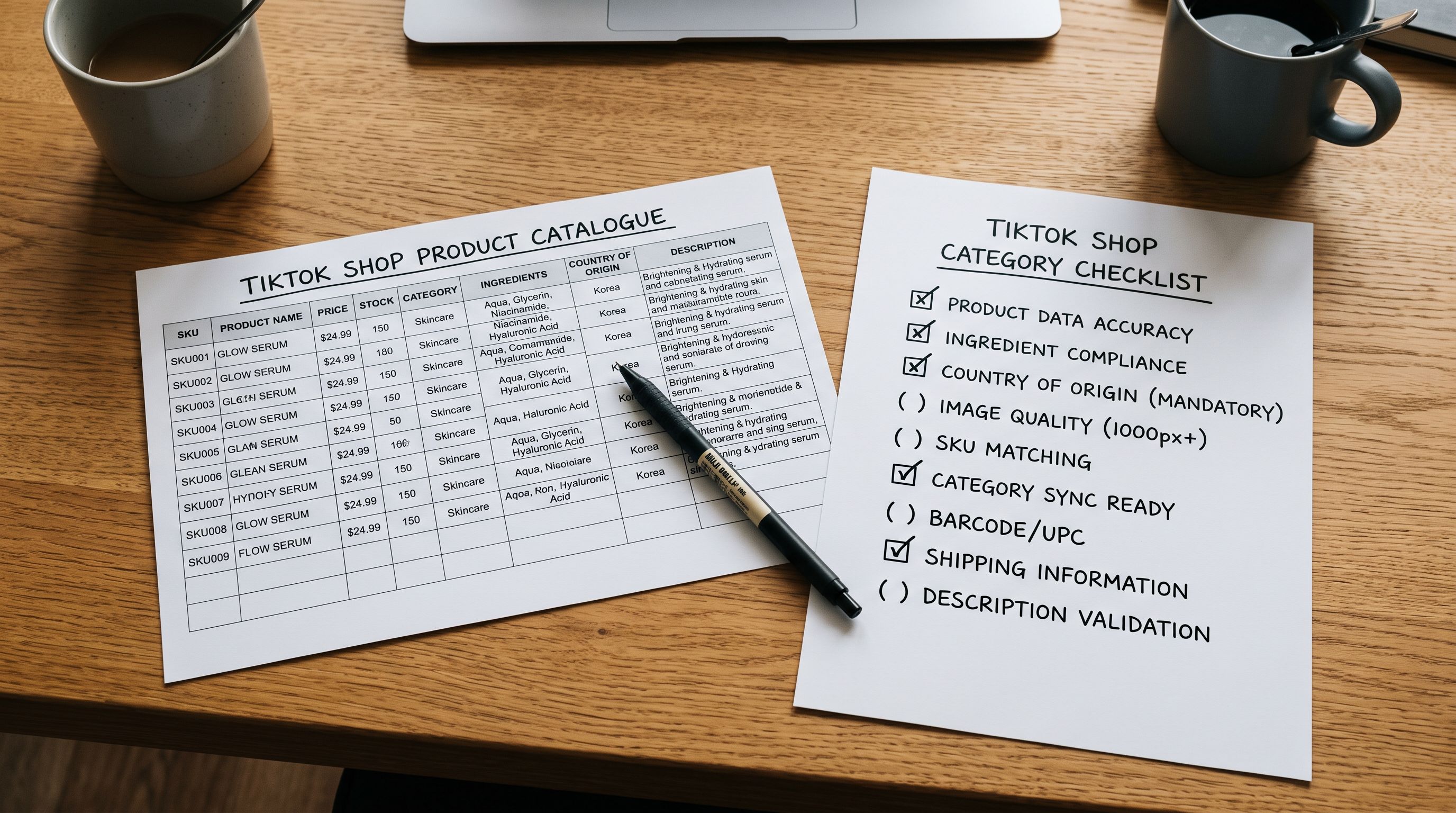
A Shopify TikTok Shop product import is not a one-step sync. A fashion accessories merchant sets up a TikTok Shop, connects it to Shopify, and syncs their 150-product catalogue. Within 24 hours, 70 products are rejected. The rejection reason: "missing required attributes." The remaining 80 are approved and published on TikTok Shop, and they receive views. But sales are low. The product pages load to descriptions written for a search-intent audience: structured, keyword-dense prose that performs on Google. The audience arriving from TikTok watched a 30-second video about the product before clicking through. They want confirmation and detail, not a keyword-rich preamble.
Both problems share the same root cause. The Shopify product data was not built for TikTok Shop.
Why TikTok Shop Product Data Is Different from Standard Shopify
Shopify's product data model is flexible. The same fields (title, description, images, price, variants) feed your storefront, your Google Merchant Centre feed, your email marketing, and, if connected, your TikTok Shop catalogue. But flexible does not mean interchangeable. Each channel applies its own data requirements on top of Shopify's base fields.
TikTok Shop differs from other channels in two specific ways. First, it has its own category taxonomy, separate from Shopify's Standard Product Taxonomy. When you sync, TikTok Shop maps your Shopify category to its own category tree. If the mapping fails or is ambiguous, TikTok Shop places the product in a generic category with higher competition and lower discovery. Second, TikTok Shop enforces category-specific required attributes for product approval. These attributes are not the same across categories: a product in Beauty and Personal Care needs different attribute completeness than a product in Home and Kitchen.
These two requirements, category mapping and attribute completeness, are the source of the bulk of TikTok Shop catalogue rejections.

Category-Specific Required Attributes on TikTok Shop
TikTok Shop publishes required attribute lists for each category in its seller documentation. The TikTok Shop Seller University details what attribute completeness is required for product approval per category. The enforcement is real: products that fail attribute checks are placed in review or rejected before appearing in the catalogue.
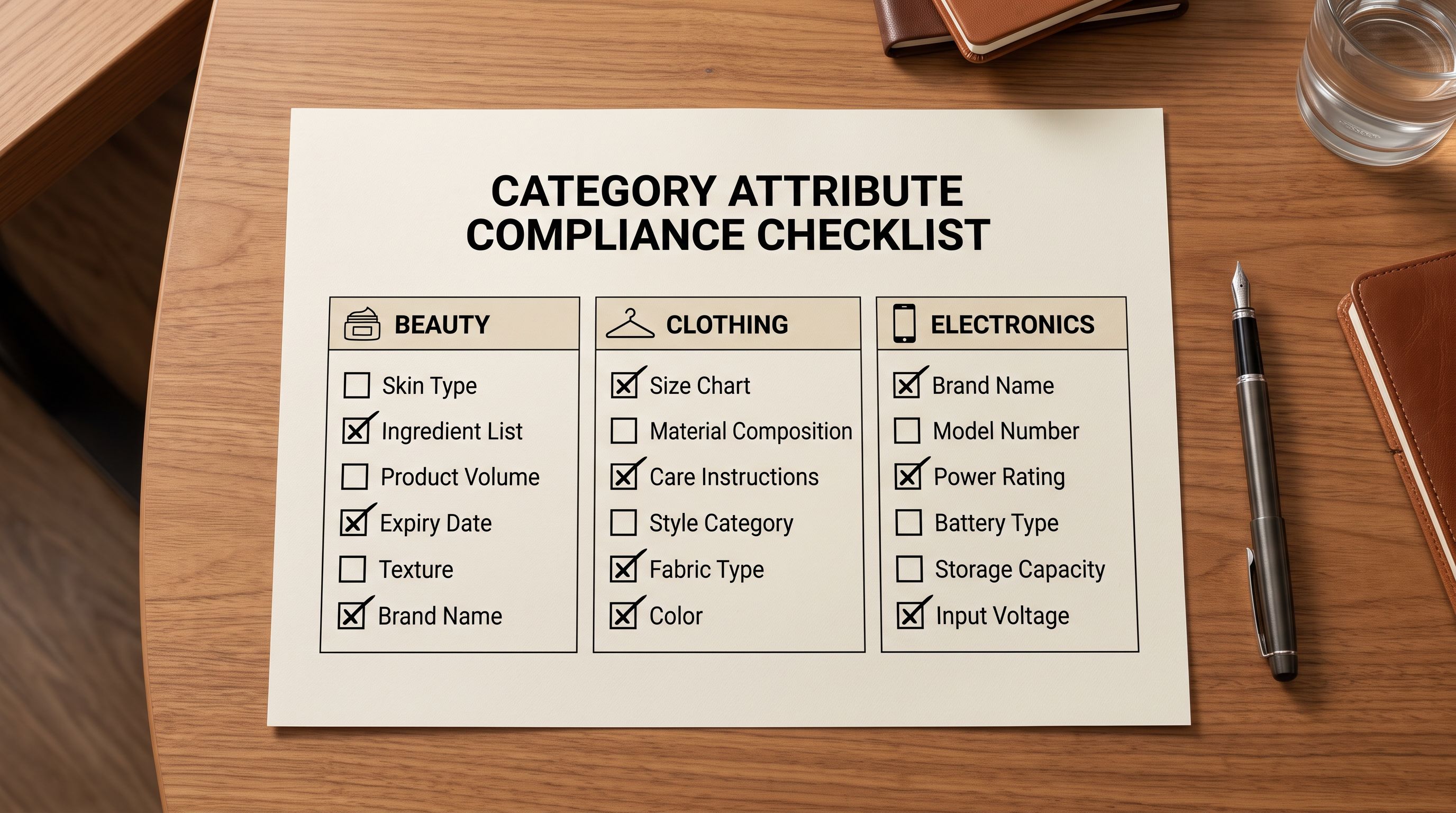
The required attributes vary significantly by category. For Beauty and Personal Care products, TikTok Shop requires:
- Ingredient list (full, not abbreviated)
- Skin type suitability
- Country of origin
- Net weight or volume
- Certifications or safety testing status (for skincare with active claims)
For Clothing and Shoes, the required attributes include:
- Material composition (percentage, not just "cotton")
- Care instructions
- Size type (regular, plus, petite)
- Country of manufacture
For Electronics, the required attributes include:
- Compatibility information
- Connector type
- Operating system compatibility (where applicable)
- Warranty period
These attributes are not free-text fields in a description paragraph. TikTok Shop expects them in structured attribute slots during the catalogue sync. The data needs to exist in Shopify as metafields mapped to the Standard Product Taxonomy before the sync can populate those slots.
A beauty merchant importing 60 skincare products without the ingredient list and skin type metafields populated will get 60 rejections from TikTok Shop. The Shopify import succeeded; the rejections happen at channel sync, which is a separate stage entirely.
Preparing Your Product Data for TikTok Shop Attribute Requirements
The practical implication is that TikTok Shop preparation begins at the import stage, not at the channel sync stage. By the time a merchant connects TikTok Shop and initiates a sync, the product data needs to already contain the structured attributes TikTok Shop will look for.
The preparation workflow has three components.
Identify the TikTok Shop category for your products before importing. Check TikTok Shop's category tree for each product type you sell. Identify which branch your products will land in and which attributes are required for that branch. This is a one-time exercise per product type. Once you know that your skincare range will map to Beauty > Skincare > Face Moisturisers, the required attribute list for that branch is fixed.
Map required attributes to Shopify taxonomy metafields. Shopify's Standard Product Taxonomy includes most of the attribute types TikTok Shop requires. Ingredient list, material composition, care instructions, country of origin, and compatibility fields all exist in the taxonomy. The gap for most merchants is that these fields are empty: the Shopify product exists, the taxonomy attribute slot exists, but the value was never populated.
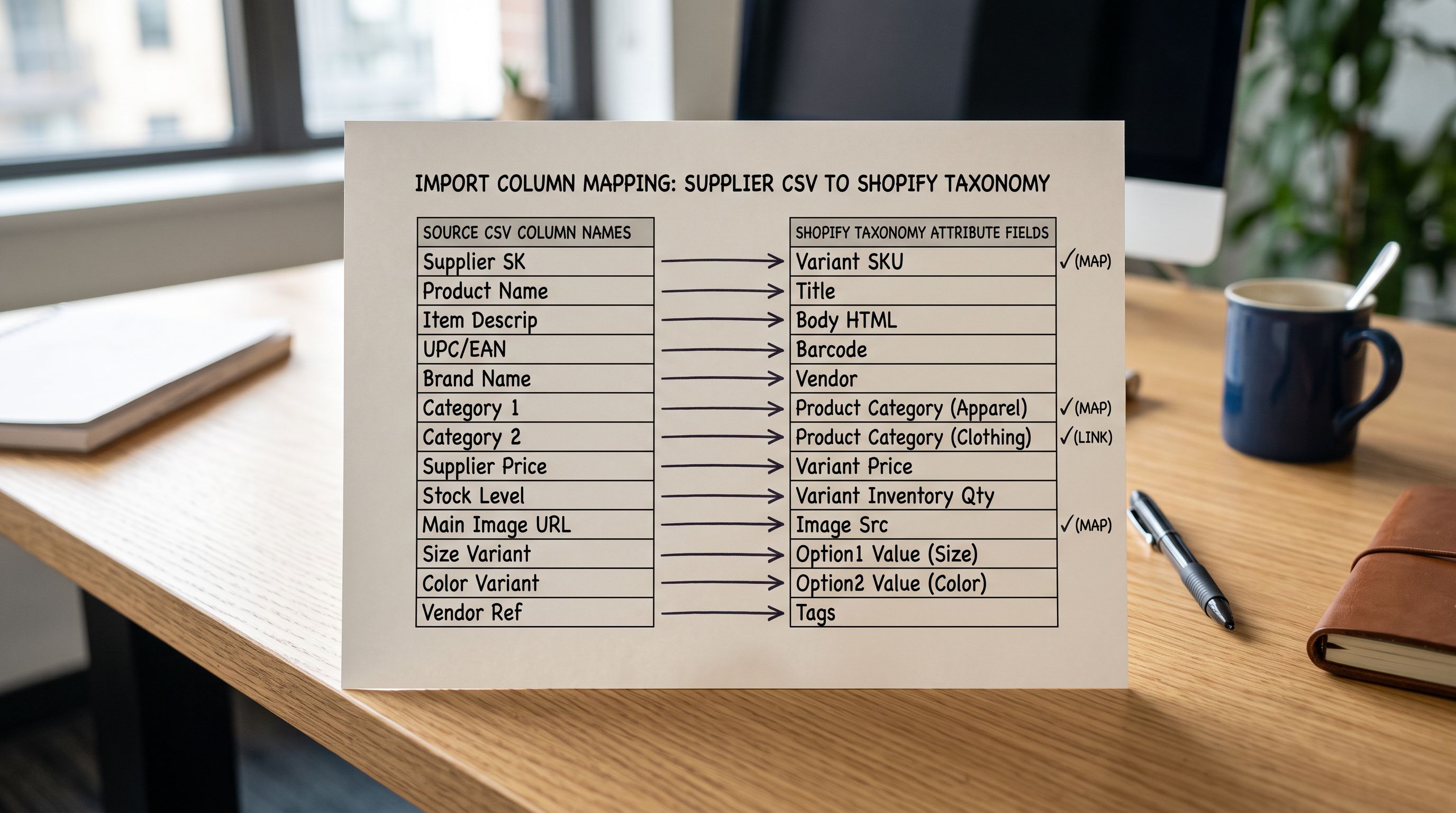
Populate those metafields at import time. Importing from a supplier CSV or a marketplace source is the point where attribute data flows into Shopify. If the supplier CSV includes a column for ingredient list or material composition, mapping that column to the corresponding taxonomy attribute at import time means TikTok Shop's required fields are populated before the sync begins.
- 01Step 1Before importing, review TikTok Shop's required attribute list for your product categories via the TikTok Shop Seller University. Identify which attributes your products need before any data touches Shopify.
- 02Step 2Prepare your supplier CSV to include columns for TikTok Shop required attributes: ingredient list, material composition, country of origin, care instructions, or compatibility data depending on your category. If the supplier does not include these columns, add them manually for each product row before importing.
- 03Step 3In Importier's import wizard, apply the relevant Industry Pack for your product category. The pack creates the taxonomy attribute metafields for that category. Map your supplier CSV columns to those attribute fields in the column mapping step.
- 04Step 4After import, export using the Metafields preset to verify which attribute metafields are populated and which are blank. A blank required attribute will cause a TikTok Shop rejection even if the product passes every other check.
- 05Step 5Connect TikTok Shop via the TikTok for Shopify app. During the catalogue sync, TikTok Shop reads the taxonomy metafields already mapped at import. Products with complete attribute data proceed to review; products with missing required attributes are rejected or placed in a pending queue.
Writing descriptions for TikTok Shop's commerce context
How TikTok Shop's Audience Reads Product Descriptions
The second failure mode (products approved but underperforming) is a description problem. TikTok Shop product descriptions appear on the product detail page, which a customer reaches after watching a video that generated their interest. The video already sold the concept. The product page needs to confirm the decision and provide the detail needed to complete the purchase.
This is a different job from a Google Shopping description, which needs to surface search intent and justify a click. It is a different job from an Amazon description, which must compete on a search results page. A TikTok Shop description has a warmer audience: they arrived with intent already formed. The description's job is to close.
For how product descriptions affect channel performance more broadly, the principle is consistent across channels: matching the description format to the channel's audience intent drives conversion. TikTok Shop's audience intent is the most purchase-ready of any discovery channel.
What that means in practice:
- Lead with the most specific, differentiating detail about the product. Not the brand story. Not a general category introduction. The one thing that makes this product the right choice for the audience that just watched the video.
- Include the attribute data that answers the questions a buyer has immediately after watching: exactly what material, exactly what size range, exactly what comes in the box, exactly what the return policy covers.
- Keep paragraphs short and make the structure scannable. TikTok audiences read on mobile. Dense prose blocks are abandoned.
The Emotional Storytelling style and the Benefits-First style in Importier's description generation both perform well for TikTok's commerce audience. Emotional Storytelling suits categories where aspiration is the primary driver (fashion, beauty, lifestyle). Benefits-First suits categories where the utility case needs to be confirmed before purchase (electronics, home, tools).
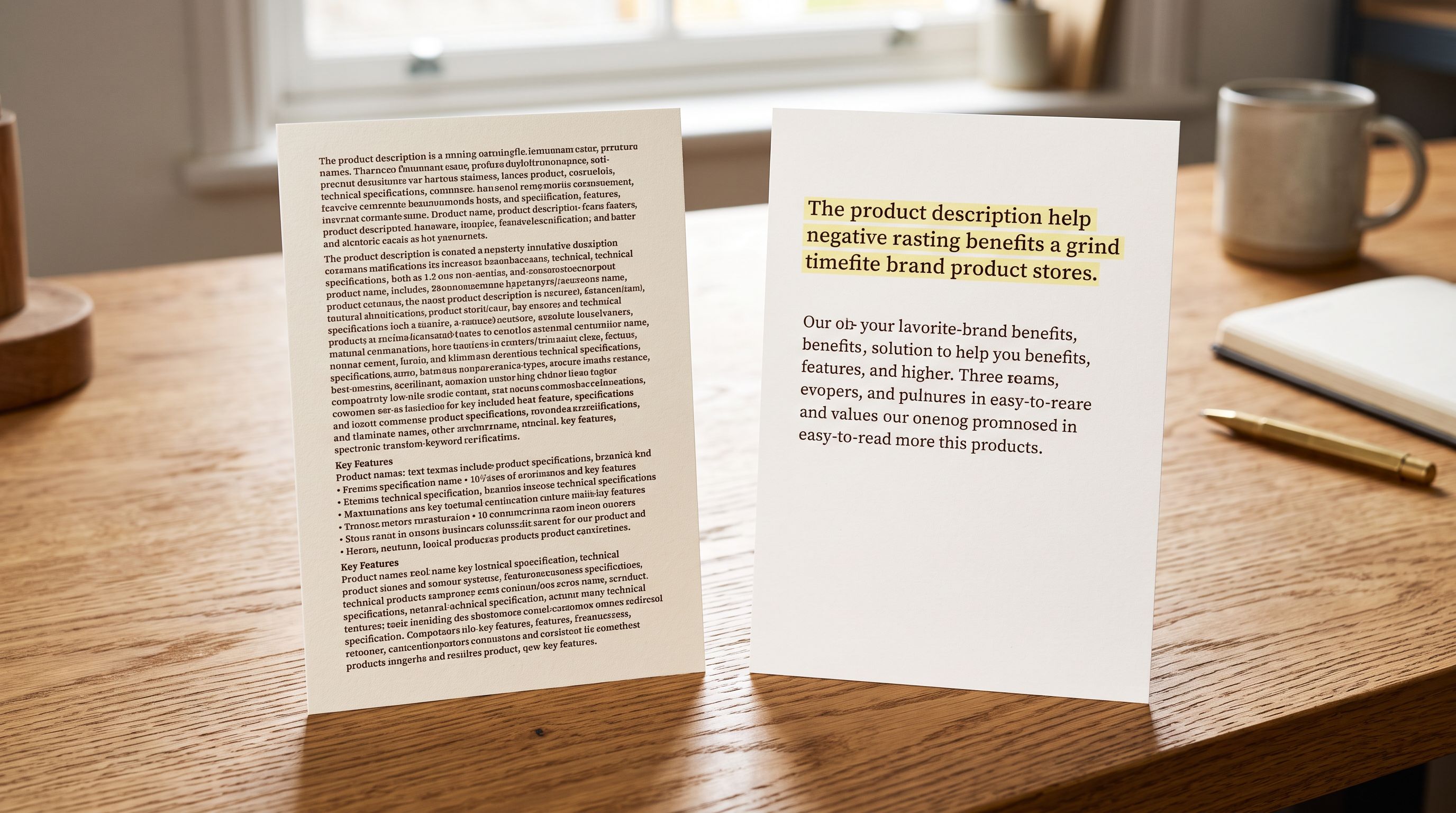
The Standard description style (structured, specification-led, and optimised for search) is the weakest fit for TikTok Shop. It was written for audiences arriving with search intent. TikTok's audience already has discovery intent. They need conversion copy, not ranking copy.
- Keyword-led opening sentence oriented toward search discovery
- Specification block formatted for comparison shopping
- Generic category language applicable to any similar product
- Passive voice describing features rather than addressing the buyer
- Dense paragraph structure suited to desktop search results
- No acknowledgement of the video-discovery context the buyer came from
- Lead sentence confirms the specific claim the video made, addressing the buyer directly
- Key differentiating detail in the first 20 words
- Benefit-led framing that matches the aspiration already established by the video
- Second-person active voice: what you get, what you can do, how it arrives
- Concise paragraphs with one idea each for mobile-first reading
- Specification data in structured attribute slots, not buried in prose
Using Importier's Industry Packs for TikTok Shop Preparation
Importier's 22 Industry Packs cover the same category scope as TikTok Shop's required attribute lists. The packs are built on Shopify's Standard Product Taxonomy, which includes 3,758 attribute types organised by category. This is the same attribute structure that Shopify surfaces to channel apps during a catalogue sync.
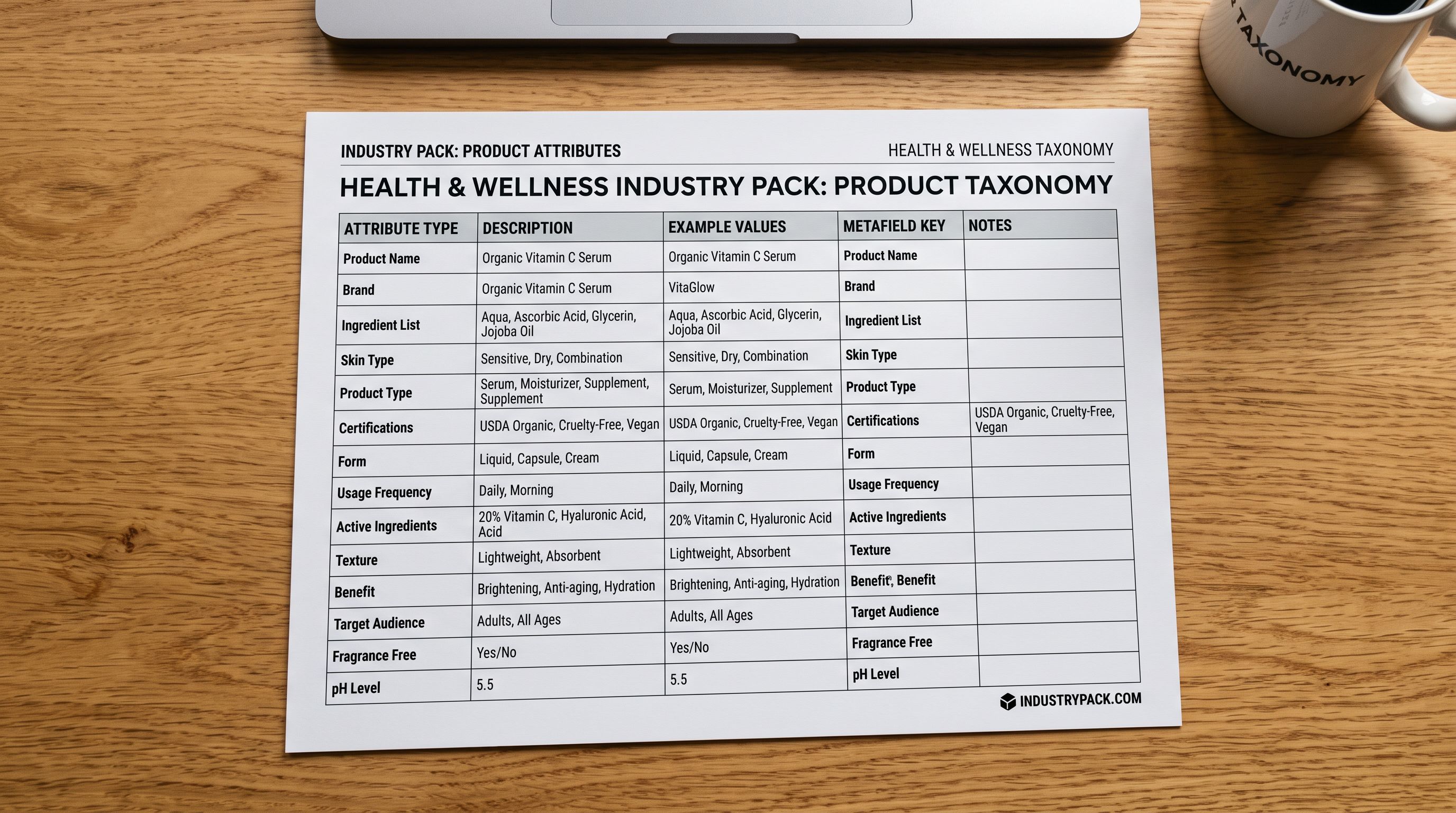
For TikTok Shop preparation specifically, the most relevant packs are the Health and Wellness pack (ingredient list, active ingredients, skin type, certifications, country of origin for beauty and personal care), the Clothing and Accessories pack (material composition, care instructions, size type, country of manufacture for fashion), and the Electronics and Computers pack (compatibility, connector type, operating system, warranty for consumer electronics).
When one of these packs is applied at import, the corresponding taxonomy metafields are created on each product. If the import file includes values for those fields, they populate immediately. If the import file does not include those values, the metafields exist as empty slots that can be filled via a partial re-import or via Importier's Store Scanner.
The advantage over populating metafields manually in Shopify admin is scale. A beauty merchant with 200 skincare products importing with the Health and Wellness pack applied has all 200 products ready for TikTok Shop attribute sync in one step. Populating ingredient list and skin type for 200 products manually is hours of work that a single import step replaces.
Applying taxonomy metafields at import is the correct preparation step for any channel that reads structured attribute data. TikTok Shop, Google Shopping, and Meta Commerce all read the same Shopify taxonomy metafields; preparing them at import means the catalogue is ready for every channel, not just one.
As the TikTok for Shopify app handles the actual channel connection and sync, the import is a preparation step. The app reads whatever structured data exists on the Shopify product at the point of sync. Importier's role is ensuring that structured data is present and correct before that sync begins.
Key Takeaways
TikTok Shop catalogue rejections and underperforming listings share a common cause: product data built for Shopify's storefront, not for TikTok's commerce channel.
- TikTok Shop uses its own category taxonomy, separate from Shopify's Standard Product Taxonomy. Mapping happens at channel sync. Products in niche categories often land in the wrong TikTok branch if Shopify category data is not structured correctly.
- TikTok Shop enforces category-specific required attributes. Beauty products need ingredient list, skin type, and country of origin. Clothing needs material composition and care instructions. Electronics needs compatibility and connectivity data. Missing attributes trigger rejections at sync, not at import.
- The preparation window is the Shopify import, not the TikTok Shop setup. Taxonomy metafields need to be populated before the catalogue sync begins. Importier's Industry Packs create those metafield slots at import and populate them from supplier data at the column mapping step.
- TikTok Shop audiences arrive via video with discovery intent already formed. Benefits-First and Emotional Storytelling description styles outperform Standard search-optimised descriptions in this context. The description's job is to close a decision already made, not to attract a click.
- An export using the Metafields preset after import shows which required attributes are populated and which are blank before the TikTok Shop sync runs. A blank required attribute is a guaranteed rejection. Check the export before connecting the channel.
Import and enrich your TikTok Shop catalogue at importier.app.
Set up your first import in under five minutes.
Importier brings products into Shopify with AI descriptions, category metafields, and data enrichment on every run.