Shopify Product Provenance Import: Brand Story as Metafields
On this page
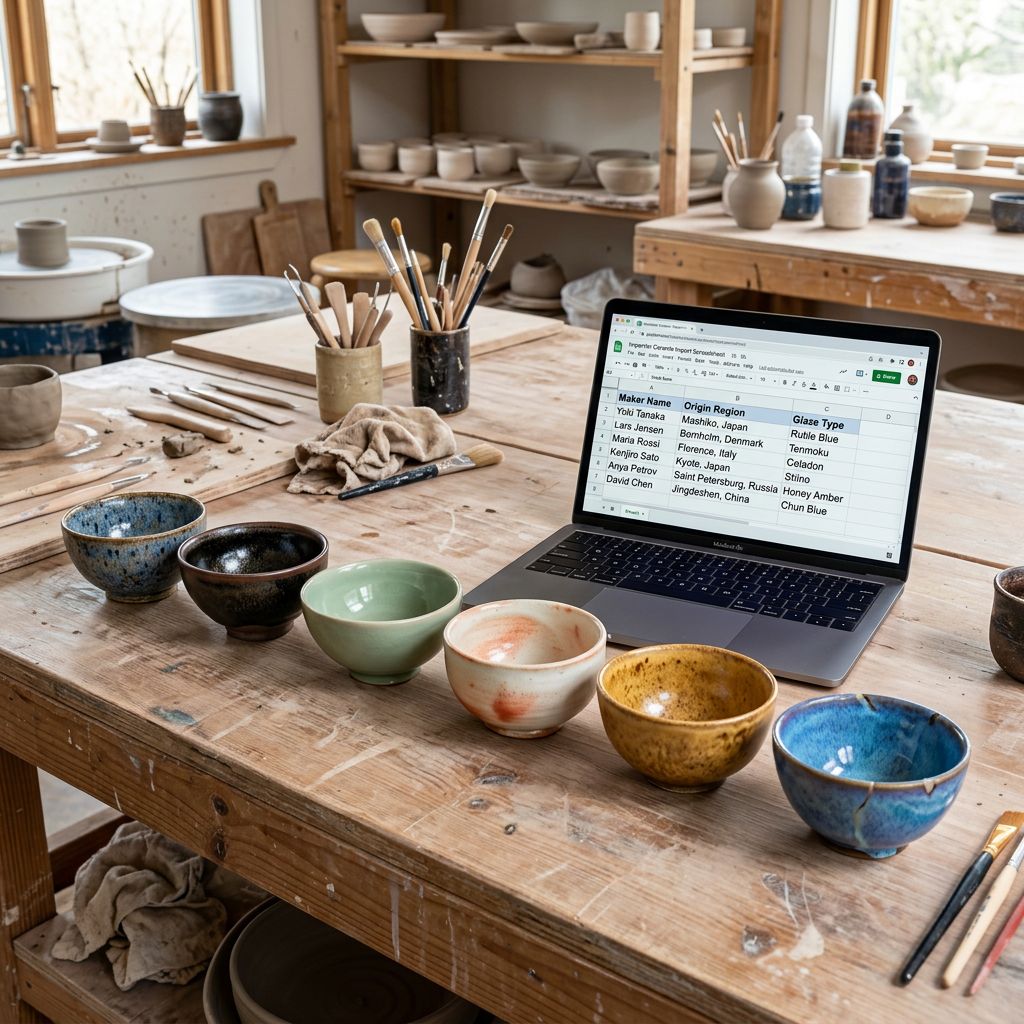
A Shopify product provenance import is the process of bringing a brand's origin data, maker attribution, and brand history into the store as structured metafields alongside the standard product record. An Auckland ceramics studio demonstrated the gap clearly: three artisans, two production sites, different clay sources, different firing temperatures, different makers. Their Shopify store showed none of this. Every product had a generic description about "handmade ceramics" and a price. The studio's wholesale buyers already knew the provenance story from the brochure. The retail customers arriving via Instagram had no way to know whether the bowl they were considering was made by one person in a coastal workshop or a factory in another country.
The structured approach to provenance covers the brand history, origin data, maker attribution, and production method that already exists in the brand's knowledge base. Not as marketing copy buried in the description, but as discrete, queryable, displayable fields: maker name, origin region, production method, material source, year the technique was established.
For premium, artisan, and purpose-led brands, this data is a conversion driver. The product data ROI framework covers the three revenue levers of product data quality; provenance operates through a fourth lever specific to brands where the story is part of what the customer is buying.
Why Provenance Data Belongs in Metafields, Not Descriptions
The instinct is to put provenance in the description. A paragraph about the ceramics tradition in the Hokianga, the clay sourced from a specific riverbed, the glaze formulation developed over ten years. This is readable, findable by search engines, and appealing to a reader who engages with the whole product page.
The limitation is that description content is unstructured prose. A theme cannot display "Origin: Hokianga, New Zealand" as a labelled field if that information is embedded in paragraph three of a 200-word description. A filter collection cannot show "Filter by production region" if the region is only mentioned in the description text. A future integration with a wholesale platform cannot extract "Maker: Hemi Ratana" from a paragraph.
Structured metafields solve this. Each provenance data point lives as a discrete field with a defined key, a defined value type, and a defined display context. The description still carries the narrative. The metafields carry the structured data that drives filters, labels, integrations, and theme components.
The import configuration separates the two concerns: the description prompt generates narrative copy from the structured data, and the metafields carry the structured data independently. Both are populated in the same import pass.
The Provenance Metafield Schema
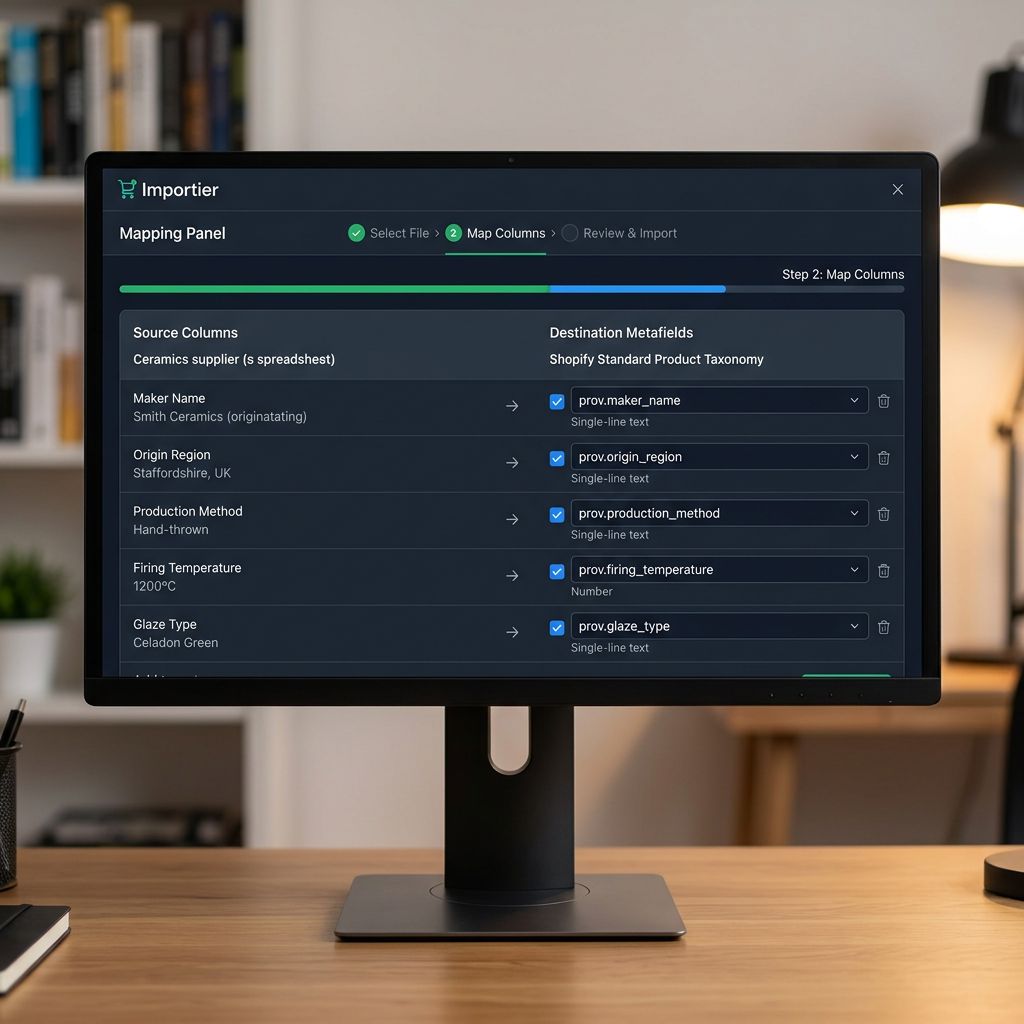
Before running the import, the metafield schema needs to be defined. Shopify's custom data documentation covers the field types and their validation rules; the schema determines which provenance fields to capture and how to type them for display and filtering.
A functional provenance metafield schema for an artisan products brand includes:
Maker attribution
custom.maker_name(single_line_text_field): the name of the person or studio who made the product. For products from a small collective, this is the individual artisan's name.custom.maker_location(single_line_text_field): the town, region, or country of the maker. "Hokianga, New Zealand" rather than a generic "New Zealand handmade."custom.maker_since(number_integer): the year the maker began working in this craft. Displays as "Making ceramics since 1997."
Origin data
custom.origin_country(single_line_text_field): the country of production. Distinct from the country of sale.custom.origin_region(single_line_text_field): the specific region or province. Drives collection filters for "made in Coromandel" or "made in Hokianga."custom.material_source(single_line_text_field): where the primary material comes from. "Fireclay sourced from the Waikato River basin" is specific and verifiable.
Production method
custom.production_method(single_line_text_field): the technique. "Wheel-thrown", "slip-cast", "hand-built", "press-moulded."custom.firing_temperature(number_integer): the kiln temperature in degrees Celsius. A technical provenance point that a ceramics-knowledgeable customer uses to infer clay body density and durability.custom.glaze_type(single_line_text_field): the glaze family. "Ash glaze", "shino", "iron oxide reduction", "celadon."
Brand history
custom.brand_year_established(number_integer): the year the brand or studio was founded.custom.brand_philosophy(multi_line_text_field): a short, structured statement of the brand's approach. Not marketing copy, but a positioned sentence the brand uses consistently: "Functional objects made to outlast the trends that surround them."
Building the Import File
Structuring the Provenance Import File
The import file for a provenance-rich product catalogue carries both the standard product columns (title, handle, price, inventory, variants) and the provenance metafield columns.
For the Auckland ceramics studio, each product row in the import file includes:
| Column | Example value |
|---|---|
| Title | Hokianga Bowl, Ash Glaze |
| custom.maker_name | Hemi Ratana |
| custom.maker_location | Hokianga, New Zealand |
| custom.maker_since | 1997 |
| custom.origin_region | Hokianga |
| custom.material_source | Waikato River basin fireclay |
| custom.production_method | Wheel-thrown |
| custom.firing_temperature | 1280 |
| custom.glaze_type | Ash glaze |
| custom.brand_year_established | 2009 |
Not every product has every field populated. Products where the maker varies have a custom.maker_name value; products in a brand's own range that does not attribute to an individual maker leave that field blank. Importier handles empty cells in metafield columns as "do not set this metafield" rather than as an error, so a mixed catalogue with some attributed and some non-attributed products imports cleanly in one pass.
For multi-product catalogues from multiple makers, the import file is a standard spreadsheet where each row carries its own provenance values. A catalogue of 80 ceramics products from three artisans has 80 rows, each with the correct maker, origin, and production method for that piece.
Generating Descriptions from Provenance Data
With the provenance data in the import file, AI description generation in Importier can use that structured data as source material. The description does not need to be written manually from each maker's background notes, because the structured fields carry the information the AI needs.
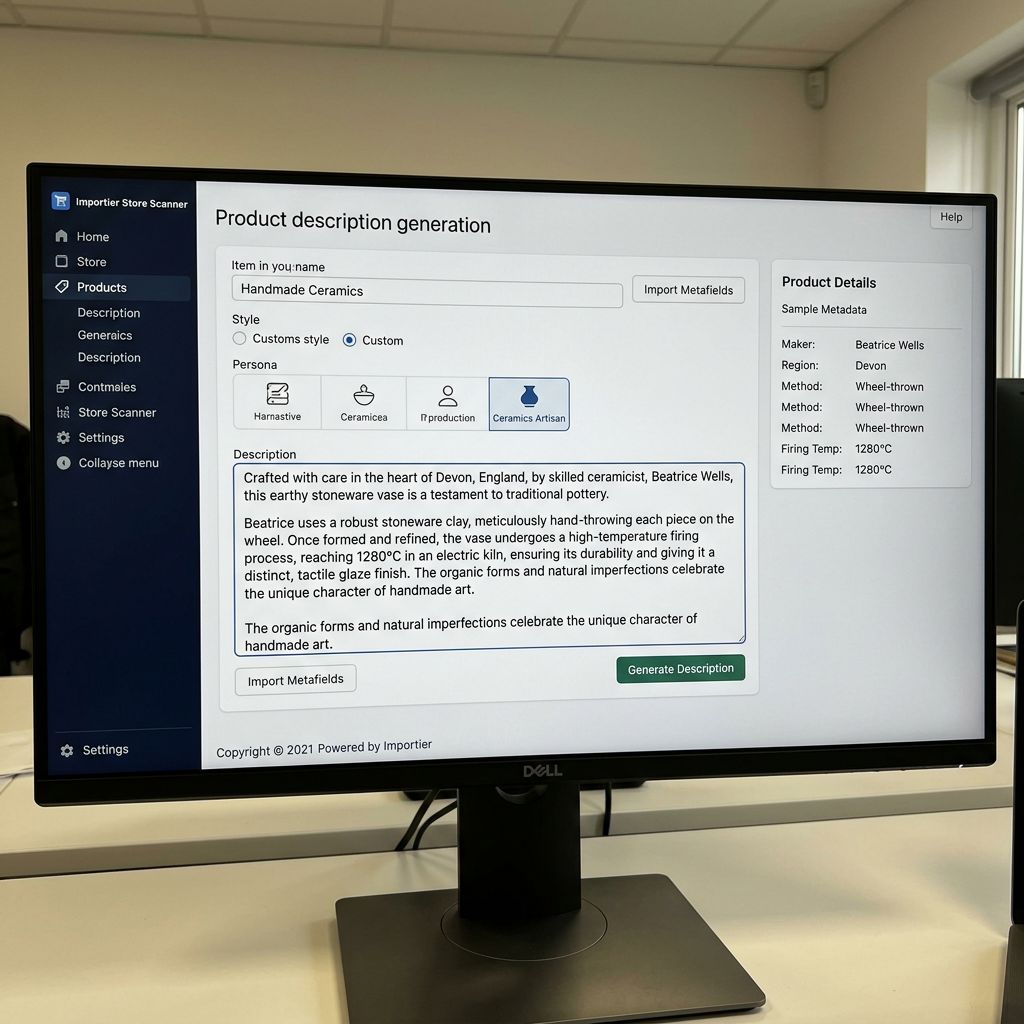
The Custom description style with a Ceramics Artisan persona (from the Homeware and Gifts Industry Pack) generates descriptions that reference the maker, the origin, and the production method from the columns in the import file. The description for the Hokianga Bowl reads the custom.maker_name, custom.origin_region, custom.production_method, and custom.glaze_type values and incorporates them into coherent copy:
"Wheel-thrown by Hemi Ratana at his Hokianga studio, this bowl is formed from dense Waikato fireclay and fired to 1280 degrees under a natural ash glaze that develops its own surface variation in the kiln."
The description is generated from structured inputs. Each artisan's pieces carry distinct descriptions because the structured data is distinct. No two makers produce the same description, and no two regional production methods produce the same product story.
Provenance does not need to be written. It needs to be structured. Once each field is a column in the import file, AI description generation reads it and writes the narrative.
Using Provenance Data in Collections
Provenance Metafields in Collections and Filtering
Once provenance data is in Shopify as structured metafields, it can drive collection rules and storefront filtering in ways that descriptive text never can.
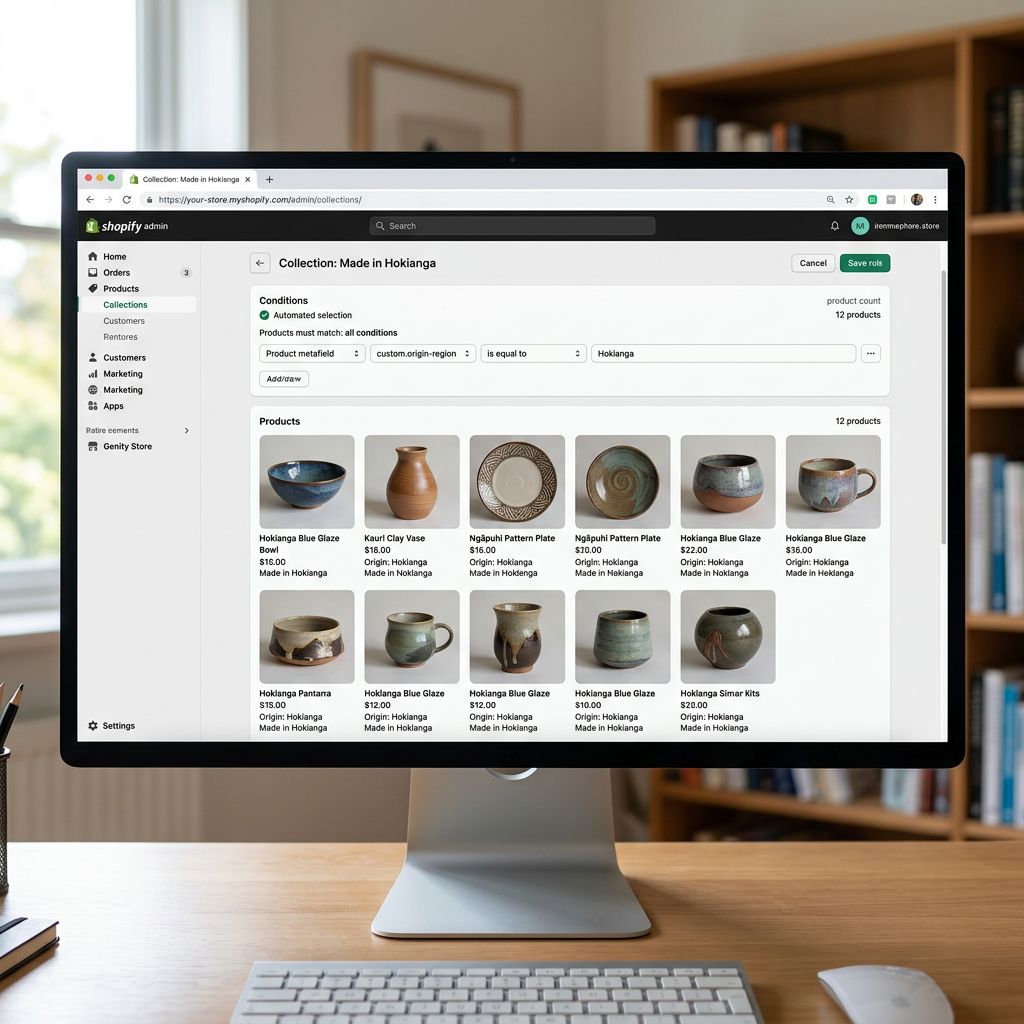
A collection called "Made in Hokianga" with the rule "custom.origin_region equals Hokianga" automatically includes every product from that region, across any category (bowls, vases, mugs) and any material. New products from that region join the collection at import time without any manual curation.
For a brand that sells across multiple production origins, this creates a self-maintaining collection structure from the import data alone:
- "New Zealand Makers" (origin_country equals New Zealand)
- "Wheel-thrown" (production_method equals Wheel-thrown)
- "Ash Glaze" (glaze_type equals Ash glaze)
- Individual maker collections ("Made by Hemi Ratana")
These collections do not require editorial curation beyond setting the rule once. Each import adds new products to the correct collections based on their provenance metafields.
For brands that wholesale alongside retail, the custom.maker_name and custom.origin_region metafields feed wholesale buyer catalogues and line-sheet generators that pull product data via Shopify's API. The buyer's tool that generates the PDF catalogue reads the structured metafields directly via a clean API call that returns maker_name: "Hemi Ratana", origin_region: "Hokianga", production_method: "Wheel-thrown". No description text parsing required.
- 01Audit your existing provenance datalist the fields you already track in spreadsheets, PDFs, or team notes (maker name, origin region, production method, material source, year established); these become your metafield columns
- 02Define the metafield schemacreate each field in Shopify admin under Settings > Custom data > Products before running the import, using the correct value types (single_line_text_field for names and regions, number_integer for years and temperatures, multi_line_text_field for short philosophy statements)
- 03Build the import fileadd a column for each provenance metafield to your existing product spreadsheet and fill in the values for each product; products with missing provenance data receive blank cells, which import cleanly
- 04Configure description generation in Importier with the Custom style and an appropriate Industry Pack personainclude an instruction to reference the maker name, origin, and production method from the import file columns in the generated description
- 05Run the importverify the metafields populated correctly on a sample of 3-5 products in the Shopify admin before confirming the full batch
- 06Set up collection rulescreate one collection per provenance dimension (origin region, production method, maker) using the metafield rules you defined in step 2; new products join automatically at import time
The Auckland Studio's Results
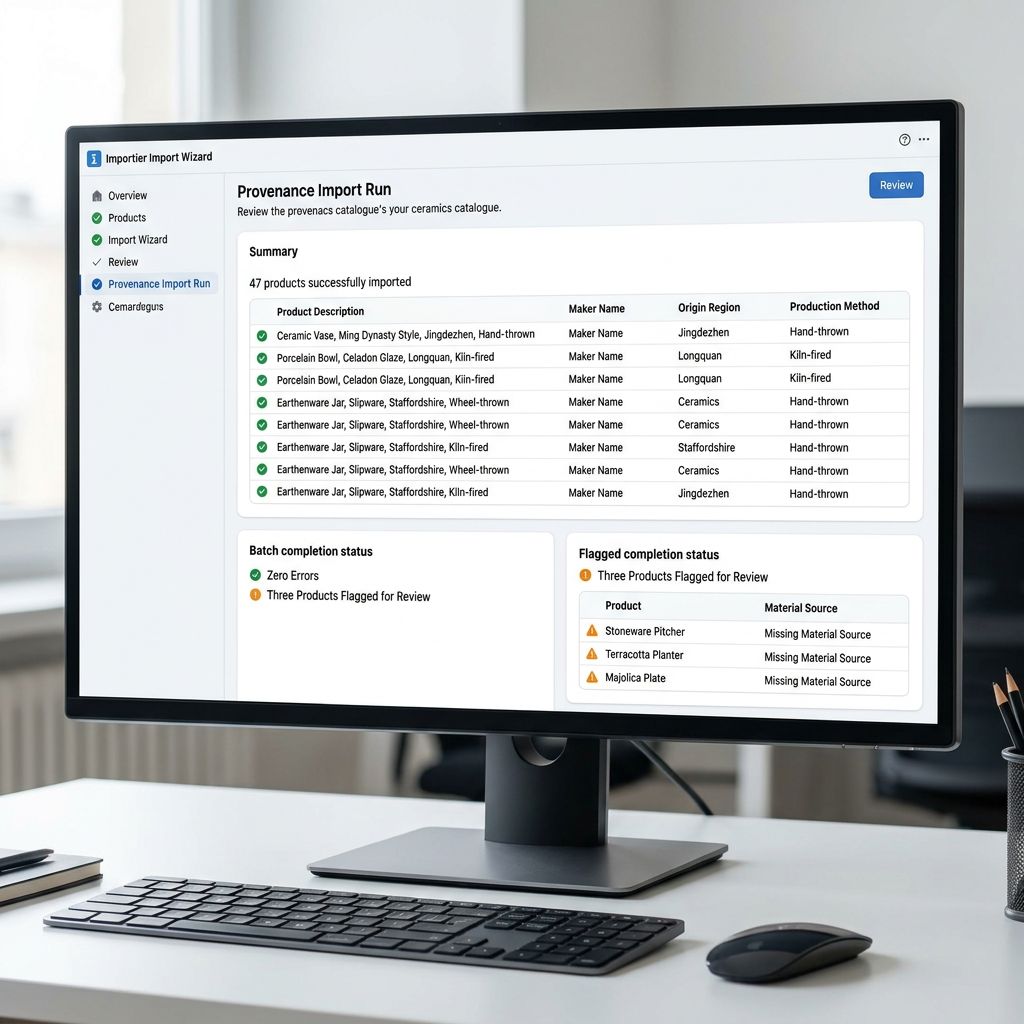
The Auckland ceramics studio ran the provenance import after filling in the metafield schema for their 47 active products. The process took two sessions: one afternoon to gather the maker attribution and origin data from their records, one import run to bring it all into Shopify.
Before the import, the store had a 1.8% conversion rate on product pages. Three months after the provenance metafields went live (with descriptions updated from the structured data and the origin collections created), the conversion rate on products with complete provenance data was 2.3%. Products without complete provenance data held at 1.9%. The difference was not dramatic, but it was consistent across three months of data.
More significant was the wholesale enquiry rate. Buyers who discovered the studio through Shopify and clicked through to individual maker collections sent wholesale enquiry emails at twice the rate of buyers who arrived at the same products without the collection context.
The catalogue governance article covers how to define consistency rules for metafield data so provenance fields stay accurate as new products are added. A provenance import workflow without a governance standard for what "Maker location" means (city vs region vs country) drifts within six months.
- Origin and maker information buried in description paragraphs; not queryable or filterable
- Collection curation manual: must review each new product and assign to the correct origin collection by hand
- Wholesale catalogues built from description text extraction, which is slow and error-prone
- Descriptions written from scratch for each product, referencing notes in a separate document
- Theme cannot display labelled provenance fields; origin and maker appear as unformatted text if at all
- Each provenance dimension is a discrete metafield; collections, filters, and theme components read them directly
- Origin collections self-populate from metafield rules; new products from a region join automatically at import
- Wholesale tools pull clean structured data from the Shopify API without parsing description text
- AI descriptions generated from metafield values; narrative is consistent and accurate because the source data is structured
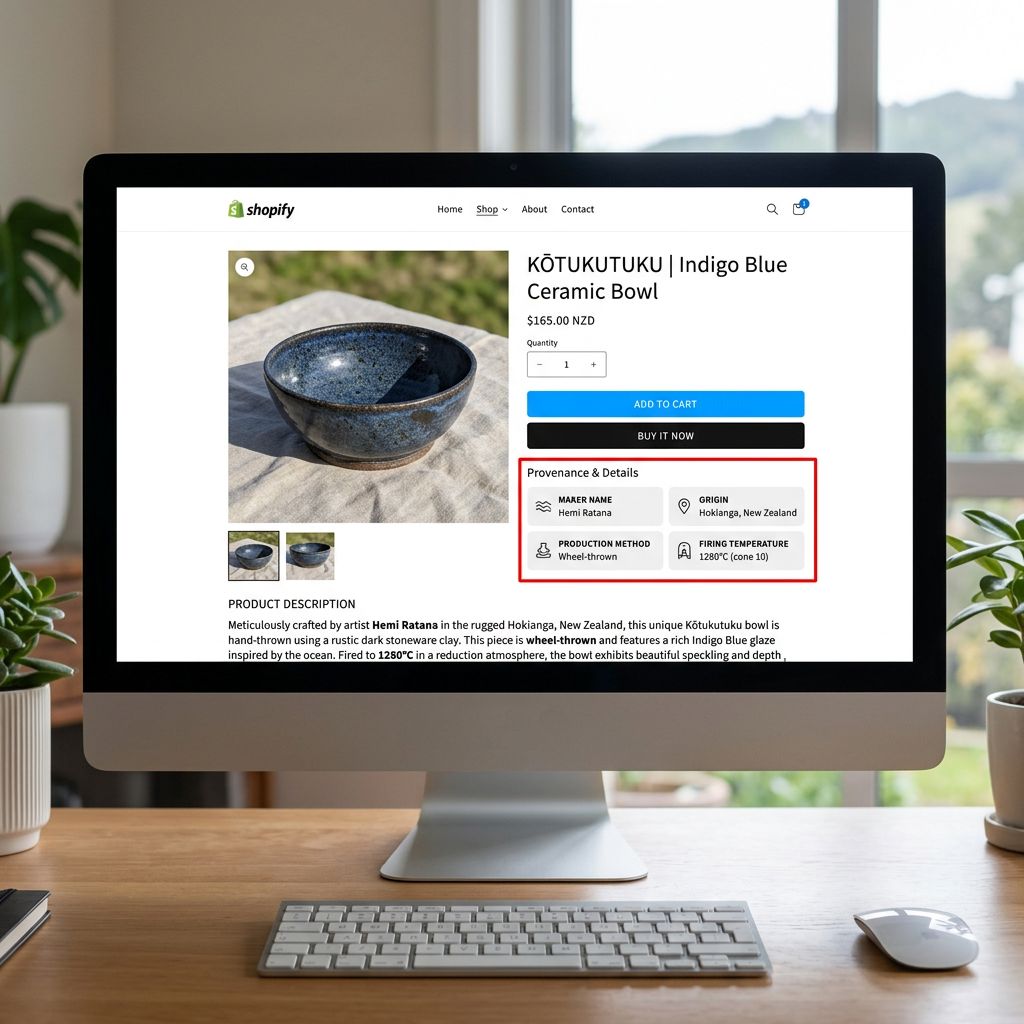
- Theme displays labelled provenance fields: 'Made by: Hemi Ratana
- Origin: Hokianga
- Method: Wheel-thrown'
For brands where the provenance story extends to certifications (Fair Trade, B-Corp, organic) and environmental data (carbon footprint, recyclability), the same structured import approach applies to sustainability credentials. That workflow is covered separately in the sustainability import guide.
According to Google's structured data documentation for products, product schema markup that includes origin, brand, and production attributes improves how products appear in search results. Metafields that map to Shopify's standard product taxonomy export these values through Shopify's schema output automatically, without additional theme-level markup.
Try Importier free at importier.app.
Set up your first import in under five minutes.
Importier brings products into Shopify with AI descriptions, category metafields, and data enrichment on every run.