Shopify Google Performance Max: How Product Data Drives Ads
On this page
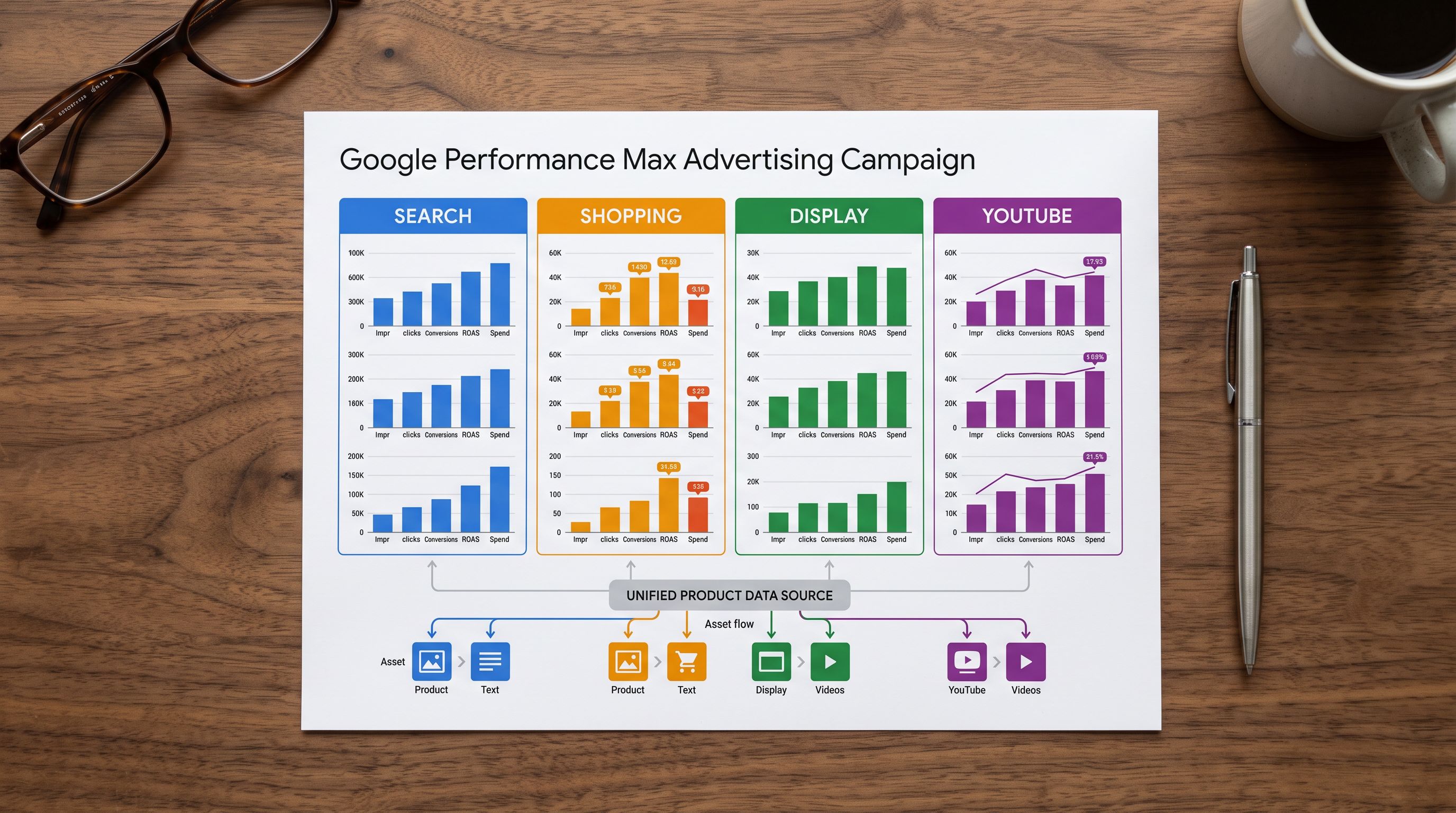
A Performance Max campaign in Google Ads does not run on bidding strategy alone. It runs on assets: the headlines, descriptions, and images that Google's AI combines and serves across Search, Shopping, Display, YouTube, Gmail, and Maps. For Shopify merchants, the Shopify Google Performance Max product data pipeline runs through the Google Merchant Centre feed. Every product title, description, and attribute field in your Shopify catalogue becomes an input to the AI that decides which ad to show, to whom, and at what moment.
Merchants who launch Performance Max without cleaning their product data first discover the problem through poor impression share and low ad variety counts. The campaigns run, but the creative quality is limited by the data quality upstream. Importing products into Shopify with the right title structure, description content, and attribute population determines how much signal PMax has to work with before a single dollar of budget is spent.
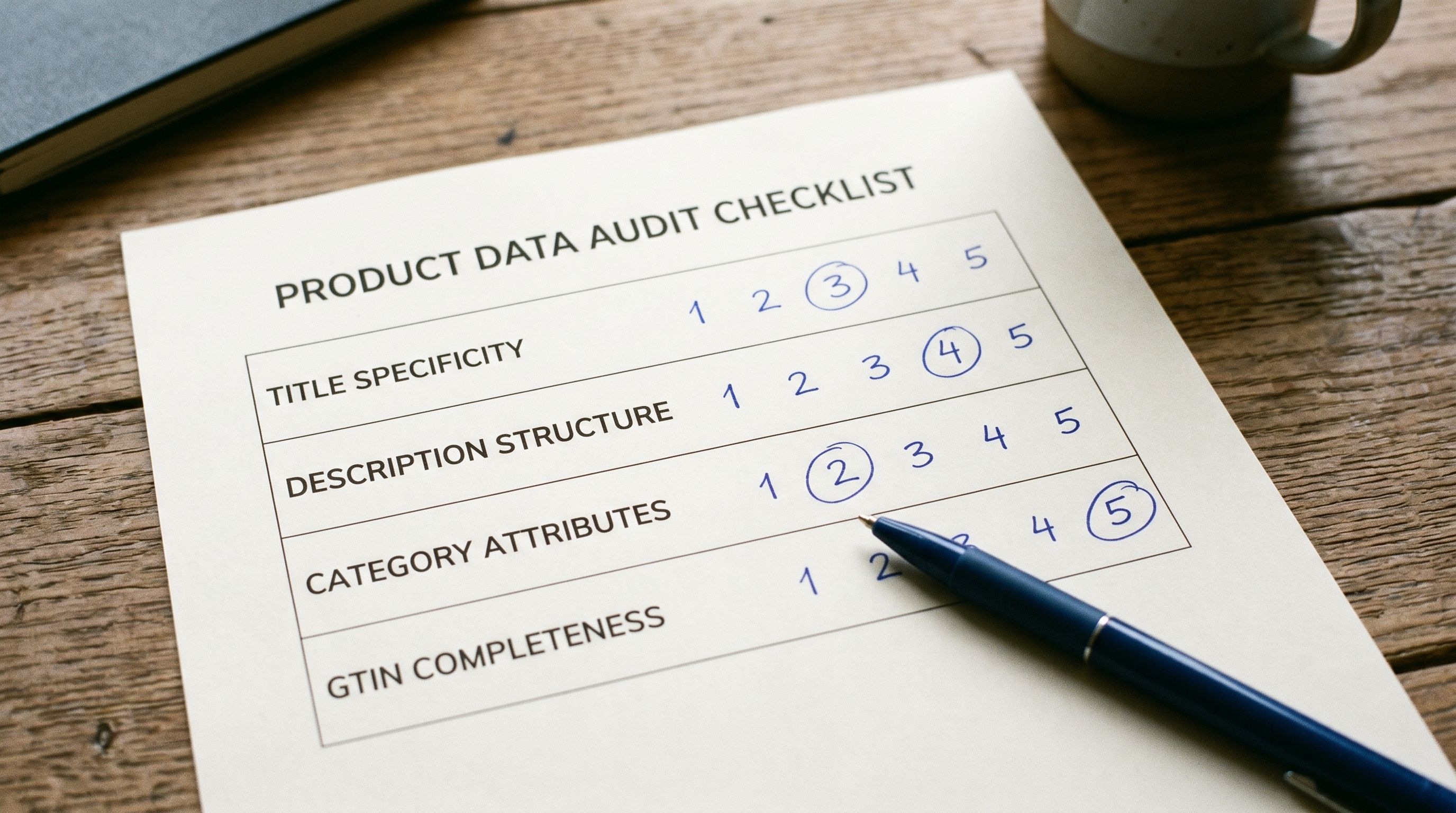
This article covers the specific Shopify product data fields Performance Max reads, how each field affects AI ad creative generation, and how to audit your Shopify catalogue for shopify google performance max product data quality before launch.
What Google Performance Max Uses from Your Shopify Product Feed
Performance Max ingests product data through the Merchant Centre feed, which sources from your Shopify catalogue. Five fields drive the majority of PMax creative quality.
Title. The product title is the primary source for headline candidates in PMax's asset inventory. Google's AI samples the title to generate short headline variants for Search placements and Shopping card text for Display and YouTube. A title formatted as brand + product type + key attribute gives the AI meaningful headline seeds. A title that starts with a supplier model number or internal stock code produces headlines made of those codes. The merchant sees hundreds of ad variations in the asset report, all of them variations on a code that no shopper types into Google.
Description. The product description sources ad copy body text. Performance Max uses description content to generate extended text variants across Display, Gmail, and Discovery placements. Longer, richer descriptions produce more ad copy variation. Short descriptions under 150 words, or descriptions copied verbatim from a supplier sheet, produce thin ad copy with low variety.
Product type. The product_type field (mapped from Shopify's Product Type) signals the product category to Google's AI for audience targeting. Products with empty or generic product types such as "Accessories" applied to 200 different SKUs give PMax insufficient category signal to narrow the audience.
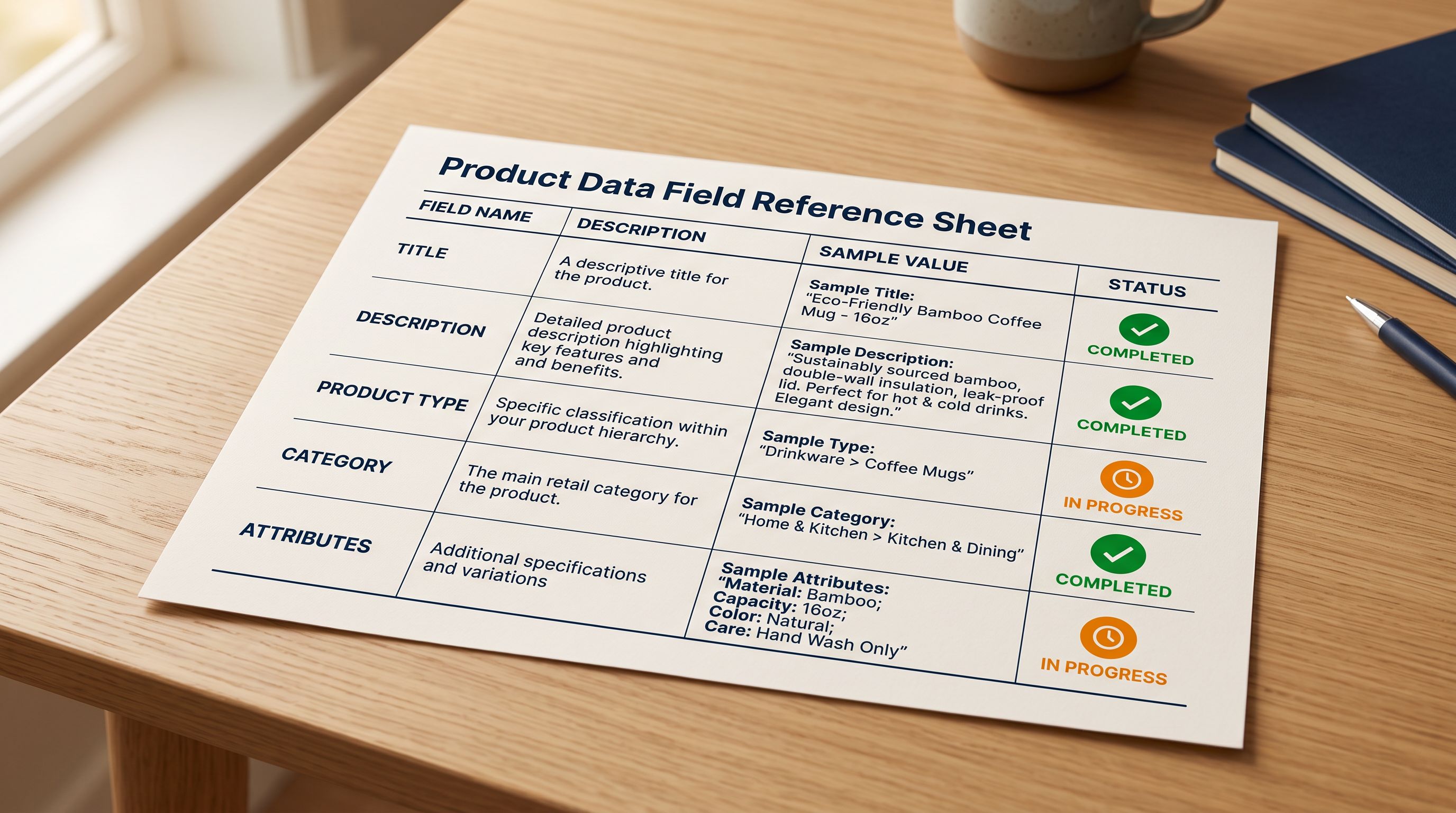
Category. The Google Merchant Centre product category taxonomy maps products to Google's own category tree. PMax uses this for Shopping product group segmentation and for audience targeting signals. Products without a category assignment are harder for PMax to place in the right audience segment.
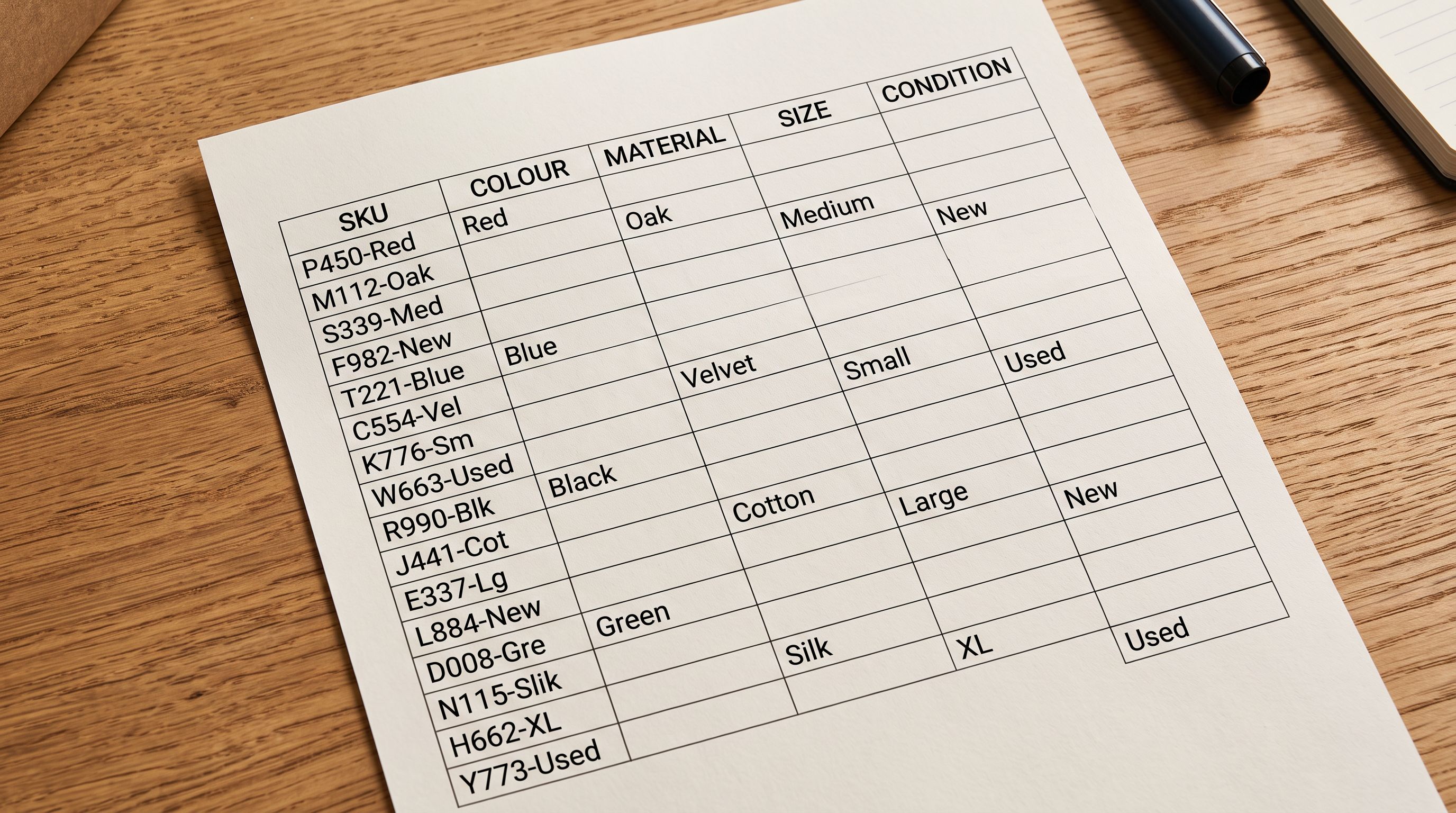
Attributes. Metafields for attributes such as colour, material, size, and condition expand the data surface PMax has for audience segmentation. A product with 12 populated attributes gives the AI more signals than one with 2.
How Description Quality Shapes Performance Max Ad Copy Variety
Performance Max's generative creative system builds ad copy from what exists in the asset inventory. If your description field is thin, the system has less source material for variations.
A description written as "Blue cotton T-shirt. Machine washable." produces a narrow set of ad copy variations. There is nothing about the audience, the use case, the specific attributes, or the context. Google's AI can restate the colour and material in different word orders, but it cannot generate information that is not in the source text.
A description written with specific details, including the fabric weight, the fit style, the target use case, and how it compares to alternatives, gives the AI vocabulary to build varied ad copy for different audience intents. The same product placed in front of someone searching for gym wear gets different copy than the same product placed in front of someone searching for a gift. That variation requires source material in the description.
The Importier AI description generation styles that perform well for shopping channels produce descriptions built from the merchant's product data. The Benefits-First style emphasises what the product does for the user. The Technical style leads with specifications. The Sensory-Rich style emphasises texture, weight, and material feel. When a PMax campaign pulls creatives from a catalogue with varied description content applied by product category, the AI has different copy vocabularies to draw from for different placement types.
Importier's Store Scanner generates descriptions for existing Shopify products that have thin or missing content. Running it on the lowest-word-count products in a catalogue before a PMax launch directly expands the creative pool without any change to campaign settings.
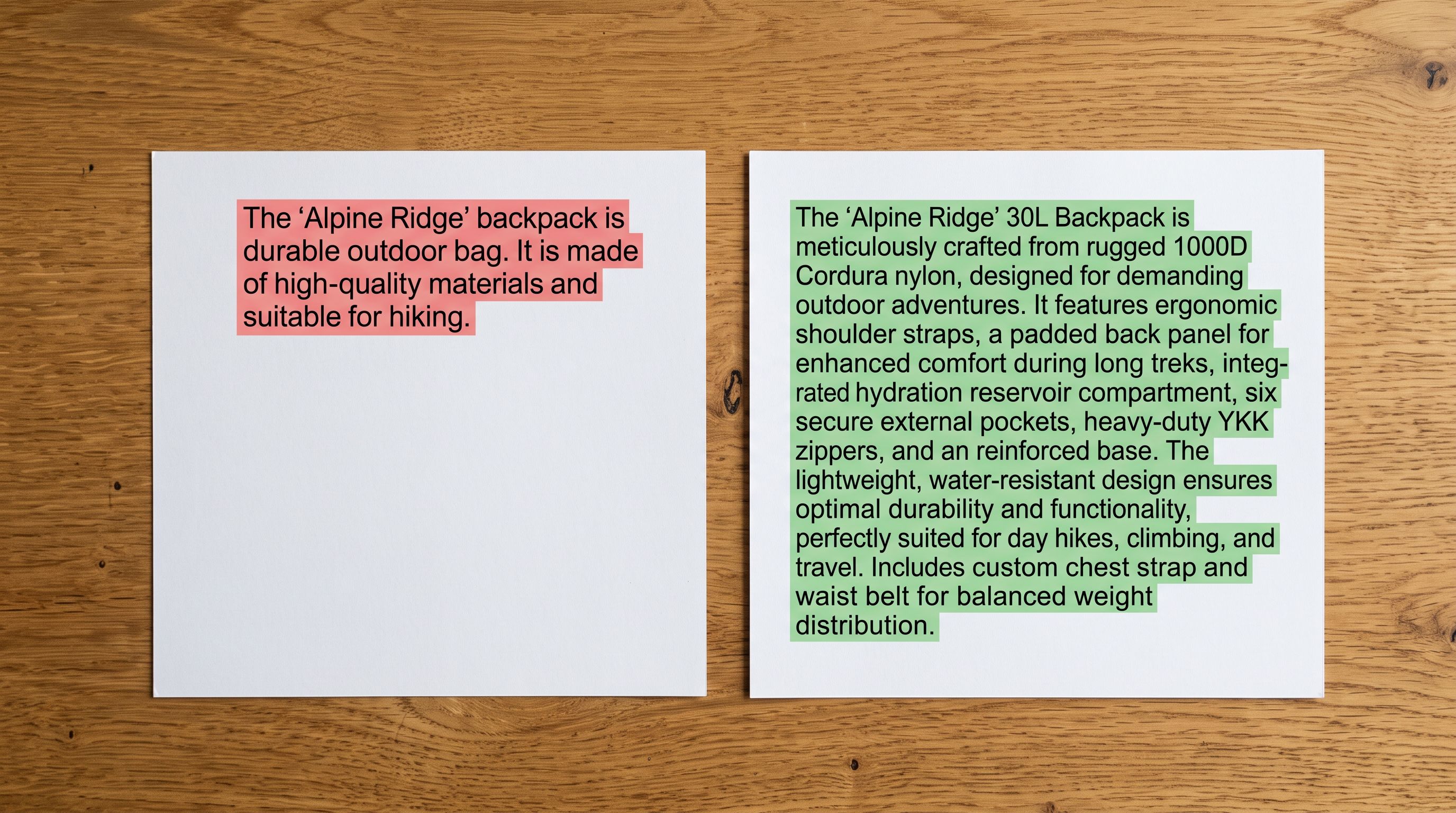
A supplier description copied to 300 product listings produces 300 identical descriptions. Performance Max generates ad variations from those 300 products, but the creative pool is narrow. The same phrases are recycled across every impression. Unique descriptions per product expand the creative pool without touching a single campaign setting.
How Title Structure Controls Query Matching
Performance Max uses product titles to match Shopping ads to search queries. The structure of the title determines which queries a product is eligible to surface for.
A product titled "BLT-0042 Men's Running Shoes" matches queries containing "BLT-0042." No real shopper types that string. It misses the queries shoppers do type: "men's running shoes", "running shoes blue size 10", "lightweight running shoe for marathon training."
A product titled "Nike Men's Running Shoes Air Zoom Pegasus Blue" matches brand queries ("Nike running shoes"), product-type queries ("men's running shoes"), and long-tail attribute queries ("blue Nike running shoes"). The title structure maps directly to the query types PMax can match against.
The recommended structure for Performance Max-optimised Shopify product titles is: brand + product type + most differentiating attribute. For a 150-character title limit in Merchant Centre, this means putting brand first, then the primary product type in the terms shoppers use, then the key differentiating attribute.
Importier's Title Optimiser includes a Google Merchant Centre preset that applies this structure in bulk. The GMC preset enforces the 150-character limit, removes ALL CAPS sections, and front-loads the title with the brand and product type. Running the preset on a Shopify catalogue before a PMax launch restructures which queries the campaign can match against. The change is visible in the campaign within 1-3 days after the updated feed crawl.
- 01Step 1Export using the SEO Audit preset in Importier. This produces a single row per product with title, description, vendor, barcode, and product type: the fields that determine PMax creative quality. Review the export to identify products where the title starts with a supplier model number or internal SKU.
- 02Step 2Run Importier's Title Optimiser with the Google Merchant Centre preset on the flagged products. The preset applies brand-first structure, caps titles at 150 characters, and removes ALL CAPS sections. Review the output for any titles that lose critical product detail at the 150-character limit.
- 03Step 3Filter the SEO Audit export for descriptions under 150 words. Those products have insufficient description content for PMax to generate varied ad copy. Run Importier's Store Scanner on the filtered set to generate richer AI descriptions before the feed reaches Merchant Centre.
- 04Step 4Verify category metafields are populated. In Importier's metafields view, filter for products with zero populated attributes. Products with no metafields give PMax fewer audience targeting signals. Run the category metafields tool to populate attributes from Shopify's standard taxonomy.
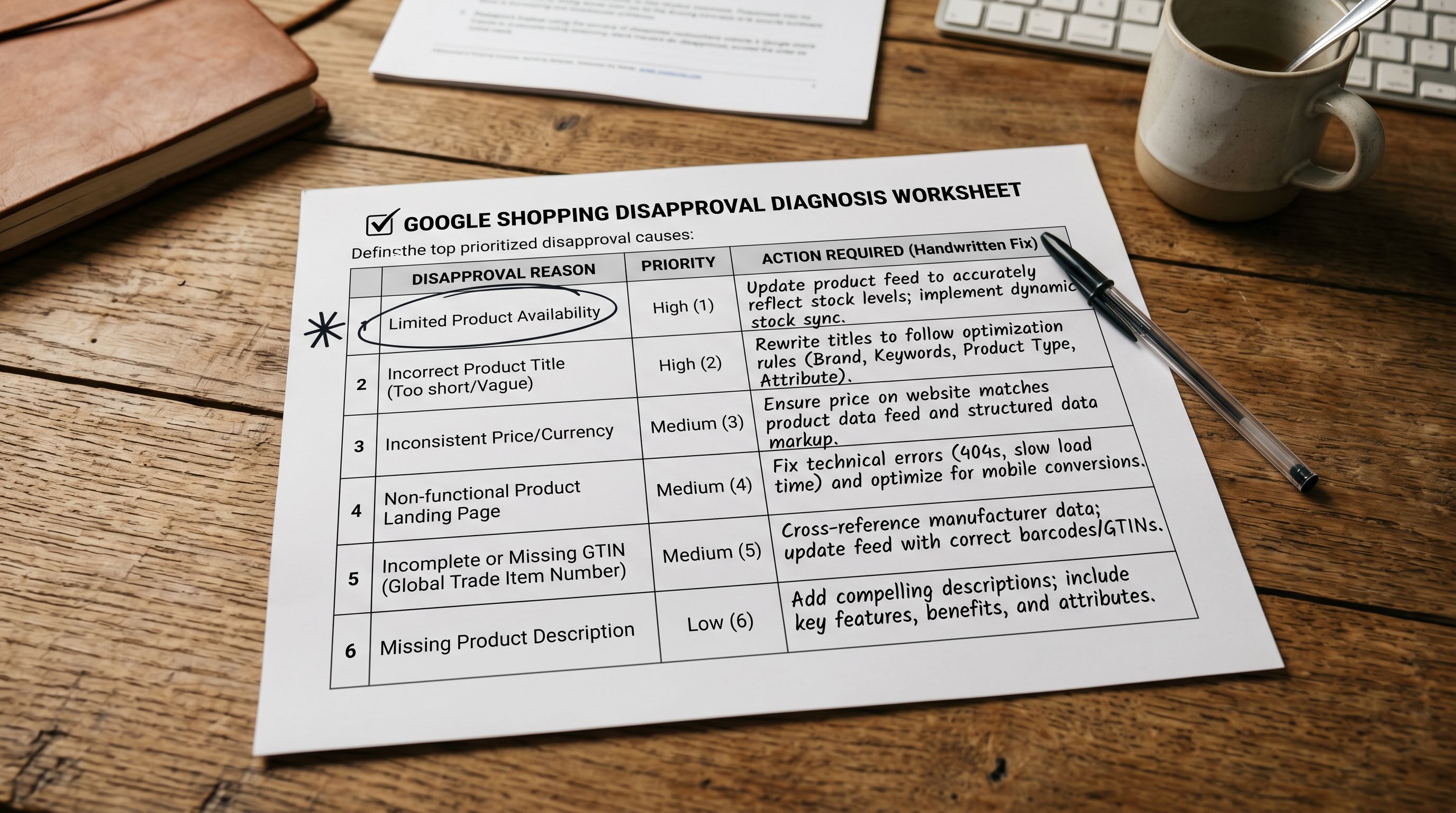
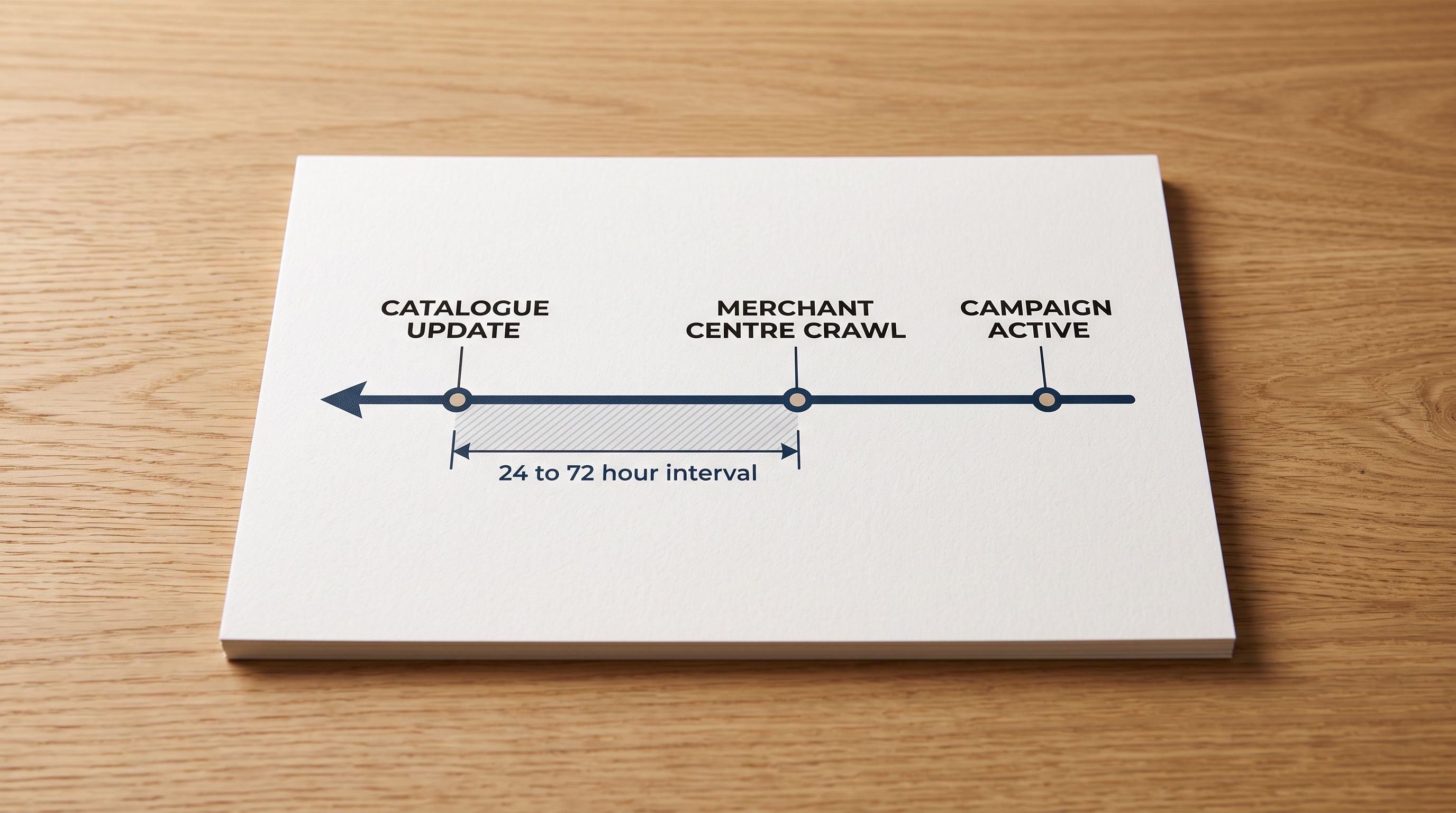
- 05Step 5Submit the updated product feed to Merchant Centre and wait for the crawl cycle to complete. The crawl typically runs every 24-72 hours. After the crawl, check Merchant Centre diagnostics to confirm no data quality warnings appear before launching the campaign.

Category Attributes Expand PMax Targeting Signals
Performance Max groups products into asset groups, and asset groups are typically segmented by product category. A campaign with one asset group for all products gives PMax no ability to apply different creative strategies to different product types. Category segmentation requires product data that reliably identifies category membership.
The Shopify standard product taxonomy, which Importier's 22 Industry Packs map to, is the same taxonomy Google Merchant Centre uses. Products with Shopify category metafields populated with taxonomy-aligned values can be segmented into PMax asset groups by category with confidence. The category attribution in Shopify matches what Merchant Centre expects, so the product group structure in the campaign reflects the actual category structure of the catalogue.
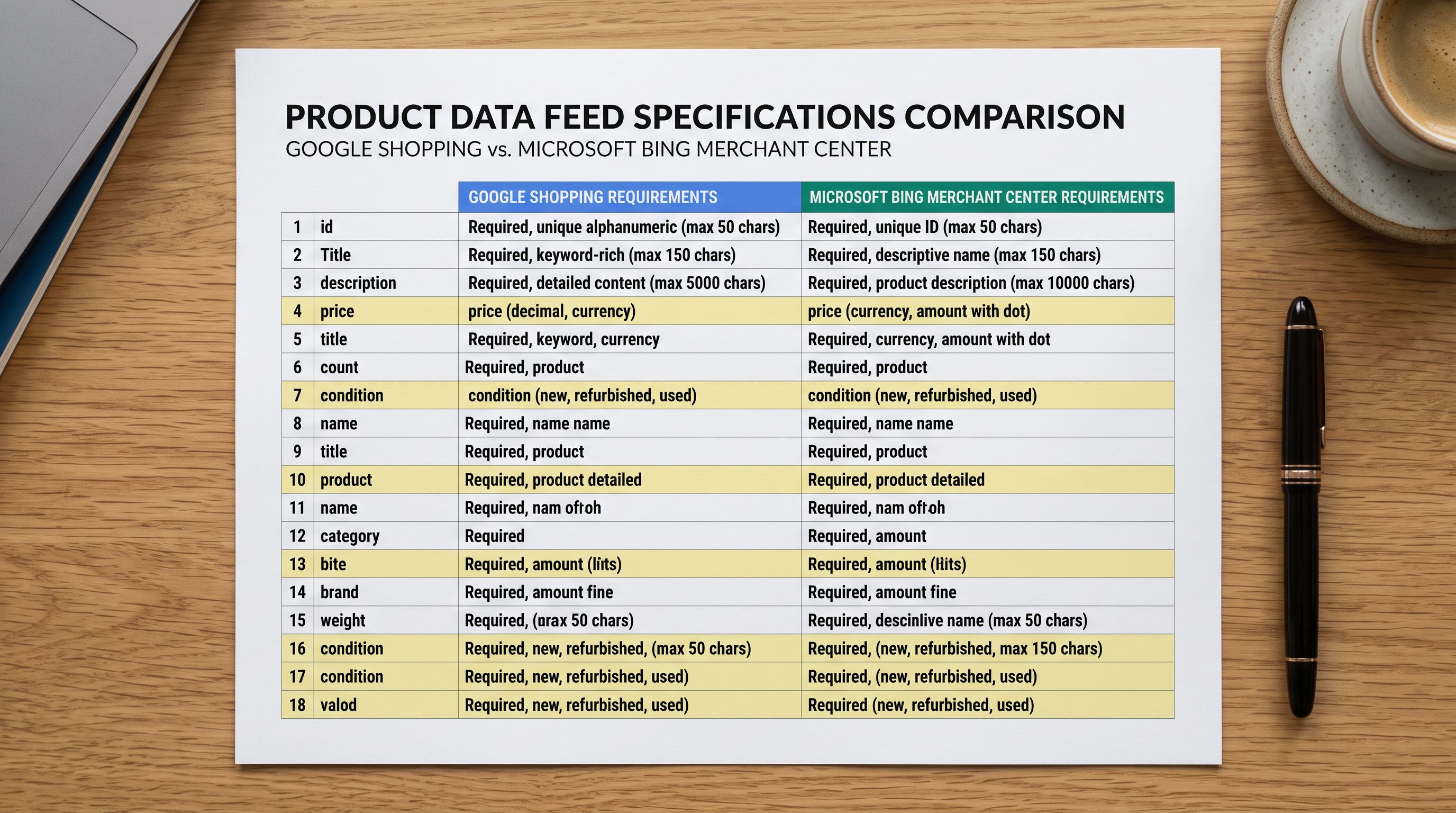
Attributes beyond category, including colour, material, size, and condition, add additional dimensions to the audience signal. A PMax campaign running against a catalogue where every product has 10 to 15 populated attributes has more signal to work with than one where attributes are absent. The Google Merchant Centre product data specification documents every required and optional field that Performance Max reads from your product feed, including the attribute fields that drive product group segmentation.
One detail that merchants miss: performance Max can generate image creatives from product images in the feed. Image quality and image count per product affect how many image creative variants PMax can produce. Products with a single 800x800 image give PMax one image asset. Products with five images in varied angles give the AI five candidates to select from for different placement types.
- Titles start with supplier model codes; PMax headline seeds are model numbers no shopper searches for
- Descriptions copied from supplier sheet, 50 to 80 words each, narrow creative pool
- Product type empty or set to single generic category across all SKUs
- No category metafields populated; minimal audience targeting dimensions
- Feed submitted to Merchant Centre with data gaps and incomplete attribute coverage
- Titles reformatted brand-first with Title Optimiser GMC preset before the feed reaches Merchant Centre
- AI descriptions generated per product using 7 description styles; richer creative vocabulary per product
- Product type mapped at import from supplier data or Importier AI enrichment
- Category metafields populated from 22 Industry Packs covering 3,758 taxonomy attribute types
- Feed submitted to Merchant Centre with complete product data and full attribute coverage for segmentation
Data quality before launch versus after
When to Fix Product Data
Data quality changes to your Shopify catalogue take time to propagate through Merchant Centre to the PMax campaign. After a bulk data update, including running the Title Optimiser, regenerating descriptions, or populating category metafields, expect 1-3 days before the updated data reaches the live campaign.
For an initial PMax launch, the data needs to be correct before the campaign starts. Fixing product data after a campaign is already live takes longer to affect performance than preparing the catalogue correctly at the start. The Google Shopping data quality audit from shopify-google-shopping-product-data covers the overlapping field requirements between Shopping campaigns and Performance Max.
For existing campaigns where performance has stalled, the same data audit against the current live catalogue identifies which fields are limiting PMax creative quality. Export the SEO Audit preset, filter for products with short descriptions and model-code titles, and run Title Optimiser and Store Scanner on those products first. The high-gap products have the most headroom for creative improvement.
Key Takeaways
Performance Max is a data-in, results-out system. The campaign settings matter, but they operate on top of the product data floor. A well-structured catalogue produces better ad creative variety, wider query matching, and more precise audience targeting.
- Product titles control headline seeds. PMax generates ad headlines from your product title. Brand-first titles formatted as brand + product type + key attribute produce headline candidates that match real search queries. Supplier-code-first titles produce headlines that match nothing a real shopper types.
- Descriptions source ad copy body text. Thin descriptions limit creative variety. Unique, detailed descriptions per product give PMax's AI vocabulary to build varied copy for different placements and audience intents. Importier's Store Scanner generates richer descriptions for the thin products in a catalogue without touching the products that already have strong content.
- Category metafields expand audience targeting signals. Products with populated Shopify taxonomy attributes give PMax more dimensions for product group segmentation and audience matching. Products with no attributes provide minimal signal beyond title and description.
- The Title Optimiser GMC preset fixes the most common PMax data problem at scale. A Shopify catalogue where titles start with model numbers can be reformatted in bulk before the next Merchant Centre crawl. The query match improvement shows in impression share within a week of the feed update.
- Image count affects creative variety. Products with multiple images give PMax more image asset candidates. A single product image limits the visual creative pool to one option across all placement types.
Prepare your Shopify product catalogue for Performance Max at importier.app.
Set up your first import in under five minutes.
Importier brings products into Shopify with AI descriptions, category metafields, and data enrichment on every run.