Shopify Product Descriptions Showing HTML After Import

On this page
A fashion accessories merchant imports 200 handbags from a supplier CSV. The import completes without errors. Products go live. Three days later a customer sends a screenshot from the product page. The description reads:
<p>Faux leather satchel bag with gold-tone hardware.</p><br /><br /><ul><li>Dimensions: 35cm x 25cm x 12cm</li><li>Interior zip pocket</li><li>Adjustable strap</li></ul>
Every product page shows the same problem: raw HTML rendered as visible text, tag brackets and all. The import looked fine. The products are live. But 200 product descriptions are unreadable.
This is the supplier HTML import problem, and it is one of the most common causes of broken product pages after a bulk import. It happens for predictable reasons, and the most common way merchants discover it is exactly this: a customer report, not a pre-launch check.
Why supplier descriptions arrive with HTML markup
Supplier product databases store descriptions as HTML. Their own e-commerce system, product information management (PIM) tool, or distributor portal uses a rich text editor that saves formatted descriptions as HTML internally. The "bold heading" the supplier typed becomes <strong>Bold heading</strong> in their database.
When the supplier exports their catalogue as a CSV or Excel file, that HTML comes along. The description column contains raw HTML strings: <p>, <strong>, <ul>, <li>, <br />, <h2>, <div>. These are not display artefacts; they are the actual stored value in the supplier's database column.
Shopify's product description field also stores HTML. When a merchant imports a CSV and maps the supplier description column to Shopify's description field, Shopify accepts whatever it receives. If the imported string is valid HTML, Shopify stores it and the storefront renders it correctly: <p>Product description.</p> becomes a paragraph of text on the product page. If the HTML is malformed, contains CMS-specific shortcodes, or has double-escaped characters, Shopify stores it faithfully and renders the broken result.
Three forms the problem takes
Not all HTML import problems look the same. They arrive in three distinct forms, each with a different cause.
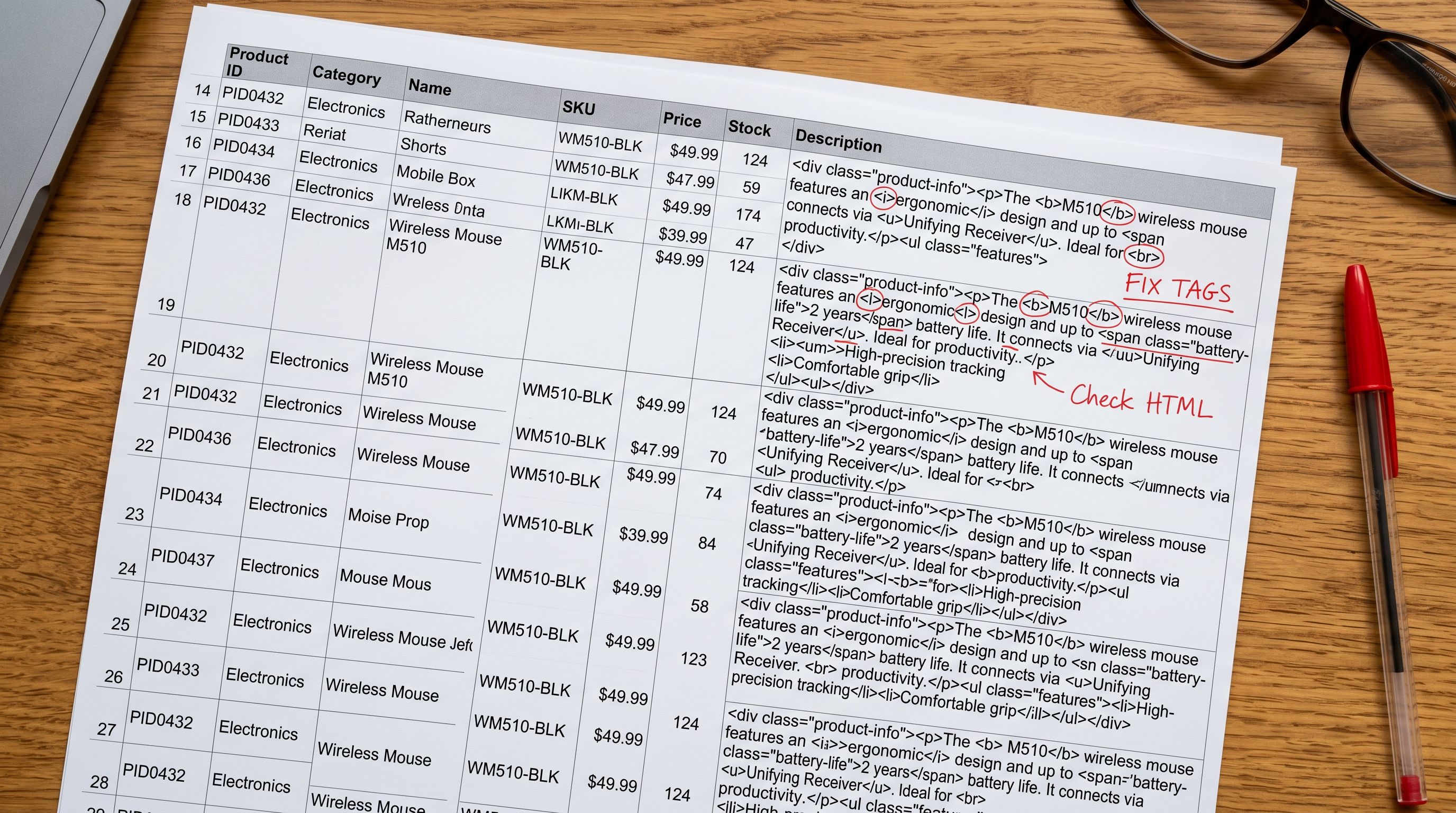
Form 1: Raw HTML tags from supplier export. The most common form. The supplier's CSV description column contains properly structured HTML: <p>, <ul>, <li>, <strong>. When the merchant's Shopify theme renders {{ product.description }}, the HTML displays correctly if valid, or breaks if the supplier's HTML contains inline styles, CMS shortcodes ([vc_column], {{product_name}}), or non-standard tags that Shopify's renderer does not recognise.
Form 2: HTML-encoded entities. Some export pipelines sanitise their output by HTML-encoding special characters. A < becomes <, a > becomes >. The description column contains <p>Faux leather bag.</p> as a plain text string. Shopify stores it as-is. On the storefront, the customer reads <p>Faux leather bag.</p>; the entity codes appear as literal text including the ampersand, semicolon, and tag names.
Form 3: Non-HTML markup (Markdown or BBCode). Some supplier systems use Markdown (**bold**, # Heading) or BBCode ([b]bold[/b], [url=...]anchor[/url]). Shopify's storefront renderer does not process either format. Both appear verbatim on the product page. A description written in Markdown becomes a page full of asterisks and hash symbols.
- Supplier HTML, BBCode, or encoded entities imported as-is
- Shopify admin WYSIWYG renders HTML correctly; problem invisible until storefront check
- 200 product pages show raw code on launch
- Customers report broken pages; merchant manually edits each product
- Subsequent supplier CSV updates re-import the broken HTML each time
- AI generates descriptions from product name, barcode data, and enrichment context
- Output is clean plain text or valid Shopify-compatible HTML
- Zero HTML rendering issues on storefront
- Descriptions reflect this store's voice and buyer, not the supplier's database format
- Subsequent imports regenerate descriptions without carrying forward source formatting problems
What CMS shortcodes do to product pages
The worst variant of Form 1 is CMS shortcodes embedded in supplier HTML. When a supplier's website runs on WordPress with a page builder (WPBakery, Elementor, Divi), their rich text editor saves content with shortcode wrappers: [vc_row][vc_column width="1/1"][vc_column_text]Product description here.[/vc_column_text][/vc_column][/vc_row].
The supplier sees a nicely formatted product page on their own website because their WordPress installation processes the shortcodes before rendering. When they export their product database and the description column contains these shortcodes, a merchant who imports that column to Shopify sees the full shortcode string as literal text on their product pages.

There is no way to import this content correctly without stripping the shortcodes first. The shortcodes are instructions to a specific CMS, not HTML that any renderer can interpret. Shopify does not have a WPBakery plugin. It has no mechanism to interpret [vc_row]. Every character of that shortcode string renders as visible text.
The same applies to template variables. Suppliers who use product information management systems sometimes export descriptions containing unfilled variables: {{PRODUCT_NAME}} features a {{MATERIAL}} construction suitable for {{USE_CASE}}. These variable placeholders were meant to be filled by the supplier's PIM system before publication. In the CSV export, they arrived unfilled. On Shopify, the customer reads the variable name rather than the value.
- 01Step 1Open a random sample of 10-15 product pages on the storefront immediately after any bulk import (not in the Shopify admin). The admin WYSIWYG editor parses HTML correctly and will not show broken rendering. Only the storefront reveals the true output
- 02Step 2If you see HTML tags, encoded entities, shortcodes, or Markdown syntax as visible text, the description column in the supplier CSV contained formatted markup. Note which products are affected and how many
- 03Step 3In the Importier Store Scanner, filter to the affected products using the import date, a collection, or a SKU pattern that identifies the batch
- 04Step 4Enable AI description generation in the Store Scanner. Select a description style (Benefits-First works well for fashion accessories; Technical Gadget works for electronics) and choose an industry persona. Set the push mode to Replace
- 05Step 5Run the Store Scanner pass. The AI generates fresh descriptions from each product's name, barcode-enriched data, and any enrichment context you provide. The corrupted supplier HTML is discarded entirely; the AI does not read the existing description, it generates from product data
- 06Step 6Review 5-10 generated descriptions before pushing all. Confirm the output is clean, specific to each product, and contains no HTML tags. Push the batch. Product pages update within seconds
Preventing the problem at import time
The fix above addresses catalogues already imported with broken descriptions. Preventing the problem comes down to one configuration decision at import time: do not map the supplier description column to Shopify's description field.
In Importier's column mapping step, the description column from the supplier CSV can be left unmapped or redirected to an internal reference metafield. The AI description generation step runs independently, drawing on the product name, barcode-enriched specifications, and any enrichment context the merchant provides. The supplier's HTML never reaches the Shopify description field.

This approach also resolves the copy problem: using supplier descriptions, even clean ones, creates duplicate content across every other reseller using the same catalogue. Generating unique descriptions at import time avoids both the formatting problem and the SEO consolidation that comes from shared supplier text.
A description that looks correct in the admin and broken on the storefront is not a Shopify bug. It is the admin editor doing you a favour by rendering your HTML; and the storefront doing you the truth by showing what was actually stored.
When the supplier description is worth keeping
Preserving supplier data without importing the formatting
Some supplier descriptions contain genuinely useful information: specific technical measurements, regulatory compliance statements, or ingredient lists that would take time to recreate. Discarding the supplier column entirely loses that data.
The alternative is to treat the supplier description as enrichment context rather than as the description itself. In Importier's enrichment context field, the merchant can paste a section of the supplier description as context for the AI: "Use these specifications as source data: weight 450g, dimensions 35x25x12cm, material faux leather with gold-tone hardware, interior has one zip pocket and two card slots." The AI reads this context and generates a consumer-facing description that incorporates the accurate specifications without importing the formatting problems.
Read more about how to use the enrichment context field to guide AI descriptions when supplier data is sparse or formatted for a different audience.
Shopify's product description documentation notes that the description field accepts HTML. What it does not note is that HTML from a third-party system is rarely clean enough to use directly. The tags are correct; the content around them is not built for Shopify's templates.
Shopify's Liquid documentation for the product object shows that {{ product.description }} outputs the stored value without modification. This is by design: the theme developer controls how the output is rendered and sanitised. A description containing raw CMS shortcodes or encoded entities receives no automatic cleanup. What is stored is what the customer reads.
The merchant who imports supplier descriptions is not making an obvious mistake. Using available product data to populate descriptions is a reasonable first step. The gap is that the supplier's description column is not a Shopify-ready description; it is the output of a different system, formatted for a different renderer, and carrying the structural decisions of that system rather than Shopify's. Generating descriptions from the product data rather than from the formatted output of another system closes the gap before the products go live.

Read more about how the Store Scanner generates and replaces descriptions across an existing product catalogue in a single batch pass.
Set up your first import in under five minutes.
Importier brings products into Shopify with AI descriptions, category metafields, and data enrichment on every run.