Shopify BFCM Catalogue Preparation: Get Your Products Ready Before November

On this page
Shopify BFCM Catalogue Preparation: Get Your Products Ready Before November
Most merchants approach Black Friday and Cyber Monday as a marketing problem. They think about discount codes, email sequences, paid ad budgets, and the timing of promotional pushes. This preparation is necessary but not sufficient. The variable that determines whether the marketing spend converts is the product data layer, and most merchants do not touch it before November.
Google Shopping ranks products by data completeness. Google's product data specifications assign eligibility and ranking weight to fields including title, description, GTIN, product type, and Google Product Category. Products that are missing these fields appear less frequently in Shopping results, receive lower ad Quality Scores if paid campaigns run against them, and are absent from the AI Shopping surfaces that increasingly influence purchase decisions.
AI shopping agents apply the same filter. When a shopper's AI agent looks for "merino wool crew neck sweater in navy, size M", it matches products against a structured attribute layer. A product with the correct taxonomy category, the correct material and colour attributes, and a description that uses the relevant vocabulary is a candidate. A product with a blank description and no category data is not.
The fix is not complicated. It is a catalogue audit, followed by targeted enrichment on the products that fail it. The challenge is timing: this work needs to happen before October, not the week before Black Friday, because the enrichment needs time to be crawled and indexed before the traffic surge begins.
The Data Layer That Determines BFCM Performance
Before running any preparation workflow, it helps to understand which data fields have the most impact on BFCM performance.
Product descriptions: Google Shopping uses the description field to understand what the product is and who it is for. A thin description ("High quality item. Great for everyday use.") gives the algorithm very little signal. A structured description that names the product category, key materials, primary use case, and target buyer provides the vocabulary the ranking algorithm uses to match the product to relevant queries.
GTINs and barcodes: Google requires valid GTINs for branded products. Products without GTINs may still appear in Shopping results but are assigned lower priority. During BFCM, when thousands of merchants are bidding on the same product categories, GTIN completeness directly affects ad eligibility and organic Shopping placement.
Product category (Google Product Category): this is the taxonomy path from Google's product category taxonomy that tells Google Shopping which category your product belongs to. It affects which queries your product is eligible for. A product without a category assigned is harder for the Shopping algorithm to place correctly.
Compare-at price: during BFCM, compare-at price communicates the original price against which the discount is calculated. Products without a compare-at price set show only the discounted price, with no visual indicator of the markdown. This affects click-through rate significantly: the "was $89, now $49" format outperforms "$49" alone in A/B tests across most product categories.

Step 1: The Pre-BFCM Catalogue Audit
The audit identifies which products in the catalogue have data gaps before the fix workflow begins. Running a fix workflow without an audit risks spending time enriching products that are already complete while missing the products with the most critical gaps.
Importier's Store Scanner runs a whole-catalogue scan that flags products with missing or thin content across the key data fields. The Store Scanner identifies products with:
- Missing descriptions (no Body (HTML) content)
- Short descriptions (under a configurable word threshold, typically 50 words)
- Missing barcodes (GTIN field is blank)
- Missing product type values
- Missing vendor values
The SEO Audit export preset produces a CSV mapping every product against these fields. For a catalogue of 500 products, the audit output shows immediately which products need attention and in what volume. A catalogue where 40% of products have descriptions under 50 words needs a bulk description refresh. A catalogue where 15% of products have missing GTINs needs a targeted barcode enrichment run.
The audit is the decision layer. Without it, enrichment effort gets spread across products that already have adequate data, while the products with genuine gaps remain unfixed.
- 01Run Importier's Store Scanner against your full catalogue. Set the description length threshold to 80 words and flag all products below it as requiring a refresh.
- 02Export the SEO Audit CSV from Importier's export presets. This maps every product against the five key data fields with pass or fail for each.
- 03Sort the SEO Audit output by gap count per product. Products with three or more gaps are the highest priority.
- 04Divide the fix list into four batchesdescriptions, barcodes, compare-at prices, and category metafields. Each batch runs as a separate Importier session.
- 05Set a target completion date of 1 October. This allows two full crawl cycles before the main BFCM traffic begins in late October.
Step 2: Bulk AI Description Refresh
For products with missing or thin descriptions, a bulk AI description refresh is the fastest path to compliant content at scale.
Importier's Store Scanner can target products by collection, SKU pattern, or description length threshold. For a BFCM preparation run, the filter is typically "descriptions under 80 words": these are the products where a rewrite adds the most ranking signal.
The AI description generation offers 7 description styles across 25 AI models. For a BFCM preparation run:
- Benefits-First works for general retail products across most categories. It leads with the buyer outcome before describing materials and specifications.
- Technical Gadget works for electronics, tools, kitchen appliances, and sports equipment where specification completeness matters for both buyers and the Shopping algorithm.
- Sensory-Rich works for home goods, candles, skincare, and clothing where texture, feel, and atmosphere are part of the selling proposition.
The style selection should reflect the product category, not the merchant preference. A benefits-first description on a technical drill bit misses the specification vocabulary that buyers of that product search for. The right style increases the density of category-relevant vocabulary in the description, which is what the Shopping algorithm reads.
For merchants with mixed catalogues, Importier allows style and persona configuration per import session. A single BFCM preparation run can process clothing products with one style and electronics products with another by running two separate Store Scanner sessions with different configurations.

For the broader AI description strategy for Shopify products, that article covers the vocabulary and structure choices that affect Shopping ranking beyond the BFCM preparation context.
The description is the vocabulary the Shopping algorithm reads. Thin descriptions are not just a conversion problem. They are a ranking problem that no amount of ad spend can compensate for.
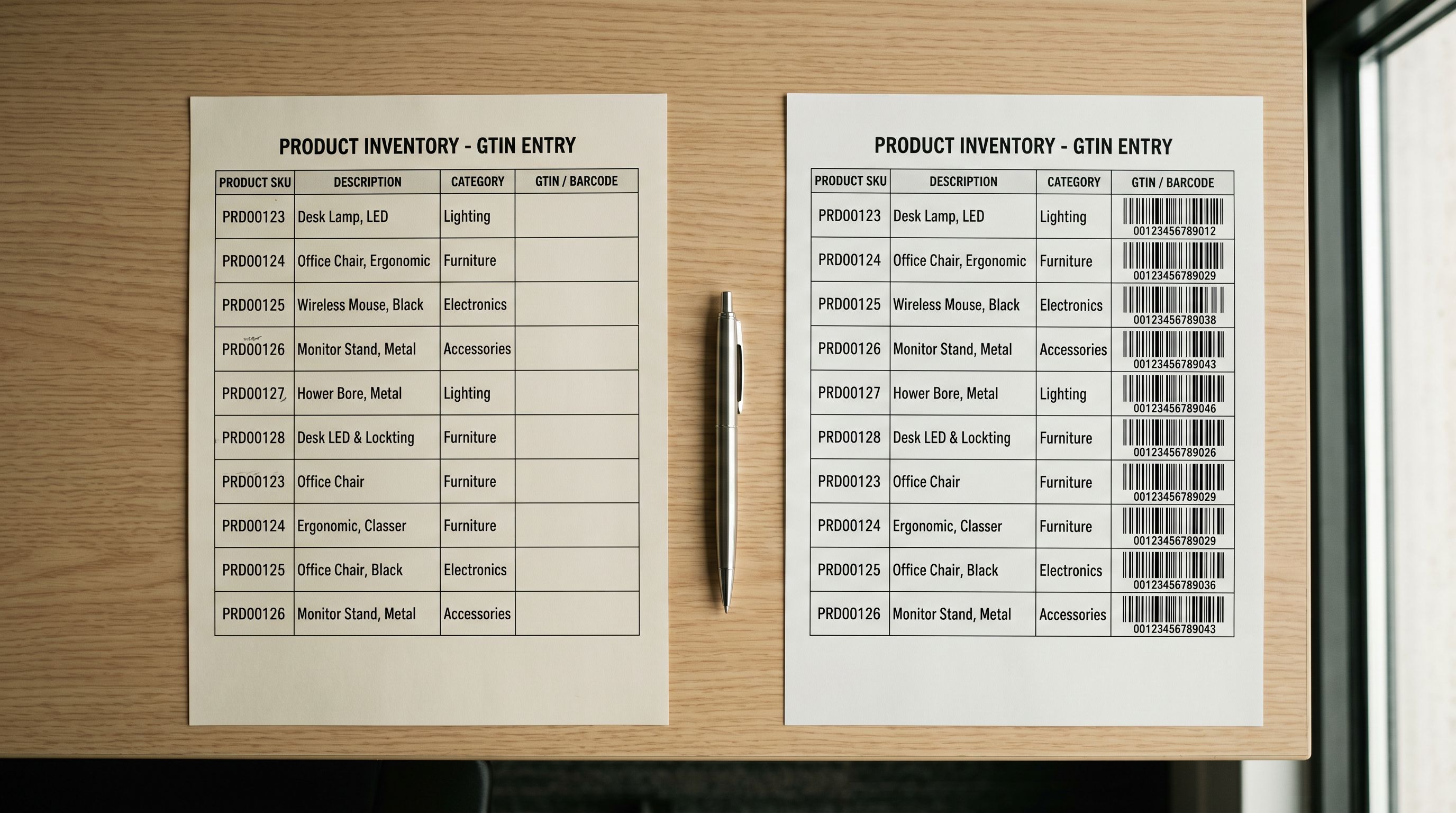
Step 3: Barcode and GTIN Completion
GTINs are required for branded products in Google Shopping and affect eligibility for Google's free product listings alongside paid campaigns. For merchant-brand products (where no manufacturer GTIN exists), GTINs are not required but the product type and brand fields become more important.
Importier's data enrichment step fills missing barcodes during the import wizard, using product title, brand, and attribute data to look up the corresponding GTIN. For a pre-BFCM run, the workflow is to export the products with missing barcodes (identified in the SEO Audit CSV), run them through Importier's enrichment step, and reimport with the filled GTIN values.
Barcode completion takes longer to index than descriptions. Google validates GTINs against its product catalogue before using them in Shopping eligibility decisions. This validation adds a processing cycle. For BFCM impact, barcode completion needs to run by early September to allow adequate time for validation and indexing before peak traffic begins.
For the full barcode enrichment process, the Shopify barcode and GTIN guide covers the lookup workflow and common data quality issues.
Pricing and Category Data
Step 4: Compare-at Price Setup
Compare-at price shows the original price before a discount, displayed as a strikethrough alongside the sale price in Shopify storefronts and in Google Shopping ads. For BFCM campaigns, setting compare-at price before November means the discount framing is already in place when the sale prices go live, rather than needing to set it product by product during the campaign period.
The correct approach is to set compare-at price equal to the regular retail price now, and then reduce the price field to the BFCM sale price when the campaign goes live. This way the visual markdown ("was $89, now $49") is calculated automatically by Shopify during the campaign period.
In Importier's column mapping step, the Compare at Price column maps directly to Shopify's Variant Compare At Price field. For a catalogue-wide compare-at price update, the workflow is to export the product CSV, add compare-at price values in a spreadsheet, and reimport via Importier. The import wizard updates existing products by Handle match, so the compare-at price is added without creating duplicate listings.
Step 5: Category Metafields for AI Shopping
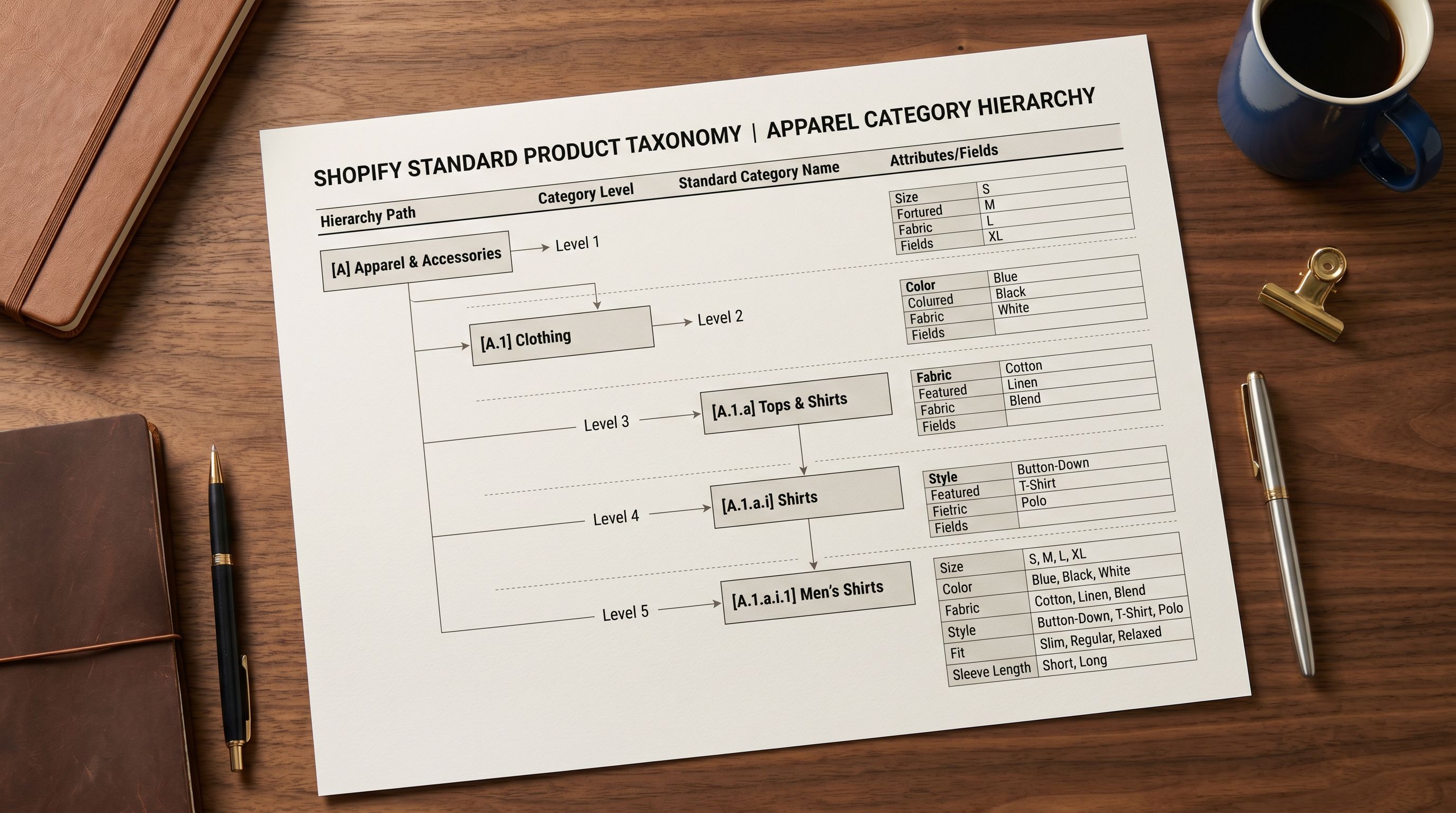
Google Shopping's AI-powered surfaces, and the third-party AI shopping agents that aggregate product data across retailers, use the Shopify Standard Product Taxonomy to understand what a product is and what attributes it has.
A product with the correct taxonomy path (for example: Apparel & Accessories > Clothing > Activewear > Sports Tops) and the filled attribute fields (material, fit, sport type, sleeve length) gives the AI shopping layer enough structured data to match the product to specific queries. A product with no taxonomy assigned relies entirely on the description and title to carry that work.
Importier's 22 Industry Packs cover 3,758 category attribute types across the major Shopify product categories. For a BFCM preparation run, the workflow is to identify which products lack category metafields (visible in Shopify admin under Products, filtered by Taxonomy: No category assigned), run them through Importier's category metafields step, and push the taxonomy assignments back to Shopify.
For merchants who sell in high-competition BFCM categories (clothing, electronics, home goods, beauty), category metafields are the difference between appearing in AI Shopping surface results and being absent from them. The AI shopping and Shopify product data guide covers how these agents use taxonomy data in detail.
BFCM Preparation Timeline
The preparation work should be staged across Q3 rather than compressed into October.
June to July: run the catalogue audit. Identify gap volumes across descriptions, barcodes, compare-at prices, and category metafields. Prioritise the fix order based on gap severity and product priority (your highest-revenue SKUs first).
August: bulk AI description refresh for all products flagged in the audit. Run barcode enrichment for products with missing GTINs.
September: category metafield assignment for products without taxonomy. Compare-at price setup across the full catalogue.
October: final audit pass to confirm gap closure. Adjust BFCM sale prices by editing the price field while the compare-at price remains at the original retail price.
November: the marketing campaigns run against a catalogue that is complete. Google Shopping ads have valid GTINs, adequate descriptions, and correct product categories. AI shopping surfaces have taxonomy and attribute data to work from.
For Google Shopping product data requirements and how the Shopify feed connects to campaign performance, that article covers the Shopping-side setup in detail.

The Preparation Compounds
The five steps above produce a more complete catalogue, which is valuable beyond BFCM. Better descriptions improve organic search rankings year-round. Complete GTINs improve Google Shopping eligibility in every season. Category metafields power AI shopping surfaces in every product discovery session, not just during peak retail periods.
The BFCM preparation deadline is useful because it forces the work to happen. The returns extend well beyond November.
Try Importier free at importier.app
Set up your first import in under five minutes.
Importier brings products into Shopify with AI descriptions, category metafields, and data enrichment on every run.