OpenCart to Shopify Migration: Product Catalogue Guide

On this page
OpenCart to Shopify Migration: Product Catalogue Guide
The most common point of failure in an OpenCart to Shopify migration is not the platform switch itself. It is the product catalogue. OpenCart's CSV export uses a format that Shopify's native importer cannot process directly, and most migration guides do not mention this until merchants have already spent hours trying to make the file work.
This guide covers what the OpenCart export contains, why Shopify's native importer rejects it, and how to complete the opencart to shopify migration without reformatting hundreds of spreadsheet rows by hand.
Why OpenCart Merchants Move to Shopify
OpenCart has been a dependable open-source ecommerce platform for many years. For most merchants who leave it, the decision comes down to accumulated maintenance overhead rather than any single failure.
OpenCart uses a vqmod and ocmod extension system to apply non-destructive code modifications to the platform. In theory, this lets extensions add functionality without altering core files. In practice, as the number of installed extensions grows, conflicts become frequent and each OpenCart version update risks breaking the modifications stack. That maintenance falls entirely on the merchant or their developer.
Shopify's hosted model removes that overhead. The broader app ecosystem, hosted infrastructure, and lower technical maintenance burden make the move appealing for merchants who want to focus on selling rather than platform management.
What an OpenCart CSV Export Contains
Before starting the migration, it helps to understand exactly what the OpenCart export file contains. The column names reflect OpenCart's internal data model, not Shopify's.
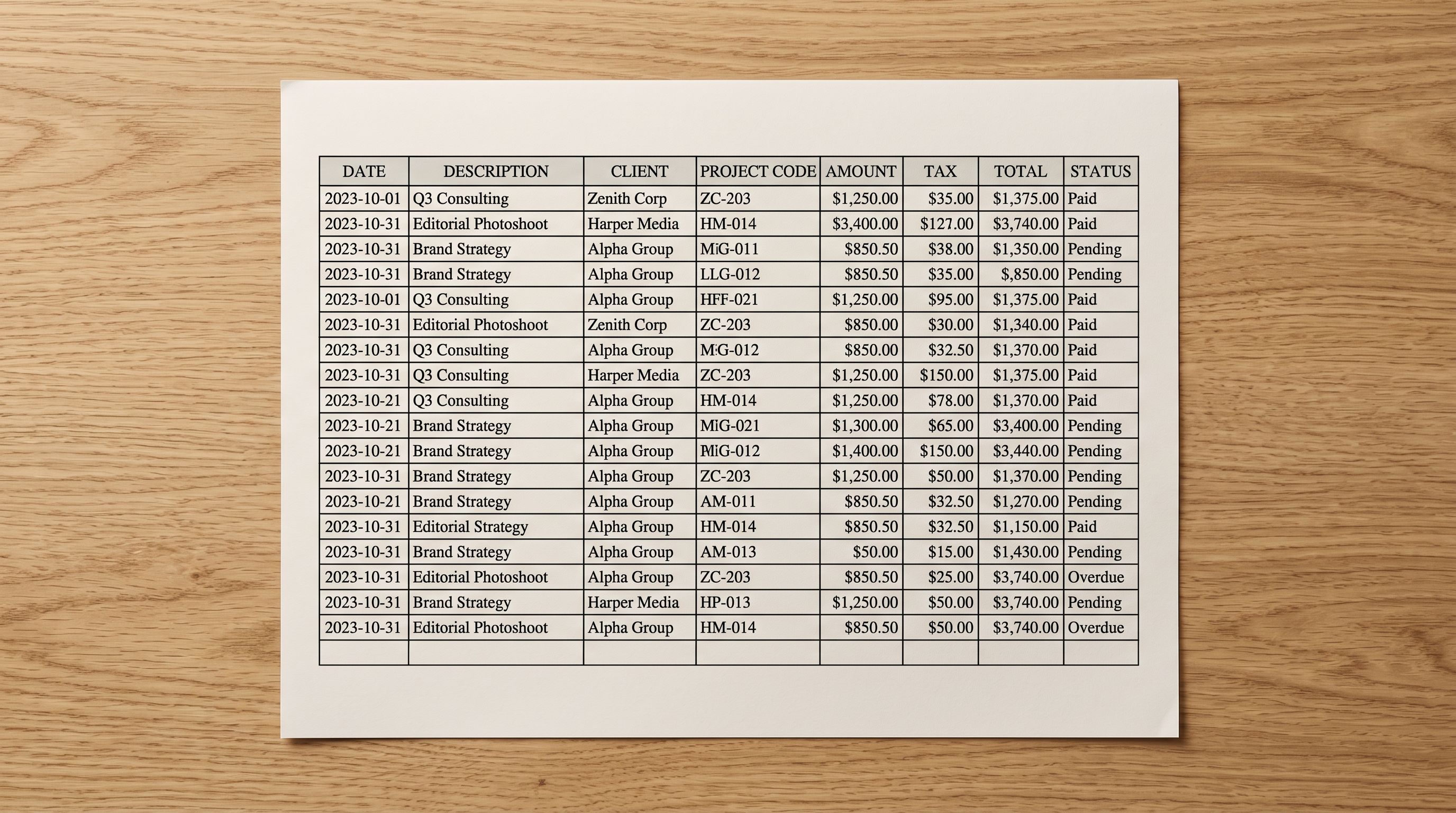
A standard OpenCart product export includes columns such as product_name, model, price_excl_tax, manufacturer, description, quantity, and image. None of these match Shopify's required column names (Title, Handle, Body (HTML), Vendor, Variant Price, Variant SKU).
The more significant problem is how OpenCart handles product variants. OpenCart uses "combinations" rows: each combination is a separate row in the export file, sharing the parent product name but carrying its own attribute values (Size: XL, Colour: Navy, Material: Cotton). These rows look like separate products when you open the file in a spreadsheet, which is why the problem often goes unnoticed until after an import runs.
Description fields in OpenCart exports frequently contain raw HTML, including inline styles and div tags from the OpenCart theme's editor. Weight and GTIN fields are commonly absent from the standard export because OpenCart stores this data in separate database tables that the CSV export does not include.
Why Shopify's Native Importer Rejects OpenCart Files
Shopify's built-in CSV importer has fixed requirements. Column names must match exactly. The file must include a Handle column to group variant rows together. Variant rows must share the same Handle value as their parent product row.
OpenCart exports satisfy none of these requirements. When you drop an OpenCart CSV into Shopify's native importer, one of two things happens: the import fails immediately with a column mapping error, or it completes but creates a separate product for every combination row in the file.
Shopify's native importer has no column mapping step. You either provide a file in Shopify's exact format or the import does not work as intended. This is the point where most opencart to shopify migration attempts stall.
The combination row problem only becomes visible after import, when you find 1,200 separate products in your Shopify catalogue instead of 300 grouped variants.
Manual OpenCart to Shopify Migration: Realistic Time Cost
For merchants who discover the structural mismatch and choose to fix it manually, the work involves several stages before a single product reaches Shopify cleanly.
Stage one is column remapping. You open the OpenCart CSV in a spreadsheet application and rename every column to match Shopify's expected names, verifying data format requirements for each field. For a standard export with 15 to 20 columns, this takes 2 to 3 hours if you know what you're doing.
Stage two is variant restructuring. You identify every group of combination rows, add a consistent Handle value to each group, and reorganise the rows to match Shopify's variant format. For a 300-product catalogue with 1,200 combination rows, this restructuring step alone takes 40 to 60 hours.
Stage three is description cleanup. You strip the HTML from description fields, rewrite supplier-formatted copy that will not convert cleanly to Shopify, and fill in missing fields like weight and barcode. For 300 products, this adds another 30 to 60 hours.
The total for a 300-product OpenCart catalogue with 1,200 combination rows sits at 90 to 150 hours of spreadsheet work before your products reach Shopify. That figure is consistent with the effort involved in WooCommerce to Shopify migration and PrestaShop to Shopify migration projects of similar scale. All three open-source platforms share the same core problem: their export formats were designed for their own database schemas, not for Shopify's import requirements.

The Migration Path with Importier
How Importier Handles the OpenCart to Shopify Migration
Importier accepts OpenCart CSV exports without preprocessing. You do not need to rename columns, restructure combination rows, or strip HTML before the file is usable. The 14-step import wizard maps your columns to Shopify's format and groups combination rows into products automatically.
- 01Export your OpenCart catalogueUse OpenCart's built-in Product Export function (Catalogue > Products > Export). The standard CSV output is sufficient. No pre-cleaning required.
- 02Upload to ImportierDrag and drop the OpenCart CSV directly into Importier's 14-step wizard. The app accepts the file as exported, without column renaming or row restructuring.
- 03Review column mappingImportier auto-maps your OpenCart columns to Shopify equivalents. The wizard shows each mapping clearly so you can confirm or adjust individual fields before moving forward.
- 04Smart Variant Detection groups combinationsImportier identifies combination rows and groups them into Shopify's variant structure automatically. 150+ patterns across 15+ industries handle OpenCart's attribute naming conventions. AI analysis handles ambiguous groupings.
- 05Run AI data enrichmentThe enrichment step fills missing fields, including weight, HS code, country of origin, and barcodes, drawn from the product title, type, and vendor data in your export.
- 06Generate AI descriptionsImportier replaces HTML-formatted OpenCart descriptions with clean, Shopify-ready content. Choose from 7 description styles and 156 expert personas across 43 industries. SEO title and meta description are generated in the same batch run.
- 07Review the preview and push to ShopifyThe import preview shows grouped variants, enriched data, and generated descriptions before any product reaches Shopify. Confirm, and the catalogue is pushed to your store.
What the AI Pipeline Does During Migration
The migration is not just a format conversion. Every product that passes through Importier's wizard also passes through an AI content and data pipeline that covers gaps the OpenCart export leaves behind.
Smart Variant Detection uses 150+ regex-based patterns across 15+ industries to group combination rows into Shopify's variant structure. For OpenCart's attribute-named combinations (Size, Colour, Material), the detection covers common fashion, homewares, and accessories naming conventions without manual configuration.
AI data enrichment fills the fields that OpenCart exports typically omit. A fashion accessories merchant importing 300 products with no weight data would face broken carrier-calculated shipping rates at checkout. Importier fills weight, HS codes, country of origin, and barcodes from the product title and type during the same wizard run.
AI description generation replaces the HTML-formatted, supplier-copy descriptions that accumulate in most OpenCart stores. For a 300-product catalogue, Importier generates descriptions using 25 AI models across 4 plan tiers in minutes, rather than the 50 to 100 hours that manual rewriting would require. The 7 description styles (Standard, Technical Gadget, Emotional Storytelling, Benefits-First, Sensory-Rich, Ingredient Spotlight, Custom) let you choose a format that fits your product category.
Category metafields assigns Shopify's Standard Product Taxonomy attributes during migration, using 22 industry packs covering 3,758 attribute types. Products arrive in Shopify classified for Google Shopping from day one.
Migration Safety: Import History and Import Undo
A platform migration is a one-time event and the stakes are high. Discovering a variant grouping error or an incorrect price after 300 products are live in Shopify admin is a slow fix.
Importier's import preview step shows exactly what will reach Shopify before you commit. Grouped variant counts, enriched field values, and generated descriptions are all visible for review. If anything looks wrong, you adjust the configuration and re-run rather than fixing live products.
Every import is logged in Import History with the date, time, file name, and product count. If a problem surfaces after the migration completes, Import Undo reverts the entire batch in one step. Importier retains up to 20 snapshots per store with CSV downloads available for 60 days. For a migration that will not be repeated, this safety net matters.
What Importier Does Not Cover
Importier handles the product catalogue migration. It does not handle live inventory synchronisation between OpenCart and Shopify.
If you plan to run both platforms in parallel during a transition period, you will need a separate approach for keeping inventory levels aligned. This limitation applies broadly to migration tools that work from CSV exports. A real-time sync between OpenCart and Shopify requires a direct API integration, which is outside the scope of a product import tool.

Manual Migration vs Importier
- Column remapping: 2-3 hours
- Combination row restructuring: 40-60 hours
- HTML description cleanup: 30-60 hours
- Weight, barcode, and HS code research: 20-30 hours
- Total for 300 products: 90-150 hours
- Column auto-mapping in the 14-step wizard: under 5 minutes
- Smart Variant Detection groups combinations automatically
- AI descriptions replace HTML-formatted OpenCart copy
- AI data enrichment fills weight, barcodes, HS codes
- Total for 300 products: under 1 hour
The same structural challenge appears across open-source platform migrations. The BigCommerce to Shopify migration article covers how BigCommerce's Option Set format creates a comparable variant grouping problem. The root cause in each case is the same: platform-native export formats were built to match that platform's database schema, not Shopify's import requirements. The manual work to bridge that gap is substantial regardless of which platform you are leaving.
Shopify's import products documentation lists the exact column names and formatting requirements that its native importer expects. That page makes clear why OpenCart exports cannot be imported directly without significant transformation.
Key Takeaways
- OpenCart's "combinations" row format for variants is structurally incompatible with Shopify's native importer. The file looks valid but creates separate products instead of grouped variants on import.
- Manual OpenCart to Shopify migration for a 300-product catalogue with 1,200 combination rows takes 90 to 150 hours of spreadsheet work before products reach Shopify cleanly.
- Importier accepts OpenCart CSV exports directly. Smart Variant Detection groups combination rows, AI data enrichment fills missing fields, and AI description generation replaces HTML-formatted copy.
- Category metafields from 22 industry packs assign Shopify's Standard Product Taxonomy attributes during migration, so products are Google Shopping-eligible from day one.
- Import History and Import Undo provide a rollback path if anything goes wrong after products reach Shopify.
Import your OpenCart catalogue into Shopify in under an hour at importier.app
Set up your first import in under five minutes.
Importier brings products into Shopify with AI descriptions, category metafields, and data enrichment on every run.