Wix to Shopify Migration: Product Catalogue Guide
On this page
Wix to Shopify Migration: How to Move Your Product Catalogue
The Wix to Shopify migration trap goes like this: you export your products from Wix, open the file in Shopify's native CSV importer, and nothing maps correctly. Every variant comes in as a separate product. Half the columns are ignored. Descriptions carry over as raw HTML fragments.
It is not a bug in either platform. It is a structural incompatibility between how Wix stores product data and how Shopify expects to receive it. Understanding that gap is the first step toward clearing it.
Why the Wix Export Breaks in Shopify's Importer
Wix and Shopify use different logic for everything from column names to variant structure. When you export products from Wix, the resulting CSV uses Wix's own field names: "Product Name" instead of Shopify's "Title", "Variant SKU" formatted differently, "Product visible" instead of "Published". Shopify's native importer cannot recognise these columns without manual remapping.
Column remapping alone takes 2-3 hours for a medium-sized catalogue. You need to identify every column in the Wix CSV, find its Shopify equivalent, rename or restructure it, and repeat the process for any column Shopify requires that Wix does not include at all.
That is the straightforward part of a wix to shopify migration. The variant problem is where the work multiplies.
Why Variants Are the Biggest Blocker in a Wix to Shopify Migration
Shopify groups variants using a column called Handle. Products with the same Handle are treated as variants of a single product. Products with different Handles become separate listings.
Wix does not use this system. In a Wix CSV export, each variant row carries the full product details repeated across every row. A t-shirt with four size options appears as four nearly identical rows. When Shopify processes this file, it sees four separate products, not one product with four variants.
The standard fix is manual: add a shared Handle value to every variant row that belongs together, remove the repeated product-level data from rows 2 through N, and rebuild the file structure row by row. For a boutique with 300 products averaging four variants each, that means touching 1,200 rows. Most merchants underestimate how long that takes until they are six hours in and not yet halfway through.
This is the same structural problem that affects importing product variants in Shopify from any platform that uses a per-variant-row format rather than Shopify's Handle-grouped structure.

The variant structure mismatch is not a data quality problem. It is a formatting incompatibility that affects every Wix merchant migrating to Shopify, regardless of catalogue size.
What Else Goes Missing in the Wix CSV
Variant structure is the loudest problem, but the Wix export has other gaps that matter for a complete Shopify product catalogue.
Product weight is either absent or inconsistently formatted in Wix exports. Shopify uses weight for carrier-calculated shipping rates. Without it, checkout shipping rates are wrong or unavailable.
HS codes and country of origin are not part of the Wix product data model for most merchants. If you ship internationally, both fields are required by Shopify for customs documentation and by Google for Shopping feed compliance.
Category metafields do not exist in Wix at all. Shopify's Standard Product Taxonomy, which feeds Google Shopping structured data, has no equivalent in a Wix export. Every migrated product starts with no taxonomy data, which affects both organic discoverability and paid Shopping campaigns from day one.
Descriptions carry over from Wix as HTML-formatted text. Wix pages are built in a drag-and-drop editor, and the exported description text often includes inline styles, div wrappers, and formatting tags that render poorly as Shopify product descriptions. Many Wix merchants use their migration as the trigger to rewrite their descriptions anyway, replacing web-page prose with retail-quality product content.
Moving the Catalogue
How to Migrate Your Wix Product Catalogue to Shopify
The fastest reliable path through a wix to shopify migration is a dedicated import tool that handles column mapping, variant grouping, and data enrichment in one workflow rather than three separate manual tasks.
Importier's 14-step import wizard was built specifically for the kind of structural complexity a Wix export presents. Here is how the migration runs in practice.

- 01Export from WixGo to your Wix dashboard, navigate to Products, and export all products as a CSV. This gives you the raw Wix-formatted file with all your product data including variants, images, and pricing.
- 02Upload to ImportierDrag the Wix CSV into Importier's import wizard. Importier reads the file and identifies every column, including Wix-specific column names that don't match Shopify's expected format.
- 03Review the column mappingImportier's auto-mapper suggests a Shopify field for each Wix column. Accept the suggestions or adjust them. For most Wix exports this step takes under two minutes, compared to 2-3 hours of manual renaming.
- 04Confirm variant groupingImportier's Smart Variant Detection scans the file using 150+ patterns across 15+ industries and groups the per-variant rows automatically. The preview step shows you each product group before anything goes to Shopify. Review the groupings and confirm.
- 05Configure AI enrichment and descriptionsSelect which missing fields to fill (weight, HS code, country of origin, barcodes). Choose your AI description style and persona. Importier generates retail-quality descriptions from the product data in the file, replacing Wix-formatted HTML copy.
- 06Preview and importReview the full import preview showing product count, variant count, image status, and publish status. Confirm, and Importier pushes the products to your Shopify store. The import history records every batch, and Import Undo lets you roll back the entire run if anything needs correcting.
The import preview step deserves particular attention for migration scenarios. Unlike a routine weekly supplier import where a mistake is quickly reversible, a Wix migration is often a one-time event. Seeing the exact groupings, status, and image links before committing to Shopify removes the risk of discovering problems after 300 products are already live.
What the AI Enrichment Step Handles
AI data enrichment during the import wizard fills the fields that Wix never captured. For each product, Importier looks up missing weight, assigns an HS code based on product type and category, identifies country of origin, and finds barcode data where it exists.
The enrichment context field lets you add plain-text hints for specialist product categories where the product names alone are ambiguous. A niche homeware retailer might add "handmade ceramic pieces, 200-800g" to guide the weight estimates across the whole import run.
Category metafields are assigned in the same step. Importier's 22 industry packs cover 3,758 category attribute types from Shopify's Standard Product Taxonomy. Every migrated product gets structured taxonomy data before it reaches Shopify, which means Google Shopping sees properly categorised products from the first feed crawl rather than after a separate post-migration task.
Replacing Wix Descriptions with Retail-Quality Content
Most Wix product descriptions were written for a website page, not a retail product listing. They may work as web copy but they are rarely optimised for product search, shopping feeds, or structured data requirements.
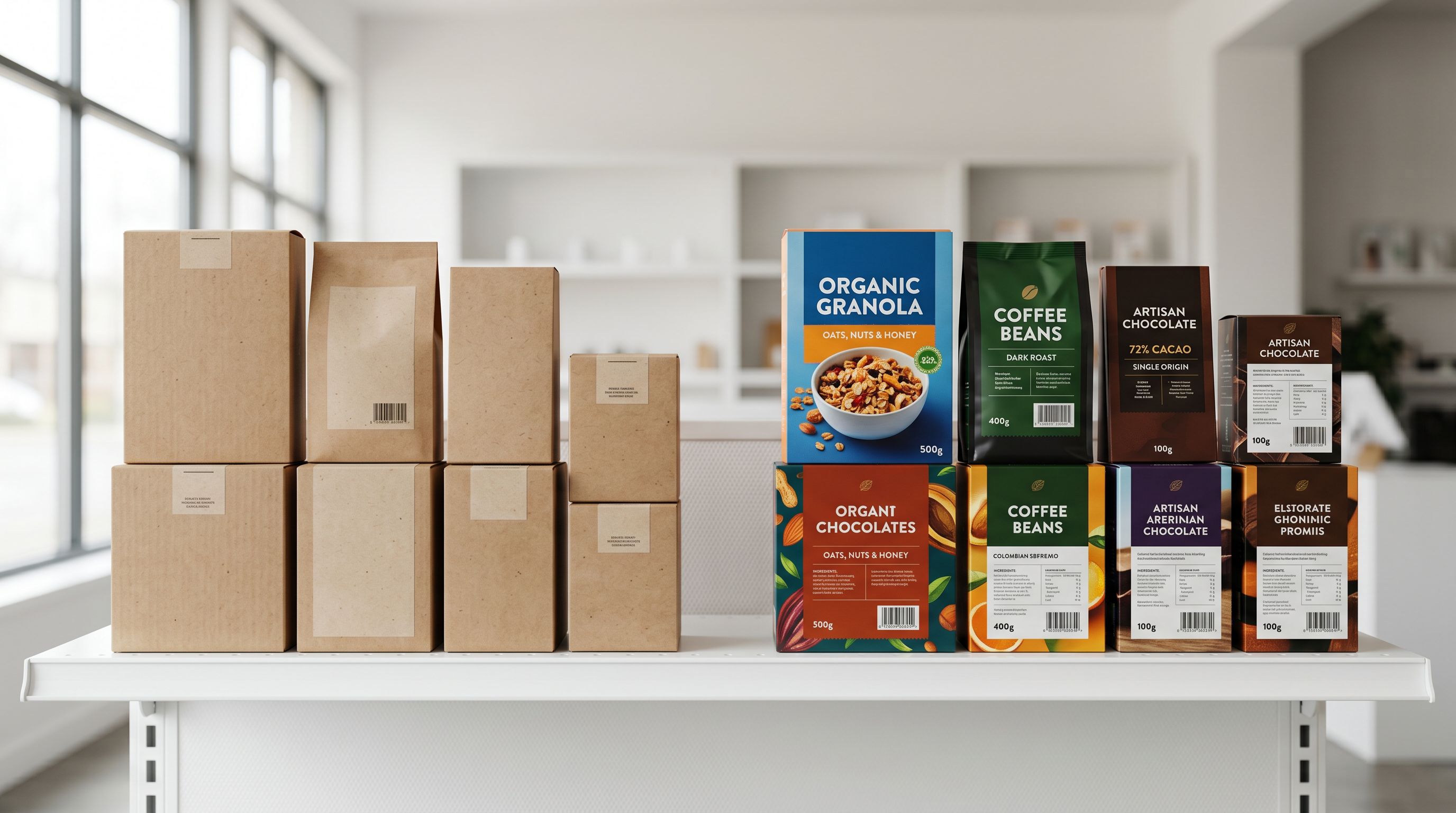
Importier's AI description generator handles this as part of the same import run. Choose from 7 description styles (Standard, Technical Gadget, Emotional Storytelling, Benefits-First, Sensory-Rich, Ingredient Spotlight, or Custom with up to 10 user-defined sections) and select from 156 expert personas across 43 industry categories. Importier generates descriptions from the product data in the file, not from the Wix-formatted HTML copy.
For a boutique retailer migrating a 300-product homewares catalogue, generating descriptions in Importier during the import run takes roughly the same time as the import itself. Generating the same descriptions manually, at 20-30 minutes per product, would take 100-150 hours.
The AI-generated descriptions also include SEO meta title and meta description for every product in the same batch. This is the part of AI-generated product descriptions that most merchants miss until they are reviewing their Shopify admin and notice the SEO fields are already populated.
Comparing the Two Migration Paths
- Rename every Wix column to match Shopify format: 2-3 hours
- Rebuild variant rows with Shopify Handle logic: 8-20 hours
- Research missing weight, HS codes, barcodes: 10-40 hours
- Rewrite 300 product descriptions: 100-150 hours
- Assign taxonomy and category data: half a day
- Total: 60-90+ hours of preparation before importing
- Column auto-mapping: under 2 minutes
- Variant grouping via Smart Variant Detection: automatic
- Data enrichment for weight, HS codes, barcodes: runs during import wizard
- AI description generation (7 styles, 156 personas, 25 AI models): runs during import wizard
- Category metafields assigned automatically (22 packs, 3,758 attributes)
- Total: under 1 hour for a 300-product catalogue
The comparison above is for a 300-product catalogue. For larger stores migrating from Wix, the manual time scales linearly while the Importier workflow does not.
After the Migration: What Needs Review
Importier handles the structural and data work. A few tasks remain on the merchant's side after the import completes.
Collections: Wix collections do not map directly to Shopify collections. Products import without collection assignments unless Shopify's Smart Collection rules (using product type or tag values) pick them up automatically. Bulk-assign products to the right collections via Shopify admin after the import.
Metafields beyond taxonomy: If your Wix store used custom fields that are not part of Shopify's Standard Product Taxonomy, those values need to be added to your Shopify metafield definitions and populated separately.

SEO redirects: Moving from Wix to Shopify means your product URLs change. Set up 301 redirects from your Wix product URLs to the new Shopify URLs to preserve any existing link equity.
This is the same post-migration checklist that applies to a WooCommerce to Shopify migration or a migrating from Squarespace scenario. The product data work is handled by the import; the platform-level configuration is a separate step.
Key Takeaways
- Wix CSV exports use proprietary column names and per-variant-row formatting that break Shopify's native importer. This is a structural incompatibility, not a data error.
- The Handle column is how Shopify groups variants. Without it, every Wix variant row imports as a separate product. Smart Variant Detection resolves this automatically.
- A 300-product Wix catalogue with variants takes 60-90+ hours to migrate manually. The same catalogue moves in under an hour using Importier's import wizard.
- AI data enrichment fills the fields Wix never tracked: weight, HS codes, country of origin, and barcodes. These matter for shipping rates, customs, and Google Shopping from day one.
- Use the migration as the trigger to rewrite descriptions. Wix-formatted HTML copy rarely works as retail product content. AI-generated descriptions run in the same import session, not as a separate step.
Try Importier free at importier.app
Set up your first import in under five minutes.
Importier brings products into Shopify with AI descriptions, category metafields, and data enrichment on every run.