Shopify Product Title Formula: Build Consistent Title Structure
On this page
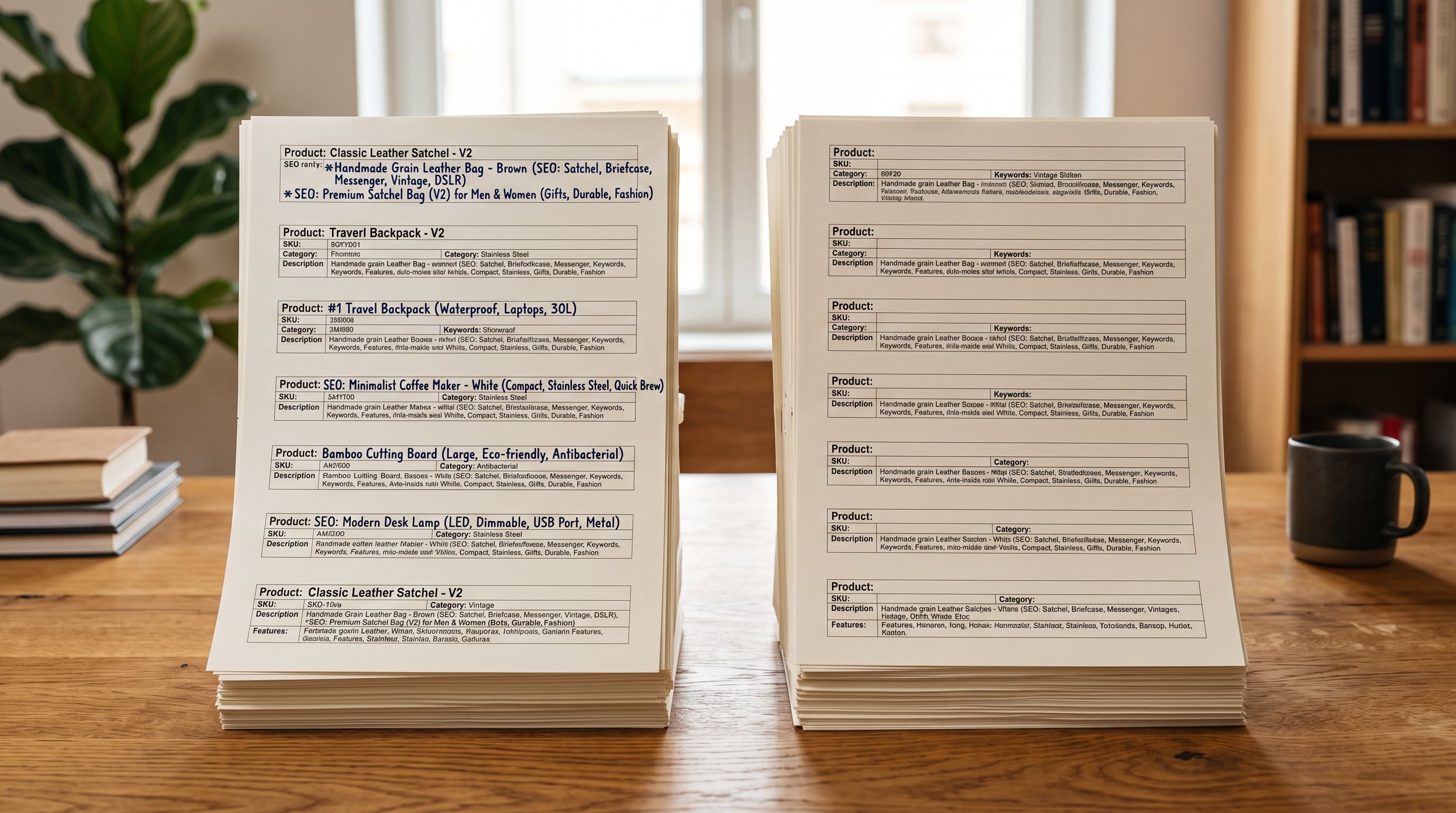
A fashion retailer importing from three suppliers received three completely different title conventions in the same week. The first supplier sent titles like DRESS-FLRL-BLU-S (internal SKU codes). The second sent titles like Blue Floral Summer Dress (consumer-facing but inconsistent in word order). The third sent titles like Dress, Floral, Blue, Cotton, Summer, Ladies (comma-separated keyword strings). After import, the store's New Arrivals collection displayed all three conventions side by side. Shopify search returned results with mixed ordering. Google Shopping matched queries inconsistently across the three formats.
None of these titles were wrong from Shopify's technical perspective. All three imported correctly. The problem was the absence of a title formula: a defined structure that all products in a given category must follow, regardless of which supplier the product came from.
What a Product Title Formula Is
A product title formula is a rule that specifies the order, composition, and content of every title field in a product category. It is applied before the product reaches Shopify's catalogue, not after. It answers: given a product in this category, what attributes should the title contain, in what order, with what separators?
A title formula is distinct from two things merchants often confuse it with:
Title cleanup: removing ALL CAPS, stripping trailing SKU codes, fixing double spaces, and decoding HTML entities. Cleanup removes problems from supplier titles. A formula defines what the title should be after cleanup. The bulk title editing workflow covers cleanup. This article covers the formula that cleanup produces.
Title optimization: front-loading keywords, trimming for Google Shopping character limits, adjusting for eBay's 80-character constraint. Optimization tunes a title that already has the right structure for different distribution channels. The formula is the structure that optimization refines.
Why Multi-Supplier Catalogues Break Without a Formula
When a single store imports from multiple suppliers, each supplier's title convention reflects their internal system, not the merchant's storefront. Left unaddressed, three effects compound:
Automated collection membership. Shopify's Smart Collections evaluate Product Type, tags, and title content as text conditions. A collection rule "Title contains Dress" matches Blue Floral Summer Dress but may not match DRESS-FLRL-BLU-S or Dress, Floral, Blue depending on how the rule is configured. Inconsistent title formats produce inconsistent collection membership.
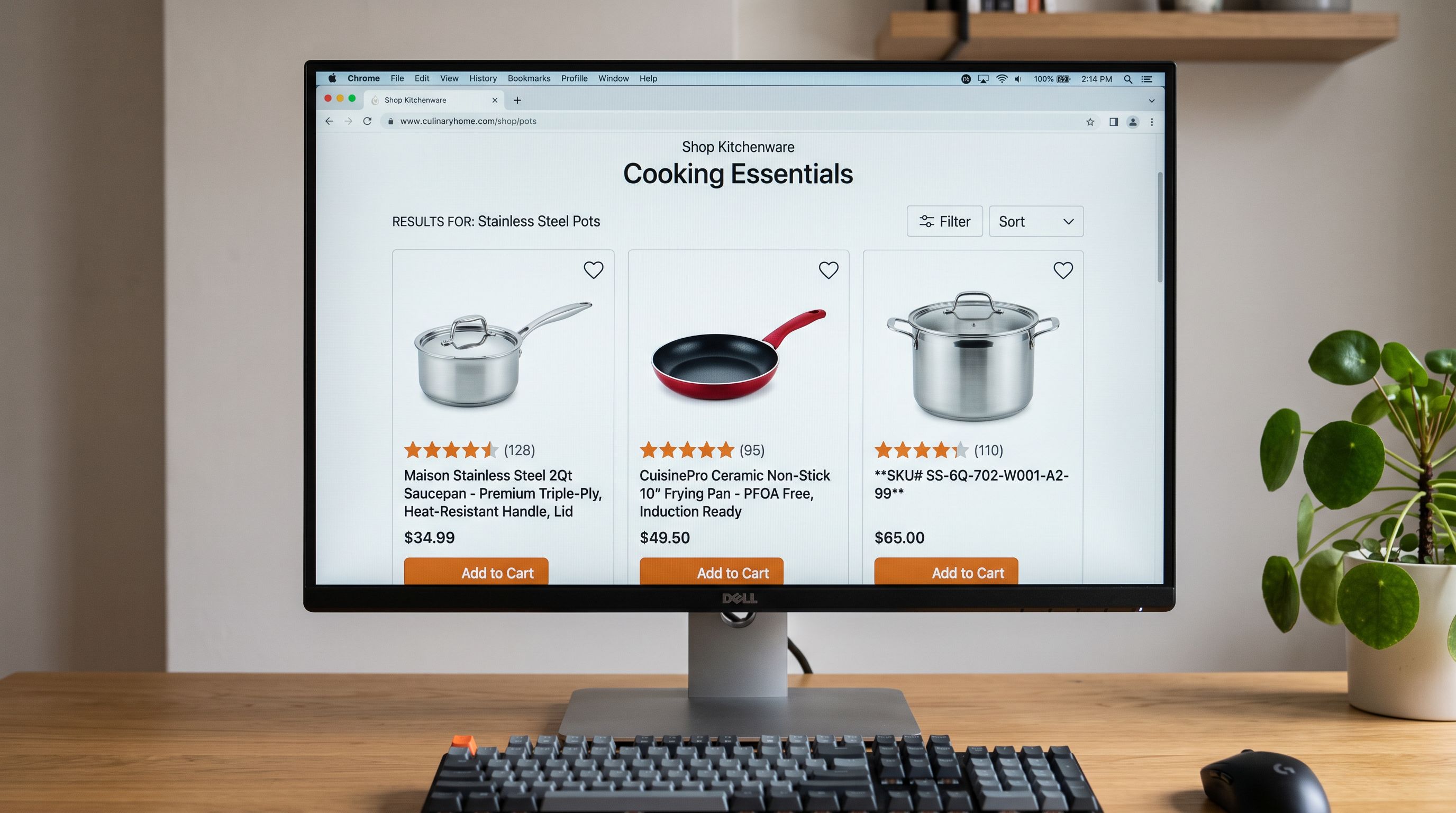
Search result quality. Shopify's internal search ranks products by relevance to the query. A query for "floral cotton dress" returns products where those words appear in the title field. Products whose titles are SKU codes or keyword strings rank differently. Customers searching on a consistent storefront expect consistent results.
AI description quality. Importier's AI description generator uses the product title as the primary input for generating descriptions. A title like DRESS-FLRL-BLU-S produces a description anchored to an internal code rather than to the product. A title like Floral Cotton Summer Dress produces a description that opens with the product's primary function. The title formula is a prerequisite for consistent AI description quality.
Formulas by Product Category
Different product categories have different title conventions driven by how customers search for them. A formula that works for electronics does not work for fashion. A formula for food does not work for homewares.
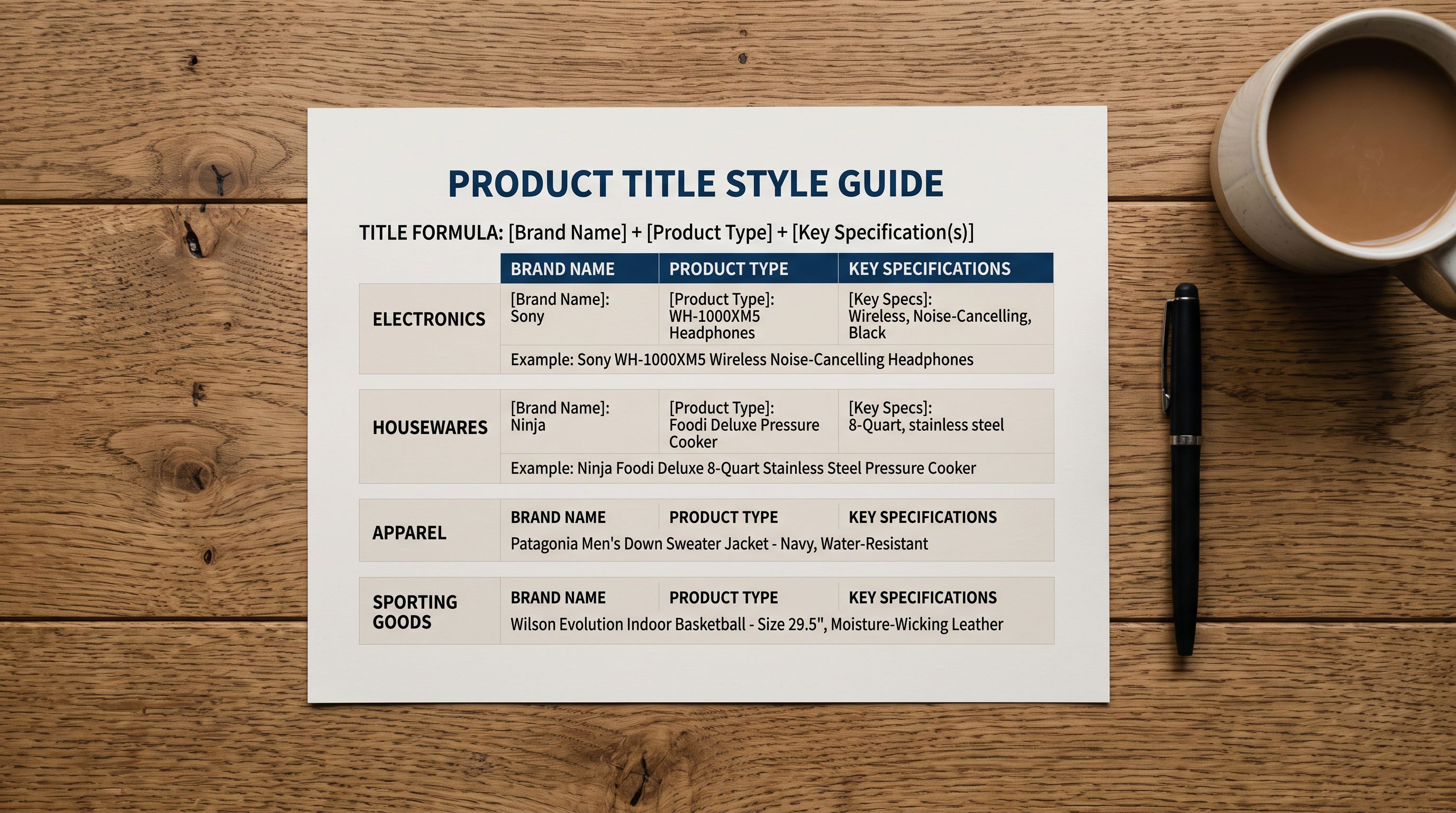
Electronics: Brand + Model + Key Spec
The brand and model carry most of the search value for electronics. The key spec (storage capacity, screen size, wattage) is the differentiating attribute. Examples: Sony WH-1000XM5 Wireless Headphones, Samsung 65-Inch QLED TV 4K, Anker 65W USB-C Charger. The spec is included only when it distinguishes between variants. If a product comes in one configuration, the configuration does not need to appear in the base title.
Fashion: Product Type + Material + Colour + Fit/Size Descriptor
Customers search for what an item is before they search for a brand. The formula reflects this: Floral Cotton Summer Dress, Merino Wool Crew Neck Jumper, High-Waisted Linen Wide-Leg Trousers. The brand is omitted from fashion titles unless the brand itself is the primary search term (luxury goods; see exceptions below). Material is included when it is a distinguishing attribute (cotton vs polyester vs linen for similar shapes).
Homewares: Product Type + Material + Descriptor + Size (where relevant)
Examples: Ceramic Dinner Plate Set of 4, Bamboo Cutting Board Large, Linen Duvet Cover Queen. The size or quantity appears at the end because customers filter by size after category. Leading with size (Large Bamboo Cutting Board) buries the primary search term.
Food and Beverage: Brand + Product Name + Quantity/Volume
Examples: Bonsoy Organic Soy Milk 1L, Loving Earth Dark Chocolate 80g, T2 English Breakfast Loose Leaf Tea 250g. The brand precedes the product name in food because brand loyalty drives repurchase. Quantity and volume appear at the end to match how customers search ("buy Bonsoy" not "buy 1L soy milk").
Industrial and Hardware: Brand + Product Name + Specification
Examples: Makita 18V Cordless Drill 5.0Ah Kit, Bosch HSS Drill Bit 6mm Pack of 10, 3M Double-Sided Tape 25mm x 33m. Specifications are more prominent in industrial titles because the spec determines whether the product is suitable for the task.
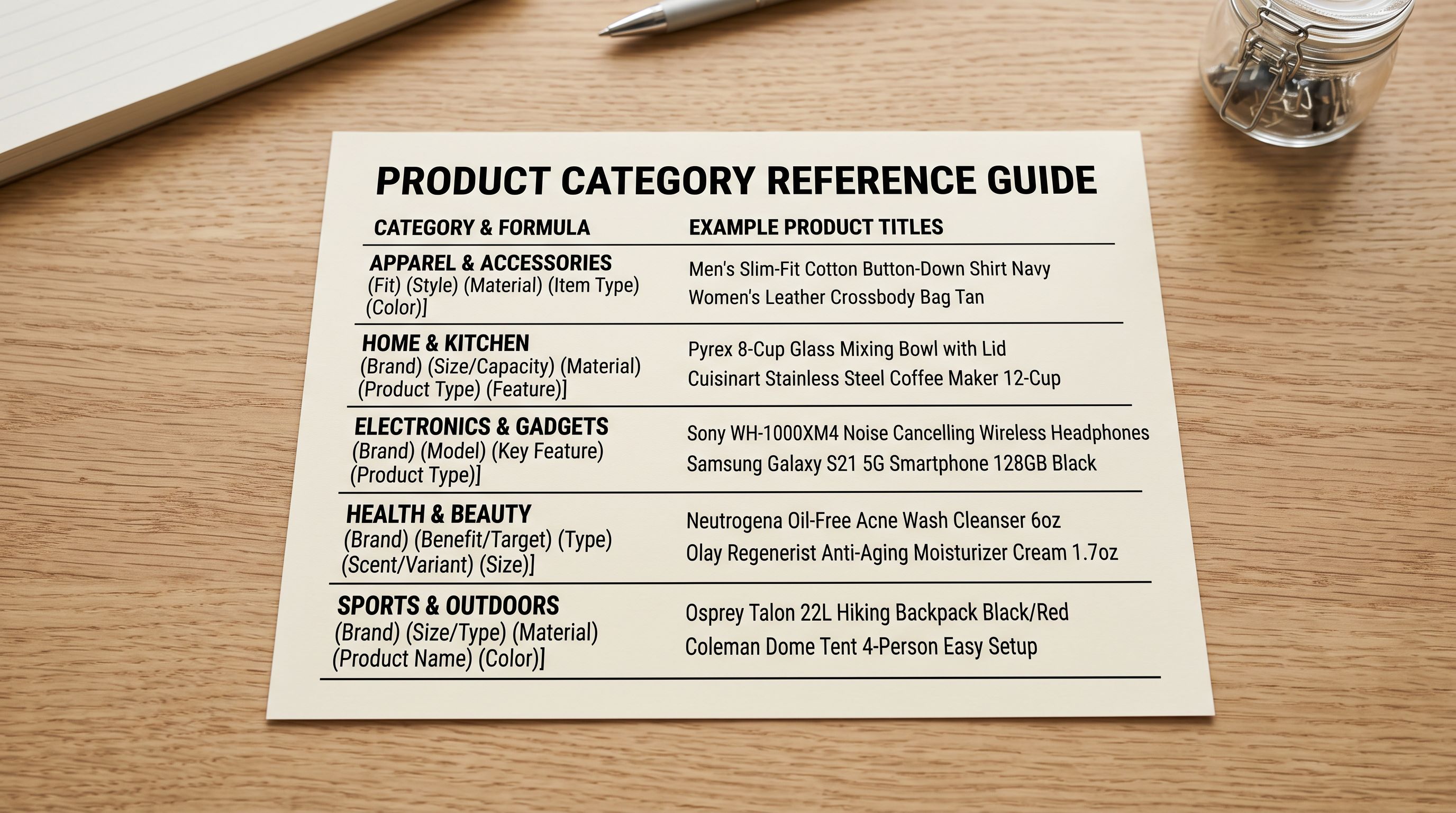
The formula is the house style guide for titles. A supplier who delivers a file without it forces the merchant to impose the formula manually at import time. A supplier who receives the formula as part of the file specification delivers titles that require no transformation.
Applying the Formula at Import
Applying the Formula Across an Import Batch
Once the formula is defined for each product category in the catalogue, it must be applied to incoming supplier files. There are two approaches depending on how far the supplier titles deviate from the formula.
Supplier titles are structurally correct but need reformatting. If a supplier sends blue floral summer dress (lowercase, correct word order), the formula requires only a case transformation to Blue Floral Summer Dress. Importier's bulk title editing tool applies case transformations to the entire batch in a single step.
Supplier titles are structurally wrong. If a supplier sends DRESS-FLRL-BLU-S (SKU code) or Dress, Floral, Blue, Cotton, Summer, Ladies (keyword string), the formula cannot be applied by reformatting alone. The title needs to be rebuilt from the product's attributes.
For structurally wrong titles, the approach is:
- 01Clean the supplier titles firststrip SKU codes, fix case, remove HTML entities and double spaces using the Bulk Title Editing Tool; this produces a starting point that is closer to readable, though not yet formula-compliant
- 02Identify which columns in the supplier file contain the formula componentsfor a fashion title, find the columns for product type, material, and colour; for electronics, find brand, model, and key spec
- 03Use Importier's AI title generation to build formula-compliant titles from the extracted attributesprovide the formula as part of the generation context so the AI constructs titles in the correct order
- 04Review the generated titles as a batch using the column editing stepsort by product type to verify that all products in the same category follow the same formula
- 05Save the column mapping and title generation settings as a named import profilethe saved profile applies the same formula to the next file from that supplier without manual configuration
For suppliers whose file structure makes formula application straightforward, the import profile becomes the enforcer. For suppliers whose files are consistently poor, AI title generation from product attributes (brand, type, material) produces formula-compliant titles faster than manual reformatting at any catalogue scale above 50 products.
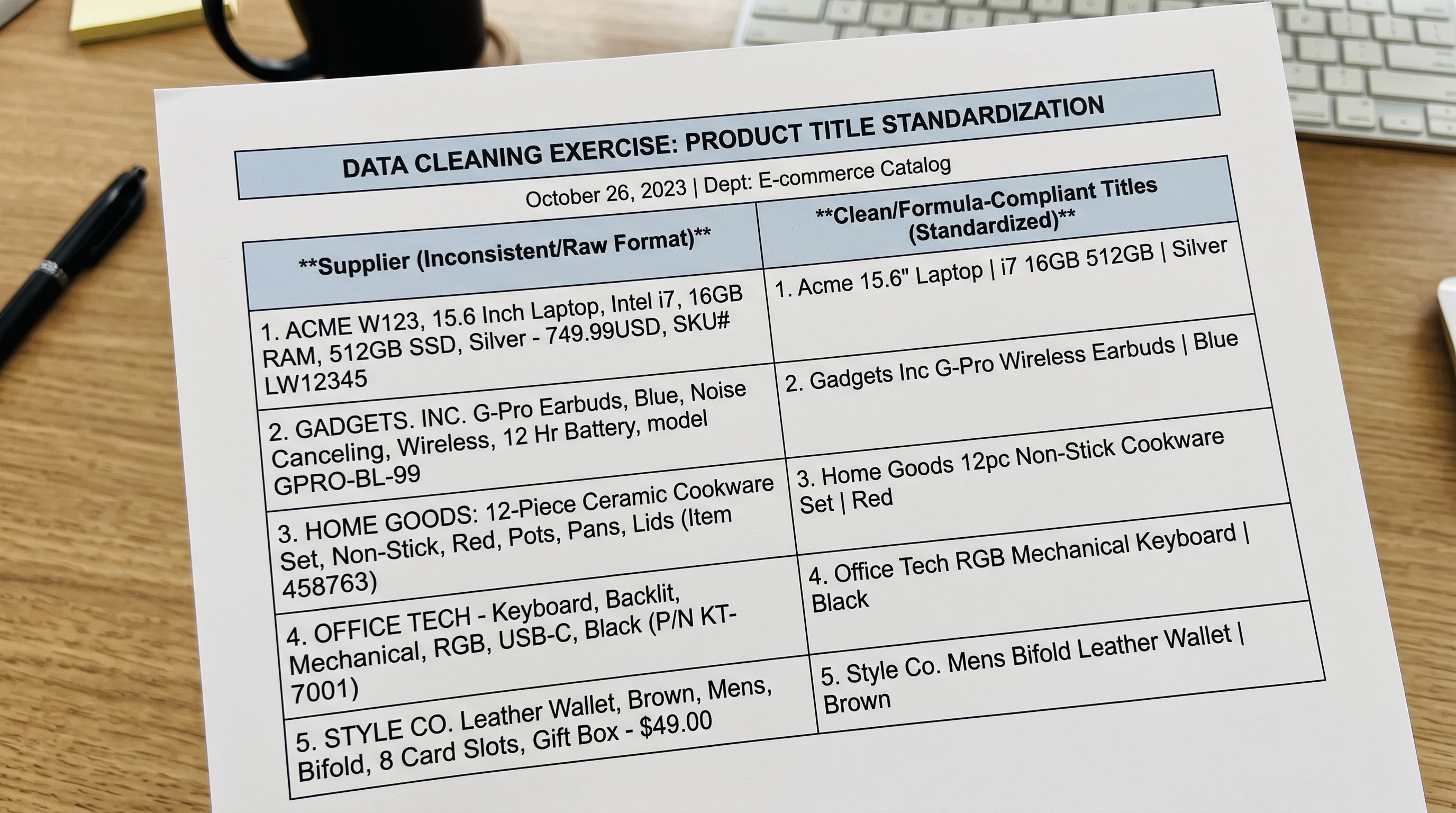
Exceptions: When the Formula Should Not Be Applied
Not every product in a catalogue benefits from a formulaic title. Two categories where the formula creates problems rather than solving them:
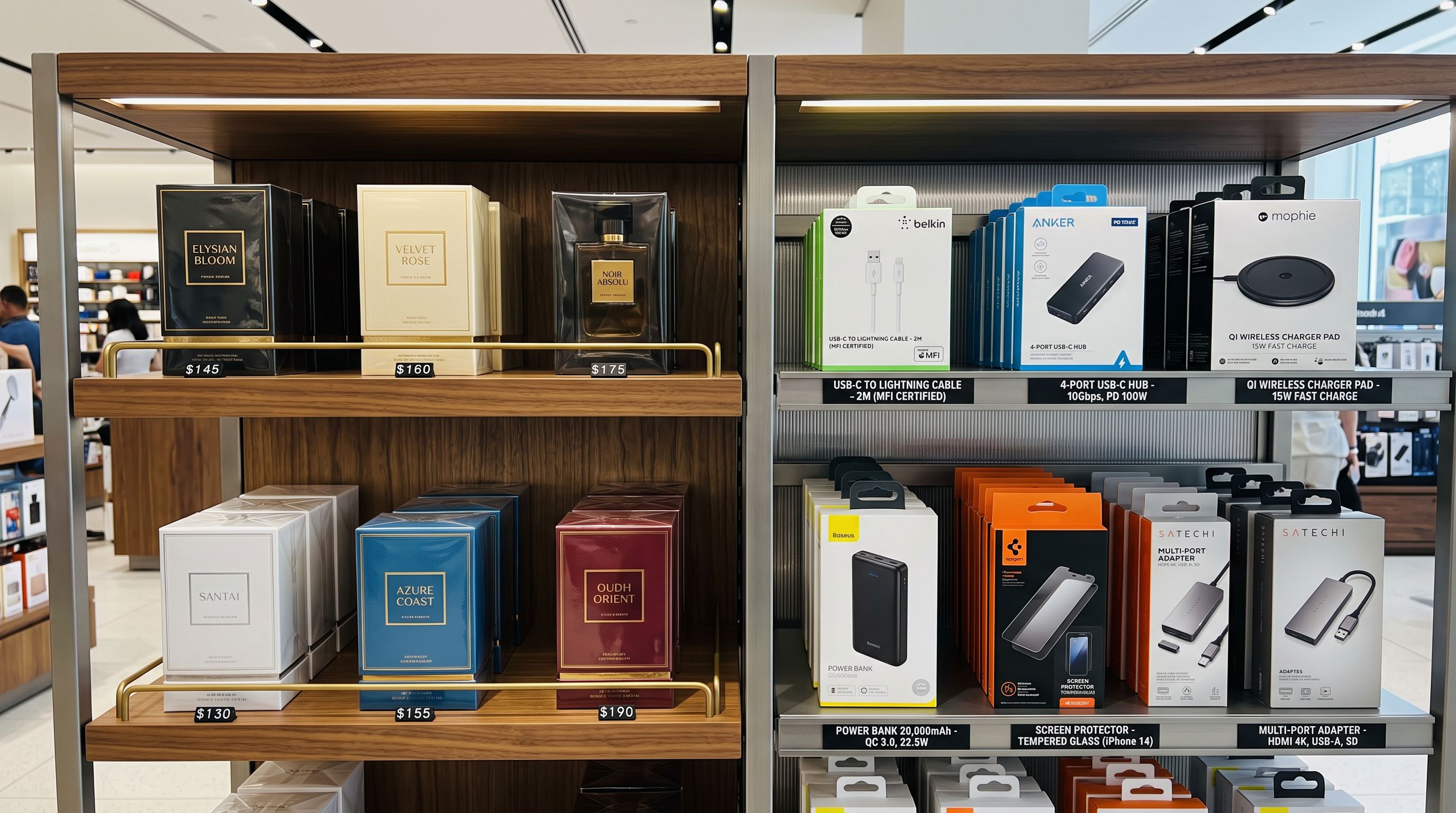
Luxury and designer goods. A product from a luxury brand has a title in which the brand name is the primary signal and the formula comes second. Hermès Birkin 30 Togo Leather Gold Hardware is correct. Togo Leather Birkin 30 Gold Hardware loses the brand-first positioning that luxury customers expect. For luxury goods, the formula is Brand + Product Line + Spec, which is structurally similar to the electronics formula but where the brand carries the premium signal.
Editorial and lifestyle products. Some products are named rather than described: The Original, Heritage Edition, No. 42 Fragrance. These names are deliberate and carry brand meaning. Applying a material-and-attribute formula would replace No. 42 Fragrance with Eau de Parfum Bergamot Woody 50ml, which is accurate but loses the editorial identity. For these products, the formula applies to the product page's meta title (the SEO field) rather than the display title.
The distinction: a formula applies to commodity products (products where the category, material, and spec are the primary search criteria). It does not apply to products where the name IS the product's identity.
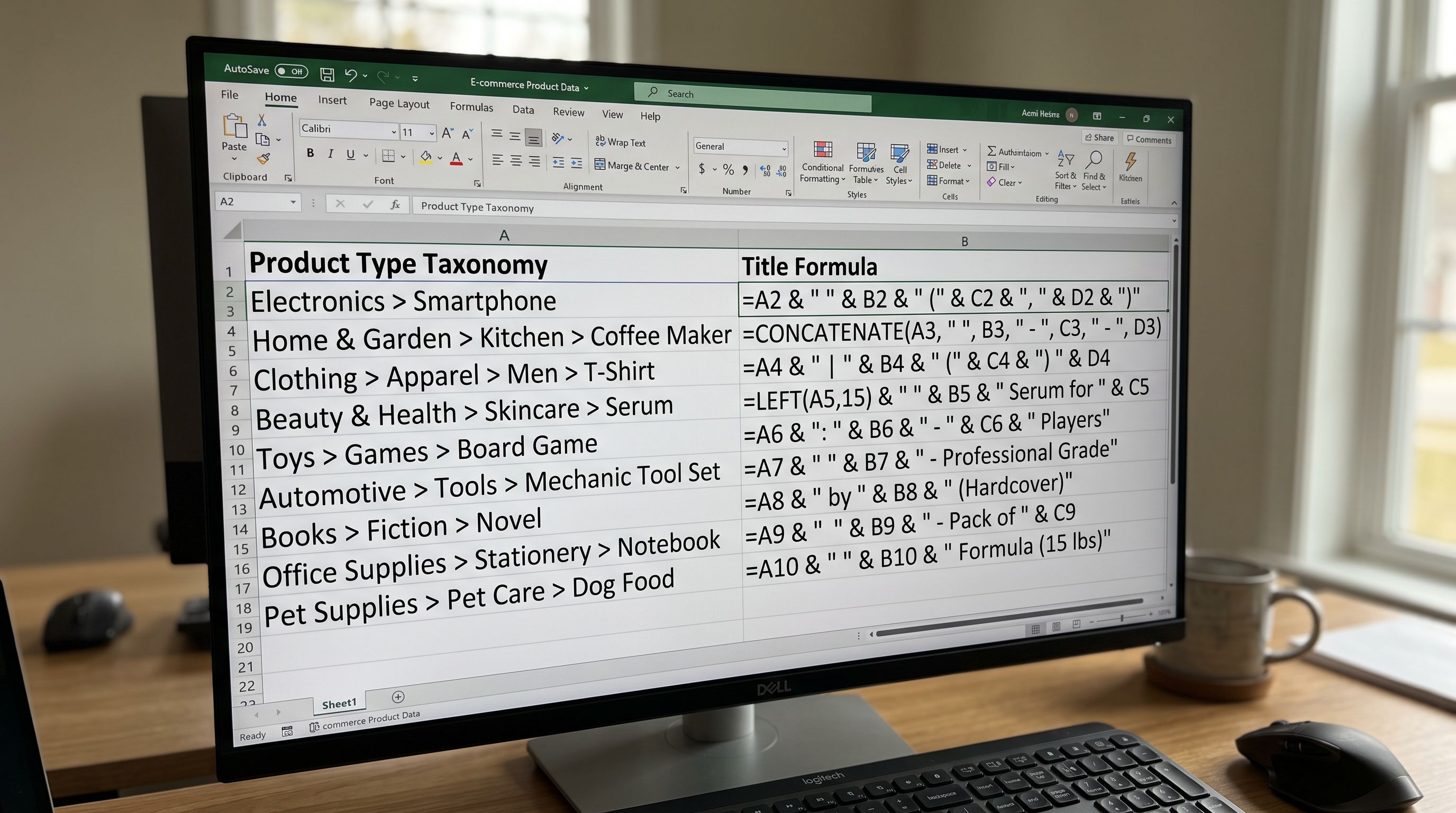
Cross-Linking the Title Formula to the Product Type Taxonomy
The title formula and the product type taxonomy are designed together, not independently. The product type value determines which title formula applies. A product with type Running Shoes uses the Brand + Model + Key Spec formula. A product with type Floral Dress uses the Product Type + Material + Colour + Fit formula.
When the product type taxonomy is defined before import, the correct title formula can be identified automatically from the Product Type column. When the taxonomy is absent or inconsistent (as in multi-supplier catalogues without a pre-defined type list), the formula must be inferred from the product attributes, which is a slower and more error-prone process.
Defining both together means every product that imports with a correct Product Type value also gets a formula-compliant title, because the formula lookup is deterministic from the type.
- Three suppliers deliver three title conventions: SKU codes, keyword strings, inconsistent descriptors
- Smart Collection rules match some products and miss others based on title word order
- AI description quality varies because some titles are SKU codes with no descriptive content
- Store search returns inconsistent results for the same query across the three supplier batches
- New suppliers onboarded without a standard introduce new title conventions into the catalogue
- Title formula defined per category before first import: one convention applied to all supplier batches
- Smart Collection rule 'Title contains Dress' matches every dress regardless of supplier
- AI descriptions generated from formula-compliant titles produce consistent consumer-facing copy
- Store search returns consistent results because all products in a category follow the same word order
- New suppliers onboarded via import profile that applies the formula at import time
The fashion retailer recovered their three-format catalogue with a bulk title rebuild pass: identify the product type from the barcode or description, apply the correct formula per type, and re-import using update mode to overwrite only the title field. The canonical list they built afterwards had 12 formulas covering every category in their range. Their next three supplier imports each ran through a named profile that applied the correct formula automatically. None of the 12 formulas appeared as a new variant.
Try Importier free at importier.app.
Set up your first import in under five minutes.
Importier brings products into Shopify with AI descriptions, category metafields, and data enrichment on every run.