Shopify Product Rich Snippets: Review Stars, Price, FAQ

On this page
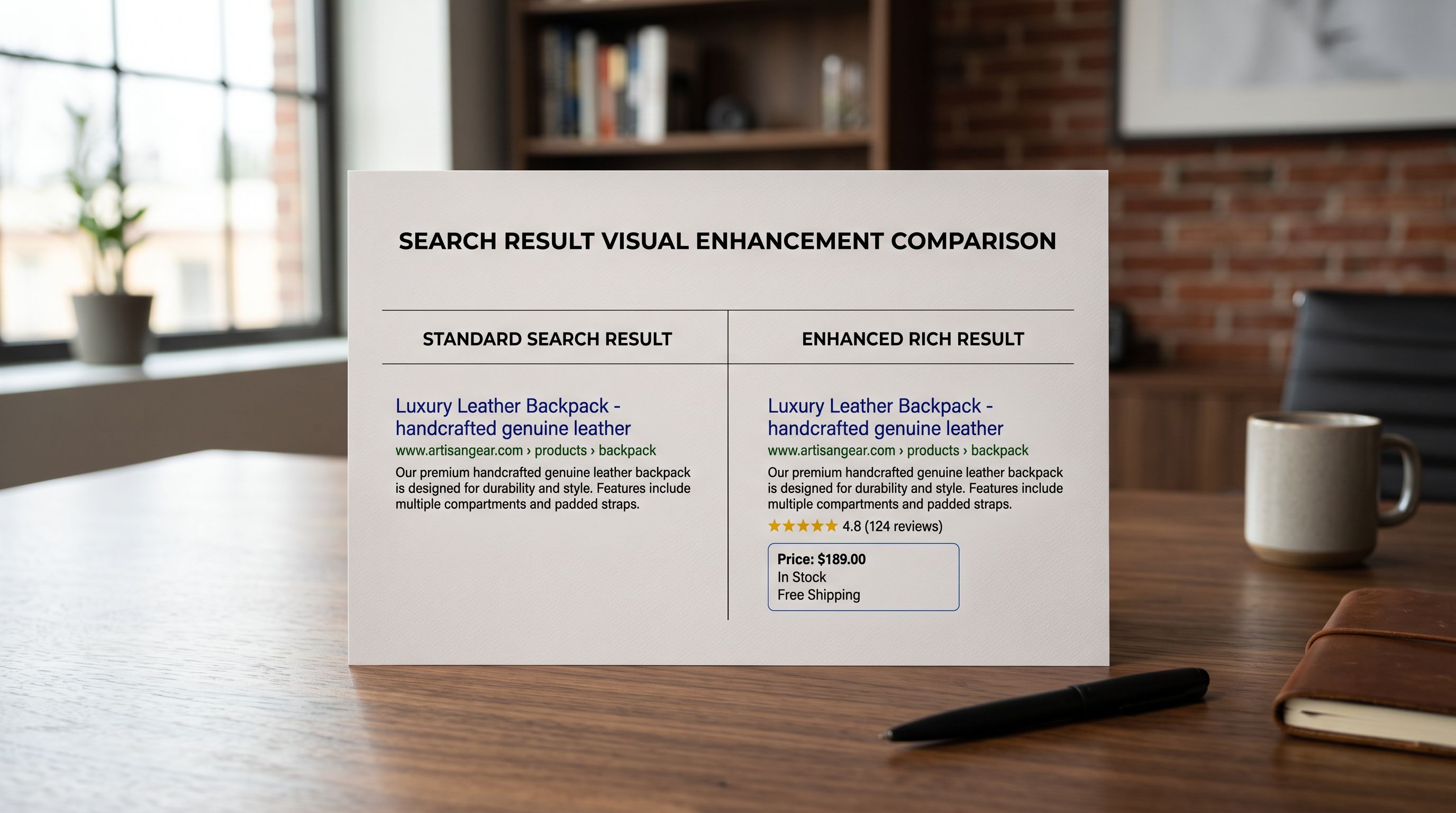
A home goods merchant imports 180 products from a supplier catalogue. The import completes, every product goes live, and two weeks later the merchant checks what competitors look like in Google Search. Competing listings show yellow star ratings, price displayed inline in the search result, and expandable FAQ sections beneath the title. The merchant's listings show a title, a URL, and a meta description. Nothing else. Both stores are on Shopify. Both have product data. The difference is not the platform: it is what the merchant has done with three specific types of structured data that Google uses to render shopify product rich snippets.
This gap is entirely fixable once you know which rich result types Shopify handles automatically and which ones require deliberate action.
What Rich Snippets Are and Why They Change Click-Through Rate
Rich snippets (Google now calls them "rich results") are the visual enhancements Google adds to search listings when it can parse structured data from the page. A standard organic listing shows a title, a URL, and a description. A rich result for a product page can show star ratings (with a count), a price range, a delivery estimate, an availability status, and expandable FAQ entries, all within the search results page itself.
Google's structured data documentation for products covers the full property set that feeds these enhancements. The documentation is explicit that structured data does not guarantee a rich result will appear. Google decides whether to show them based on quality signals. Correctly implemented structured data is the prerequisite. Without it, no rich result is possible regardless of how good the product content is.
The CTR difference between a standard listing and a rich result listing is meaningful. Star ratings in particular create a strong visual anchor in a search results page where most listings look identical. A product page displaying four yellow stars and 47 reviews beneath the title in Google Search draws the eye in a way that a plain text listing does not.
What Shopify Generates Automatically
Shopify's theme engine generates schema.org Product markup automatically from your product data. When a product is published on a Shopify store, the storefront HTML includes a JSON-LD block that maps Shopify product fields to schema.org properties:
namemaps from the product titledescriptionmaps from the product body HTMLbrand.namemaps from the product vendor fieldskumaps from the first variant SKUimagemaps from the first product imageoffers.pricemaps from the variant priceoffers.availabilitymaps from inventory status (InStock / OutOfStock)gtin/gtin13maps from the product barcode field when populated
This means every published Shopify product already has baseline Product schema. Google can read it, and it can trigger the inline price and availability display in search results (the "£29.99, in stock") line that appears beneath some product titles in Google Search.
Shopify's Product schema is automatic, but it is only as complete as the product data behind it. A barcode field left blank means no GTIN in the schema. A vendor field left blank means no brand signal. Import data quality determines schema completeness.
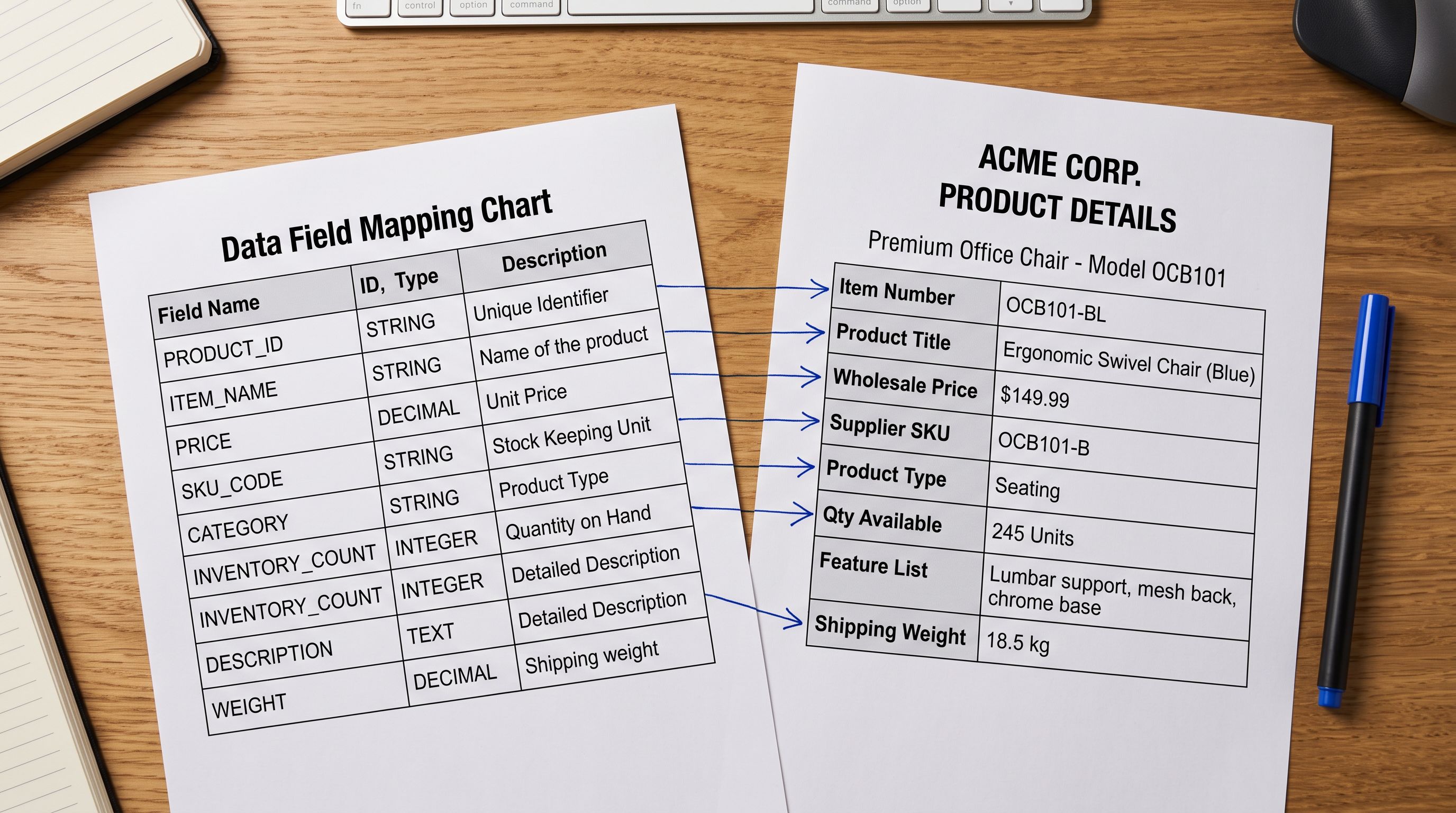
The completeness of this auto-generated schema depends entirely on the quality of the import data. A product imported with a blank vendor field has no brand property in its schema. A product imported from a supplier CSV that omitted barcodes has no gtin property. Importier's AI data enrichment fills these gaps at import time, assigning product types, enriching missing vendor fields, and matching barcodes, so the resulting schema is as complete as possible from the first import.
Importier's guide to Shopify product structured data covers the full field-by-field mapping between Shopify product data and the schema.org properties Google parses for rich results.
Review Stars: Why Shopify Does Not Generate Them
Star ratings in Google Search come from the AggregateRating schema property nested inside the Product schema block. This is the most visible rich result type and the one merchants most commonly want.
Shopify does not generate AggregateRating schema automatically. The reason is that Shopify does not host a native review system. Product reviews come from third-party apps (Okendo, Judge.me, Stamped.io, Yotpo, and others). Each of those apps has its own database of review data, and none of that data is available to Shopify's theme engine when it generates the product schema JSON-LD block.
To get AggregateRating into the product schema, one of two things must happen:
First, the review app itself can inject AggregateRating schema. Most major review apps (Judge.me, Okendo, Stamped) do this by default when reviews exist. They add a separate JSON-LD block or modify the product JSON-LD that Shopify generates. If you are using one of these apps and have at least the minimum review count Google requires (Google's guidelines suggest at least one review for the rating to qualify), the AggregateRating markup should already be in place. Check by viewing the page source and searching for "aggregateRating".
Second, a theme customisation can inject AggregateRating schema from the review app's metafield data. Some themes have this built in; others require a snippet edit. This is outside Importier's scope. It is a theme and review app configuration task.
The critical point for merchants running product imports: the AggregateRating schema only appears for products that have reviews. Products imported fresh from a supplier catalogue have no reviews on day one, and therefore no star ratings in Google Search. Star ratings emerge over time as real customers leave reviews. The import workflow has no shortcut for this.

FAQ Rich Results
FAQ Rich Results: How AI-Generated FAQs Become Schema
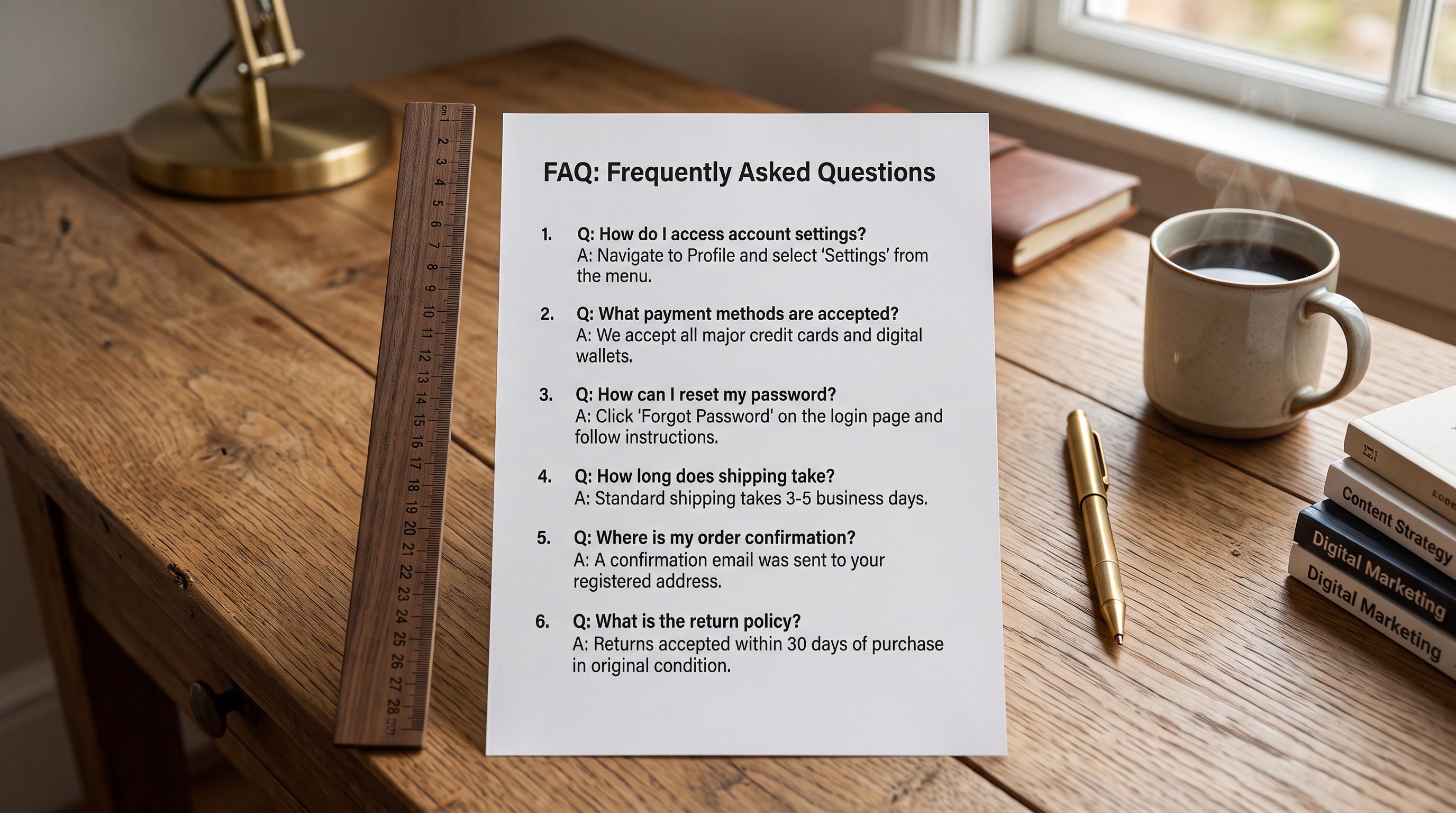
FAQ rich results are the expandable question-and-answer sections that appear beneath some product listings in Google Search. A merchant searching for a specific product category may see three or four FAQs expanded inline in the results, without needing to click through to the product page. This is one of the more conversion-relevant rich results because it answers purchase-decision questions (compatibility, materials, dimensions, care instructions) directly in Search.
Google's FAQPage structured data documentation explains the schema requirements: each FAQ must have a question string and an acceptedAnswer.text string, wrapped in a FAQPage schema type. The page must contain the full question and answer text. Google validates that the structured data matches the visible page content.
Importier's FAQ Generator creates 2-10 FAQs per product, with configurable count, filtered by collection, vendor, or SKU pattern. The generated FAQs are applied to product pages as Shopify metafields. The FAQ content (questions and answers) is visible on the product page via whatever FAQ display component the theme provides (typically an accordion section below the product description).
For these FAQs to generate FAQ rich results in Google Search, the product page must also include FAQPage JSON-LD markup that wraps the question and answer content. This is a theme implementation task: the theme needs a snippet that reads the FAQ metafields and outputs them as FAQPage schema JSON-LD. Some themes have this built in; others require a custom snippet.
The content quality of AI-generated FAQs is what makes them suitable for FAQ rich results. FAQs generated from supplier "Features" bullet points typically cover: product dimensions and weight, compatibility questions, material and care instructions, and assembly or setup steps. These are exactly the pre-purchase questions Google's FAQ rich results surface to searchers. A FAQ section that only asks "Why buy this product?" and answers with promotional copy will not qualify.
Importier's Shopify product FAQ guide covers the FAQ Generator configuration: count, style, and the collection filters that let you run FAQs on specific product segments before expanding to the full catalogue.
- 01Step 1Verify your product schema by searching for the product in Google and checking whether price and availability appear in the listing. If they do, Shopify's auto-generated Product schema is working. If not, check that the product is indexed (Search Console > URL inspection) and that inventory tracking is enabled so the offers.availability property resolves correctly.
- 02Step 2Check for AggregateRating schema by viewing source on a reviewed product (Ctrl+U / Cmd+U, search for aggregateRating). If your review app is not injecting it, check the app's settings for a 'Structured data' or 'Schema markup' toggle. Most major review apps have this enabled by default for products with at least one review.
- 03Step 3Generate FAQs for your product catalogue using Importier's FAQ Generator. Set a count of 4-6 FAQs per product, enough to fill the FAQ rich result slot without padding with low-value questions. Filter by your highest-traffic collections first.
- 04Step 4Verify that your Shopify theme outputs FAQPage schema for the FAQ metafields. View source on a product page with FAQs (search for FAQPage in the source). If no FAQPage JSON-LD is present, your theme needs a custom snippet. This is a one-time theme configuration task.
- 05Step 5Test all three rich result types using Google Search Console's URL inspection tool on a representative product page. The Rich Results report under Search Appearance shows which rich result types are eligible and whether any errors are blocking display.
Price and Availability: How Import Data Affects Display
The inline price and availability display in Google Search. "£29.99, in stock" comes from the offers.price and offers.availability fields in Shopify's auto-generated Product schema. These fields are directly derived from Shopify product data, which means they are directly affected by what arrived during the import.
Several import scenarios cause these fields to fail or show incorrectly:
Price missing or zero. If a supplier CSV omits the price column or maps it incorrectly, products import with a zero price or no price at all. The schema includes offers.price: 0, which Google may exclude from rich results as a data quality signal.
Availability shown as OutOfStock. Shopify's availability field resolves to InStock only when inventory tracking is enabled AND stock quantity is above zero, OR when inventory tracking is disabled (always available). A product imported without inventory settings configured defaults to "Continue selling when out of stock", which shows as InStock. But a product where inventory is tracked and the quantity field was not mapped from the supplier file may import with zero quantity, showing OutOfStock. From day one on a live store, Google's rich result shows "out of stock" for a product that is actually available.
Currency mismatch. Products imported from a supplier source in a different currency, without price conversion applied, may have schema that technically works but shows a price that is inaccurate for the store's market. Google's shopping systems may suppress the rich result if the price does not match what they see at checkout.
Importier's 14-step import wizard includes dedicated steps for price field mapping, inventory quantity assignment, and price conversion. The preview step before push shows exactly which values will land in Shopify, including price and inventory, catching zero-price and zero-quantity issues before they affect live product schema.

- Vendor field blank: no brand in schema
- Barcode unmapped: no GTIN for price comparison verification
- Zero price: offers.price=0, excluded from rich results
- Inventory not mapped: products show OutOfStock at launch
- No FAQs generated: FAQPage schema not eligible
- No review app: no AggregateRating possible
- Vendor field enriched by AI: brand in schema for rich results
- Barcode matched via enrichment: GTIN enables cross-source price validation
- Price mapped and verified: offers.price correct at launch
- Inventory quantity mapped: InStock from day one
- FAQ Generator applied: FAQPage schema eligible after theme snippet
- Review app installed: AggregateRating eligible as reviews accumulate
Shopify Product Rich Snippets: Eligibility vs Display
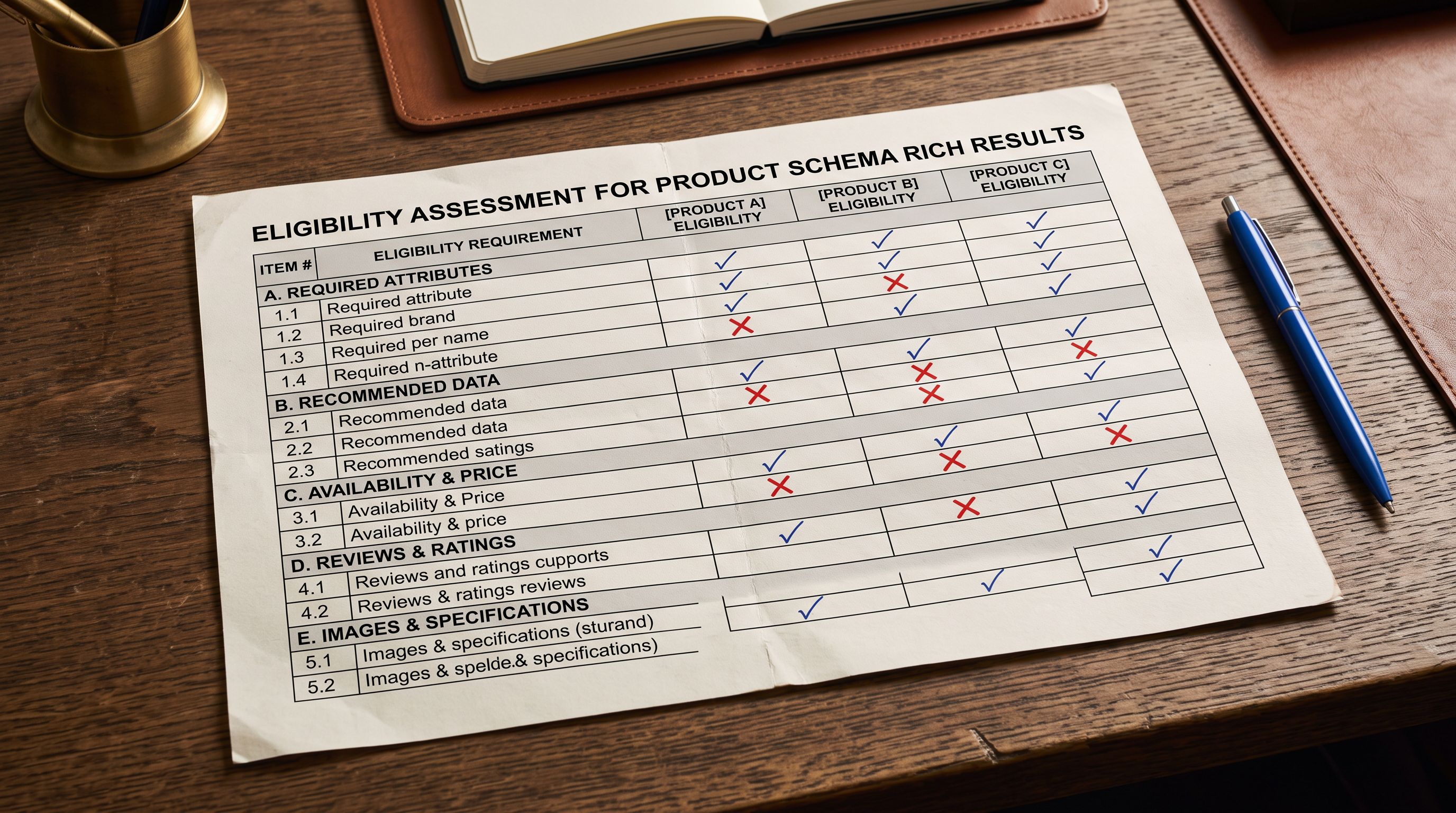
One distinction Google's documentation is explicit about: structured data eligibility does not guarantee rich result display. Google decides whether to show rich results based on:
- Whether the page content matches the structured data (content verification)
- Whether the query context makes a rich result useful to the searcher
- Whether the page has sufficient quality signals to be treated as authoritative
A product page with correct FAQPage schema will not show FAQ rich results for every query. It depends on the query, the competition, and the quality of the page. A product page with AggregateRating schema will not show stars if the rating count is too low or the data looks manipulated.
What structured data does is make the page eligible. Without it, the rich result is impossible. With it, the rich result becomes possible and Google makes the display decision. Importier's product SEO audit guide covers how to assess which of your product pages have the signals needed for rich result eligibility and where the gaps are.
Shopify Product Rich Snippets: Key Takeaways
Getting shopify product rich snippets right requires understanding which rich result types come from Shopify's automatic schema and which require deliberate implementation.
- Shopify generates Product schema automatically from product fields (title, vendor, price, availability, barcode, images). Price and availability can appear as inline rich results when this schema is complete and accurate. Import data quality (mapped vendor, populated barcode, correct price, non-zero inventory) determines how complete this auto-generated schema is.
- Review stars (AggregateRating) are NOT generated by Shopify. They come from third-party review apps (Judge.me, Okendo, Stamped, Yotpo) that inject AggregateRating schema when reviews exist. Products imported fresh from a supplier have no reviews. Star ratings accrue over time.
- FAQ rich results require FAQPage schema on the product page. Importier's FAQ Generator creates 2-10 AI-generated FAQs per product as Shopify metafields. A one-time theme snippet converts those metafields to FAQPage JSON-LD, making the page eligible for FAQ rich results in Google Search.
- Price shown as zero, inventory shown as OutOfStock, and missing vendor or barcode fields all reduce the completeness of auto-generated Product schema. Importier's import wizard maps and verifies these fields before any product reaches Shopify.
- Structured data eligibility does not guarantee rich result display. Google makes the display decision based on content verification, query context, and quality signals. Eligibility is the prerequisite; quality is what converts eligibility into display.
- Test rich result eligibility using Google Search Console's URL inspection tool on representative product pages after import.
Prepare your product data for rich results at importier.app. Importier's FAQ Generator, AI data enrichment, and 14-step import wizard give you the product data completeness that rich results require from day one.
Set up your first import in under five minutes.
Importier brings products into Shopify with AI descriptions, category metafields, and data enrichment on every run.