Shopify Colour Swatch Import: Fix Supplier Colour Names

On this page
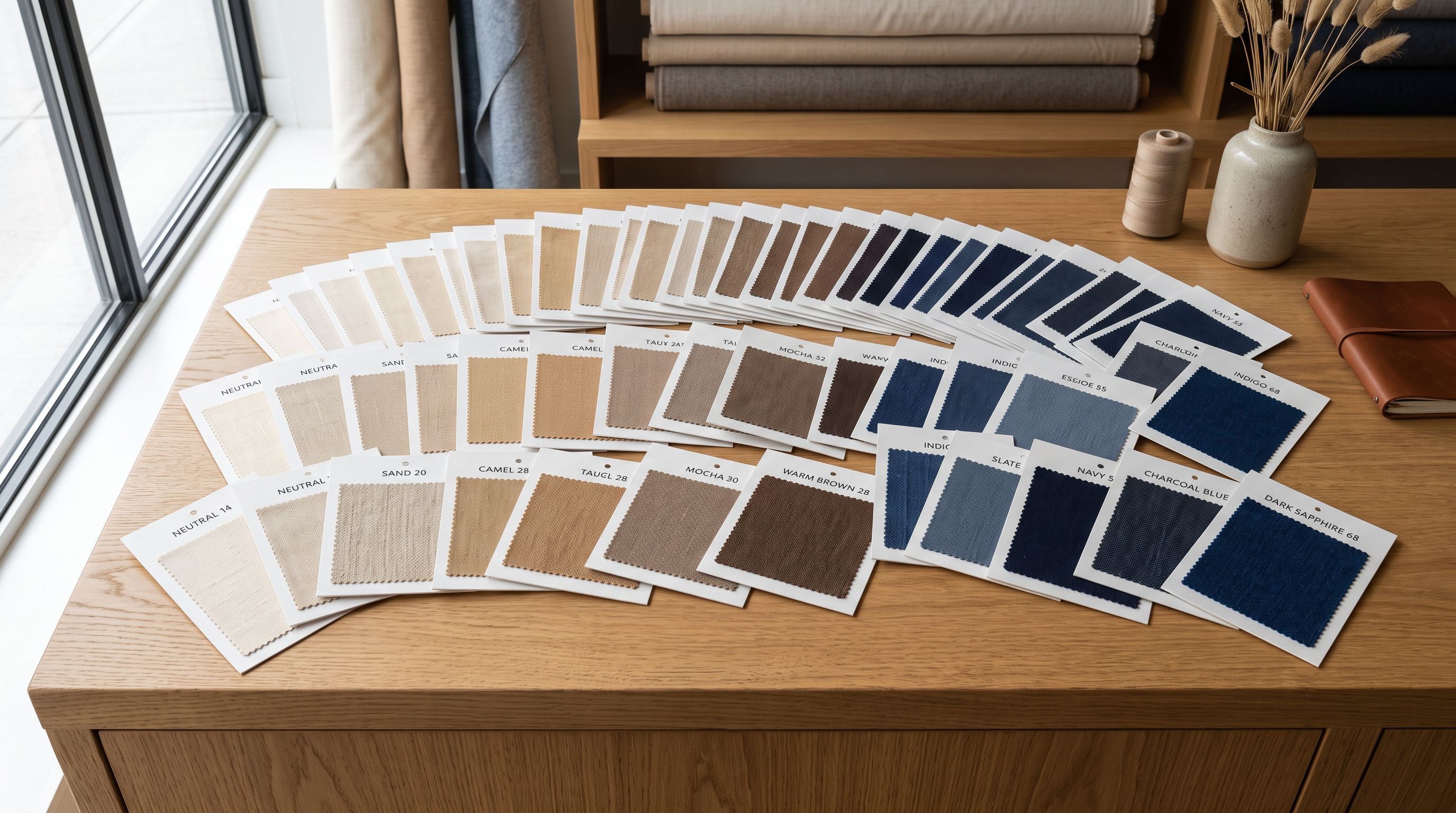
A fashion retailer imports 200 apparel products from a supplier CSV. After the shopify colour swatch import is complete, they open the storefront and click the colour filter. Instead of clean swatch options like White, Black, and Navy, the filter shows: Ecru, Ivory, Vanilla, Snow, Birch, Bone, Chalk, Cream, Alabaster, Porcelain. Ten different names for variations of off-white. Customers searching for "white" products find nothing because not one product is stored under the value "White". The filter is technically working: it is reflecting the data exactly as imported. The data is the problem.
Supplier colour naming is an internal taxonomy. Suppliers name colours for their own catalogue management, sourcing relationships, and season naming conventions. A colour called "Ecru" in a supplier's system might be indistinguishable from their "Ivory" or "Birch" to the end customer. Those distinctions mean nothing to a customer using a colour filter to find an off-white linen shirt. They mean something very specific to the supplier's product database.
Why Supplier Colour Names Break Shopify Filter Navigation
Shopify's colour filter in Online Store 2.0 themes generates swatch options from the product variant option values stored in the catalogue. If 10 products have the colour option value "Ecru" and 8 products have "Ivory", the filter shows two separate swatches. A customer clicking "Ecru" sees 10 products. A customer clicking "Ivory" sees 8 different products. Neither customer sees all 18 off-white products because the catalogue does not treat them as the same colour.
The problem compounds when the same product line comes from multiple suppliers. A jersey supplier names a colour "Navy Blue". A cotton supplier for the same product range calls it "Dark Navy". A third supplier sends "Midnight". Three swatches appear in the filter for what the merchant knows is the same navy shade. The filter looks inconsistent. The product counts look artificially low per option. And merchants who manually curated their colour filter before the import find all their standardisation undone.
Shopify's filter navigation does not have a colour synonym map. There is no setting that tells Shopify to treat "Ecru" and "Ivory" as the same swatch. The variant option value stored for each product is the filter value. Fixing the filter means fixing the underlying data.
The Google Shopping Colour Attribute Problem
The filter navigation issue affects the storefront. The Google Shopping issue affects revenue.
According to Google's product data specification, the colour attribute for Shopping listings should contain the colour of the product as a consumer would describe it. Google validates colour values against common colour terms. Values like "Ecru", "Ivory", "Vanilla" are often accepted. Values like "Birch", "Alabaster", "Chalk", and "Porcelain" may fail validation with the reason "invalid value: colour".
When a supplier CSV is imported to Shopify with those non-standard colour names, Shopify's Google channel submits them as the [colour] attribute value in the Shopping feed. Products with colour values Google cannot match to standard terms receive the "invalid value" disapproval. A 200-product apparel import with supplier colour naming can produce 60 to 80 disapprovals on the colour attribute alone.
The article on products missing from the Google Shopping feed covers pre-submission exclusion in detail. Colour attribute disapproval is a different failure mode: the product WAS submitted, Google reviewed it, and rejected it for a data quality reason. Fixing it requires correcting the colour value and triggering a new feed sync.
How to Fix Colour Names Before They Enter Shopify
The cleanest fix happens at import time, before any product reaches Shopify. Once products are in Shopify with incorrect colour values, correction requires a product update import, a second CSV preparation step, and another import run. Fixing at import time eliminates that second pass.
Importier's field mapper assigns supplier CSV columns to Shopify destination fields. For variant option values, the field mapper shows the source column (e.g., "Colour" from the supplier file) and the destination field (Shopify's Option1 Value for the colour variant). During this mapping step, the merchant can review the distinct values in the source column and decide which to normalise.
The practical approach is a value-normalisation column added to the supplier file before import. A spreadsheet formula like =SWITCH(A2,"Birch","White","Alabaster","White","Chalk","White","Ecru","Ecru","Ivory","White",A2) maps non-standard supplier values to a standardised set while leaving already-standard values unchanged. The normalised column is then mapped to Option1 Value instead of the raw supplier colour column.
For suppliers who use colour codes rather than names (e.g., "NVY-01", "BRN-14", "WHT-07"), Importier's data enrichment can fill the colour attribute from the product title and description. A product titled "Linen Trouser in Navy Blue" with a colour code variant will have the colour enriched to "Navy Blue" based on the title context.
- 01Export the supplier colour column to a spreadsheet and list all distinct values. Group values by actual shadeall off-white variants in one group, all navy variants in another, and so on. This takes 15-30 minutes for a typical supplier file.
- 02Create a normalisation column in the supplier file. Use SWITCH or VLOOKUP to map each supplier colour value to your standardised palette. Standard palette examplesWhite, Off-White, Black, Navy, Blue, Green, Red, Pink, Grey, Brown, Beige, Multi.
- 03In Importier's field mapper, map the normalisation column to Option1 Value (or whichever option holds colour). Map Option1 Name to 'Colour'. This ensures the standardised values reach Shopify, not the raw supplier names.
- 04At the description generation step, select a description style and persona appropriate for the product category. The AI uses the variant option values as context, so standardised colour names appear naturally in the generated descriptions.
- 05After import, verify the colour filter in your store by opening the collection with the new products. Confirm that colour swatches show your standardised palette rather than supplier-specific names.
Standardising Material Names: The Same Problem in a Different Field
Apparel merchants who import from multiple fabric suppliers encounter the same inconsistency in the material variant field. A cotton fabric supplier sends "100% Cotton". A second supplier sends "Pure Cotton". A third sends "Cotton". Shopify creates three separate variant options.
In filter navigation, customers see Cotton, Pure Cotton, and 100% Cotton as different filter options. In Google Shopping, material is not a standard attribute for most apparel products, so the issue is primarily a filter navigation and description consistency problem rather than a Shopping disapproval issue.
The normalisation approach is the same: create a standardisation column in the supplier file before import, map supplier material values to a consistent vocabulary, and import the normalised values. A catalogue with 12 suppliers becomes a catalogue with one material taxonomy.
According to Shopify's documentation on product variants, each product can have up to three option types (such as Size, Colour, and Material) with up to 100 variant combinations. The option values for each type form the filter swatches in Online Store 2.0 themes. Consistent option values across the entire catalogue are what make the filter useful.
For merchants with an existing catalogue that has inconsistent colour or material values, the fix is a targeted product update import. The variant descriptions article covers how to update variant-specific content at scale. For variant option value standardisation, the same import approach applies: export the catalogue, build the normalisation mapping, import with only the handle and option columns mapped, leaving all other fields unmapped.
AI Descriptions That Use Standardised Colour Terms
Importing with standardised colour option values produces a secondary benefit: AI-generated descriptions reference the correct colour terms.
Importier's AI description generator reads the product data available at generation time: title, variant option values, category metafields, and any enrichment data. When the colour option value is "Ecru", the AI may use "ecru" or "a warm off-white" in the description. When the colour option value is standardised to "White", the AI uses "white" or "a clean white finish". The description vocabulary aligns with the filter vocabulary.
This alignment matters for customers who use the search bar rather than filter navigation. A customer searching "white linen shirt" will find products whose descriptions include "white" as a colour term, not products whose descriptions include "ecru" or "birch" as the colour description. The description and the filter tell the same story.
For catalogues where colour is a key purchase driver (fashion, home textiles, interior accessories), consistent colour language across descriptions and filter swatches reduces the gap between what customers expect to find and what the catalogue presents.
Standardising colour names before import fixes the filter, aligns the descriptions, and removes a common source of Google Shopping disapprovals in a single step.
Checking for existing inconsistencies
Auditing Your Existing Colour Taxonomy
For stores that already have products with inconsistent colour variant values, Importier's SEO Audit export preset includes variant option data. The export shows every product's option names and values in a spreadsheet format.
Opening the export and filtering the Option1 Name column for "Colour" (or "Color") shows all distinct option values currently in the catalogue. A pivot table on the Option1 Value column shows how many products use each colour value. Common inconsistency patterns appear immediately: 40 products using "Navy Blue", 12 using "Dark Navy", 8 using "Midnight", 3 using "Deep Navy": all the same shade, four different names.
From the export, the normalisation mapping can be built and a product update import run through Importier. Map the handle column and the normalised colour column. Leave descriptions, prices, inventory, and images unmapped. The import updates only the colour option value on the affected products.
The filter navigation updates as soon as the products are saved. Shopify recalculates the available filter values based on the updated option values. No theme republishing or cache clearing is required.

- Colour filter shows 10+ supplier-specific colour names for variations of the same shade. Customers cannot filter by 'White' or 'Navy' because those standard terms are not in the catalogue. Google Shopping disapprovals on colour attribute for non-standard supplier colour values.
- Colour filter shows standardised colour palette. All off-white variants appear under one swatch. Google Shopping colour attribute passes validation because values match consumer-recognisable colour terms.
Key Takeaways
-
Shopify's colour filter is exact-match. "Ecru", "Ivory", and "White" are three separate filter swatches even when they represent the same shade. The filter reflects whatever variant option value is stored for each product.
-
Supplier colour names are supplier taxonomy, not customer taxonomy. Colour values like "Birch", "Porcelain", and "Alabaster" mean something in a supplier's internal system. They create friction for customers trying to filter by colour.
-
Google Shopping validates colour attribute values. Non-standard colour values can produce "invalid value: colour" disapprovals in Google Merchant Centre. Supplier-specific naming is a common source of bulk disapprovals on apparel imports.
-
The fix happens at import time. Build a normalisation column in the supplier file before import. Map the normalised values to the colour option in Importier's field mapper. One pass standardises the entire batch.
-
The same problem applies to material variants. "100% Cotton", "Pure Cotton", and "Cotton" are three separate filter swatches. Normalise material values using the same approach.
-
AI descriptions follow the colour vocabulary. Standardised colour option values produce descriptions that use the same colour terms as the filter, improving search relevance for customers who use the search bar.
Fix your colour filter and reduce Shopping disapprovals by standardising colour names at import time at importier.app.
Set up your first import in under five minutes.
Importier brings products into Shopify with AI descriptions, category metafields, and data enrichment on every run.