Shopify Collective Import: Enrich Supplier Products
On this page
A homewares retailer added 85 products from three Shopify Collective supplier-partners to their store in a single afternoon. The products connected, the inventory synced, the pricing landed correctly. They clicked Publish and went home.
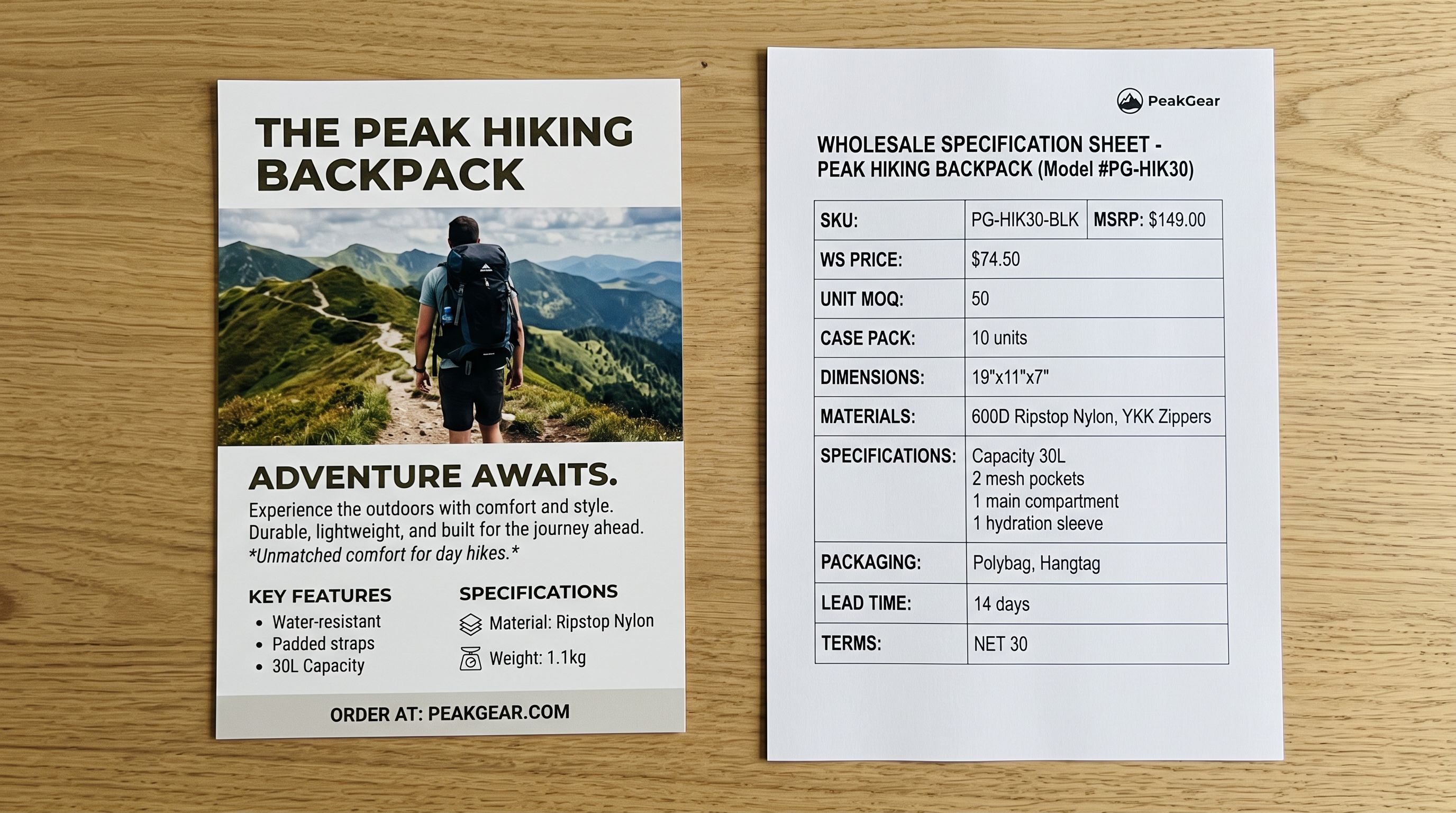
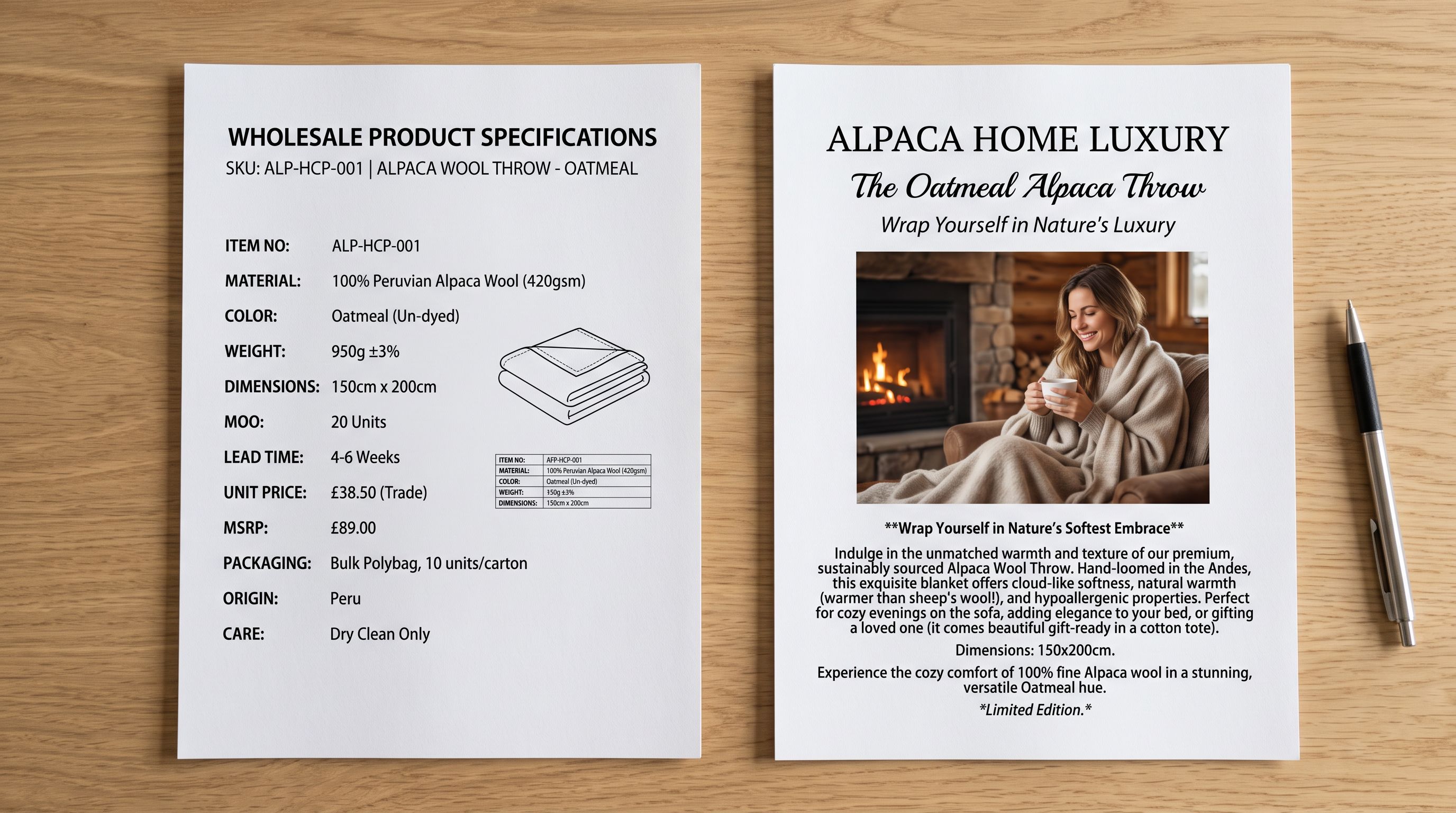
Six weeks later, the retailer's SEO consultant pulled a sample of product pages from Search Console. Sixty-three of the 85 products had zero impressions in the first six weeks. The descriptions on those pages were the supplier's B2B wholesale text: production material specifications written for trade buyers, not gift shoppers. The keywords in the supplier descriptions were the supplier's target terms, not the retailer's. Google had indexed the pages. Nothing was surfacing them.
Shopify Collective solves a sourcing problem: it connects retailers with vetted supplier-partners so they can add products without holding inventory. It does not solve a content problem. The supplier's product data arrives optimised for the supplier's storefront and audience. The retailer's storefront and audience are different.
What Shopify Collective Gives You and What It Does Not
Shopify Collective allows retailers on Shopify to connect with supplier-partners and import their product catalogue directly. Inventory levels, pricing changes, and product status sync from the supplier automatically. The retailer handles their own pricing margin, publication settings, and the customer-facing experience.
What syncs from the supplier: the product title, images, variants, inventory quantity, and base product data including the supplier's original description. What the retailer controls: retail price, publication status, and the content fields that sit above the product data layer: SEO titles, meta descriptions, metafields, and the body description.
The body description field is the critical point. Shopify Collective syncs the supplier's description into the retailer's product record, but the retailer can overwrite it. Once overwritten with the retailer's own content, the description does not revert unless the retailer re-syncs or the retailer manually resets it. This is the window in which enrichment matters.
Why Supplier Descriptions Create an SEO Gap
Supplier descriptions are written from the supplier's perspective. They describe the product for buyers who know the category, often in trade language. They may include wholesale terms, minimum order quantities, production specifications, or generic product copy distributed to all retail accounts.
The dropshipping description problem is well-documented: when the same supplier text appears across multiple retail stores, Google's ranking algorithm deprioritises all of them as non-authoritative duplicates. Shopify Collective is a more curated channel than standard dropshipping, but the description problem is identical: the supplier's text is their text, not yours, and your customers are searching with different intent than the supplier's B2B audience.
A supplier who sells homewares to boutique retailers might describe a ceramic bowl as: "Reactive glaze, high-fire stoneware, microwave and dishwasher safe. Available in four colourways. MOQ 6 units." A gift buyer searching for "handmade ceramic bowl Australia" needs to understand why this bowl is meaningful, what occasion it suits, and what distinguishes it from every other ceramic bowl on page one of search results.
These are different pieces of content for different audiences. The supplier cannot write the retailer's version, because the supplier does not know the retailer's brand voice, tone, persona, or target customer.
Enriching Collective Products Before Publishing
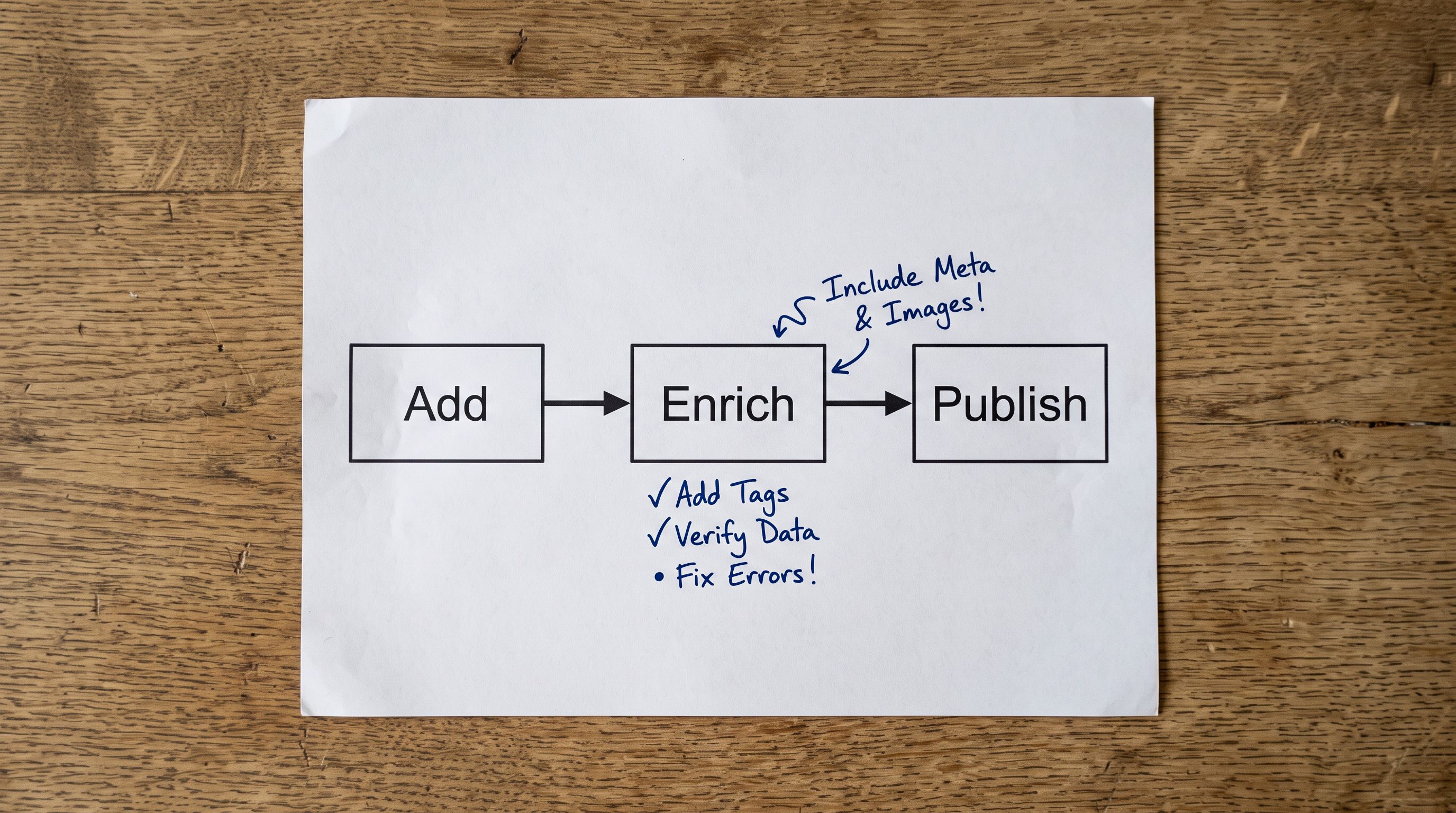
The correct sequence for Shopify Collective products is to enrich before publishing, not after. Publishing products with supplier descriptions and then enriching them retroactively exposes thin content to Google's index during the gap period. Products that go live with original content from the first day are never in a thin-content state.
- 01Add the Collective products to your Shopify store from the supplier connection, but set their publication status to Draftthe products exist in your admin, inventory is syncing, but they are not yet visible to customers or indexed by Google
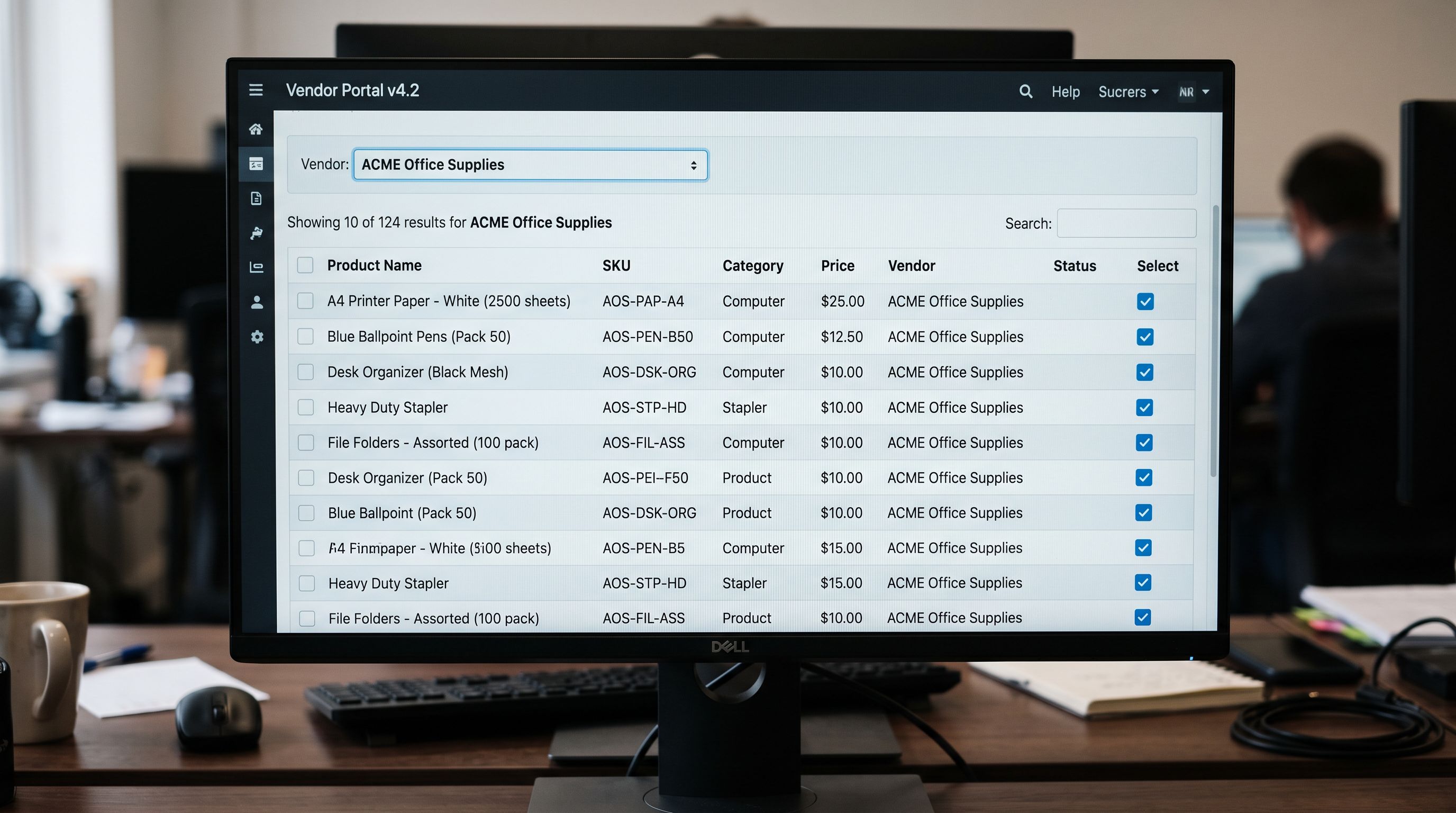
- 02In Importier, open the Store Scanner and filter by the Collective supplier's vendor nameall 85 products from a single supplier will share the same Vendor value that came across in the Collective sync
- 03Select all filtered products and run a description generation passchoose your preferred AI model, apply your Brand Voice settings and the Industry Pack for the product category, and select a description style that matches your store's tone
- 04Review the generated descriptions as a batchcheck 5-10 products from each supplier for quality, ensure no wholesale language survived from the original text, and regenerate any descriptions that still read as supplier copy
- 05Publish the products once descriptions pass reviewfrom Draft to Active, they go live with unique original content rather than supplier text
The vendor filter in Store Scanner is the key workflow step. Shopify Collective products carry the supplier's store name as the Vendor field value by default. This means every product from a single Collective partner can be isolated in Store Scanner with a single filter, processed as a batch, and returned to a Draft or Active state without touching unrelated products in the catalogue.
Products that go live with original content from the first day are never in a thin-content state. The enrichment window is before first publish, not after first crawl.
Metafield Augmentation
Adding Metafields to Collective Products
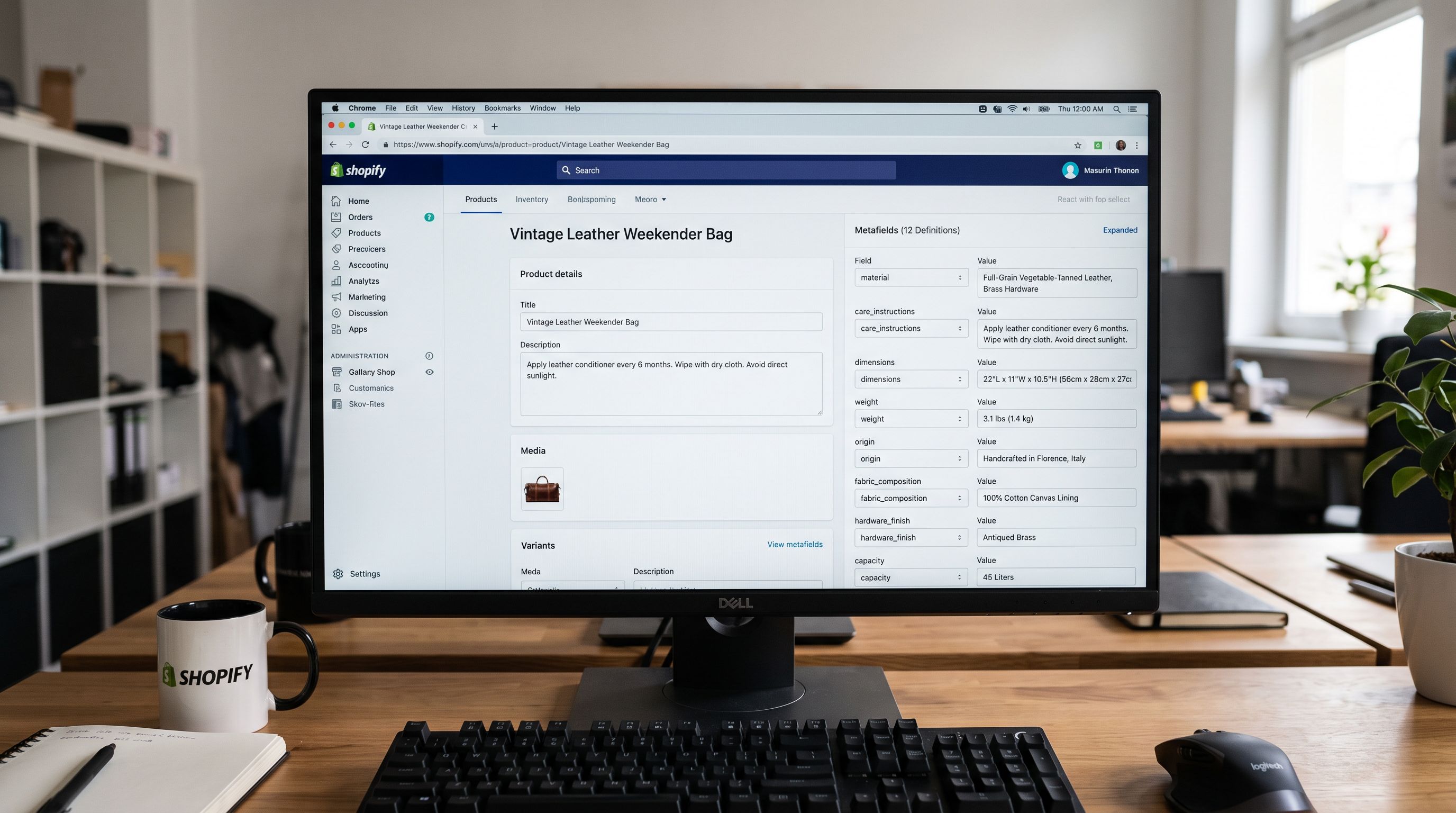
Shopify Collective products arrive without metafields populated. The supplier's product data does not include Shopify's standard metafield definitions for material, dimensions, care instructions, sustainability attributes, or any of the category-specific attributes that Shopify's Product Taxonomy supports.
Metafields matter for Collective products for two reasons:
Storefront filters and faceted navigation. If the retailer's collection pages use metafield-based filters (material: ceramic, occasion: gifting, care: dishwasher safe), Collective products that arrive without those metafields are invisible in filtered navigation. The product appears on the category page but disappears the moment a customer applies a filter.
Google's product knowledge graph. Shopify's standard metafield definitions map to structured data that Google reads to understand product attributes. A product with populated material, dimensions, and category metafields has more structured signals available to Google's shopping graph than a product with a description and nothing else.
Importier's Industry Packs carry 3,758 attributes across 22 industry categories. Running an Industry Pack enrichment pass on Collective products after the description generation step populates the relevant metafields from the product's title, description, and any structured data visible in the supplier's original content. The Pack identifies attributes that apply to the category (ceramic dinnerware: material, finish, dishwasher safe, microwave safe, dimensions) and populates them using the AI model's understanding of the product.
For Collective products with detailed supplier descriptions (even in trade language), the Pack enrichment pass often extracts accurate metafield values from the wholesale text, turning high-fire stoneware, reactive glaze, dishwasher and microwave safe into correctly populated metafield values that the storefront filters can use.
Managing Collective Catalogue Updates
Supplier-partners update their Collective product catalogue when they add new products, change pricing, update images, or discontinue lines. When the supplier updates their product data in Shopify Collective, certain fields in the retailer's store sync automatically. The fields that sync include inventory, pricing changes (if the retailer has set margin-based pricing), and product status updates.
The body description field behaviour depends on whether the retailer has overwritten it. If the retailer has replaced the supplier description with Importier-generated content, Shopify treats the retailer's version as the current value and does not overwrite it on subsequent syncs. If the supplier adds new products to the Collective catalogue, those products arrive with supplier descriptions and need the same enrichment workflow.
The practical implication: the enrichment workflow is ongoing, not one-off. New Collective products require the same Draft-enrich-publish sequence as the initial batch. Setting up a saved Store Scanner filter for each supplier-partner makes this process repeatable.
According to Shopify's Collective documentation, retailers retain control over the content they add to product pages while the supplier manages the underlying product data and inventory. This architecture is what makes the enrichment strategy viable: the retailer's content layer sits above the supplier's data layer and does not conflict with inventory syncs.
- 85 products go live with supplier wholesale descriptions
- 63 products have zero organic impressions after six weeks
- Filtered navigation invisible to customers who apply material or occasion filters
- Thin content state begins from day one and accumulates crawl budget waste
- Each new supplier batch requires reactive enrichment to repair indexed pages
- Products set to Draft, descriptions generated with retailer's Brand Voice before first publish
- Products go live with unique retailer-authored content aligned to customer search intent
- Industry Pack enrichment populates metafields for filter navigation and structured data
- Thin content state never begins; retailer's content is the first version Google indexes
- Saved vendor filter in Store Scanner makes each new supplier batch a repeatable 10-minute workflow
The homewares retailer ran a Store Scanner description pass on all 85 Collective products after their SEO consultant's audit, using their Brand Voice settings (Emotional Storytelling style, Gift & Home persona) and the Homewares Industry Pack. Within 10 days of the rewrite going live, 58 of the previously invisible products had organic impressions in Search Console. The remaining 5 products without impressions had titles that needed restructuring before the descriptions could carry the correct keyword signals.
Try Importier free at importier.app.
Set up your first import in under five minutes.
Importier brings products into Shopify with AI descriptions, category metafields, and data enrichment on every run.