How to Import Secondhand and Vintage Products to Shopify
On this page
A vintage clothing merchant has 340 items to list before their store opens. Every item is unique: a 1985 brown leather biker jacket in good condition, a 1972 navy wool overcoat in fair condition, a pair of 1990s Levi's 501s in excellent condition with original tag attached. No two products are the same. No repeating SKU. No standard product template. Each item has its own price, its own story, its own condition, and its own set of tags.
Standard advice for Shopify imports assumes the merchant is working from a supplier catalogue: a list of products that repeat across batches, where the same SKU might appear in 40 import files across three years. A shopify secondhand vintage product import works differently. Every row in the spreadsheet is a distinct product that will never appear again. The workflow needs to reflect that.
Why Standard Shopify Import Logic Breaks for Secondhand Stores
A standard bulk import built for wholesale or dropshipping optimises around consistency. The column mapping, the Handle conventions, and the description template all assume that the product exists in some form before the merchant receives it. A 500ml stainless steel water bottle from Supplier A is the same product across every shipment. The description can be written once and reused.
A secondhand or vintage merchant does not have that. Their inventory is sourced piece by piece. A 1970s suede jacket and a 1980s suede jacket might have the same category and material but different silhouette, condition, decade, and buyer appeal. Using the same description template for both produces copy that fits neither well, and two products that search engines may treat as thin or near-duplicate content.
The practical consequences of forcing a repeating-SKU workflow onto unique inventory:
Identical-sounding descriptions. A template that fills in colour, size, and category produces "Brown leather jacket, Size L, Good condition" for a 1985 biker jacket and "Blue leather jacket, Size M, Good condition" for a 1991 racer jacket. The descriptions are structurally the same. Conversion rates reflect that: buyers of vintage clothing want to understand what makes an item worth buying, not just its category and size.
Handle conflicts on re-import. If the merchant later needs to update a sold item's status to draft, or correct a price, the Handle-based import update requires that every Handle was unique at creation time. Generic Handles like "leather-jacket-1" and "leather-jacket-2" work at import, but break when two items share the same base Handle across future batches.
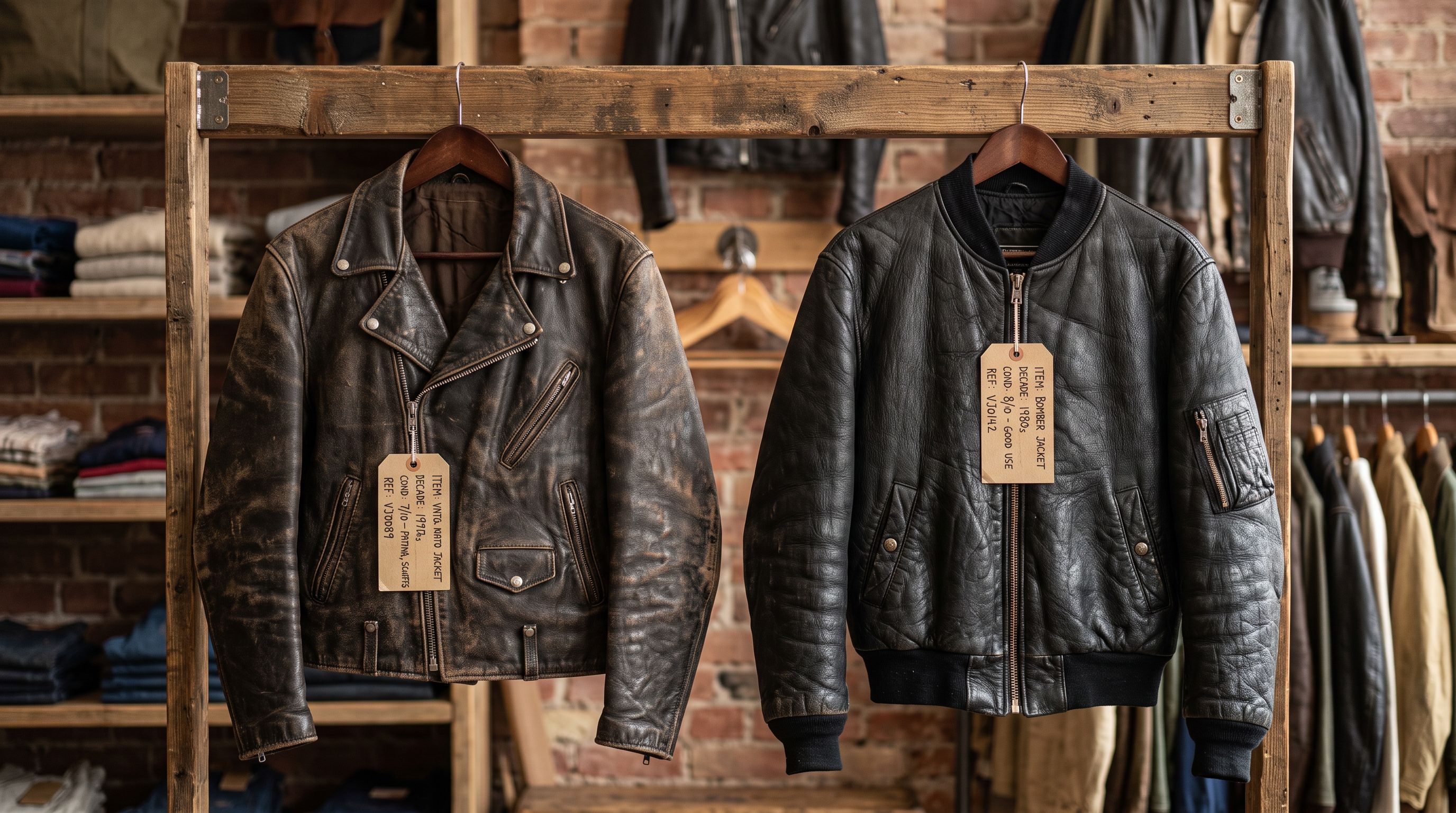
Tag inconsistency across sourcing trips. A merchant who tags their May haul with era and condition tags, then tags their June haul without a reference sheet, produces fragmented filter navigation. By the fourth sourcing run, "1980s", "80s", "nineteen-eighties", and "circa-1985" all exist as separate tag values in the same collection.
Building the Import Spreadsheet for Unique Items
The foundation of a clean shopify secondhand vintage product import is a spreadsheet template built for uniqueness, not repetition.
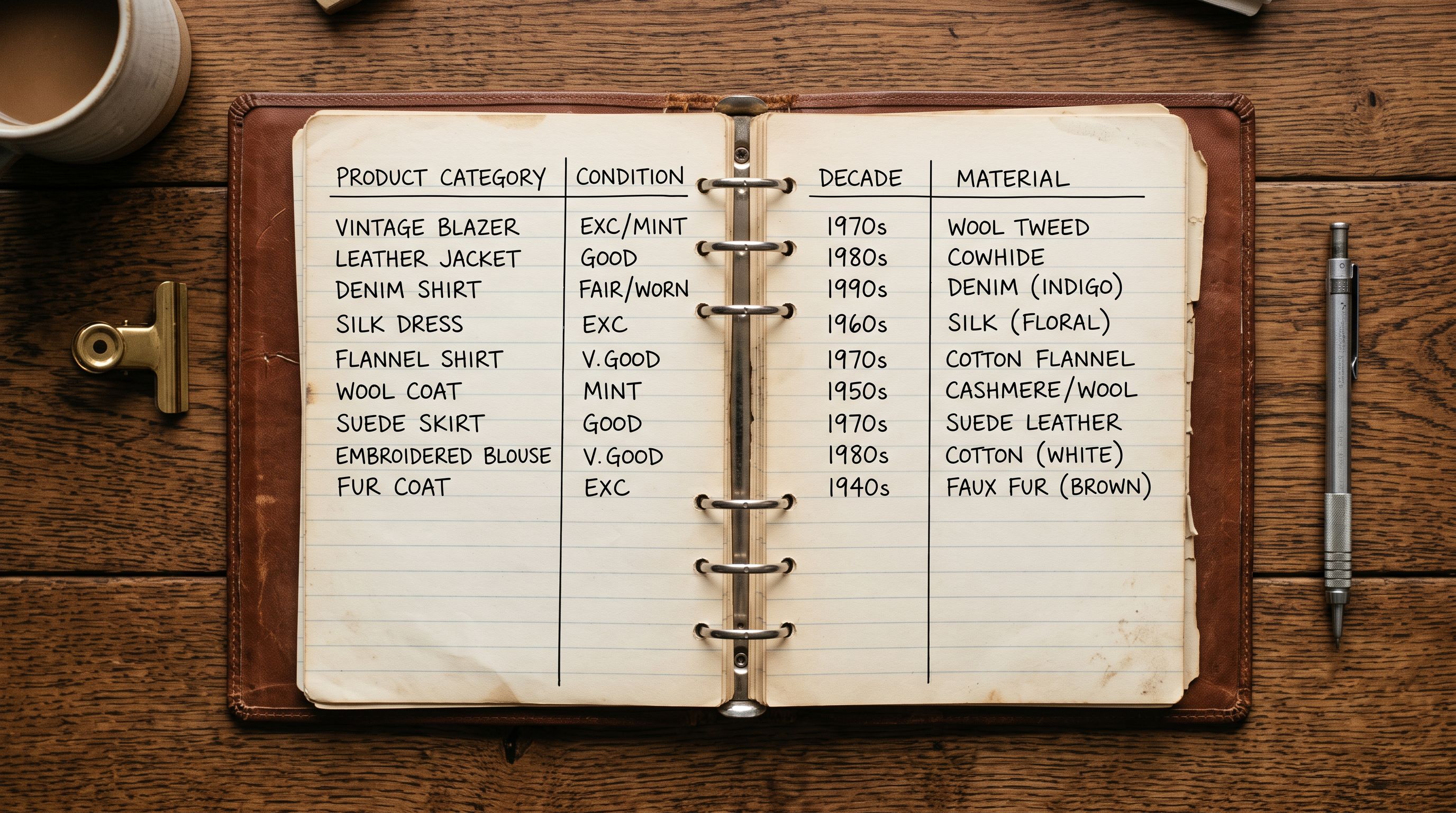
For a vintage clothing store, the minimum useful columns are:
- Title: the item's display name, including the decade, material, and type ("1985 Brown Leather Biker Jacket")
- Handle: generated from the title, unique to each item ("1985-brown-leather-biker-jacket-sz-l")
- Category/Product Type: standardised to your taxonomy ("Outerwear", "Tops", "Bottoms")
- Condition: one of a fixed set of values ("Excellent", "Good", "Fair"), which becomes a tag or a metafield
- Era: decade or period ("1970s", "1980s", "1990s"), which becomes a tag
- Material: primary fabric or material ("Leather", "Denim", "Wool"), which becomes a tag
- Size: normalised to your size taxonomy ("XS", "S", "M", "L", "XL")
- Price: per item (never shared with another row)
- Inventory: always 1 (each secondhand item has one unit in stock)
The Handle is the most important column for one-of-a-kind inventory. Every Handle must be globally unique across all batches, not just unique within the current import file. A convention like [decade]-[material]-[type]-[size]-[nn] (where nn is a two-digit counter for the batch) prevents conflicts when a merchant lists their fourth 1970s denim jacket in year two.
- 01Tag taxonomy before first importChoose fixed values for condition, era, material, and size before the first import. Tag values that change between batches produce fragmented filter navigation. Write the allowed values on a reference sheet and check every batch against it.
- 02Unique Handles per itemBuild the Handle from a combination of era + material + type + size + batch counter. Importier's column mapping can concatenate fields during import if the Handle is not pre-built in the source file, or use a spreadsheet formula to generate it before mapping.
- 03Mapping condition and era as tagsEach distinct column (Condition, Era, Material, Size) maps to Tags in Importier, which combines them into a comma-separated tag set per product. A jacket with Condition 'Good', Era '1980s', Material 'Leather', and Size 'L' gets the tag set 'good, 1980s, leather, L'.
- 04Set inventory quantity to 1 for every rowSecondhand items are one-of-a-kind. Importier maps the Quantity column to Inventory Quantity. Set this to 1 for every row. Never use variants for condition unless the same physical item exists in multiple conditions (it does not).
- 05Review step for quantity and tag anomaliesThe Review table shows Tags and Inventory Quantity for every row. A row with Quantity 5 on a one-of-a-kind item, or a tag field showing 'good, Good, good-condition' from inconsistent column values, is visible here before any product is created.
Generating Unique Descriptions for Unique Items
This is where the shopify secondhand vintage product import workflow diverges most sharply from a standard wholesale import. Wholesale descriptions can be written once and applied to every unit of a repeating product. Vintage descriptions must be unique per item.
Importier's AI description generation processes each product row individually. The AI does not receive a shared template. It reads the product title, type, tags, and any existing body text for that specific row and generates copy from those inputs. For a vintage merchant, this means 340 items generate 340 distinct descriptions without manual writing.
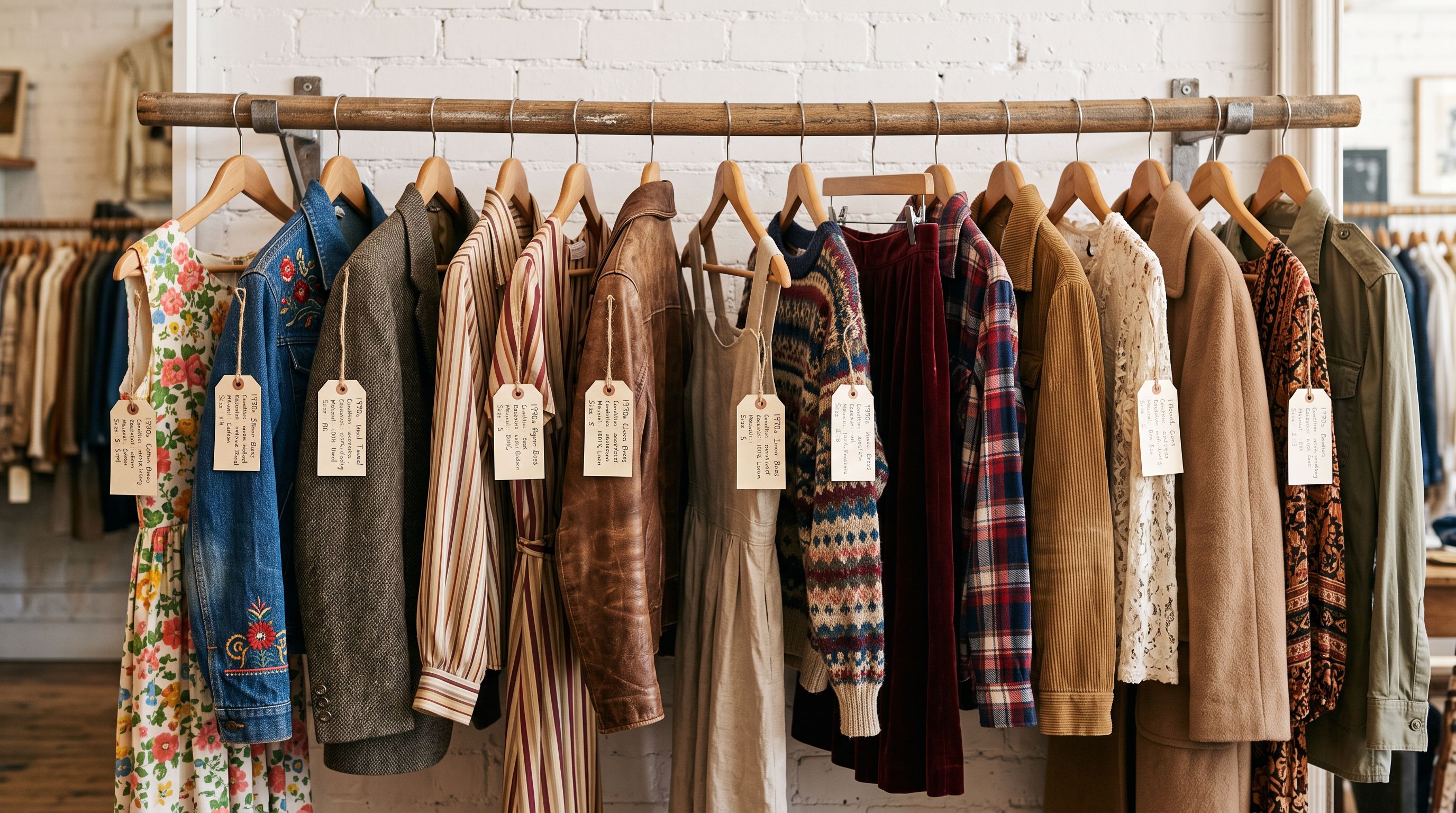
A 1985 brown leather biker jacket in good condition and a 1972 navy suede field jacket in fair condition are fed to the AI as separate products with different titles, different era tags, different material tags, and different condition tags. The outputs reflect those differences. The 1985 jacket might emphasise the decade's motorcycle culture and the patina the leather has developed. The 1972 jacket might note the field jacket's heritage and how the suede has softened with age. Both use the same Brand Voice configuration and the same description style, so they feel like they come from the same store, but they read as distinct products.
Consistency of voice and uniqueness of content are not in conflict. They are solved at different layers: voice configuration at the brand level, content at the product level.
For a vintage merchant, the description style that performs best is conversational and specific. Importier's 7 description styles include options that prioritise narrative and detail over specification lists. A description that tells a buyer what the jacket feels like, how the material has aged, and what it pairs well with converts better than a description that only lists the SKU, colour, and size.
The 156 expert personas across 43 industries let the merchant fine-tune the AI's approach. A vintage fashion persona draws on vocabulary specific to secondhand clothing: patina, wear, provenance, era-accurate construction. The persona keeps language consistent across all 340 items even as the content stays unique to each one.
Tagging for Secondhand Filter Navigation
A vintage store's filter navigation is its primary browsing tool. Buyers who do not know exactly what they want use condition, era, material, and size filters to narrow the catalogue. Without a consistent tag taxonomy, those filters show fragmented options that frustrate rather than help.
The tag taxonomy for a secondhand store should cover four dimensions at minimum:
Condition (one value per item): Excellent, Good, Fair. Not "like new", "very good condition", or "gently used". Those are synonym variants that produce separate filter entries rather than consolidating under one option.
Era (one value per item): 1960s, 1970s, 1980s, 1990s, 2000s. Not "circa 1983", "late 80s", or "early nineties". These do not consolidate.
Material (one or two values per item): Leather, Denim, Wool, Cotton, Silk, Suede. Not "soft leather", "genuine suede", or "100% wool". The modifier belongs in the description, not the tag.
Size (one value per item): use the size label from the item itself if it is a branded label ("32W-30L"), or normalise to XS/S/M/L/XL/One Size if the original label is absent or non-standard. Detailed guidance on tag taxonomy design and filter navigation is covered in Shopify product tag strategy at import.
Sold Items: Draft vs Delete
One-of-a-kind inventory creates a specific post-sale decision that repeating-SKU catalogues never face: what to do when an item sells.
Do not delete sold items. The URL for the sold product may have been shared, bookmarked, or indexed by Google. Deleting the product returns a 404 for any visitor who follows that link. It also removes the product from Import History, which makes batch tracking harder for merchants who review what sold in a given period.
Set sold items to Draft. Draft status removes the product from all sales channels (the storefront, Google Shopping, Instagram catalogue) without deleting the URL. A visitor who follows an old link sees the product page but cannot add it to cart. This preserves link equity and avoids 404s.
The status change can be applied via a selective import: a file with Handle and Status set to "draft", mapped with Handle as the match key and only Status imported. For a merchant who processes 20-30 sales per week, the status update import runs faster than opening each product individually in Shopify admin. The same field-isolation principle that protects inventory data during price updates is covered in detail in how to import without overwriting existing Shopify inventory.
From spreadsheet to a catalogue of unique stories
Import History for Unique Inventory Management
A secondhand merchant's Import History is their batch record: which items came in during the May sourcing trip, which came in during the June sourcing trip, and what happened to each batch.
Importier's Import History logs every import with the date, file name, and product count. For a vintage merchant running four to six sourcing batches per year, each batch entry identifies the items added at that time. If a pricing error affects an entire sourcing batch (a discount that should have applied only to June items was applied to all items), the undo function reverts the entire batch to its pre-import state. According to Shopify's product import documentation, Handle is the match key for updating existing products, which is what allows undo to reverse a specific batch without touching products from other batches.

For a merchant building a secondhand business on Shopify, the secondhand market has grown significantly in recent years. According to ThredUp's annual resale report, the global secondhand apparel market continues to expand as consumers prioritise sustainability and value. A professionally presented Shopify store with unique descriptions, consistent tag-based filter navigation, and clean inventory data is a meaningful competitive advantage in a market where many secondhand sellers still list manually one product at a time.
- Each item listed manually in Shopify admin, taking 10-15 minutes per product
- Descriptions reuse a template that produces similar-sounding copy for different items
- Tags applied ad hoc per item with no reference sheet, producing fragmented filter navigation
- No record of which sourcing batch a product came from
- Sold items deleted, breaking links and removing Google indexing for the product URL
- Items imported in sourcing batches from a spreadsheet prepared during the sourcing trip
- AI generates unique descriptions per item from era, material, condition, and size inputs
- Tags applied consistently from a pre-defined taxonomy that maps to filter navigation correctly
- Import History records each sourcing batch for pricing correction and undo
- Sold items set to Draft via selective status import, preserving URLs and link equity
Shopify Secondhand Vintage Product Import: Key Takeaways
A secondhand or vintage Shopify store is an import problem that standard bulk import tools solve poorly. Every item is unique. Every description must be unique. The Handle, tag taxonomy, and post-sale workflow all need to reflect that no two products are the same.
- Build a unique Handle per item. Use a convention like
[decade]-[material]-[type]-[size]-[batch-counter]to prevent conflicts across sourcing trips. Handles must be unique globally, not just within the current import file. - Define a tag taxonomy before the first import. Condition, era, material, and size tags must use fixed allowed values across every sourcing batch. Inconsistent tags produce fragmented filter navigation and prevent buyers from finding what they want.
- Generate descriptions per item, not per template. Importier's AI reads the individual product row (title, tags, condition, era) and generates copy for that specific item. 340 unique items generate 340 unique descriptions in the same session. Voice stays consistent through Brand Voice configuration; content stays unique through the individual product inputs.
- Set inventory quantity to 1 for every secondhand item. Each item is one-of-a-kind. A quantity of 1 is the data assertion that matches the physical reality. Never use variants for condition unless the same physical object exists in multiple conditions (it does not).
- Set sold items to Draft, not Delete. Deletion breaks links and removes Google indexing for the product URL. Draft removes the product from sales channels while preserving the URL for visitors who follow a shared link.
- Use Import History for sourcing batch records. Each import is logged with date and product count. Undo reverts an entire sourcing batch if a pricing or description error affects all items imported at the same time.
Start importing your secondhand or vintage catalogue at importier.app.
Set up your first import in under five minutes.
Importier brings products into Shopify with AI descriptions, category metafields, and data enrichment on every run.