Shopify Product Page Optimisation for Black Friday

On this page
Shopify Product Page Optimisation for Black Friday: What to Fix Before BFCM
A homewares merchant ran BFCM Facebook ads last November and doubled their site traffic. Conversions stayed flat. ROAS halved. The ad creative was not the problem; the product pages were.
This pattern catches most merchants by surprise. Shopify product page optimisation for Black Friday is not an advertising challenge. It is a content quality challenge that advertising spend makes visible at ten times the cost per visitor.
This article covers the four product page elements with the highest impact on BFCM conversion rate, and a six-week plan for batch-enriching hundreds of product pages with Importier before November.
Why BFCM Amplifies Conversion Rate Differences
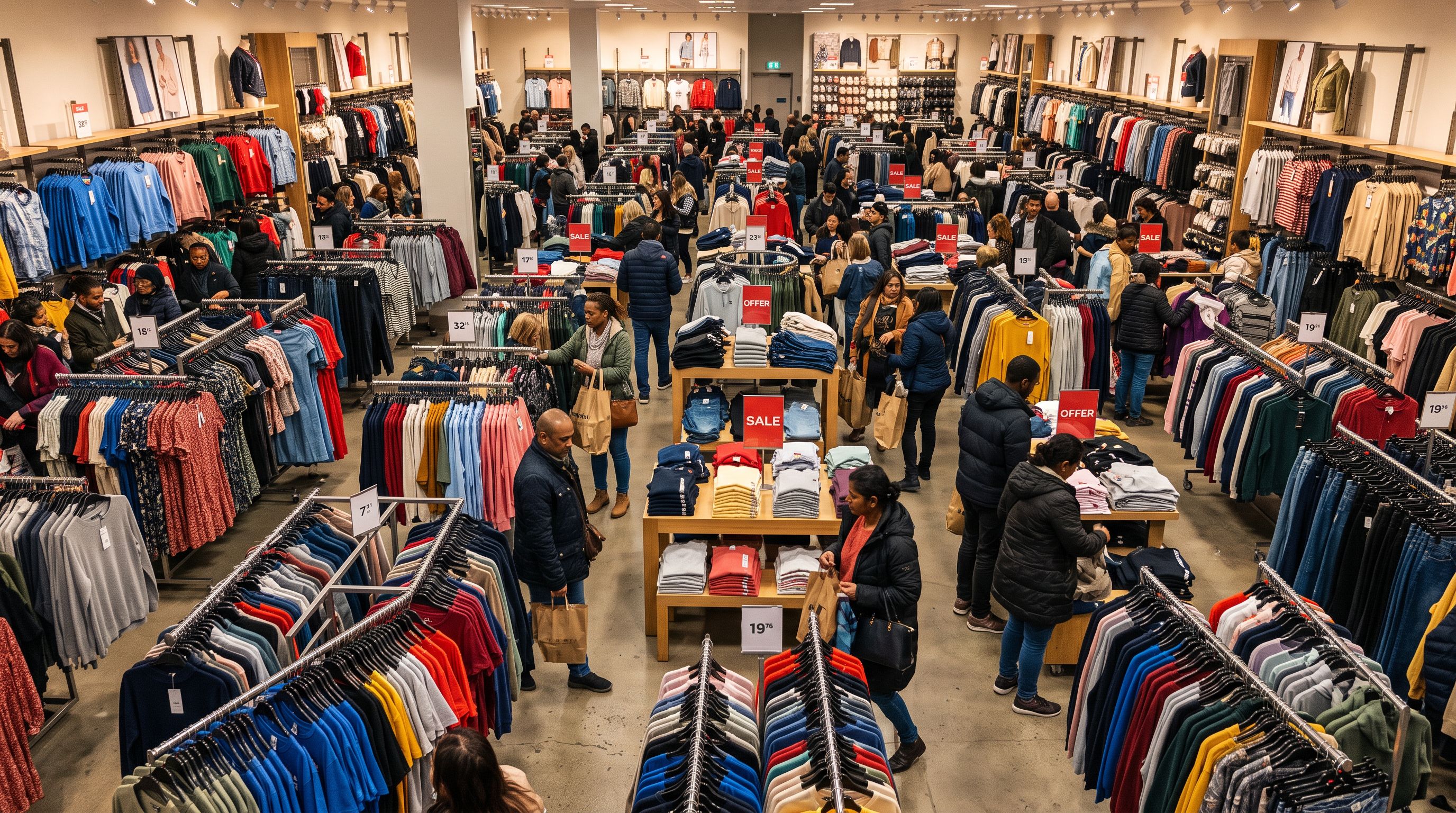
BFCM is the largest traffic event of the year for most Shopify merchants. Shopify's annual BFCM data reports $14.6 billion in sales across the 2025 BFCM weekend, with more than 81 million customers worldwide making purchases from Shopify-powered stores. Sales peaked at $5.1 million per minute at the height of the event.
The maths of BFCM conversion is uncomfortable. A product page converting at 2% under normal traffic converts at 2% when BFCM drives ten times more visitors. The absolute number of orders increases with traffic, but the ratio stays fixed.
A merchant who lifts their conversion rate from 2% to 3% before BFCM gets that improvement multiplied by every additional visitor the event delivers. At ten times normal traffic, the difference between 2% and 3% is not one percentage point; it is one thousand extra orders per ten thousand visitors.
There are two types of merchants entering BFCM each year. The first group has been refining product pages since October: better descriptions, corrected lead images, FAQ sections that handle objections before support tickets arrive. The second group has been planning ad spend. December analytics consistently show which approach produces more revenue from the same traffic.
The Four Product Page Elements That Drive BFCM Conversion
Image Quality: Your Lead Image Is Your First Impression
BFCM shoppers do not read first. They scan images, then prices, then descriptions, in that order, in under ten seconds. The lead image is the first buying signal a product sends.
Most supplier product files arrive with images listed in alphabetical filename order. When a product has ten or more images, alphabetical sort places img10.jpg before img2.jpg because "1" precedes "2" in character comparison. A dimensions chart or angle shot becomes the lead image on every collection page, every Google Shopping ad, and every social share preview.
Google Merchant Centre image requirements specify that the product must be the primary, clearly visible subject of the lead image. Google recommends the product occupy at least 75% of the image area. A dimensions chart or flat-lay styling shot as the first image receives a lower quality score in the product feed. Before BFCM, fix your lead images. Importier's Google Drive image import lets you batch-import corrected image sets from a shared supplier folder without rebuilding the import file from scratch.
Benefit-Focused Descriptions: Spec Lists Do Not Sell at 11pm
BFCM shopping happens late at night, on a mobile phone, while the buyer is tired and scanning fast. A product description that leads with specifications asks the buyer to do cognitive work: translate "280g fill weight" into "will this be warm enough tonight?" Most BFCM buyers will not do that work when twelve other tabs are open.
Compare these two descriptions for the same thermal jacket:
Spec-first: Material: 100% recycled polyester shell. Fill: 280g synthetic insulation. Packable size: 20cm by 12cm.
Benefits-First: Keeps you warm through a Wellington winter without the bulk of a traditional puffer. Packs to the size of a water bottle for travel. Made from 100% recycled materials.
The specifications are identical. The structure is not. One makes the buyer do the translation. The other delivers the answer.
Benefits-First is one of seven description styles available in Importier. It restructures descriptions to lead with the outcome the buyer wants before listing technical attributes. For high-velocity BFCM periods, this structural change matters more than improving the underlying writing quality.
Title Clarity: The First Three Words Matter Most
On mobile, Shopify collection pages truncate product titles after roughly 40 to 60 characters depending on theme configuration. A shopper scanning a BFCM sale grid sees three to five words per product before deciding whether to tap through to the detail page.
The title format that performs well in truncated contexts places the key attribute first: [Key attribute] + [Product type] + [Modifier]. "Merino Wool Running Beanie, Unisex" communicates the most important buying decision before the title cuts off. "Beanie Hat for Men and Women in Multiple Colours" buries the material detail where it disappears in a truncated grid.

Importier's Title Optimizer includes a Google Merchant Centre preset that keyword-front-loads titles, removes extra spacing, and enforces the 150-character limit. Run a Title Optimizer pass across your BFCM collection in October so Shopping ads and product grids both show the right attributes first.
FAQs: Pre-Answer the Objections That Block the Add-to-Cart
Every BFCM purchase has three silent objections: is this the right size or specification? Will it arrive before Christmas? What happens if I need to return it? A buyer with an unresolved objection does not send an email; they close the tab.
A FAQ section that addresses these objections directly reduces the friction between browsing and buying without requiring the buyer to contact support. Importier's FAQ Generator produces two to ten FAQs per product, filtered by collection, in Append mode. FAQs are added alongside existing descriptions without replacing them. A 400-product BFCM collection generates 1,600 FAQ entries in a single pass.
From theory to practice
How to Batch-Enrich 400 Product Pages Before BFCM
The challenge is not knowing what to fix. It is fixing 400 products in three weeks while running the rest of the business. Importier handles this as a batch operation across your BFCM collection, not as 400 individual edits.
Step 1: Identify the Gap with Store Scanner
Create a "BFCM 2026" Shopify collection and add your seasonal products to it. Then open Store Scanner in Importier and filter by that collection. Store Scanner scans every product in the collection and flags those with missing or short descriptions. You see the full scope of the problem before committing to a fix.
This is the same collection-filter mechanism covered in the guide to batch description generation by collection. The key output from the scan is a count: how many of your BFCM products currently have thin or absent descriptions, and how many already have content worth keeping.
Step 2: Generate Benefits-First Descriptions in a Single Pass
Configure Store Scanner with the Benefits-First description style. Then select a persona from Importier's library of 156 expert personas across 43 industries. A homewares persona generates different output from an apparel persona even with the same import settings; the persona shapes vocabulary, tone, and which product attributes receive the most emphasis.
For mid-to-high-value BFCM products, choose a Growth or Scale tier AI model. The guide to matching AI tier to product category explains when to step up: specification-dense products such as electronics, outdoor gear, and kitchen equipment benefit from Scale-tier depth; lifestyle and fashion products perform well at Growth tier.

Preview the first five descriptions before pushing the full batch. If the tone is right, push the collection. Use Replace mode to clear supplier boilerplate entirely. Use Append mode to add a benefits-focused opening paragraph to descriptions already worth keeping. A 400-product homewares catalogue takes under two hours in batch mode. The same project done manually, at ten minutes per description, takes 40 to 80 hours.
- 40 to 80 hours for 400 products
- Inconsistent tone across the catalogue
- No enforced style framework
- Repeat manually for every BFCM
- Under 2 hours for 400 products
- Benefits-First enforced across every SKU
- 156 personas for category accuracy
- Re-run in minutes next season
Step 3: Generate FAQs Across Your BFCM Collection
Open FAQ Generator, filter to your BFCM collection, set the count to four per product, and run in Append mode. The AI generates the purchase objections most relevant to the product category. For a kitchen appliance, the generated FAQs address compatibility, warranty, voltage, and cleaning. For a clothing item, they address sizing, care, and material provenance.
Four FAQs per product across 400 products produces 1,600 FAQ entries in one pass. Each FAQ becomes structured content that answers a specific buyer question before they need to ask it.
Step 4: Optimise Titles for BFCM Shopping Ads
Run Title Optimizer after the description pass so both titles and descriptions reflect the same keyword priority. The Google Merchant Centre preset front-loads the most important attribute, applies consistent casing, removes extra spacing, and enforces the 150-character limit. Your BFCM Shopping ads and your product grids both benefit from the same front-loaded title logic.
The 6-Week Pre-BFCM Content Timeline
- 01Week 1 (BFCM audit)Create your BFCM collection in Shopify. Run Store Scanner filtered to that collection. Record the count of products with missing or short descriptions. Note any with low-resolution or incorrectly ordered images.
- 02Week 2 and 3 (Descriptions)Run a Benefits-First batch pass across the full BFCM collection with Store Scanner. Preview five products before pushing the full batch. Use Replace mode for pure supplier boilerplate; use Append mode for descriptions worth keeping.
- 03Week 4 (Titles)Run Title Optimizer with the Google Merchant Centre preset across the BFCM collection. Review a sample of ten titles before pushing to confirm attribute front-loading is correct for your catalogue.
- 04Week 5 (FAQs and images)Run FAQ Generator across the BFCM collection at four FAQs per product in Append mode. Batch-import any missing or corrected product images via Google Drive import.
- 05Week 6 (Final review)Confirm compare-at prices are set for all BFCM products. Check that any Scheduled Imports are configured for ongoing supplier feeds. Review five random product pages end-to-end as if you were a buyer.

What to Prioritise When Time Is Short
Not every merchant has six weeks. If BFCM is two weeks away, prioritise descriptions. Of the four elements, benefit-focused descriptions have the highest per-product impact on conversion rate. A buyer who reads a description that answers "what will this do for me?" converts at a higher rate than a buyer who reads a spec list, independent of image quality or FAQ presence.
If BFCM is one week away, run Store Scanner on your top 50 BFCM products by last year's revenue. Traffic and revenue are not evenly distributed across a catalogue. Most stores have a heavy concentration at the top of the range.
Your top 10% of BFCM products likely drive 60 to 70% of your BFCM revenue. Enrich those first, then work down the list.
A targeted pass on the top 50 products, completed in under two hours, delivers most of the conversion benefit of a full-catalogue pass. Run the targeted pass this week. Run the full pass when time permits.
Conclusion
BFCM amplifies the conversion rate you already have. A product page converting at 2% under normal conditions converts at 2% when BFCM drives ten times more traffic. The merchants who consistently outperform peers during BFCM are not the ones who spent more on ads. They are the ones who improved their product pages before October ended.
Four elements move BFCM conversion: image quality, benefit-focused descriptions, title clarity, and FAQ-based objection handling. All four are addressable in six weeks with a batch workflow that does not require spreadsheets or manual rewrites.

For the data completeness layer (GTINs, taxonomy, compare-at prices, Google Product Category), see the pre-BFCM catalogue preparation checklist. That guide covers what needs to be true at the catalogue level before products appear in BFCM search results. This article covers what needs to be true at the product page level after shoppers find them.
Key takeaways:
- BFCM amplifies the conversion rate you already have; improving from 2% to 3% before the event is worth more than doubling ad spend during it
- Benefit-focused descriptions have the highest per-product conversion impact; prioritise them if time is short
- A 400-product BFCM collection takes under two hours to enrich with benefits-first descriptions using Store Scanner; the same project done manually takes 40 to 80 hours
- Run the six-week timeline starting in early October; if BFCM is already close, target your top 50 products by last year's revenue first
- Pair this workflow with the data completeness layer (GTINs, taxonomy, compare-at prices) to cover both discoverability and conversion rate before November
Try Importier free at importier.app.
Set up your first import in under five minutes.
Importier brings products into Shopify with AI descriptions, category metafields, and data enrichment on every run.