Shopify Product Description Persona: The Expert Voice Guide

On this page
Most merchants who use AI to generate product descriptions configure the style, select a model, and run the import. The persona setting tends to get skipped, or left on whatever the default is. That is a mistake, because the shopify product description persona is the part of the configuration that determines whether your descriptions sound like they were written by someone who knows your category, or by someone who knows nothing about it.
Importier offers 156 expert personas across 43 industry categories. This article explains what those personas actually do, how they differ from tone and style settings, and how to choose the right one for what you sell.
What a Shopify Product Description Persona Actually Does
A persona is not a tone setting or a structural template. It is a representation of expert domain knowledge.
When Importier generates a description using the Nutritionist persona, the AI writes from the perspective of someone who understands amino acid profiles, bioavailability markers, and the regulatory language that matters to buyers purchasing health supplements. When it uses the Pet Care Specialist persona, the AI emphasises vet-recommended specifications, ingredient safety for specific breeds, and sizing considerations that experienced pet owners look for.
The persona changes what gets emphasised, what vocabulary gets used, and what questions the description answers, not simply how the description sounds.
This distinction matters because tone, style, and persona are three separate controls that merchants often conflate.
- Persona determines what the expert knows and emphasises: domain vocabulary, buyer priorities, category conventions
- Tone determines how the expert sounds: Professional, Casual, Persuasive, Luxurious, or Technical
- Style determines how the description is structured: Standard, Benefits-First, Technical Gadget, Emotional Storytelling, Sensory-Rich, Ingredient Spotlight, or Custom
You can pair any persona with any tone and any style. A Nutritionist persona writing in a Casual tone with a Benefits-First structure produces something quite different from a Nutritionist persona writing in a Professional tone with an Ingredient Spotlight structure. Both draw on the same domain knowledge. The controls operate independently.
Why Generic AI Descriptions Sound Generic
The problem with an unconfigured AI description is that the AI writes for a hypothetical average reader, not for the specific buyer who purchases in your category.
Consider a 500g collagen peptides powder. A description without a persona will mention the protein content, that it is unflavoured, and that it dissolves in water.
That is accurate. It is also exactly what every other collagen powder on every other store says.
The same product described by a Nutritionist persona reads differently. It references Type I and Type III collagen peptide fractions, discusses hydrolysis and molecular weight as indicators of absorption rate, and notes that the serving size aligns with the clinical trial dosing threshold commonly referenced in research on connective tissue health. A buyer who knows their supplements reads that and understands that the description was written by someone familiar with the category.
The same product described by a Beauty Specialist persona focuses instead on skin elasticity, the relationship between collagen density and wrinkle depth, and the typical 8-to-12-week timeline before visible skin changes become apparent. A buyer purchasing for skin health responds to a completely different set of signals.
Three descriptions from identical product data, each answering different buyer questions, because each expert asks different questions.
The persona does not change what the product is. It changes which questions the description answers. Only buyers in your category know which questions matter.
This is the gap that generic descriptions leave unfilled. The description is accurate, but it is not expert. According to Baymard Institute's ecommerce UX research, inadequate product content is among the most common reasons buyers abandon product pages without purchasing, and what counts as "adequate" varies significantly by category. What buyers in consumer electronics need to see in a description is structurally different from what buyers in food supplements or home furnishings need to see.

Four Persona Examples Across Different Categories
Persona Examples
Here is what changes in practice across four different product categories.
Nutritionist (food supplements, protein powders, health foods)
A Nutritionist persona emphasises bioavailability markers, ingredient provenance, and clinical context. For a magnesium glycinate supplement, a generic description mentions the milligram count per capsule. A Nutritionist persona description notes that glycinate is a chelated form with a lower rate of gastrointestinal side effects compared with magnesium oxide, and may reference typical daily intake ranges published by health authorities. Buyers informed about supplementation read this and immediately recognise a description written by someone who understands the category.
Pet Care Specialist (pet accessories, food, grooming)
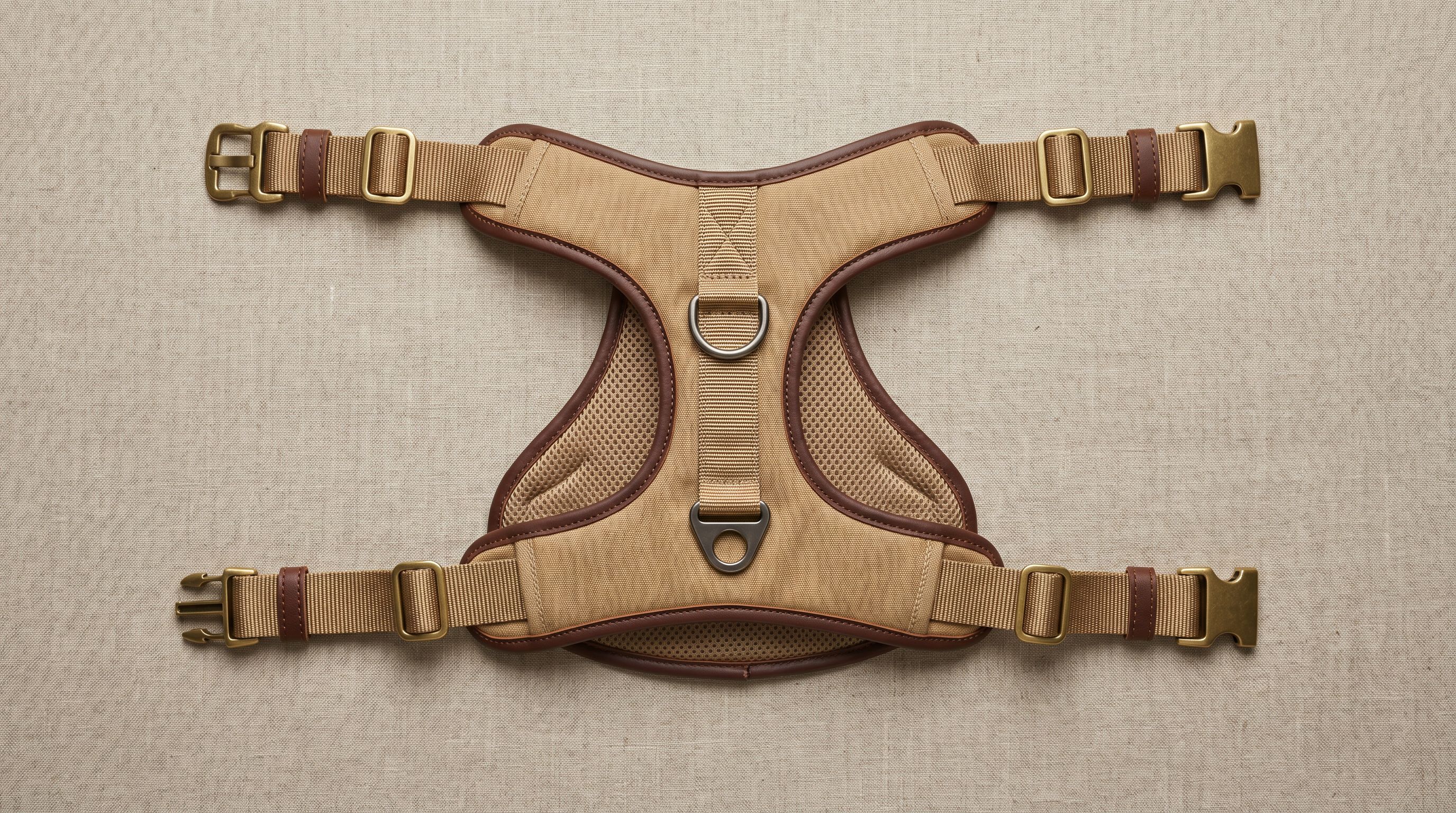
A Pet Care Specialist persona knows that buyers filter by breed size, life stage, and ingredient safety. For a dog harness, a generic description mentions adjustable straps and durable material. A Pet Care Specialist description specifies the girth range in centimetres and maps it to common breed sizes, notes whether the hardware is rated for pulling behaviour, and addresses the front-clip versus back-clip distinction that any buyer who has read about training methods will already be thinking about. The persona knows what experienced pet owners look for because it is configured to write from that perspective.

Audiophile (headphones, amplifiers, audio accessories)
Audio gear buyers are among the most technically literate in retail. A generic description of headphones mentions frequency response and that they are comfortable to wear.
An Audiophile persona description includes the driver type, nominal impedance value, and explains what that impedance means for source pairing: whether a dedicated amplifier improves performance or whether the headphones are designed to run directly from a smartphone output. It uses the vocabulary that audio forums and review publications use, which signals to the buyer that the description was not written by someone unfamiliar with the difference between planar magnetic and dynamic drivers.
Interior Designer (home furnishings, lighting, décor)
Interior Designer personas write product descriptions that address space planning and material quality rather than just colour and size. A cushion described by this persona mentions the fill weight and compression recovery, the fabric weave type, and whether the colourway sits in a warm or cool register relative to common wall paint families. A buyer furnishing a room trusts a description that demonstrates spatial and material knowledge, not one that says "adds a stylish accent to any living space."
How to Configure Your Shopify Product Description Persona
Persona configuration lives in the Importier Settings panel alongside the AI model, tone, and Brand Voice controls. Here is the recommended order:
- 01Open Importier SettingsNavigate to the Settings panel from the main Importier menu in your Shopify admin.
- 02Find the Persona sectionThe persona selector displays all 43 industry categories. Browse to find the categories matching what you sell; most categories contain multiple expert roles.
- 03Select your expertChoose the persona whose domain expertise matches the buyer's expectations for your products. If you sell across multiple product types, note that you can run separate import batches or Store Scanner passes with different personas using the collection and SKU filters.
- 04Save and applyThe saved persona applies to all future import batches and all Store Scanner runs until you change it.
- 05Agencies and multi-category storesUse Importier's Presets feature to save a complete settings configuration (persona, tone, style, Brand Voice, and Industry Packs) under a named profile. Switching between presets at the start of each batch takes seconds rather than reconfiguring each setting individually.
One setting worth noting: the persona works alongside the AI model you select in Importier. If you are on a plan with access to a higher-tier model, that model will apply the persona's domain knowledge more precisely on technically complex categories. For most product catalogues the difference is not dramatic, but for nutraceuticals, audio equipment, or industrial products, a more capable model with the right persona produces noticeably more specific output.
The complete configuration walkthrough, including persona placement in the recommended settings order, is in the Importier settings panel guide.
The Cost of Not Configuring a Persona
Achieving expert-sounding descriptions without a persona requires either writing them manually or commissioning specialist copywriters for each category.
Hiring a specialist copywriter for product categories costs between $3 and $10 per product at standard freelance rates, and more for technical or regulated categories. A wholesale accessories merchant importing 200 SKUs across three product categories (jewellery, leather goods, and sunglasses) would need three separate copywriters, several rounds of revision, and several weeks of coordination before descriptions were ready.
With Importier, the persona is configured once in the settings panel before the import runs. All 200 descriptions arrive in the appropriate expert register.
The comparison is not just time; it is also consistency. A human copywriter produces descriptions that vary between revisions, between writers, and across product types. A persona setting applies the same expert framing uniformly across the entire batch.
- Describes products accurately but generically
- Uses vocabulary appropriate for any category
- Cannot address the specific questions buyers in this category prioritise
- Requires manual editing to add industry-specific credibility signals
- Outputs that vary in quality across a batch
- Writes from the perspective of a domain expert in your category
- Uses vocabulary buyers in your category recognise as authoritative
- Addresses the buyer questions specific to this product type
- Consistent expert register applied uniformly across the full batch
- Works alongside tone, style, and Brand Voice for full control over output
For a practical overview of how product descriptions affect buyer decisions, Shopify's guide to writing product descriptions covers the principles. The persona system in Importier is the mechanism for applying those principles at scale across hundreds of products without writing each one individually.

Persona and the Other Three AI Description Controls
It is worth being explicit about how persona interacts with Importier's other description settings, because getting them confused is common in practice.
Your Brand Voice settings (the voice description, keywords to include, words to avoid, and example copy) define how your brand specifically communicates. Persona defines how a domain expert in your category communicates. They work together.
A jewellery retailer with a Luxury Buyer persona and a Brand Voice that excludes the words "stylish" and "trendy" will produce descriptions that are both expert and consistent with the brand's deliberate language choices.
The five description tone options (Professional, Casual, Persuasive, Luxurious, and Technical) control register. A Nutritionist persona in a Casual tone produces a different result from a Nutritionist persona in a Professional tone. Both draw on the same domain knowledge; one is more conversational.
The seven description styles control structure. Benefits-First leads with outcomes. Technical Gadget leads with specifications. Ingredient Spotlight leads with what is in the product and why it matters. The persona influences the language within whichever structure you choose.
For a full reference on how styles, tone, personas, and Brand Voice interact, the complete AI description guide covers each setting and their combined effect on output.
Choosing a Persona When You Sell Across Multiple Categories
Multi-category stores sometimes assume they are limited to one persona for their entire catalogue. They are not.
Importier's Store Scanner applies descriptions retroactively to existing products and accepts the same settings as the import wizard, including persona. A store that sells both kitchenware and pet accessories can run two separate Store Scanner batches: the first configured with a Home Chef persona for the kitchenware range, the second with a Pet Care Specialist persona for the pet range. Both use the collection filter to target each batch precisely.
The same approach applies during import. If a supplier CSV contains mixed product types, running two imports from the same file with different persona settings allows each product type to receive descriptions written by an appropriate expert. The collection assignment step in the import wizard controls which products go where.

Agencies managing multiple client stores typically save one named preset per client, with the persona configured to match the client's core product category. Switching to a different client's preset before each import takes seconds and ensures descriptions remain consistent with what that client's buyers expect to read.
Key Takeaways
- Importier's 156 expert personas across 43 industry categories control what domain knowledge the AI applies when generating descriptions, not how the description sounds. Tone and style are separate, independent controls.
- The same product described by different expert personas produces different descriptions, because each expert asks different questions about the product. A Nutritionist and a Beauty Specialist describe a collagen supplement entirely differently, because their buyers prioritise entirely different information.
- Persona settings apply to all import batches and Store Scanner runs. Configuring the right persona once means every product in the batch receives the same consistent expert treatment.
- Multi-category stores can run separate import batches or Store Scanner passes with different personas, using collection and SKU filters to target each batch precisely.
- Agencies can save named Presets (one per client or one per product category) that capture the persona alongside all other AI settings. Switching presets at the start of each batch ensures consistent expert voice without manual reconfiguration.
Try Importier free at importier.app.
Set up your first import in under five minutes.
Importier brings products into Shopify with AI descriptions, category metafields, and data enrichment on every run.