Shopify Post-BFCM Product Data Cleanup: The Six Fixes
On this page
Black Friday and Cyber Monday send more qualified traffic to a Shopify store in 96 hours than most stores see in six weeks. That traffic is the most useful product data diagnostic a merchant can run. Shoppers arrive with specific intent, specific queries, and specific tolerance for missing information. When they bounce, abandon carts, or convert at lower rates than expected on specific products, the traffic data records which product data gaps cost the store money.
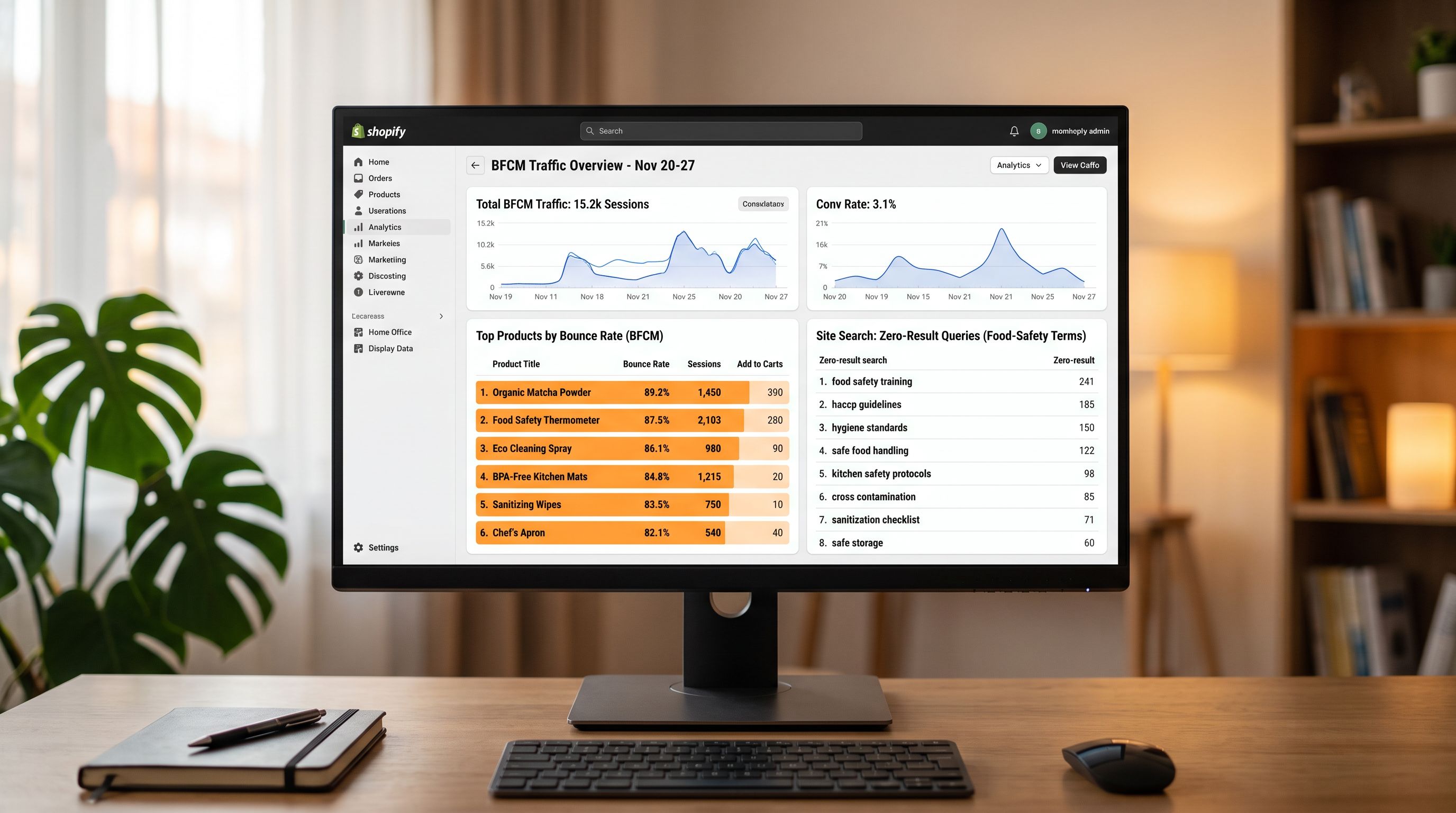
Most merchants review BFCM revenue numbers and move on. The traffic data (search queries, bounce rates by product, add-to-cart rates by collection, and exit page analysis) contains a forensic record of every data gap that was present during peak traffic. Acting on that record in November and December fixes the catalogue for the next campaign, not just the next Black Friday.
A gifting and homewares store ran a post-BFCM traffic analysis in the three days after Cyber Monday. Search analytics showed 312 internal site searches for terms the store's collection filters could not match: "microwave-safe", "dishwasher-safe", "BPA-free", "food-safe ceramic". The store had 140 relevant products. None had a food_safety metafield. All 312 search sessions ended without an add-to-cart.
BFCM Traffic as a Product Data Diagnostic
Pre-BFCM audits work from a checklist: which fields are populated, which are blank. They identify data gaps by presence-absence. Post-BFCM analysis is different. It identifies data gaps by commercial impact: which specific gaps caused the store to miss revenue during its highest-traffic window of the year.
The three traffic signals that identify product data gaps:
High-traffic, low-conversion product pages. A product page that received 400 visits during BFCM and converted at 0.8% while the store average was 2.4% has a product data problem. The traffic arrived; something on the page failed to convert. Common causes: missing specification data the buyer needed to confirm suitability, images that do not show the product from the angle that would answer the buyer's question, a description that recites features without addressing purchase objections.
Site search queries with zero or low results. Every internal search query that returns no results, or results the searcher immediately exited, names a product attribute the store's catalogue cannot surface. "Food-safe ceramic", "machine washable", "anti-glare", "ISO-certified": these are metafield values the buyer was filtering for. Their absence in structured fields means the searcher found nothing, or found the product without the filter and could not verify the attribute they needed.
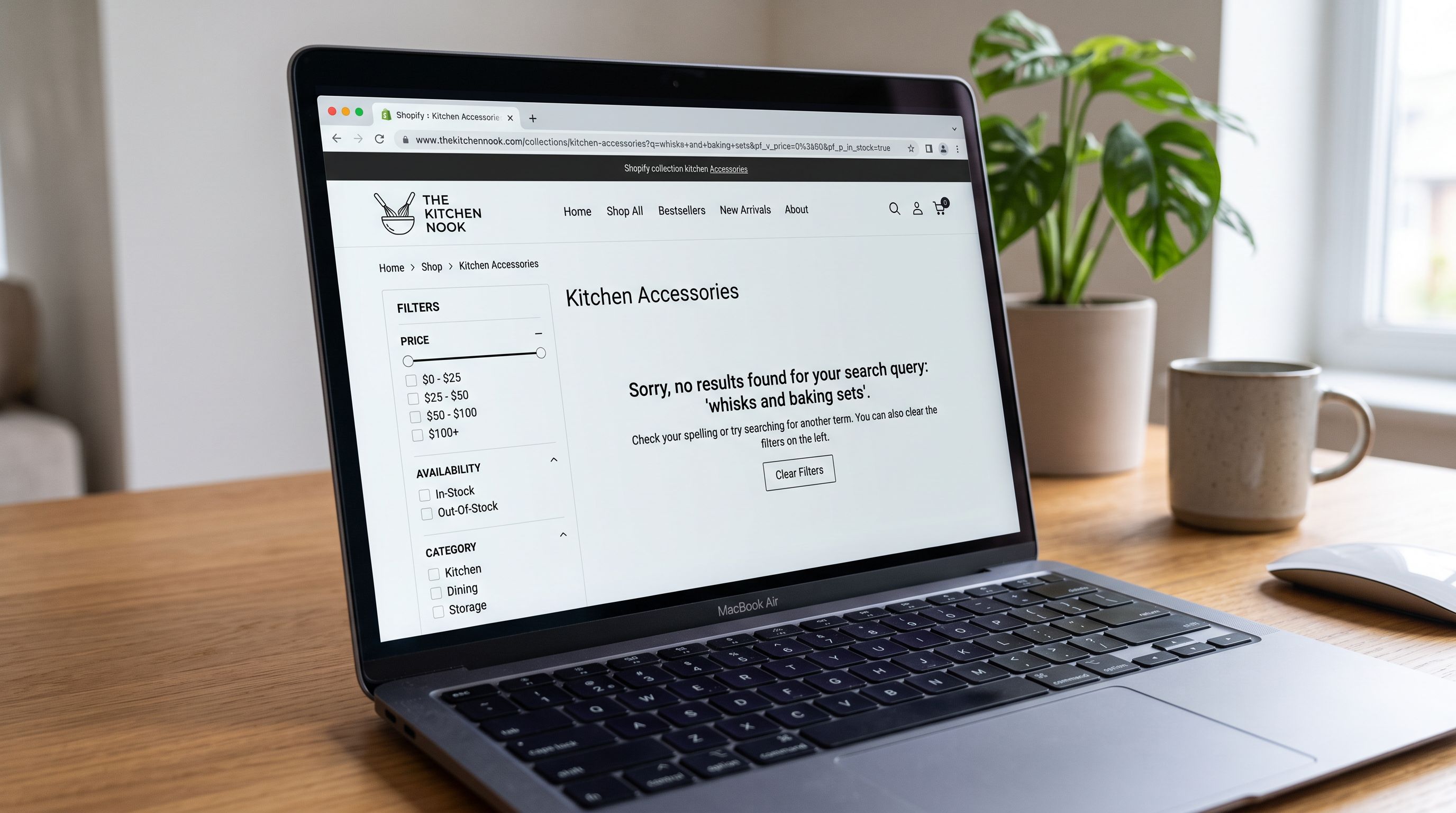
Collection bounce rates above catalogue average. A collection page that showed a high bounce rate during BFCM typically has a filter issue: the available filters do not match the criteria buyers were using to evaluate the category. A buyer landing on a "kitchen accessories" collection looking to filter by material finds only Price and In-Stock filters; they bounce. Structured category metafields resolve this by giving Shopify's filter panel the dimensions buyers use.
The Six Post-BFCM Data Fixes
The six product data problems that BFCM traffic most reliably surfaces, in order of commercial impact:
1. Missing specification metafields. The zero-result site searches name the specific attributes buyers looked for and could not find. Each zero-result query cluster is a metafield definition to create and a batch of products to populate. For the gifting store's 312 "food-safe" queries, the fix was creating a food_safety list metafield (microwave-safe, dishwasher-safe, BPA-free, food-safe ceramic) and running an enrichment pass on the 140 relevant products using product type and description as source data.
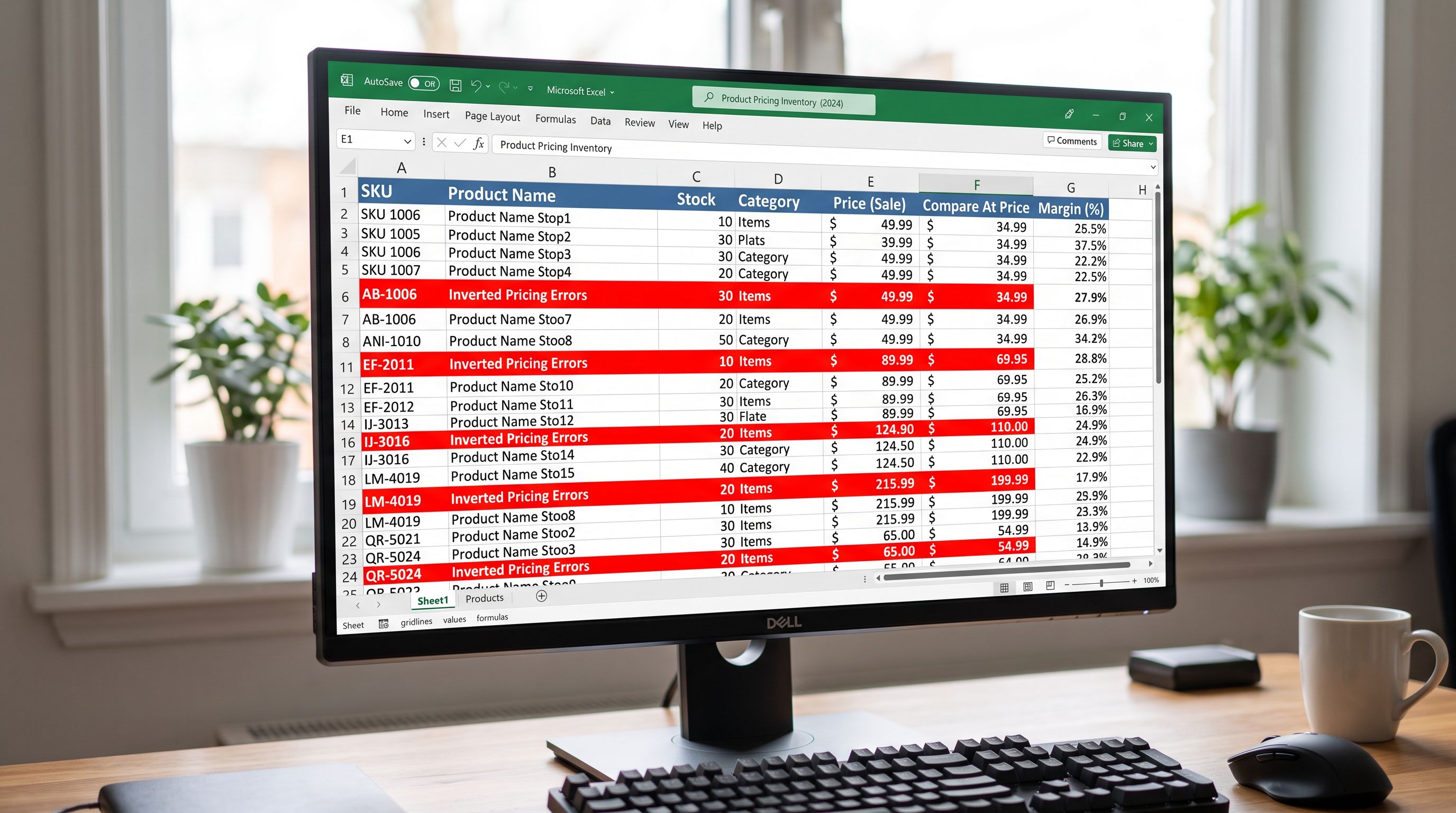
2. Broken compare-at prices. BFCM discount mechanics require a compare-at price higher than the sale price. Stores that set BFCM pricing via bulk import sometimes reverse the two fields: the supplier cost lands in compare_at_price and the retail price in price. Shopify displays the lower of the two as "Compare At" and the higher as the current price, which is the opposite of a sale display. Post-BFCM, the Pricing export preset produces a two-column spreadsheet (price and compare_at_price per SKU) for rapid review. A re-import with the corrected columns fixes the issue across the full catalogue in minutes.
3. Images not showing the purchase-decision angle. High-traffic, low-conversion product pages often lack the image that answers the buyer's primary question. A kitchenware product with images of the product on a styled table but no image showing the interior capacity, the dishwasher-safe marking, or the size-reference context leaves the buyer without the confirmation they need. Post-BFCM image review identifies which product types need a specific angle added for the next campaign.
4. Empty or low-relevance collections. BFCM-specific collections ("Black Friday Gifts Under $50", "Cyber Monday Homewares Sale") often carry over product assignments that were correct for BFCM but produce an odd collection in January. Post-BFCM, reviewing collection membership and removing BFCM-specific tags prevents stale collections from appearing in future campaigns. A re-import pass with updated tags column corrects collection membership in bulk.
5. Wrong or missing SEO handles. BFCM campaigns frequently redirect traffic to product pages via marketing links that use the product handle. If a product's handle was changed at any point (auto-updated on a title change, for example), incoming links from marketing emails and social posts return 404s during BFCM. Post-BFCM, reviewing the handle list against the campaign links identifies which products lost their incoming link equity. Importier's Import History records the file and date of every handle change; the Import History audit trail identifies when the change occurred.
6. Compare-at prices not cleared post-BFCM. A sale price set for BFCM that is not cleared after the campaign leaves products appearing permanently discounted, eroding the credibility of future promotions. A Pricing export post-BFCM shows which products still have a compare_at_price set above the current price. A re-import with the compare_at_price column blank clears the sale appearance across the catalogue.
The Cleanup Workflow
Running the Post-BFCM Data Audit
The post-BFCM audit uses different data sources than the pre-BFCM audit. Rather than checking which fields are blank, it checks which gaps cost money.
Step 1: Pull site search data. Export the site search queries from Shopify analytics or the connected analytics platform. Filter for: queries with zero results, queries with a result click-through rate below 20%, and queries that produced results but no add-to-carts. Each query cluster identifies a missing metafield or a misnamed product type.
Step 2: Pull product page conversion data. Sort product pages by visits during the BFCM window. For any product page with more than 50 visits and a conversion rate more than 50% below the store average, add it to the fix list. The fix will be identified by reviewing what the product page actually shows versus what the buyer needed to convert.
Step 3: Run the Pricing export preset. Pull the Pricing export from Importier's export panel: it produces a file with price and compare_at_price for every SKU. Filter for: compare_at_price lower than price (inverted), compare_at_price non-blank for products that are no longer on sale (residual BFCM discounting), and price values that differ from the intended post-BFCM price.
Step 4: Run the SEO Audit export. The BFCM catalogue audit workflow covers the pre-BFCM SEO Audit export in detail. Post-BFCM, run the same export and compare it to the pre-BFCM baseline. New gaps that appeared during BFCM (products added for the campaign without description review, products whose data was changed in bulk and lost fields) show up as regressions in the post-BFCM export.
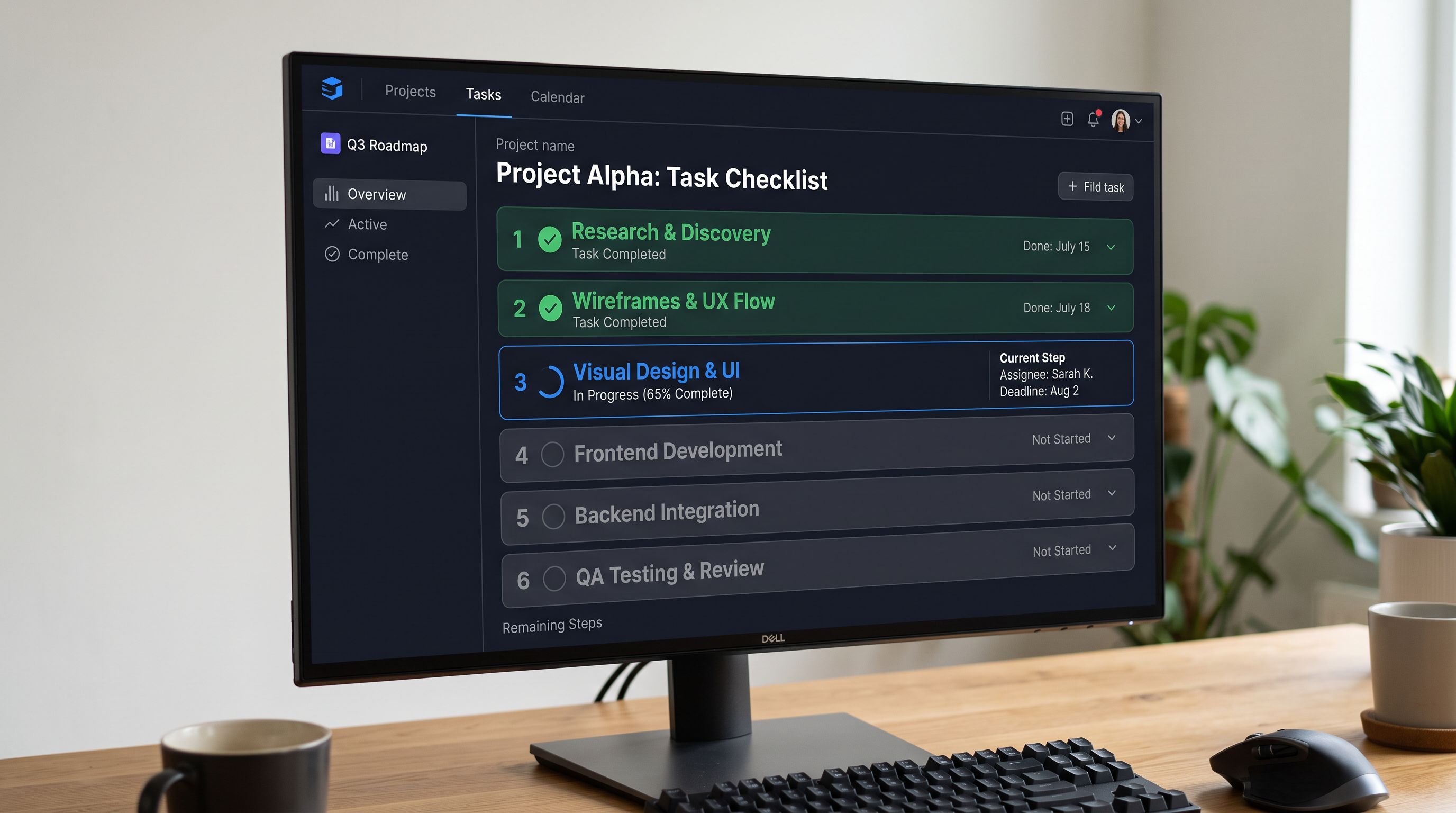
- 01Export BFCM search analytics from Shopify analyticsfilter by site search queries, sort by sessions with zero results or zero add-to-carts, and create a metafield definition for each query cluster that represents a missing product attribute (food-safe, machine-washable, anti-glare, ISO-certified)
- 02Export product page conversion data for the BFCM windowsort by sessions, filter to products above 50 sessions, flag any with conversion rate below 50% of store average for individual review
- 03Run the Pricing export preset in Importierfilter the output for compare_at_price below price (inverted pricing), compare_at_price present on products no longer on sale, and price values requiring post-BFCM correction; prepare a re-import file with corrected price and compare_at_price columns
- 04Run the SEO Audit export in Importiercompare description coverage, GTIN coverage, and image count to the pre-BFCM baseline; new regressions were introduced by BFCM bulk edits and need immediate remediation
- 05Run AI enrichment for the missing specification metafields identified in step 1select the relevant industry persona, map product data fields to the new metafield definitions, and run a batch enrichment pass on the affected products
- 06Re-import the corrected Pricing file and the enrichment output via Importier's import wizard; validate using the Import History panel that the batch applied correctly before marking the cleanup complete
Timing the Post-BFCM Cleanup
The commercial value of a post-BFCM cleanup depends on how quickly it is completed. A January cleanup fixes the catalogue for the next campaign but misses the December gifting traffic that follows immediately after Cyber Monday. A cleanup completed by 10 December captures the second-largest gifting traffic window of the year with the improvements applied.
The six-fix workflow above typically requires three to five hours across two days for a catalogue of 200-500 products:
- Site search analysis and metafield creation: 1-2 hours, depending on query volume
- Pricing audit and correction re-import: 30-60 minutes
- SEO Audit comparison and description remediation: 1-2 hours (description generation is automated; the time cost is reviewing the audit output)
- Collection and handle review: 30-45 minutes
The fixes that require the most time (description remediation, metafield enrichment) are the ones that compound: a food_safety metafield added in November is available for Christmas gifting, January clearance, Valentine's Day, and every subsequent campaign. The pre-BFCM audit is a single-year fix; the post-BFCM cleanup is an investment in the catalogue's long-term performance.
According to Shopify's commerce trends research, the merchants who grow most consistently year-over-year treat post-peak periods as catalogue improvement windows rather than wind-down periods. The data gaps that BFCM surfaces are the gaps that will recur in every subsequent high-traffic event until they are fixed.

- 312 site searches for food-safe attributes return zero results in December gifting traffic, same as BFCM
- Products with inverted compare-at prices remain on sale display through December; next promotion credibility reduced
- High-bounce product pages from BFCM receive December gifting traffic with the same missing specification data
- BFCM-specific collection tags remain active; stale BFCM collections appear in December marketing
- Missing specification metafields identified by BFCM search analytics remain absent for Christmas campaign
- food_safety metafield created and populated for 140 products; 312 search sessions now find matching products with filter values
- Pricing export corrected: compare_at_price cleared for post-BFCM lines, inverted prices fixed; December promotions display correctly
- High-bounce product pages enriched with missing spec metafields; December gifting traffic converts on confirmed attribute values
- BFCM tags removed; December gifting collections updated with correct product membership
- Six-fix workflow completed in under 5 hours; improvements compound across Christmas, January clearance, and Valentine's Day campaigns
The gifting and homewares store completed a five-hour post-BFCM cleanup across the three days following Cyber Monday. The food_safety metafield was created and populated for 140 products from product type and description data. Inverted pricing was corrected across 23 SKUs from a Pricing export re-import. Three high-bounce product page issues were identified and resolved with enriched specification metafields. December gifting traffic in the two weeks following the cleanup showed the food-safety collection converting at 2.1% against a 1.4% BFCM baseline for the same products. The 312 zero-result search sessions became a navigable filtered collection.
Try Importier free at importier.app.
Set up your first import in under five minutes.
Importier brings products into Shopify with AI descriptions, category metafields, and data enrichment on every run.