# Shopify Store Scanner Append Mode: Upgrade Thin Descriptions
> Store Scanner's Append mode adds AI content after existing supplier text. Here is when to choose it, how to configure it, and what to expect.
- Published: 2026-08-13
- Author: Importier Team
- Category: Agentic Commerce / AI Product Descriptions
- Canonical: https://www.importier.app/blog/shopify-store-scanner-append-mode
---
A wholesale kitchenware merchant imported 380 products from a supplier CSV. Shopify Store Scanner's Append mode was built for the problem they encountered: each product has a supplier description that is accurate but thin, and the merchant needs to improve the content without discarding the supplier's specification text.
The supplier's descriptions run 20 to 45 words per product. "Stainless steel mixing bowl, 28cm diameter, induction compatible, dishwasher safe, 12-month warranty." These descriptions are not wrong. They provide the minimum information a buyer needs to confirm they are looking at the right product. What they do not do is help the buyer decide to purchase it.
The merchant's dilemma: Replace mode would generate comprehensive AI descriptions and discard the supplier's text entirely. For a kitchenware merchant whose supplier contract requires warranty language to appear verbatim on every product page, that is not acceptable. Append mode resolves this.
## Why Thin Supplier Descriptions Underperform
A 35-word description fails at every stage of the buyer journey simultaneously.
**Conversion.** A buyer deciding between two kitchen scales does not convert on a specification list alone. They convert on understanding how the product fits their use case: precision for home baking, portioning for meal prep, taring for coffee brewing. A thin description answers "what is this?" but not "is this right for my situation?" The specification list creates no desire to buy.
**Search visibility.** According to [Shopify's guidance on managing and updating products](https://help.shopify.com/en/manual/products/add-update-products), product descriptions are a primary signal for how search engines index and rank product pages. A 35-word description gives search engines little content to match against buyer search queries compared to a 300-word description covering use cases, compatible products, and specific scenarios.
**AI shopping discovery.** Google's AI Mode and similar AI shopping agents surface products based on how completely a product page answers buyer questions. [Google's product data quality guidance for Merchant Centre](https://support.google.com/merchants/answer/6386148) explicitly states that detailed, accurate product descriptions improve how products appear across Search, Shopping, and AI-driven commerce features. A 35-word description cannot answer "which mixing bowl is best for bread dough?" even if the answer is obvious from the product's specifications.
## Replace Mode vs Append Mode: What Each Does to Your Data
Store Scanner offers two push modes. Understanding what each does at the data level matters more than the label.
**Replace mode** overwrites the existing Body HTML in Shopify entirely. When the push runs, the product's description field is replaced with the AI-generated content. The original supplier text is gone. Replace mode is correct when the existing description is incorrect, outdated, or contains no content worth keeping.
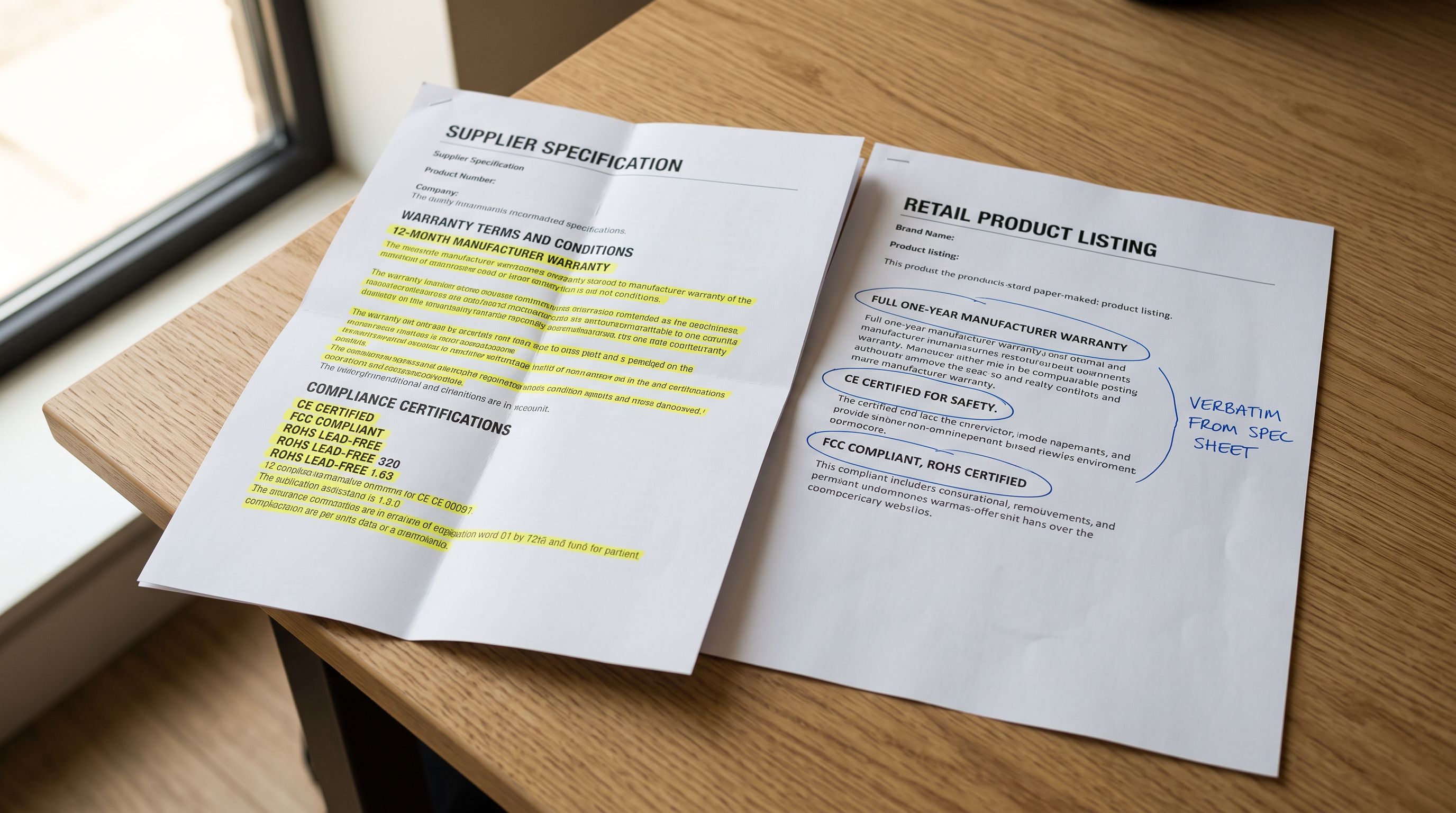
**Append mode** inserts AI-generated content after the existing Body HTML. When the push runs, the product's description field receives the original text, followed immediately by the new AI content. The original supplier text remains unchanged at the top.
The distinction matters most for supplier-sourced catalogues. Supplier descriptions frequently contain text the merchant cannot unilaterally change: warranty terms ("12-month manufacturer warranty applies to defects in materials and workmanship only"), compliance declarations ("meets EN71 safety standard"), or ingredient lists required by food or cosmetics regulation.
Replace mode removes this text. Append mode leaves it in place and adds conversion content after it.
Append mode for accurate-but-thin descriptions where specific text must be preserved. Replace mode for incorrect, outdated, or placeholder descriptions where starting fresh is better than building on bad foundations.
## When Shopify Store Scanner Append Mode Is the Right Choice
Three scenarios reliably favour Append over Replace.
**The supplier description contains legal or compliance text.** Warranty terms, safety certifications, and ingredient declarations are often required verbatim by supplier contract or regulatory requirement. If these appear in the existing Body HTML, Append mode leaves them intact. Replace mode removes them, creating a legal or contractual risk that the merchant must then fix manually.
**The descriptions are thin but technically accurate.** A 30-word specification list for a kitchen scale may be entirely correct without being useful for conversion. Append mode treats the specification as the foundation and builds on it, rather than replacing accurate text with AI content that must then be verified against the supplier's spec sheet.
**Descriptions have been partially written manually.** Some merchants have added custom sections to certain products, such as compatibility notes or care instructions, written by hand. These manually-written sections represent effort the merchant does not want to discard. Append mode adds to the existing content rather than overwriting it.
## Using Store Scanner's Filter to Identify Thin Descriptions
Store Scanner does not require the merchant to manually review each product page. It scans the live Shopify store and presents a filterable list of products based on their current description status.
The word count filter identifies products whose existing Body HTML falls below a threshold. For a catalogue of 380 products, the filter might show 200 products under 80 words, 140 products under 50 words, and 40 products with no description at all.
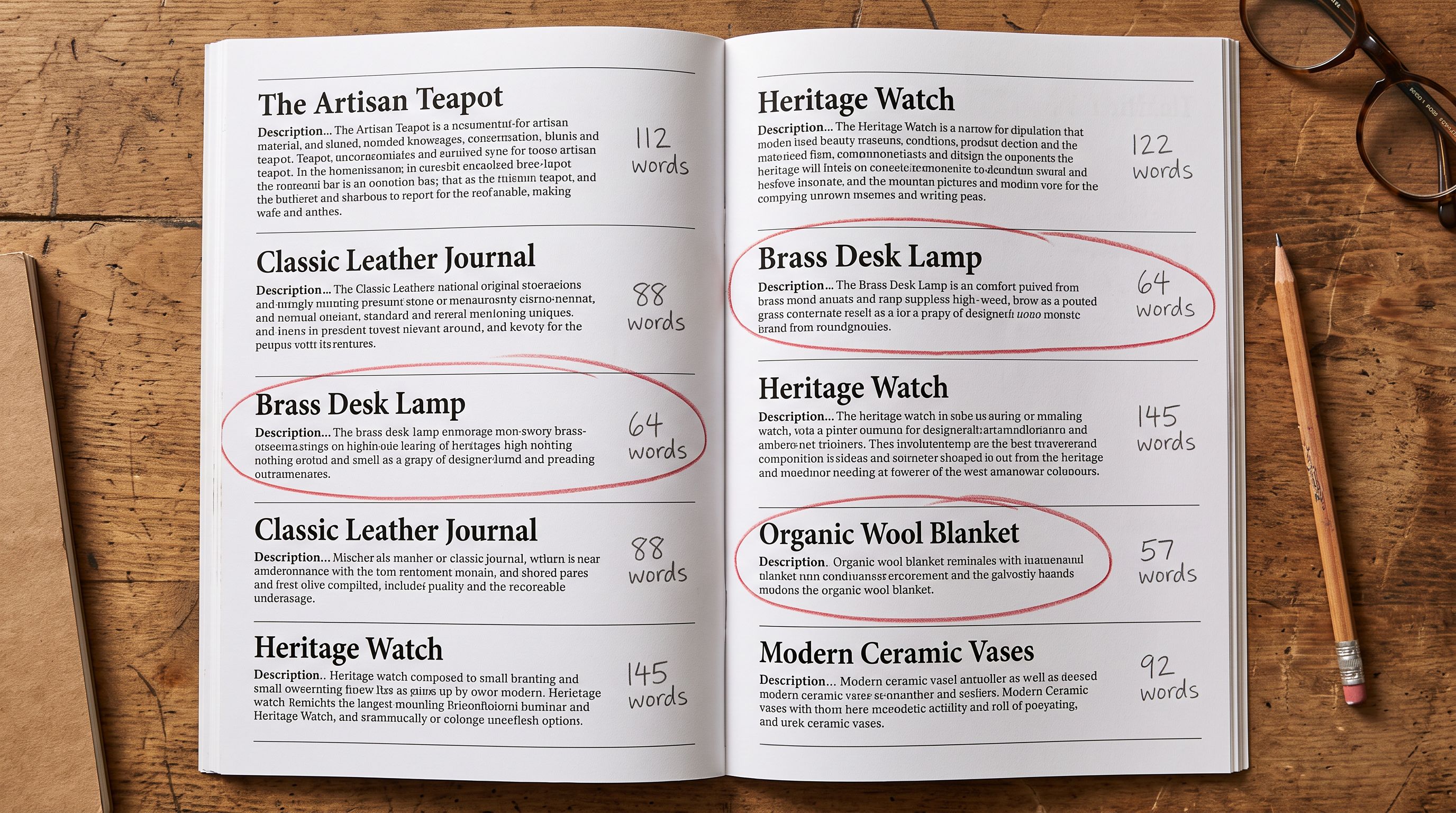
The important distinction for Append mode: it is useful for the 200 products with descriptions under 80 words. These have supplier text worth preserving. The 40 products with no description are better served by Replace mode, which generates a complete AI description from scratch. Append to an empty Body HTML produces only AI content, which is identical to Replace mode's output, so there is no advantage to Append for empty descriptions.
Store Scanner allows the merchant to run separate passes for these two groups. Collection, vendor, and SKU filters narrow the selection further. A merchant with 380 products might run Append mode on 200 kitchenware products, review the output, then proceed to the tableware and bakeware categories as separate runs.
Append mode is not a compromise between supplier accuracy and AI content. It is a structured division of labour: the supplier text provides the verified facts, the AI content provides the context that converts.
## Running Shopify Store Scanner in Append Mode: Step by Step
## What Store Scanner's Append Mode Produces
The output for a 28cm stainless steel mixing bowl illustrates what Append mode does in practice.
**Before (supplier text, 22 words):**
Stainless steel mixing bowl, 28cm diameter. Induction compatible. Dishwasher safe. Non-slip base. Pour spout and measurement markings included. 12-month warranty applies.
**After (supplier text plus AI appended content):**
The original 22 words remain at the top, unchanged. Below them, the AI generates 200 to 280 words covering the bowl's suitability for bread dough, the pour spout's usefulness when transferring batter, the measurement markings for recipe accuracy, and the non-slip base's relevance when beating eggs on a smooth surface. The warranty statement stays exactly where the supplier placed it.
The product page now has both layers: the supplier's verified technical claims and AI-generated content that gives buyers a reason to choose this product over a similar one.
For a 380-product catalogue, this means 380 distinct appended sections, each generated from that specific product's title, existing content, and tag context. A 28cm mixing bowl and a 32cm mixing bowl receive different appended content because they are different products, not because a template substituted one dimension for another.
## Configuring Brand Voice for Consistent Appended Content
When AI content is appended to existing supplier descriptions, the tonal difference between the two sections can be noticeable. A neutral specification list followed by highly persuasive marketing copy reads as two different authors, which undermines credibility.
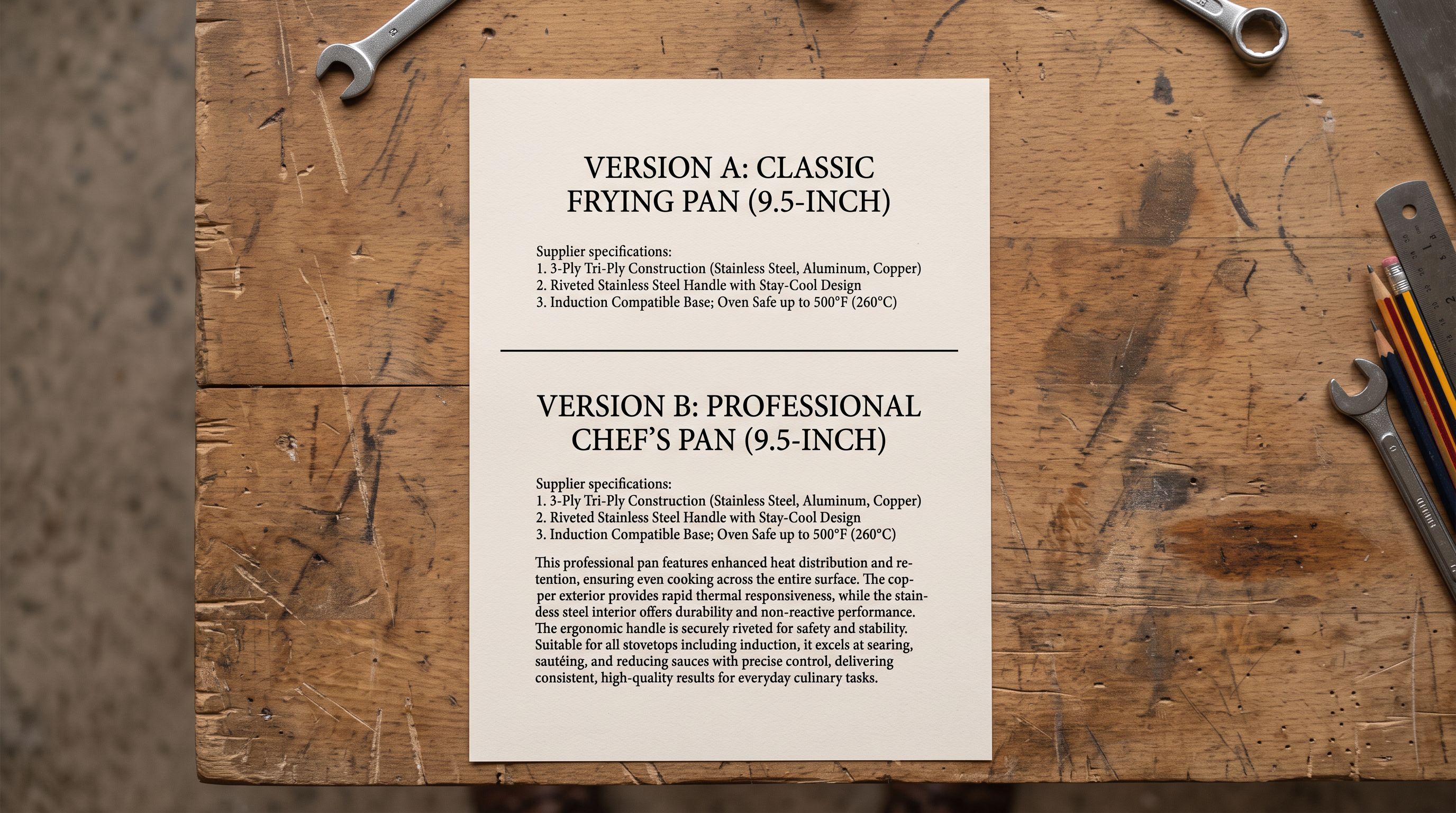
Brand Voice configuration in Importier controls tone, vocabulary, and sentence structure across all generated content. For Append mode specifically, two settings matter most.
**Tone setting.** Professional tone keeps the appended content closer to the neutral register of typical supplier text. Casual or Persuasive tone increases the contrast between the supplier specification and the AI content. For catalogues where supplier descriptions are written in a very neutral, technical register, Professional or Technical tone generally produces appended content that reads as a natural continuation rather than a jarring shift.
**Avoid words list.** Brand Voice allows the merchant to specify words the AI should not use. If the supplier description already uses "stainless steel" as the primary material descriptor, adding it to the avoid list prevents the appended content from repeating the same phrase in close proximity.
Full guidance on setting Brand Voice for consistent AI output is covered in [Importier's Brand Voice configuration guide](https://importier.app/blog/shopify-product-description-brand-voice).
## When Replace Mode Is Better Than Append
Append mode improves catalogues with thin but accurate supplier descriptions. It is not the right tool for every situation.
**The existing description contains errors.** If the supplier reformulated a product and the existing description still references the old formulation, appending accurate AI content after inaccurate supplier text creates a description where two sections contradict each other. Replace mode removes the incorrect content entirely.
**The existing description is very long.** Appending 250 words after an already 400-word description produces a 650-word product page that likely reads as repetitive. When descriptions are already substantial, Replace mode with a different style or voice produces a cleaner result.
**The description is a placeholder or import artifact.** Internal notes left in the Body HTML from a previous import tool, placeholder text like "Description coming soon", or import artifacts from a prior migration are not worth keeping. Replace mode starts clean. The same principle applies to products with no description at all.
For a complete overview of what Store Scanner does across both modes and how it integrates with Import History, [what Shopify Store Scanner does and when to use it](https://importier.app/blog/shopify-store-scanner) covers the full feature set.
## Shopify Store Scanner Append Mode: Key Takeaways
Store Scanner's Append mode is designed for a specific catalogue problem: existing descriptions that are accurate but thin. For catalogues where supplier text contains content that must be preserved, Append mode is the right tool.
- **Append mode leaves original text intact.** The supplier's description, including any compliance, warranty, or regulatory language, stays at the top of the product page exactly as it was. AI content is inserted after it, not in place of it.
- **Use the word count filter to identify candidates.** Store Scanner's filter identifies products below a word count threshold across the entire catalogue automatically. Products under 80 to 100 words with existing supplier text are typical Append mode candidates.
- **Run separate passes for thin descriptions and empty descriptions.** Append mode is for products with existing supplier text worth keeping. Products with no description at all are better served by Replace mode. Store Scanner's filters allow these groups to be handled separately in the same session.
- **Choose a description style that complements existing content.** Benefits-First and Sensory-Rich styles add buyer scenario and emotional context that specification lists lack. Technical style adds more specification detail. Match the style to what the existing supplier text does not cover.
- **Configure Brand Voice before running Append mode at scale.** Tone setting and the avoid words list reduce the tonal gap between supplier specification text and AI-generated content. Review 15 to 20 sampled products in the preview table before pushing the full run.
- **Replace mode remains appropriate for incorrect or outdated descriptions.** Append is for thin-but-accurate content. When the existing text needs to go, Replace mode is the right choice.
For catalogues where most products have no description at all rather than thin supplier text, the workflow is different. [What to do when your Shopify products are missing descriptions](https://importier.app/blog/shopify-products-missing-descriptions) covers the Replace-mode workflow for empty catalogues and how to prioritise which products to generate first.
Start upgrading your catalogue at [importier.app](https://importier.app).