# Shopify Multi-Team Product Import Workflow: Coordinate Data Entry, Review, and Publishing
> How enterprise Shopify teams coordinate product imports across data entry, SEO, copy, and QA roles — with the import brief, review steps, and handoff process.
- Published: 2026-09-23
- Author: Importier Team
- Category: Import Guides / File Imports
- Canonical: https://www.importier.app/blog/shopify-multi-team-product-import-workflow
---
A fashion accessories brand importing 340 new-season products had a 12-person ecommerce team: data entry staff, an SEO manager, a copywriter, and a QA lead. The data entry team built the CSV on day one. The SEO manager reviewed titles the following morning and found 80 that needed rewrites. The copywriter arrived a day later to discover descriptions already generated, half of them using the wrong persona: the Brand Voice settings had not been updated for the new product range. Publishing shifted back two days while the team corrected descriptions in Shopify admin, one product at a time.
The import tool was not the problem. The problem was no coordination structure before the import ran.
For teams of two or three, a shared spreadsheet and a quick message can cover the handoffs. At five people or more, the same informal approach produces version conflicts, missed settings changes, and rework cycles that eat the time the import was supposed to save.
## The Four Roles in an Enterprise Product Import Team
In most enterprise ecommerce teams, a product import touches four distinct roles. Understanding what each role needs and when they need it determines whether the import runs cleanly or produces a revision backlog.
**Data entry and supplier liaison.** This person receives the supplier file, cleans column names to match the saved import profile, and imports the CSV into Importier. They know the file format and supplier conventions, but typically do not own the SEO or copy requirements. Their job is to get a valid, correctly structured file ready for import.
**SEO manager.** Reviews product titles, confirms keyword placement, and validates collection assignments and metafield data before products go live. This role's input must come before descriptions are generated: a title change after generation produces a description that no longer matches the product's primary keyword.
**Copywriter or content team.** Reviews AI-generated descriptions, adjusts brand tone, updates seasonal language, and checks that promotional context (free shipping, gift occasion, sale framing) is current. This role depends on confirmed titles to do its work well. Generating descriptions against unreviewed titles produces output that needs rewriting.
**QA and publishing.** Reviews the complete product record (title, description, images, pricing, collections, tags), checks for data gaps using the SEO Audit export preset, and approves batches for publication. This is the only role that touches the publish action.
The dependencies run in sequence: data entry feeds SEO, SEO feeds copy, copy feeds QA. Each step must be complete before the next begins. Without a handoff structure, these steps run in parallel or out of order, and rework follows.
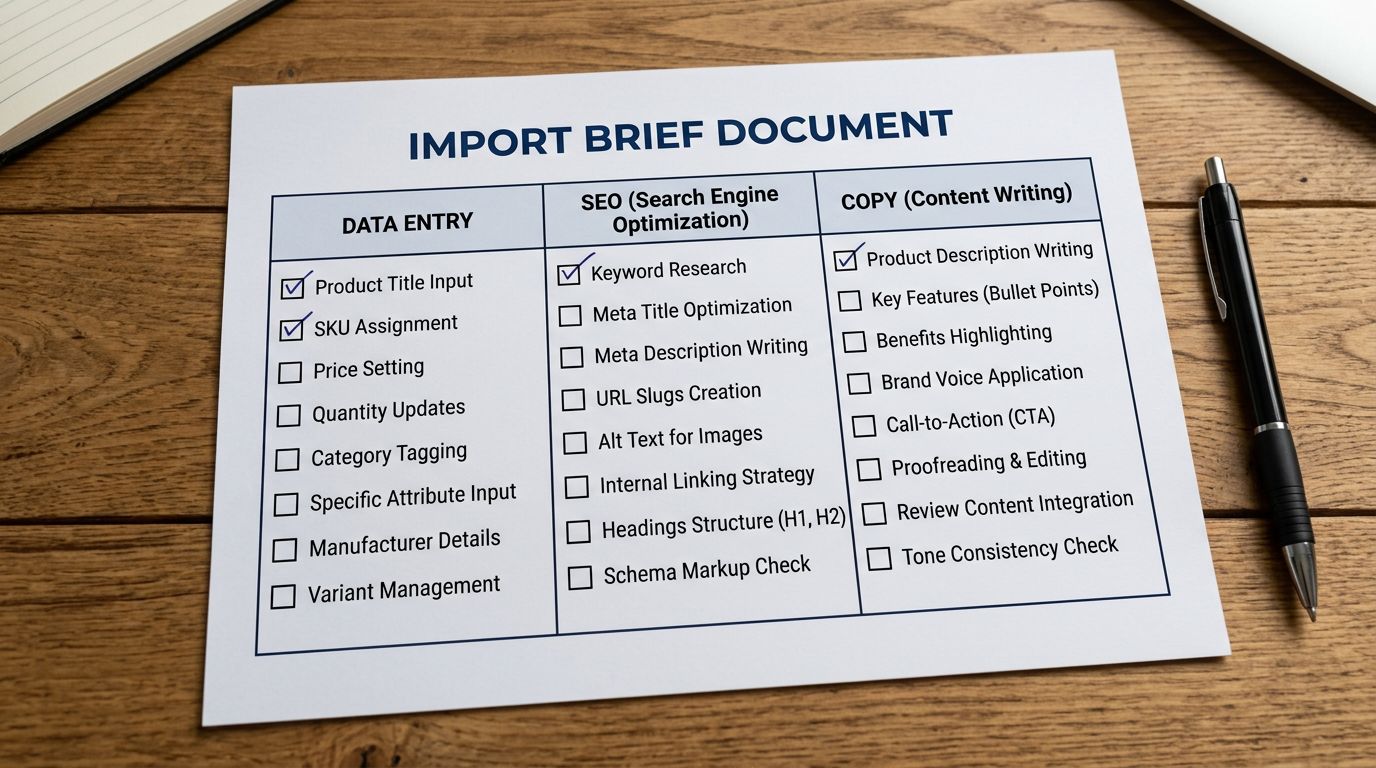
The import brief is the document that aligns all four roles before the first file arrives from the supplier. It takes 15 minutes to write and removes the back-and-forth that costs days.
## The Import Brief: The Pre-Import Document That Prevents Rework
The single most effective intervention in a multi-team import workflow is a brief written before any supplier file arrives. Not a lengthy specification document. A single page that answers the questions each role will ask when the work lands.
A well-structured import brief covers:
- **Product category and Industry Pack:** Which Importier Industry Pack applies to this batch. This determines the metafield attributes available and the category vocabulary used in description generation.
- **Brand Voice settings:** Which persona to use, which avoid words are active, and any example phrases the copywriter wants the AI to match. If the Brand Voice settings need updating for a new season or product range, the brief documents what changes before anyone touches the Importier settings.
- **Description style:** Whether to use Benefits-First for a new launch, Technical for specification-heavy products, or another of the seven styles. If the copywriter has a preference, it goes in the brief, not in a message sent after generation runs.
- **Tags column values:** Which collection tags, promotional tags, and shipping tags apply to this batch. The data entry team applies them before import; the brief is the source.
- **Compare At price handling:** Whether to populate Compare At prices, which source column to use, and whether the value represents the original RRP or a sale-to-sale comparison.
- **Publication status:** Whether products import as Draft (default for multi-team workflows) or Active.
When the brief exists, the data entry team maps the correct column to each field on the first attempt. The Brand Voice is set correctly before generation runs. The copywriter knows what to expect before descriptions arrive. The QA lead knows which tags and collection rules to verify before sign-off.
Without a brief, those decisions happen reactively: after the import, in messages, with products already in Shopify. Each decision that comes late adds a re-import or a manual correction pass.
An import brief is not documentation for its own sake. It is the coordination mechanism that removes the revision cycle that follows every import done without one.
## Version Control for Import Files
Multi-person files without version discipline produce one reliable outcome: someone imports the wrong version.
The common failure: the data entry person sends `products-nov.csv`. The SEO manager adds a keyword column and saves `products-nov-seo.csv`. The copywriter adds description guidance to a third version. The data entry team imports the first file again after a correction, not the third. The import runs from an intermediate version, missing three rounds of changes.
A file naming convention resolves this without tooling overhead:
`[brand]-[category]-[YYYY-MM-DD]-[v1|v2|final].csv`
One shared folder, one active file at a time. Version numbers increment as the file passes between roles. The `final` suffix is gated: only the QA lead can apply it, and it signals the file is ready to import. No imports run from a file without the `final` suffix.
The [saved import profile approach](https://importier.app/blog/shopify-import-template-library) applies the same discipline to Importier settings. The profile saves column mapping, AI description settings, Brand Voice configuration, and publication status. If the SEO manager changes the Industry Pack between batches and saves the profile, that change is live for all subsequent imports using that profile. Profile edits need the same communication structure as file edits. The import brief is the right place to note a profile change before it happens.
For [large catalogue imports across multiple batches](https://importier.app/blog/shopify-large-catalogue-import-strategy), version control becomes more critical: with 30-plus batch files covering a 12,000-product migration, a naming convention and a locked `final` suffix prevents a batch from being imported twice or out of sequence.

## How Importier Reduces Team Dependencies
The traditional multi-team import workflow has two hard bottlenecks: the SEO manager must approve titles before descriptions are generated, and the copywriter must be available when generation runs. Both create waiting time.
Importier reduces these bottlenecks through a two-pass import structure.
**Pass 1: Product records only.** The data entry team imports titles, handles, prices, types, tags, and publication status set to Draft. No AI descriptions in this pass. Products appear in Shopify as Drafts, ready for the SEO manager to review.
**Pass 2: Description generation.** Once the SEO manager confirms titles (making any edits directly in Shopify), the data entry team opens the relevant products in Importier and runs description generation using the pre-configured Brand Voice, Industry Pack, and description style from the brief. Generation runs against the confirmed titles already in Shopify.
This structure decouples title review from description generation. The SEO manager reviews the product record without waiting for a description to exist. The description generates after the title is locked, reducing the probability that a copywriter edit of a description is immediately invalidated by a title change.
The 156 expert personas across 43 industries reduce the copywriter's workload further. A Jewellery & Accessories persona applied to an accessories batch produces category-appropriate vocabulary and tone without manual adjustment. A Technical persona applied to electronics produces specification-led language that a general copywriter would need domain knowledge to write. The copywriter reviews for brand alignment rather than rewriting for category fit.
For [teams managing enterprise-level product data standards](https://importier.app/blog/shopify-enterprise-product-data-standards), the Industry Pack's 3,758 attributes across 22 packs provide the category taxonomy that would otherwise require a separate data standards document. The pack IS the standard, applied at import time.

## The Review and Approval Workflow
A structured review workflow establishes a clear handoff signal between each role. Without it, each person assumes the previous step is complete when it may not be.
The handoff signal can be as lightweight as a shared spreadsheet column or a Shopify product tag. The convention that works most consistently for product imports is a tag-based approval chain:
- Products import as `status: Draft` with no additional tags.
- After SEO review, approved titles get the tag `seo-approved`.
- After copy review, approved descriptions get the tag `copy-approved`.
- After QA sign-off, the QA lead applies `publish-approved`.
- The bulk publish action filters on `publish-approved` and sets status to Active.
The tag chain is visible in Shopify admin without any additional tooling. Any product stuck at a stage shows which tag is missing, which identifies which role is holding the batch.
Products that cannot pass a stage are tagged `review-required` with a note in the product description or a product tag specifying the issue: `review-required-title`, `review-required-description`, `review-required-image`. The batch publishes without them. A separate follow-up import handles the corrected products once the issue is resolved.
According to [Shopify's staff accounts documentation](https://help.shopify.com/en/manual/your-account/staff-accounts), staff accounts can be configured with permissions that limit access to specific areas of Shopify admin. For teams where the data entry role should not have access to Pricing or Shipping settings, staff permissions create the access boundary without requiring separate Shopify accounts.

## Import History as the Team Audit Trail
After a batch publishes, the question that comes up in enterprise teams is: what exactly was imported, when, and by whom?
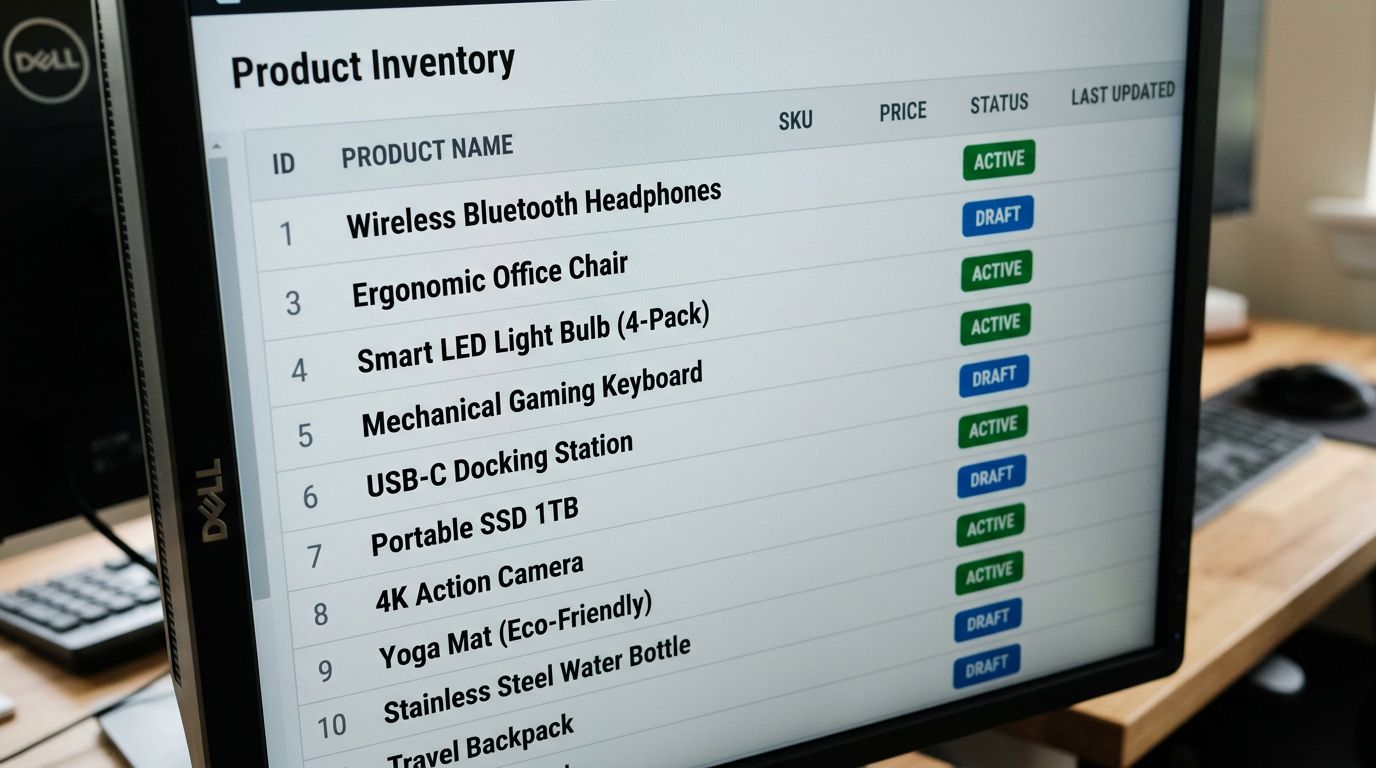
Import History in Importier logs every import and export event with date, time, file name, and product count. Each entry is downloadable as a CSV, with a 60-day link expiry. For compliance-sensitive product categories (food, medical devices, children's products), the log provides the factual record of when a product set was first imported and what file was used.
The undo function in Import History allows a batch to be reverted to its pre-import state. For teams that discover a data error after publishing (a price column mapped to the wrong field, a tag applied to the wrong product set), undo followed by a corrected re-import is faster and more reliable than manual product-by-product editing in Shopify admin.
For the [agency product import workflow](https://importier.app/blog/shopify-agency-product-import), Import History serves as the client handoff document: the agency sends the CSV download from Import History as confirmation of what was imported, when, and from which file.
According to [Shopify's product data requirements](https://help.shopify.com/en/manual/products/details), a product requires only a title and a price to be valid. In a multi-team import workflow, this supports the two-pass structure: Pass 1 creates valid product records with title and price (Draft, no descriptions). All other enrichment happens in subsequent passes without the product being in an invalid state between steps.
The fashion accessories brand that lost two days to uncoordinated imports now runs a single import brief shared to all four roles at the start of each new product batch. The data entry team confirms the brief before touching the file. Description generation runs after title sign-off. The QA lead publishes from the `publish-approved` tag filter. A 340-product batch that once took four days now imports and publishes in one working day.
Try Importier free at importier.app.