# Shopify Fabric and Textile Import: Care Labels, Fibre, and Width
> Fabric merchants importing to Shopify need care instructions, fibre composition, and fabric width as structured metafields, not freetext. Here is how to do it.
- Published: 2026-08-28
- Author: Importier Team
- Category: Industry Guides
- Canonical: https://www.importier.app/blog/shopify-fabric-textile-product-import
---
An Australian quilting fabric retailer has 450 bolts of fabric ready to move from a spreadsheet into Shopify. The inventory spans 12 suppliers and covers cottons, linens, wools, and blended fabrics. Every row in the spreadsheet carries fibre composition (52% cotton, 48% linen), fabric width (112cm, 140cm, or 280cm), GSM weight, thread count where applicable, care instructions, and country of origin. All of it has been maintained meticulously by the buying team.
The problem appears the moment they open Shopify's import template. Shopify's standard product fields are: title, body HTML, vendor, type, tags, price, SKU, barcode, weight, and inventory quantity. There is no field for fibre composition. No field for care instructions. No field for fabric width in centimetres. No field for GSM. The entire data set that distinguishes a 120gsm double gauze from a 280gsm upholstery-weight linen has nowhere to go in a standard import.
Fabric and textile merchants sell on data that standard Shopify product fields were never designed to hold. Fibre composition, care instructions, fabric width, and GSM are not optional product metadata for a fabric store; they are the primary attributes customers filter by when selecting fabric for a project. Without these as structured metafields, collection filters, faceted search, and care-label compliance all break.
## Why Fabric Products Break Standard Shopify Import
Most product categories fit Shopify's data model without significant friction. A clothing retailer has size and colour. An electronics retailer has storage capacity and screen size. These attributes map cleanly into Shopify's title, variant options, and tags.
Fabric and textile products need a different set of attributes entirely:
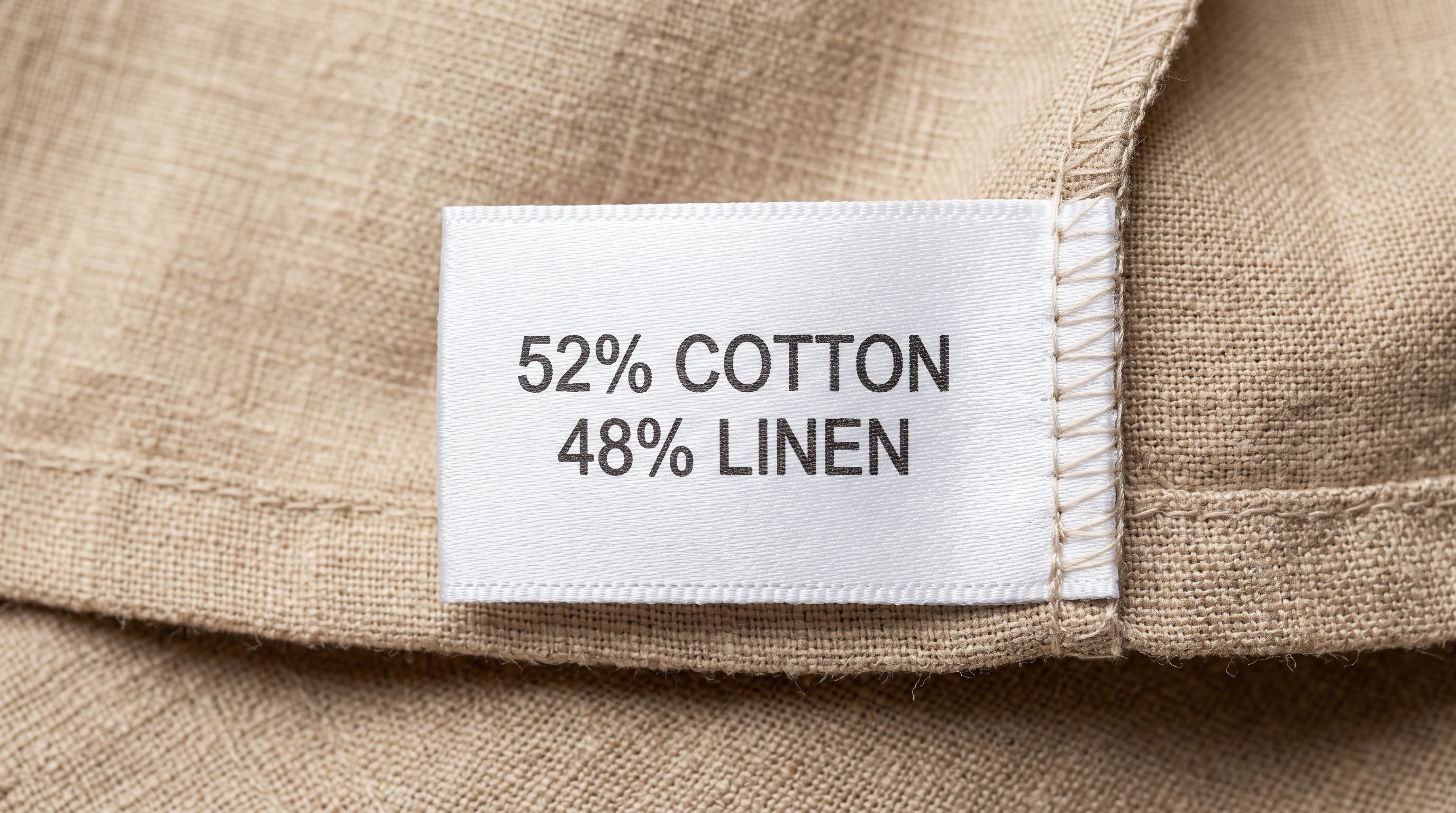
**Fibre composition.** The percentage breakdown of fibres in the fabric: 100% cotton, 52% cotton 48% linen, 90% merino wool 10% nylon. Composition is not a single value; it is a structured list of fibre types and percentages. In a standard Shopify import, it either goes into tags (losing the percentage data) or into the description body (making it unsearchable and unfiltered).
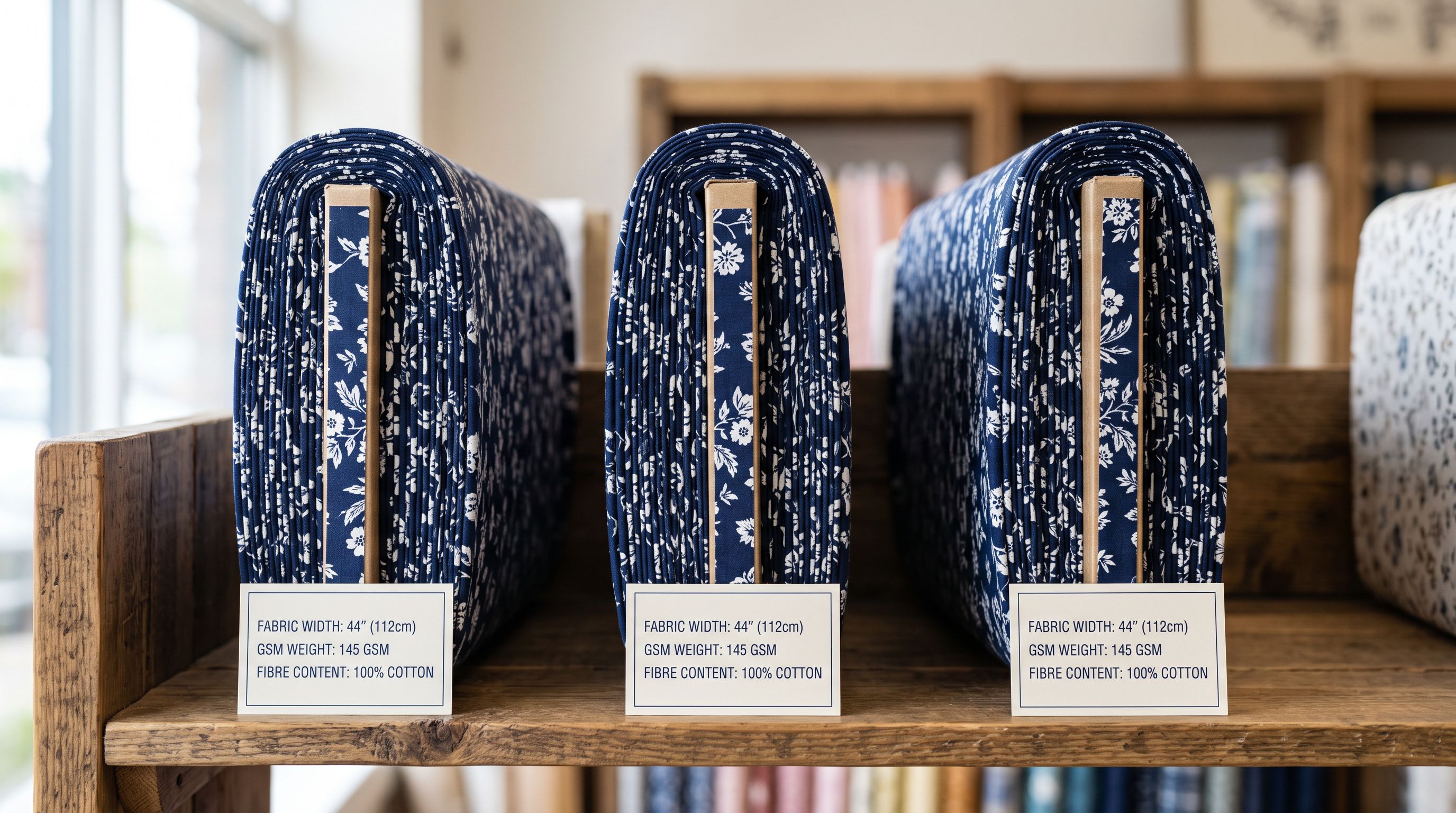
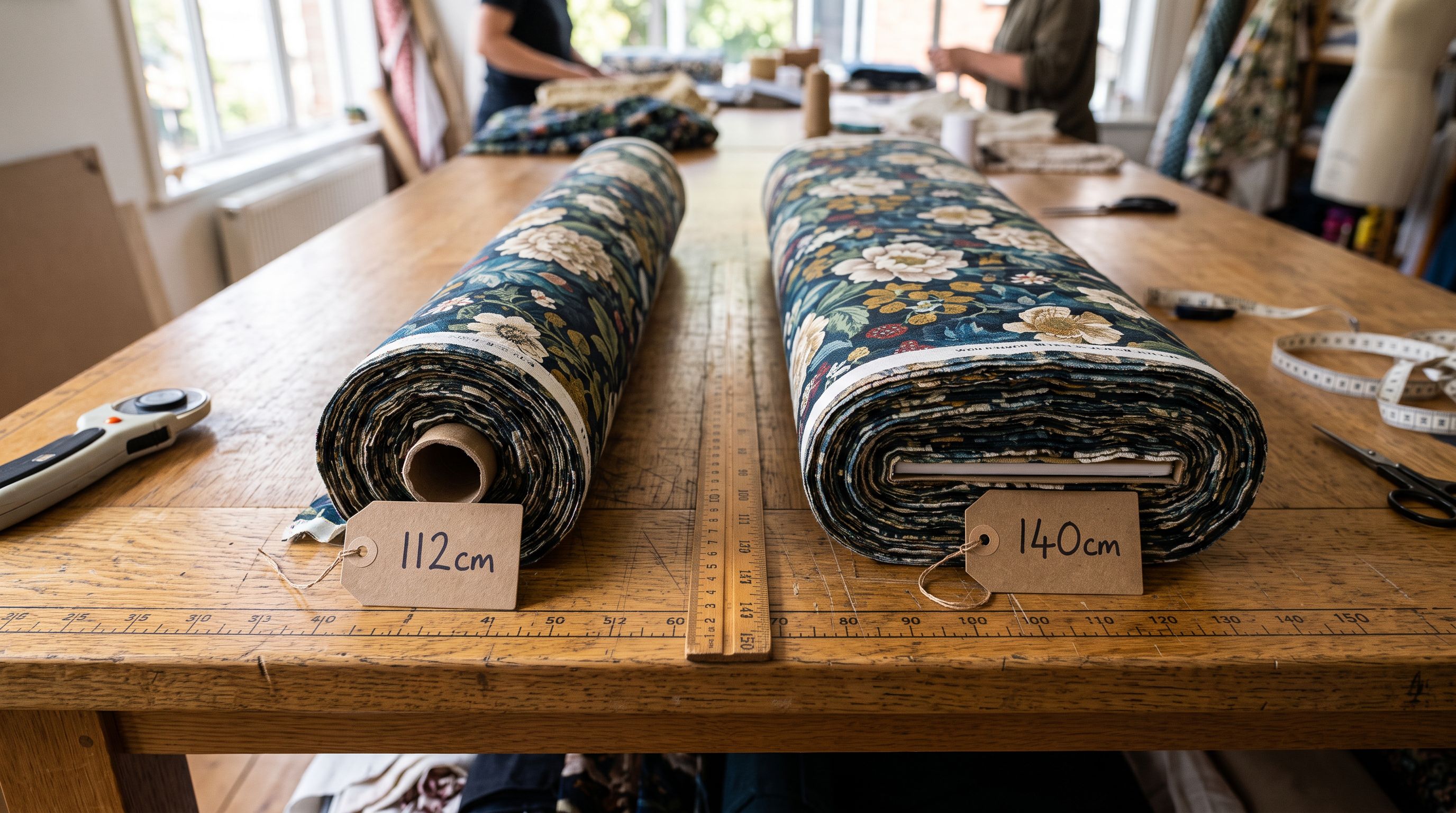
**Fabric width.** The usable width of the fabric bolt in centimetres or inches (typically 112cm, 140cm, or 150cm for quilting and dress fabrics; 280cm for sheeting; up to 300cm for upholstery and furnishing weights). Width directly affects how much a sewer needs to buy for a project. A Shopify tag of "140cm wide" cannot be used in a collection filter with a specific width range.
**GSM (grams per square metre).** The weight of the fabric, which determines drape, opacity, and suitability for different projects. Dress fabrics run from 80-150gsm; quilting cotton runs from 120-160gsm; upholstery fabric from 300-600gsm. Customers searching for "lightweight linen for summer dresses" need a GSM range filter, not a text search.
**Care instructions.** Machine wash cold, handwash only, dry-clean only, do not tumble dry, iron low heat. These are not marketing copy; they are mandatory labelling information in most markets, including Australia under the Care Labelling Code, and the United States under the [FTC's Care Labelling Rule](https://www.ftc.gov/business-guidance/resources/care-labeling-rule-guide-business). Free-text care instructions in a description body cannot be validated against a controlled vocabulary, cannot be filtered, and cannot be exported to a care label database for compliance purposes.
**Thread count.** Relevant for woven fabrics, particularly bedding and shirting. Thread count is a single integer value, but it belongs in a dedicated numeric metafield for filtering and sorting, not embedded in a description sentence.
## Fabric and Textile Metafields in Shopify
The correct approach is to store all fabric-specific attributes as structured Shopify metafields. Metafields are machine-readable, filterable via Shopify's collection filter system, and exportable via the Shopify API for compliance and integration purposes.
Importier's Fabrics and Textiles Industry Pack includes pre-configured metafield definitions for all standard fabric data attributes:
- `textile.fibre_composition`: the full fibre breakdown as a text field (e.g., "52% Cotton, 48% Linen"). For structured composition data with individual fibre percentages, use a JSON metafield that stores each fibre as a separate key-value pair.
- `textile.width_cm`: fabric width in centimetres as a numeric metafield, enabling range filtering (e.g., "show only fabrics wider than 140cm").
- `textile.weight_gsm`: fabric weight in grams per square metre as a numeric metafield.
- `textile.care_instructions`: care instructions as a structured list from a controlled vocabulary. Standard values: machine-wash-cold, machine-wash-warm, handwash-only, dry-clean-only, do-not-bleach, tumble-dry-low, do-not-tumble-dry, iron-low, do-not-iron.
- `textile.thread_count`: thread count as an integer metafield.
- `textile.country_of_origin`: the country where the fabric was woven or manufactured, for tariff and compliance purposes.
- `textile.pattern_type`: plain, stripe, check, floral, geometric, abstract (for pattern-based collection filtering).
At import time, the merchant maps their spreadsheet columns to these metafield keys using [Importier's column mapping step](https://www.importier.app/blog/shopify-import-column-mapping). A supplier CSV with columns named "Composition", "Width (cm)", "Weight (g/m2)", "Care", and "Origin" maps to the correct metafield keys in the import wizard's column mapping screen. The Industry Pack applies all metafield definitions in a single operation rather than requiring the merchant to create each metafield namespace and key manually in the Shopify admin.
## Care Instruction Compliance as a Shopify Metafield Problem
The FTC Care Labelling Rule (16 CFR Part 423) requires that all textile apparel and household fabrics sold in the United States carry permanently attached care instructions. The equivalent Australian requirements apply to textile goods sold in Australia under the fair trading and consumer protection frameworks.
For Shopify fabric merchants, this creates a specific structured data problem. Care instructions must:
1. Cover all required care aspects: washing method, bleaching, drying, ironing, and professional cleaning.
2. Use recognisable symbols or plain-language instructions (ISO 3758 care symbols are the international standard).
3. Be permanently attached to the product: for online sales, this means clearly displayed in the product listing and included in the care label printed with each order.
Free-text care instructions in the product description body fail on two of these requirements. They are not structured (so a compliance checker cannot validate that all five care aspects are covered), and they cannot be exported to an automated care label system.
A care instruction stored as structured metafield data (not description prose) can be validated against the FTC's required care aspects, exported to a label printing system, and used as a collection filter all at once. Unstructured description text can do none of these three things.
Importier's `textile.care_instructions` metafield uses a multi-select metafield type with a controlled vocabulary list. Each care instruction is a discrete value (machine-wash-cold, do-not-bleach, etc.) rather than a free-text string. When the merchant imports a supplier CSV where the care column contains "Machine wash cold, do not bleach, tumble dry low, iron if needed", Importier's import wizard parses this into the four corresponding controlled-vocabulary values and stores each as a separate metafield list item.
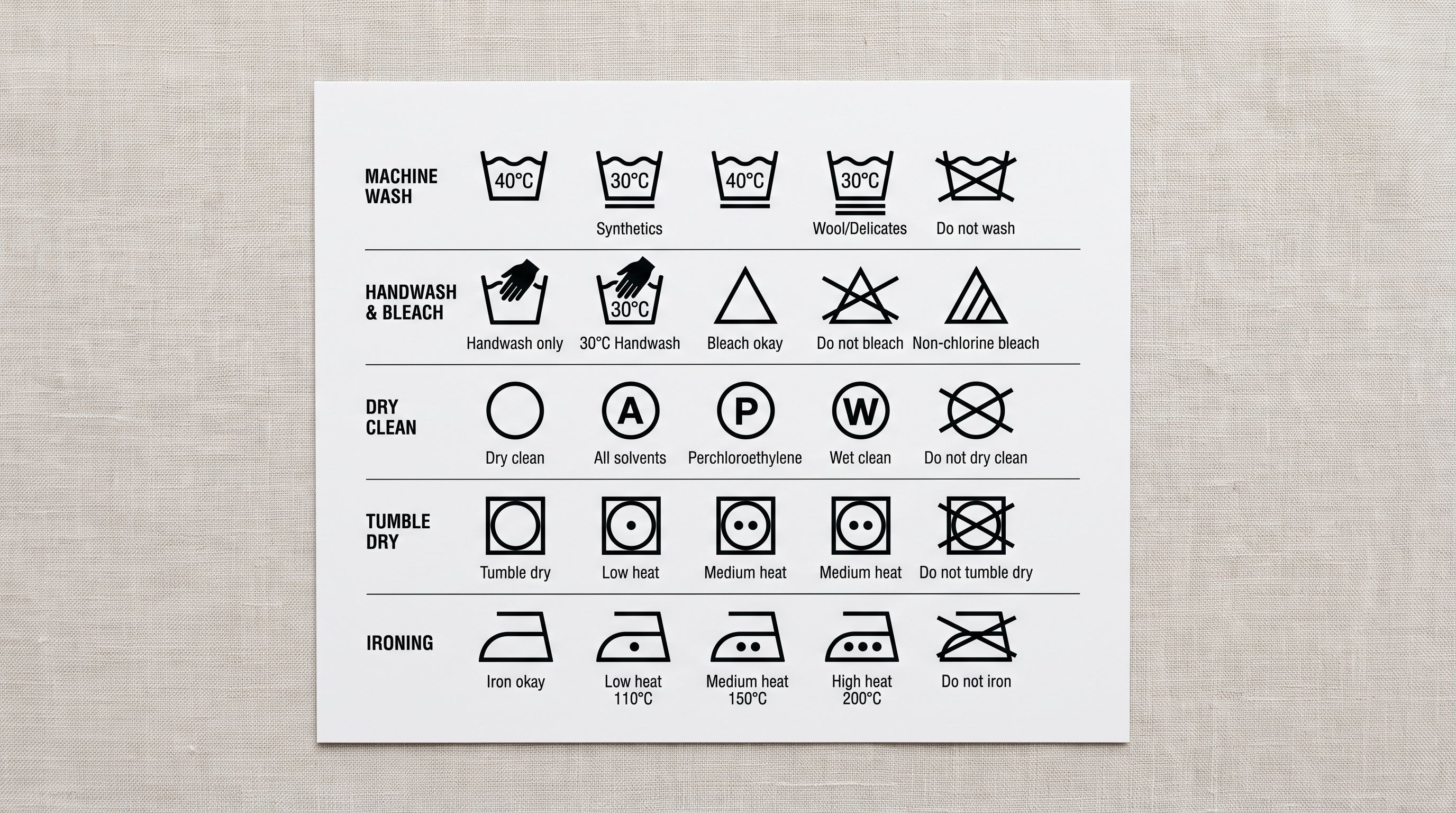
According to [Shopify's product metafields documentation](https://help.shopify.com/en/manual/products/product-metafields), list-type metafields can store multiple values for a single key, making them the appropriate type for multi-instruction care data. The Shopify theme can then display these as care symbol icons or structured text rather than a raw comma-separated string.
## Fabric Variant Structure: Width and Colour as Options
Shopify allows up to three option dimensions per product, each with up to 100 variant values. For fabric products, the two most common option dimensions are:
**Colour or print name.** A fabric pattern (such as a floral in three colourways) has colour/print name as the primary variant dimension: Navy Floral, Sage Floral, Rust Floral. Each is a distinct variant with its own image.
**Width.** Some fabric ranges are available in multiple widths (112cm and 140cm cuts, for example). Width becomes the second variant dimension when a single fabric is available in more than one cut width.
The combination creates variants like: Navy Floral / 112cm and Navy Floral / 140cm.
A common import mistake for fabric merchants is treating each width as a separate product rather than a variant option. This creates a catalogue where "Navy Floral 112cm" and "Navy Floral 140cm" are listed as two separate products, doubling the product count, splitting customer reviews between two records, and making collection management significantly harder.
Importier's Smart Variant Detection identifies width and colour as variant dimensions when they appear as columns in the supplier spreadsheet. The import automatically groups the two rows into one product with two width variants, rather than creating two separate products.
## AI Description Generation for Fabric Products
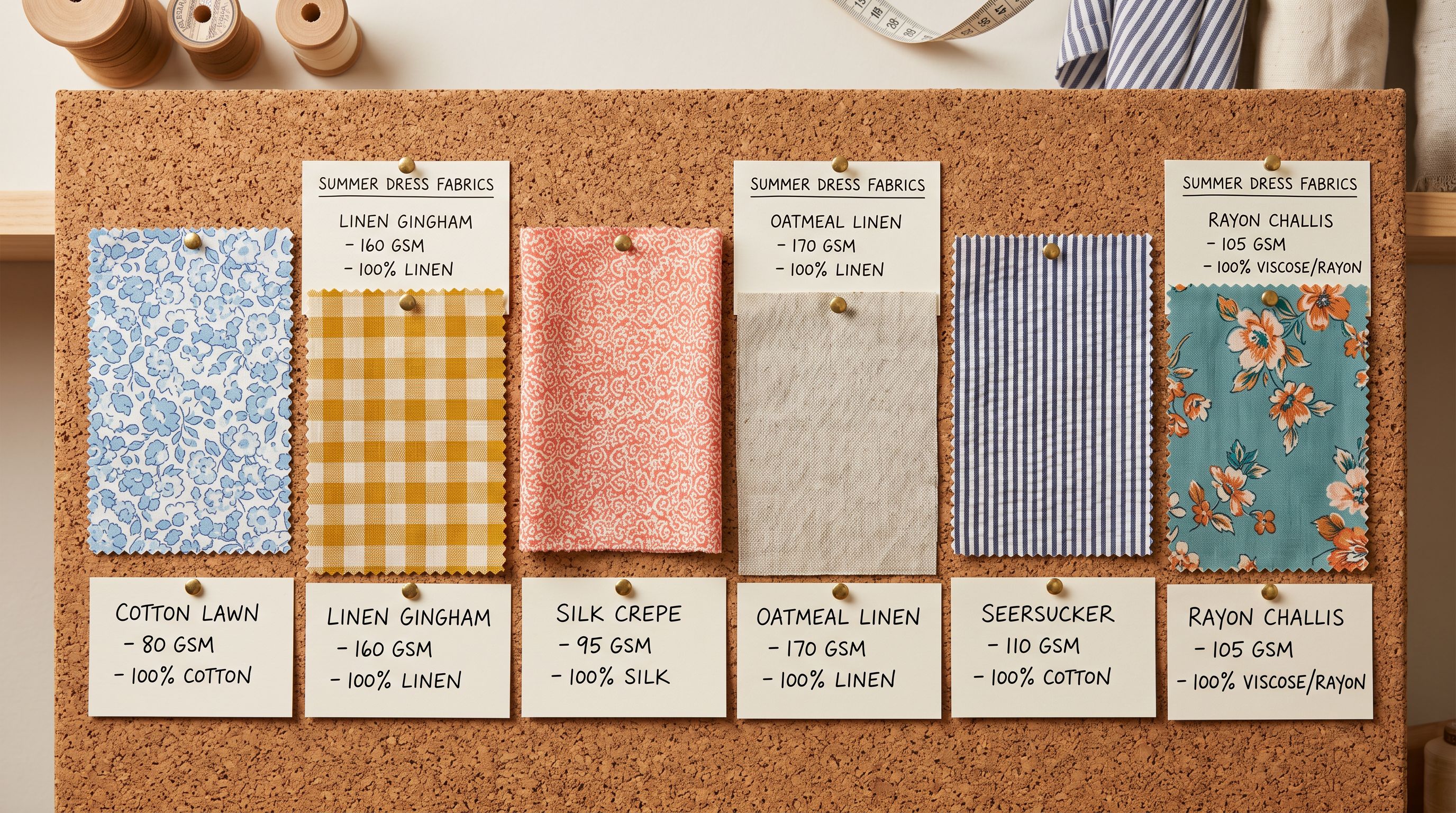
Product descriptions for fabric retailers serve a different purpose than most product categories. A sewer or quilter choosing fabric needs to understand:
- How the fabric feels (hand: soft, crisp, drapey, stiff)
- What it is suitable for (quilting, dressmaking, upholstery, home decor)
- How it behaves when washed and dried
- Whether it requires pre-washing before cutting
Generic AI descriptions for fabric products tend to produce copy that describes the visual appearance ("a beautiful blue and white print") without addressing any of these practical concerns. A fabric store customer reading this description gains no useful information for their project decision.
Importier's 156 expert personas include a fabric and textiles specialist that writes from the perspective of a practising sewist: the persona addresses hand, suitable applications, washing behaviour, and pre-wash recommendations as standard elements of every fabric description. The enrichment context field adds precision for the specific product: "120gsm double gauze, very soft and drapey, pre-washes well, slight shrinkage expected, suitable for lightweight summer garments and baby items" produces description copy that the target customer (a sewist choosing fabric for a project) actually needs to make a purchasing decision.
## Key Takeaways for Shopify Fabric and Textile Import
Fabric and textile merchants operate in a data environment that standard Shopify product fields were not designed for. Getting this right at import time means every product is filterable, compliant, and described for the customer who is choosing fabric for a specific project.
- **Store fibre composition, GSM, width, and care instructions as metafields:** these attributes enable the collection filters a fabric store customer expects (width range, fibre type, care method). Description text cannot be filtered. Metafields can.
- **Use controlled vocabulary for care instructions:** a structured list metafield for care instructions (machine-wash-cold, do-not-bleach, tumble-dry-low) is validatable against care labelling requirements and exportable to care label systems. A free-text string in the description body is neither.
- **Use Smart Variant Detection to group widths as variant options:** the same fabric available in 112cm and 140cm cuts belongs on one Shopify product with two width variants, not two separate products. Import time is the right moment to configure this; fixing the structure after the fact requires editing every affected product individually.
- **Write descriptions that address practical sewing decisions:** fabric customers need to know hand, suitability, pre-wash behaviour, and expected shrinkage. The [EU Cosmetics Compliance Import guide](https://www.importier.app/blog/shopify-eu-cosmetics-compliance-import) covers a related pattern of compliance data as structured metafields rather than description prose, for merchants who work across regulated product categories.
- **Map all fabric metafields at import time:** populating metafields after the fact requires opening each product manually or running a Store Scanner enrichment pass. Mapping supplier columns to Industry Pack metafields during the import wizard takes the same amount of time as any other mapping step and eliminates the post-import cleanup.
Import your fabric catalogue with fibre composition, care label, and width metafields at [importier.app](https://importier.app).