# Shopify Christmas Gift Season Import: Sets and Collections
> Import Christmas gift sets to Shopify with correct bundle variants, gift-finder collection tags, and AI descriptions that sell the gift moment.
- Published: 2026-08-31
- Author: Importier Team
- Category: Import Guides / File Imports
- Canonical: https://www.importier.app/blog/shopify-christmas-gift-season-product-import
---
A gift hamper retailer completed their Shopify Christmas gift season product import on 18 November last year. Products were live, collections were configured, and AI descriptions were polished. Sales came in, but not at the volume they expected. In mid-December the merchant checked their Google Search Console data and found their gift finder pages had been indexed only two weeks earlier. The search traffic they wanted had been peaking since late October.
They had missed six weeks of the Christmas research window.
According to the [National Retail Federation's holiday consumer survey](https://nrf.com/research-insights/holiday-data-and-trends/winter-holidays), 40 per cent of holiday shoppers begin buying before November. In Australia and the UK, where the gifting calendar includes Father's Day in September and the December gifting window starts earlier, the research window opens in October for most gift product categories. A retailer whose Christmas catalogue is not live by mid-October is invisible to the buyers who plan ahead.
The import timeline is the upstream problem. Getting gift set products structured correctly, tagged for gift-finder collections, and live with AI descriptions tailored to a gift-buying audience is not a one-day task. For a merchant with 150 gift products in a supplier spreadsheet, it is closer to a week of work using Shopify's native import.
## Why Christmas Gift Imports Are Different
Most product imports are straightforward: the supplier file describes a product accurately, the column headers are predictable, and the variant structure is consistent.
Gift product imports break all three assumptions.
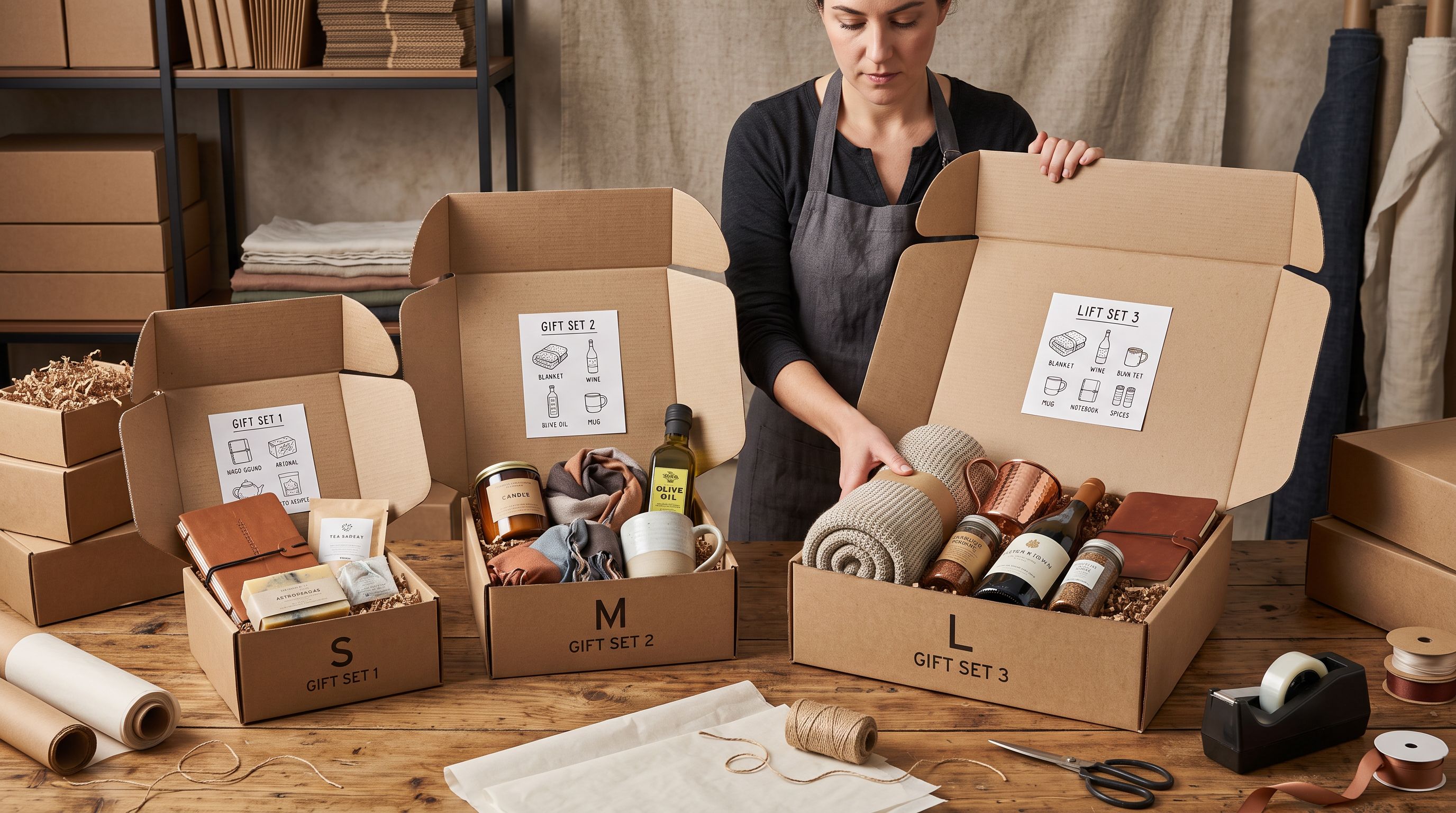
**Bundle composition as variant:** A gift hamper sold in small, medium, and large sizes is not three sizes of the same product. Each size contains a different selection of items. "Small" might be a candle and soap. "Large" might be a candle, soap, face cloth, and bath salts. The supplier file often lists these as separate SKUs with a common bundle code. Structuring these correctly in Shopify means grouping them under one product with the hamper size as the variant option, not importing them as three unrelated products.
**Gift finder tags vs product attributes:** A standard product import tags items by category: homeware, candles, fragrance. Gift finder collections need a different tag taxonomy: `gifts-for-her`, `gifts-for-him`, `gifts-for-kids`, `price-under-50`, `price-under-100`. These tags rarely appear in a supplier file. They have to be assigned at import time, mapped from the supplier's internal category codes, or applied as batch defaults.
**Recipient-framed descriptions:** A candle described as "200g soy wax with sandalwood fragrance, 40-hour burn time" is a product description. A candle described as "the kind of thing you light when you want a room to feel intentionally calm" is a gift description. The audience for a Christmas gift product page is often the buyer, not the recipient. A description that helps a buyer imagine giving the product is more effective than one that lists specifications.
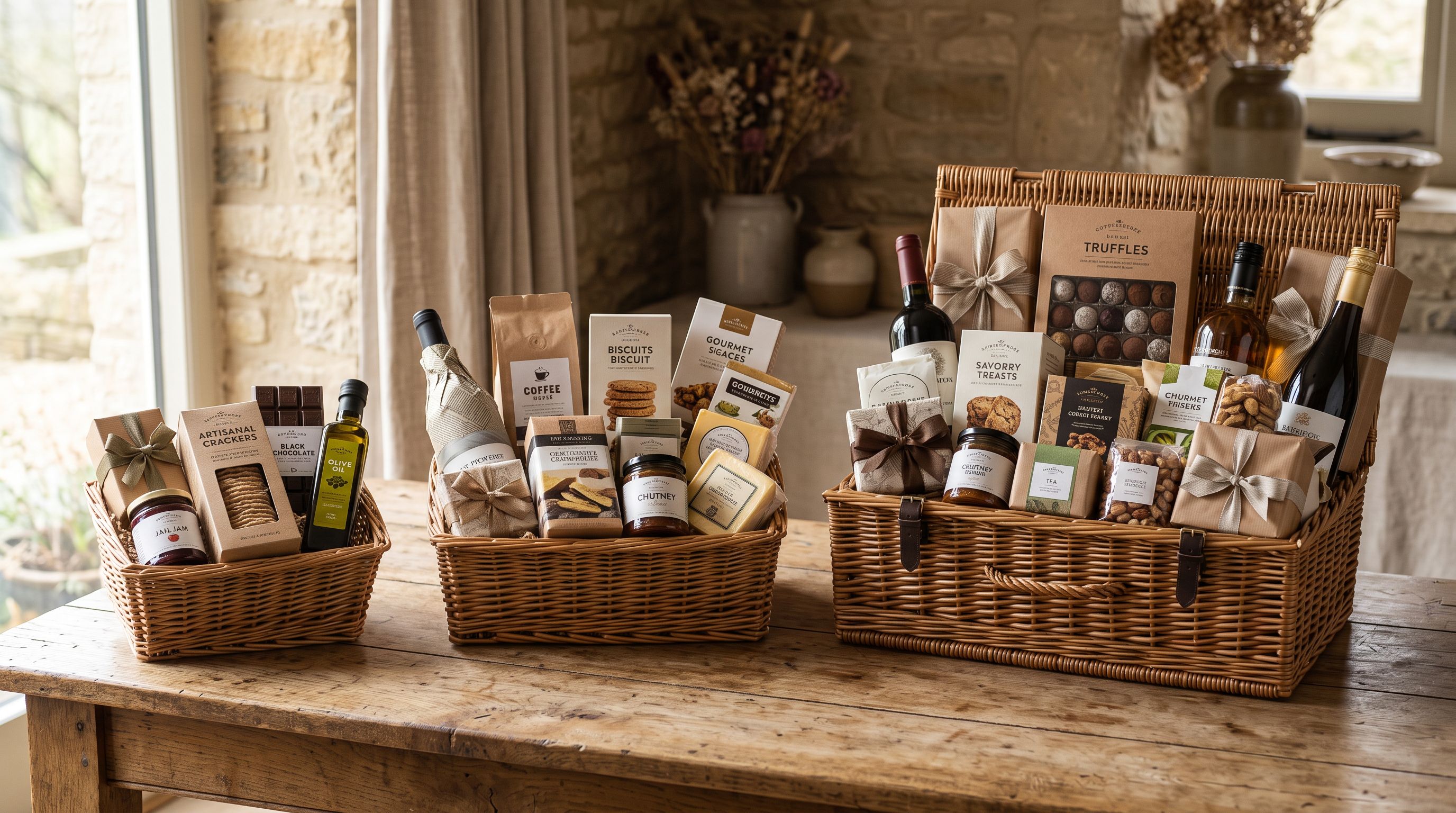
Shopify limits each product to three variant options. A gift hamper with size, recipient category, and gift wrapping options uses all three slots. Before mapping the import, decide which variant options matter for purchasing decisions. The rest belongs in tags and metafields, not in the variant structure.
## Structuring Gift Set Variants at Import
The most common variant mistake in gift set imports is over-engineering the variant structure. Shopify's three-option limit forces a decision about which product attributes become variants and which become tags or metafields.
For most gift hamper and gift set products, the correct variant structure is one option: the composition tier (small, medium, large, or equivalent names like Classic, Deluxe, Luxury). This is the variant the buyer chooses at checkout, and it drives the price and the specific product page image.
Recipient category (`Gifts for Her`, `Gifts for Him`, `Gifts for Kids`) should be tags, not variant options. A customer does not choose a recipient category from a dropdown at checkout. They land on the right product through the gift-finder collection. Using a variant option for recipient category wastes a slot that should be available for composition tier, and it creates a confusing dropdown that buyers misread.
Gift wrapping availability is the third common mistake. Mapping a "gift wrap available: yes/no" column from a supplier file to a Shopify variant option creates a $0 variant on every product. Themes display this poorly: a size selector that reads "Small / No gift wrap" or "Large / With gift wrap" confuses buyers and increases cart abandonment. The correct mapping for gift wrapping availability is a Boolean metafield (`gift_wrap_available: true`). The theme reads this metafield and displays a gift wrap badge or a checkout-level add-on option, without adding a variant dimension to the product.
In Importier's field mapper, a "gift wrap" column from a supplier file can be left unmapped (if the store handles gift wrapping at the theme level), or mapped to a custom metafield under a gift-options namespace. This is a configuration decision, not an import-time technical constraint, and making it at import time prevents post-import cleanup across 150 products.
## Building Gift Finder Collections at Import
Gift finder collections are one of the highest-converting page types in Christmas ecommerce because they match the way buyers actually search: not by product category, but by recipient and price.
A gift finder collection structure built from import tags:
- **By recipient:** Smart Collections with rule `tag contains gifts-for-her`, `tag contains gifts-for-him`, `tag contains gifts-for-kids`, `tag contains gifts-for-teachers`
- **By price tier:** Smart Collections with rule `tag contains price-under-25`, `tag contains price-under-50`, `tag contains price-under-100`
- **By theme:** Smart Collections with rule `tag contains spa-gifts`, `tag contains foodie-gifts`, `tag contains christmas-hamper`
- **By occasion:** Smart Collection with rule `tag contains christmas` and `tag contains christmas-2026`
Every one of these collections populates automatically from import tags. No product-by-product collection assignment is needed after import.
The recipient and price-tier tags set at import time are the mechanism that makes the gift-finder structure work. Setting them as batch defaults in Importier's import settings, mapped from supplier category columns, means all 150 products carry the correct collection-membership tags from the moment they go live.

Gift finder collections populate automatically from tags set at import. The work is in configuring the tag mapping once; every product that flows through the import carries the correct collection membership without manual assignment.
## AI Descriptions That Sell the Gift Moment
A gift product description must do something different from a standard product description. The reader is a buyer thinking about someone else. The description that converts is the one that makes the buyer confident that the recipient will feel the gift was chosen specifically for them.
Importier's Emotional Storytelling description style generates descriptions that lead with the experience of receiving or giving the product, rather than the product's material specifications. For Christmas gift products, this style pairs with a gift buyer persona: someone who is buying for another person and needs the description to do the imaginative work of gift selection.
The difference in practice:
The left column describes the product. The right column sells the occasion. For a buyer choosing between two similar gift sets, the second description reduces hesitation because it has already done the imaginative work of imagining the gift being received well.
The description style and persona apply to the entire import batch. One configuration covers all 150 gift products consistently.
## Publishing Timing for the Christmas Research Window
The import timeline needs to account for more than production time. Google's crawl-to-index cycle for new pages typically runs 1-2 weeks for a site with regular new content. New gift-finder collections backed by newly imported products need to be indexed before buyers start searching.

For a mid-October target (the start of the Christmas research window in Australia and the UK), the import and review process needs to complete by the first week of October. That allows two weeks for indexing before research traffic peaks.
A practical timeline for a 150-product Christmas range:
- **Week of 1 September:** receive and audit the supplier file. Check for missing data: images, variant structure, recipient categories.
- **Weeks of 8-15 September:** import, review, generate descriptions, verify collection membership.
- **Week of 22 September:** live on the store. Gift-finder collections active. AI descriptions reviewed for brand voice consistency.
- **First two weeks of October:** Google indexes new pages. Organic traffic begins building.
- **Mid-October to mid-December:** the research and purchase window.
The [shopify-halloween-catalogue-import guide](https://importier.app/blog/shopify-halloween-catalogue-import) covers a similar timing discipline for seasonal products. The principle is the same: the import is not the last step, it is the first step before organic visibility builds.
According to [Shopify's product variants documentation](https://help.shopify.com/en/manual/products/variants), each product can have up to 3 options with up to 100 variants total. For a gift hamper with three composition tiers, that limit is well within range. Planning the variant structure before import avoids the situation where a four-option design requires post-import restructuring across the full product range.
## Archiving After Christmas
Christmas products should be archived rather than deleted after the season. Archived products retain their URL, Shopify handle, metafield data, and import history. They can be restored next year without a full reimport.
The `christmas-2026` tag applied at import provides the filter for bulk archiving. After Christmas, a filtered export using the Tags export preset captures the current product data including any edits made during the season. That export file is the input for next year's reimport: update the descriptions for 2027 themes and the season's products re-enter the catalogue with minimal additional work.
The [seasonal catalogue management guide](https://importier.app/blog/shopify-seasonal-catalogue-management) covers the archive and restore workflow for stores running multiple seasonal catalogues simultaneously. Import History in Importier logs each Christmas batch by file name, timestamp, and product count, providing the audit trail for what was imported and when.
## Key Takeaways
- **The research window opens in October**, not November. A Christmas catalogue that goes live in mid-September gives Google two to three weeks to index before peak search traffic begins. An import that completes in November misses the buyers who plan ahead.

- **Gift set variants should reflect composition, not recipient or gift wrapping.** Use the three variant slots for size tiers (small, medium, large hamper). Map recipient categories to tags for gift-finder collections. Map gift wrapping availability to a Boolean metafield, not a variant option.
- **Gift-finder collections build automatically from import tags.** Set `gifts-for-her`, `gifts-for-him`, `price-under-50`, and `christmas-2026` tags in Importier's batch settings. Smart Collections with tag rules populate without any post-import collection assignment.
- **The Emotional Storytelling description style** with a gift buyer persona produces descriptions that help buyers imagine giving the product, not descriptions that list what the product contains. Apply it across the full Christmas batch with one configuration.
- **Archive, do not delete, after Christmas.** The `christmas-2026` tag provides the bulk archive filter. Archived products restore next year from the export data without a full reimport.
Set up your Christmas gift catalogue import at [importier.app](https://importier.app) and have seasonal products live before the October research window opens.