# Shopify Bing Shopping: Product Data for Bing Merchant Centre
> Bing Shopping feeds have stricter brand requirements than Google. Here is how to format and import Shopify product data for Bing Merchant Centre.
- Published: 2026-08-07
- Author: Importier Team
- Category: Marketplace / Marketplace Sources
- Canonical: https://www.importier.app/blog/shopify-bing-shopping-product-import
---
Most Shopify merchants running Google Shopping assume Bing Shopping is just a smaller version of the same thing. The feed is similar. The product ad format looks familiar. So they upload their Google Shopping export to Microsoft Merchant Centre and expect it to work. It does not. The feed validates with errors: brand missing on 200 products, titles truncated at 150 characters, GTIN required in Electronics. The Bing Shopping product data import fails at the first check.
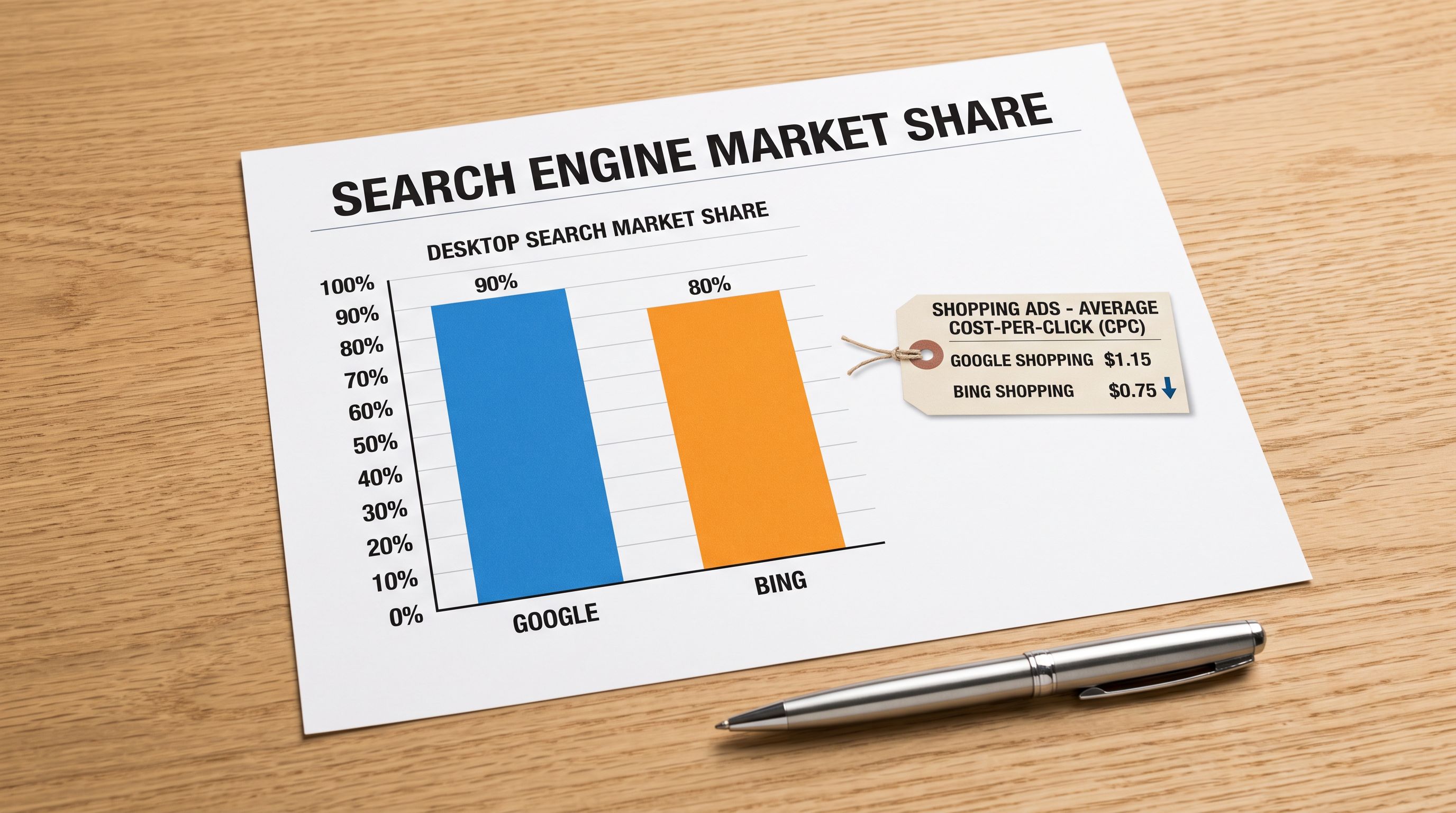
The merchants who do clear those checks discover the other side of the equation: lower cost-per-click, a search audience that skews older with higher household income, and category pages with fewer competing product ads than Google Shopping's equivalent. Bing Shopping is not Google Shopping's understudy. It is a separate channel with its own requirements and its own advantages.
## Why Bing Shopping Is Worth Formatting Correctly
Microsoft's advertising platform, which powers Bing Shopping product ads, reaches a distinct search audience. Users who search via Bing and Microsoft Edge tend to be older and have higher average household income than the broader Google Search population. For categories like home improvement, financial products, premium appliances, and professional tools, this audience profile aligns well with higher-value purchases.
The cost-per-click advantage is real. Bing product ads typically cost 20-35% less per click than equivalent Google Shopping placements in the same category, because fewer merchants run optimised Bing product feeds. Most Shopify merchants invest heavily in Google Shopping while treating Bing as an afterthought. The merchants who take the time to format their product data correctly for Microsoft Merchant Centre find themselves running product ads with lower competition than any Google Shopping category.
Microsoft rebranded Bing Ads to Microsoft Advertising in 2019 and Bing Merchant Center to Microsoft Merchant Centre. The product ad format is still widely called Bing Shopping. Both names refer to the same platform. When documentation refers to Bing Merchant Center, it means the same thing as Microsoft Merchant Centre.
## How Microsoft Merchant Centre Feed Requirements Differ from Google Shopping
Microsoft Merchant Centre accepts the same TSV and XML feed formats as Google Shopping. Many required fields are identical: `id`, `title`, `description`, `link`, `image_link`, `price`, `availability`, `condition`. A Google Shopping feed is a reasonable starting point for a Bing feed.
The differences come in three areas where Bing is stricter, and one area where it is more permissive.
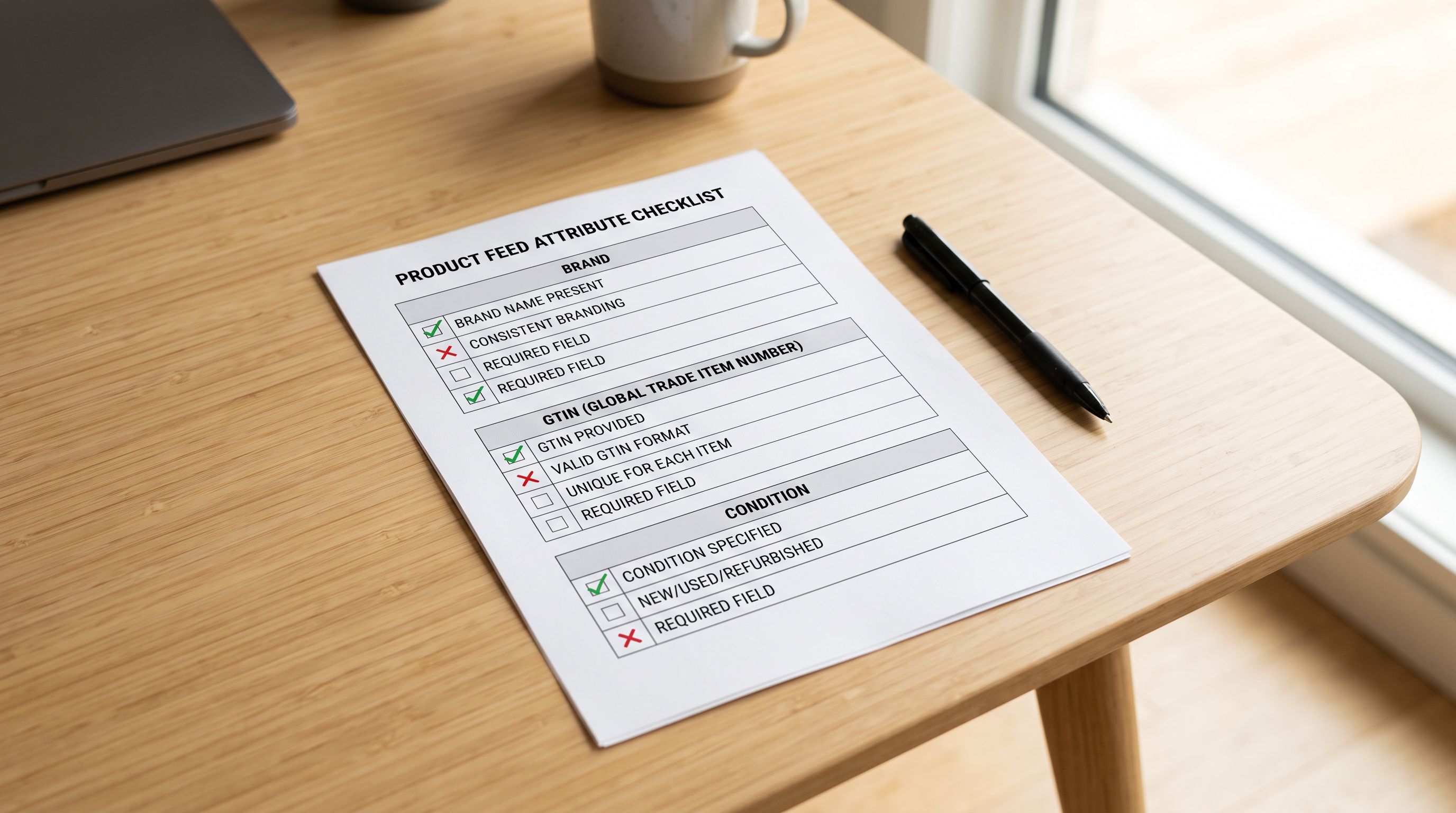
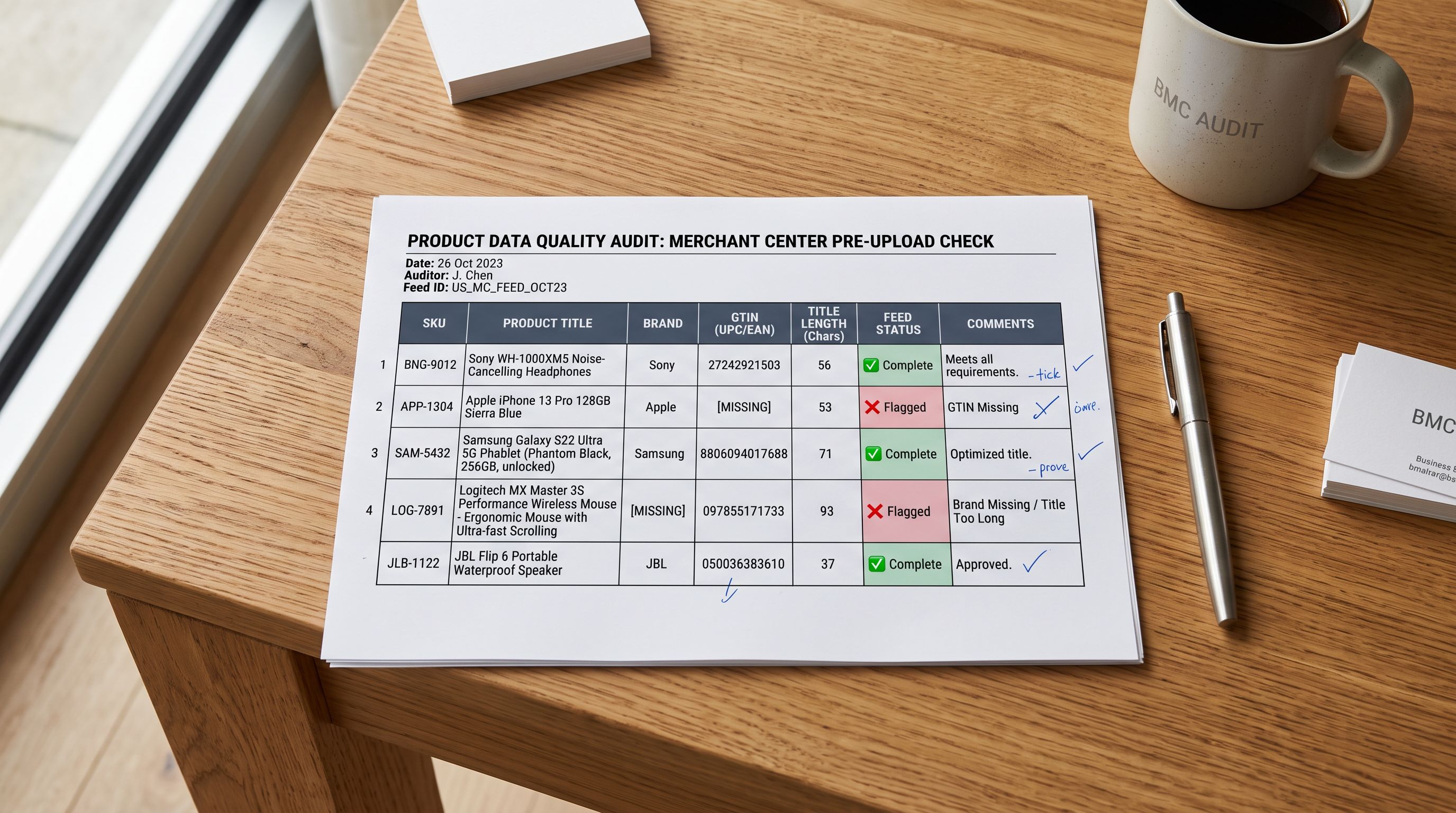
**Brand is always required.** Google Shopping only mandates the `brand` attribute in specific categories (apparel, books, electronics, media, music, software, video games). Microsoft Merchant Centre requires `brand` on every product, regardless of category. A homewares merchant with 300 products who has never populated the `brand` field in Shopify will see 300 feed errors on Bing after importing from Google Shopping's output.
**Title length limit is lower.** Microsoft Merchant Centre accepts titles up to 150 characters. Google Shopping allows up to 150 characters as well, but Google's feed processing is more lenient with titles that exceed that threshold. Bing is stricter about title truncation and recommends keeping titles under 70 characters for product cards. Titles that run long are cut off in the product ad display without grace.
**GTIN is required for Electronics, Clothing, and Media.** For branded products in these categories, Microsoft Merchant Centre requires a valid GTIN. Products without a GTIN in these categories either need a valid MPN and brand pair as a substitute, or they need to use the `identifier_exists: false` attribute to declare that the product has no manufacturer identifier. A Shopify catalogue that has never had GTINs populated will produce Electronics feed rejections on Bing.
**The one area where Bing is more permissive:** image minimum size. Google Shopping requires a minimum of 100x100 pixels for non-apparel images and 250x250 for apparel. Microsoft Merchant Centre's minimum is 220x220 pixels for all product types, but it is more forgiving of slightly smaller images in practice. If your product images meet Google's requirements, they will meet Bing's.
Brand is required on every product in Microsoft Merchant Centre, not just in selected categories. A 500-product catalogue where brand has never been populated will produce 500 feed errors on Bing. The fix is a bulk update, not a category-by-category patch.
## Common Data Gaps That Block Bing Feed Approval
The most common Bing Merchant Centre rejection reasons for Shopify merchants are predictable from the requirement differences above.
**Missing brand attribute.** This is the most common cause. Shopify stores the `Vendor` field as brand data. Many merchants use the Vendor field for internal supplier references rather than the actual product brand. A product with Vendor set to "ACME Wholesale" instead of the actual brand name will fail Bing's brand validation. The fix is to audit the Vendor field and populate it with the correct brand names before exporting to Bing.
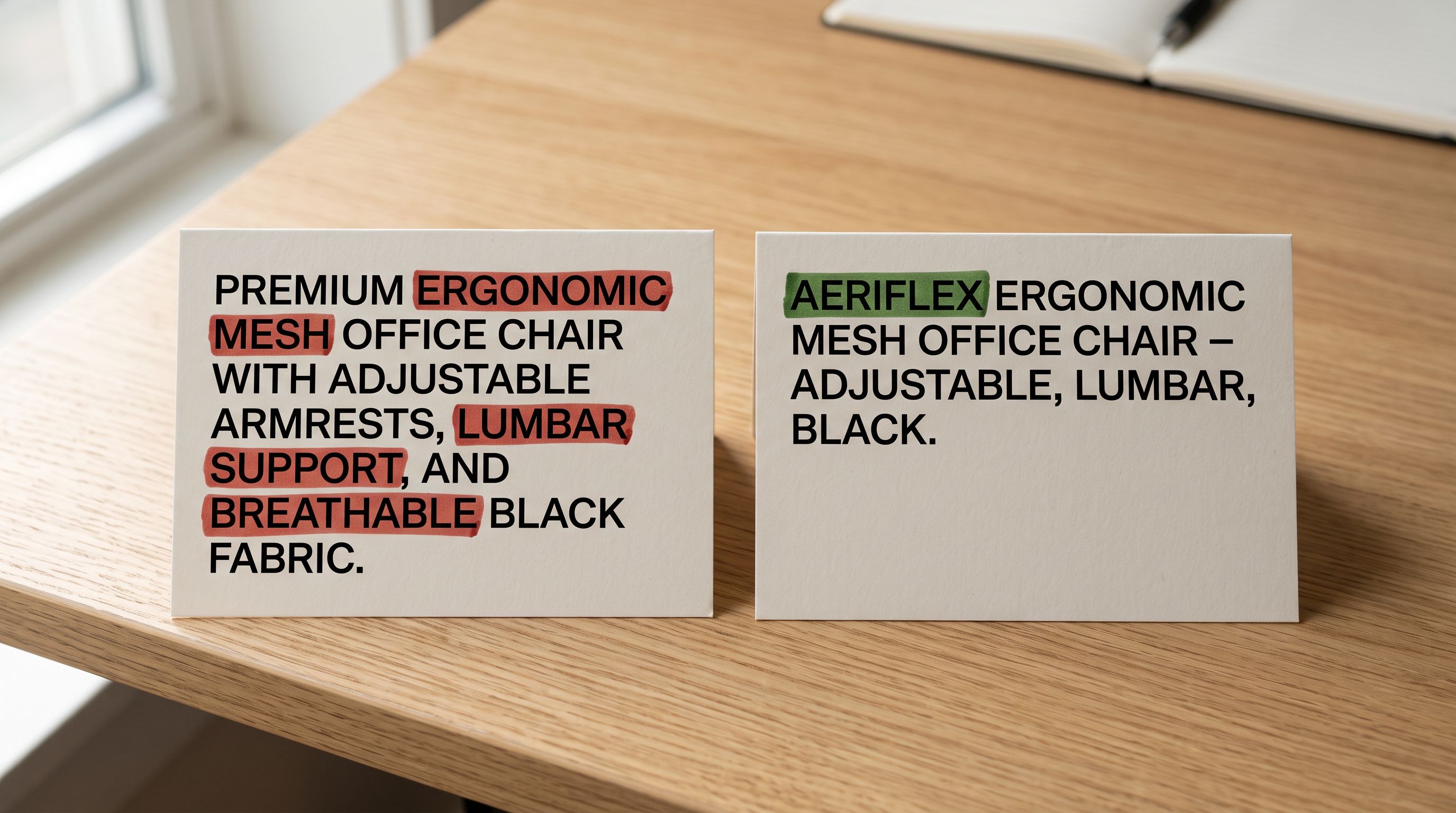
**Titles that are too long or too short.** A Bing-optimised title puts the brand first, followed by the product type, followed by the most important attribute (colour, size, material). "Nike Men's Running Shoes Air Zoom Pegasus Blue Size 10" performs better than "Air Zoom Pegasus 38 Men's Road Running Shoe Blue/White/Black". Titles under 25 characters are also flagged as too generic to be useful as product ad copy.
**Missing GTIN for branded products.** Electronics merchants in particular hit this error. If Importier's barcode lookup has not been run on the catalogue, GTINs may be absent. Running a barcode enrichment pass before exporting fills the GTIN field for products where the barcode maps to a known manufacturer identifier.
**Condition field absent.** Bing requires the `condition` attribute to be explicitly set to `new`, `used`, or `refurbished`. Shopify does not have a native condition field; this needs to be mapped or defaulted at export.
## Exporting Product Data from Importier for Bing Merchant Centre
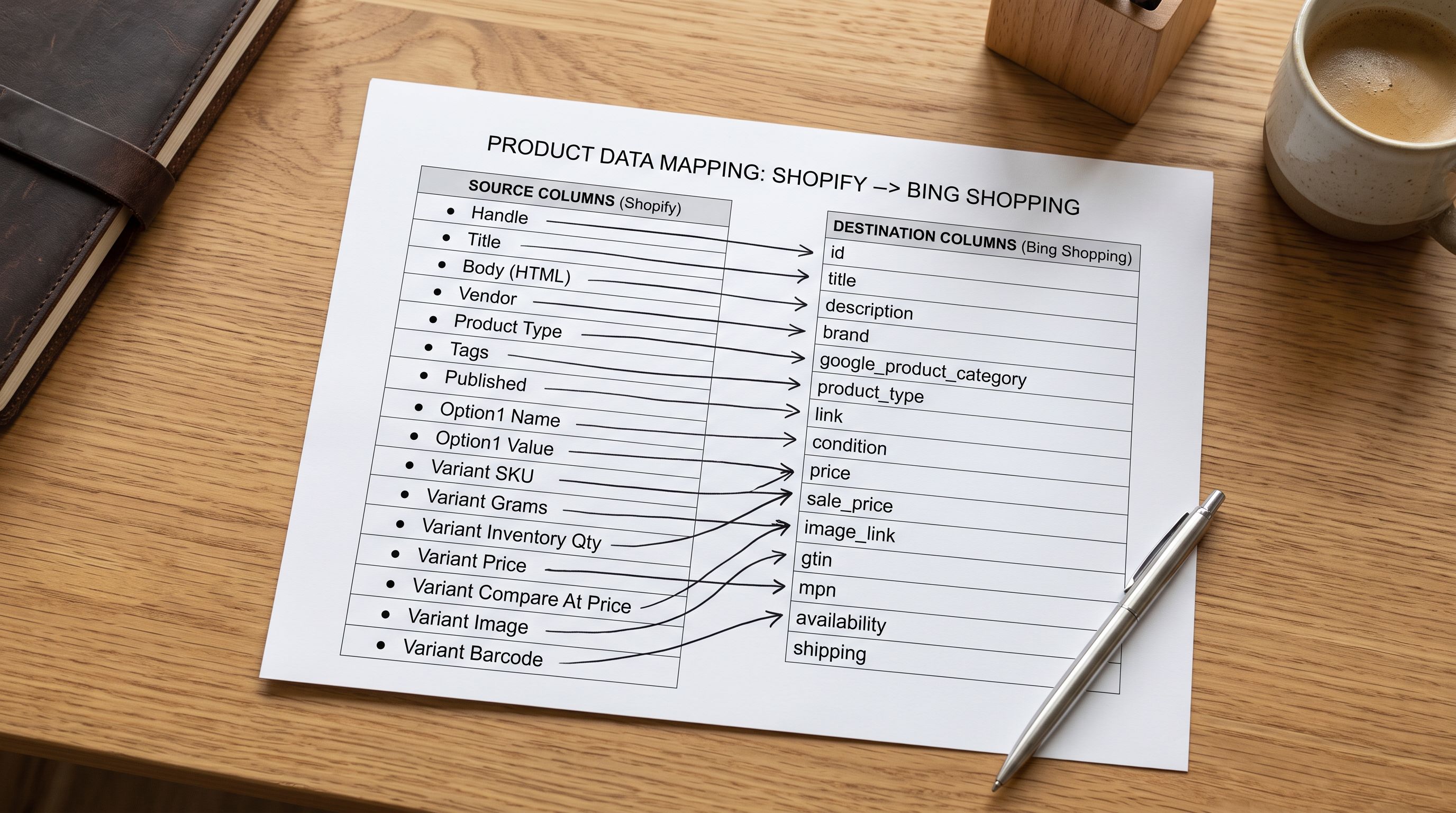
The most useful Importier export for Bing feed preparation is not the Full Shopify CSV; it is the SEO Audit preset. The SEO Audit export produces a single row per product with the fields that matter for feed quality: handle, title, description, vendor (brand), barcode (GTIN), product type, tags, and metafield values. This is the subset of Shopify's full product data that Microsoft Merchant Centre needs.
The SEO Audit export strips Shopify's variant-per-row format, which produces multiple rows for the same product when variants exist. Microsoft Merchant Centre expects one row per product variant, with the variant attributes in dedicated columns. For a product with three colours, you need three rows with the same `item_group_id` and different `colour` values, not Shopify's native CSV format where one product spans multiple rows.
For catalogues with variants, the Metafields export preset is more useful. It exports product and variant data with taxonomy attribute columns, which can be mapped to Bing's variant-level required fields: `colour`, `size`, `material`, `pattern`.
The full [Microsoft Merchant Centre product feed specification](https://help.ads.microsoft.com/apex/index/3/en-us/51083) lists every supported attribute with its exact column name, format, and validation rules. Cross-referencing the specification against your Importier export before uploading catches formatting errors before they become feed diagnostics.
One detail that catches merchants: Microsoft Merchant Centre's `availability` field accepts only `in stock`, `out of stock`, and `preorder`. Shopify's inventory status outputs as `true` or `false` for the `Published` field, and as a numeric quantity for `Inventory Quantity`. The mapping from Shopify's inventory data to Bing's `availability` string needs to be done at the export stage, not after.
## Descriptions and Titles for Bing's Shopping Audience
Bing Shopping product descriptions do not appear in the standard product ad card; they appear on the product detail page within the Bing shopping experience. They are used by Bing's relevance algorithms to understand what the product is, even when they are not customer-facing in the ad itself.
This means Bing descriptions serve a different primary function than Google Shopping descriptions. For Google, the description affects relevance and can appear in some ad formats. For Bing, the description is primarily a relevance signal. The quality bar for Bing descriptions is "clear, accurate, and complete" rather than "optimised for conversion copy."
For the [Importier AI description generation styles](https://importier.app/blog/shopify-product-description-google-merchant-centre) that perform well for channel feeds, the Standard style with Google Merchant Centre compliance mode produces clean, specification-led descriptions that Bing's relevance engine reads well. The description leads with the product type and key attributes, avoids promotional language, and includes the brand and category context that helps Bing place the product in the right query space.
Titles, however, are the most important data element for Bing Shopping performance. The title drives both relevance matching and the text that appears in the product ad card. The recommended structure is:
- Brand first (required, validates against the `brand` field)
- Primary product type
- Most differentiating attribute (colour, size, material, model number)
- Secondary attribute if space allows under 70 characters
This structure differs slightly from Google Shopping's recommendation, which puts brand at the end for non-apparel and at the beginning for apparel. For Bing, brand-first works consistently across categories.
Importier's Title Optimiser includes a Google Merchant Centre preset that formats titles for GMC's recommended brand/type/attribute order. For Bing, the same preset works well as a starting point; the main adjustment is ensuring brand appears first rather than after the product type. A bulk review of titles after running the Title Optimiser, filtered by the Bing diagnostic report's rejected titles, identifies the specific products that need reordering.
## Key Takeaways
Bing Shopping product data requirements are close to Google Shopping but not identical. The differences cause silent feed rejections that merchants do not catch until they check the Microsoft Merchant Centre diagnostics report.
- Microsoft Merchant Centre requires `brand` on every product regardless of category. Google Shopping only mandates brand in specific categories. A catalogue that has never populated the Vendor field correctly will produce a feed full of brand errors on Bing.
- GTIN is required for branded Electronics, Clothing, and Media products. Products that genuinely have no manufacturer identifier need `identifier_exists: false` explicitly set. Importier's barcode enrichment fills GTINs where a barcode maps to a known manufacturer identifier.
- Bing-optimised titles lead with brand, followed by product type and key attribute, and stay under 70 characters where possible. Brand-first is a consistent rule across categories on Bing, unlike Google Shopping where brand placement varies by category.
- The [Microsoft Merchant Centre product feed specification](https://help.ads.microsoft.com/apex/index/3/en-us/56841) documents every required and optional attribute with format rules. The Bing diagnostics report after first upload identifies which products hit which errors. Address errors by category: brand errors require a Vendor field update and re-export; GTIN errors require barcode enrichment or identifier_exists false.
- The SEO Audit export preset and the Metafields preset from Importier produce the field subset Microsoft Merchant Centre needs. The Full Shopify CSV includes too many Shopify-specific columns and requires more cleanup to match Bing's expected feed format.
- Bing Shopping's audience is worth the formatting effort. Lower CPC competition and a distinct audience profile make it a channel worth running for merchants who have already established Google Shopping performance.
Format your product data for Bing Merchant Centre at [importier.app](https://importier.app).